
An app generator iOS tool lets anyone build polished mobile apps for iPhone, iPad, and Android without heavy coding. Visual builders speed iOS app creation, cut development time, support testing, and help teams ship to multiple platforms fast.
How Does an Idea Transform Into a Real iOS App?
Over 3.8 million mobile apps were published across major stores in 2024, and many started not with heavy coding, but with faster visual tools. This shift changed how developers and businesses approach building apps for iOS, Android, iPad, and web platforms.
Before, developing an iOS app required weeks of coding, testing, and debugging. Now, app generators bring ideas to life quickly, test them, and publish directly to the Apple App Store or Google Play Store without delays.
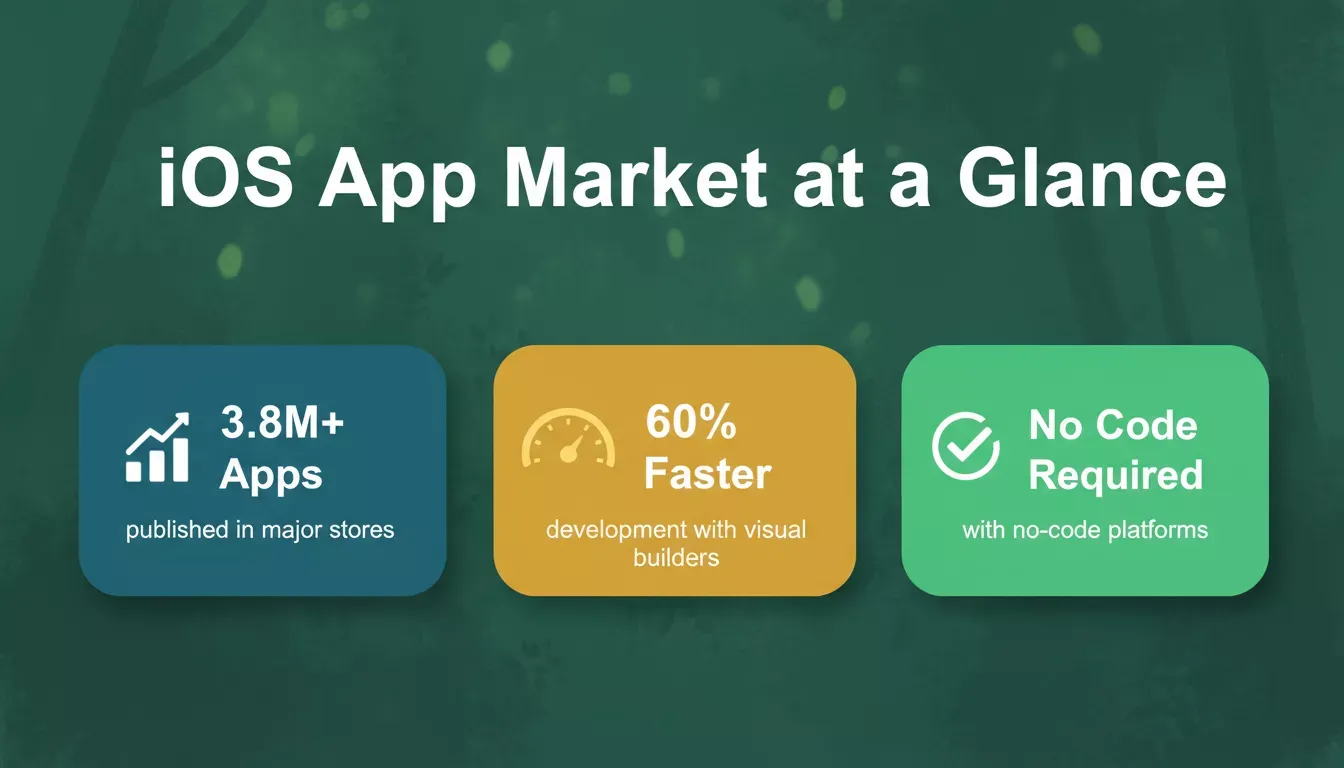
The mobile app market has grown rapidly, with visual builders driving a major share of new launches.
When Traditional App Development Slowed Everything Down
Back in the day, building a native app meant juggling complex frameworks, iOS versions, and Android devices. Even small updates, like changing an icon or tweaking push notifications, required a developer's time, testing, and sometimes days of waiting for approval in the Apple App Store.
For teams with a big idea, coding could feel like a huge wall. A small mistake meant hours of bug fixes. Any plan to add new features often got delayed because development cycles were slow and rigid.
The Rise of Visual App Builders
Visual app builder platforms let creators build mobile apps with just a few clicks while maintaining high performance on iOS devices and Android phones. These tools enable you to create apps quickly, connect customer data, add in-app purchases, manage push notifications, and test features before publishing.
With drag-and-drop design, even someone with minimal coding skills can create a native app that looks polished and works smoothly on iOS and Android. Instead of spending weeks on code, creators can now focus on the experience: what users see, how they interact, and how features flow from screen to screen.
Key Features of Modern App Makers
Most modern app maker platforms offer a rich set of features. Here is a snapshot of what teams rely on when choosing an iOS app generator tool:
| Feature | What It Does |
|---|---|
| Drag-and-drop builder | Design layouts visually without writing code |
| Templates | Fast starting point for e-commerce, business, or community apps |
| Data integrations | Connect forms, analytics, and customer databases |
| One-click publish | Shortens the path to the Apple App Store and Google Play |
| Subscription management | Add and manage premium features easily |
| Real iOS previews | See how screens behave on iPhone and iPad before launch |
| IPA file export | Test on real iOS devices or submit with a developer account |
| Push notifications | Keep users engaged and informed after installation |
These capabilities let teams iterate faster, test new ideas, gather user feedback, and refine the app before a big launch.
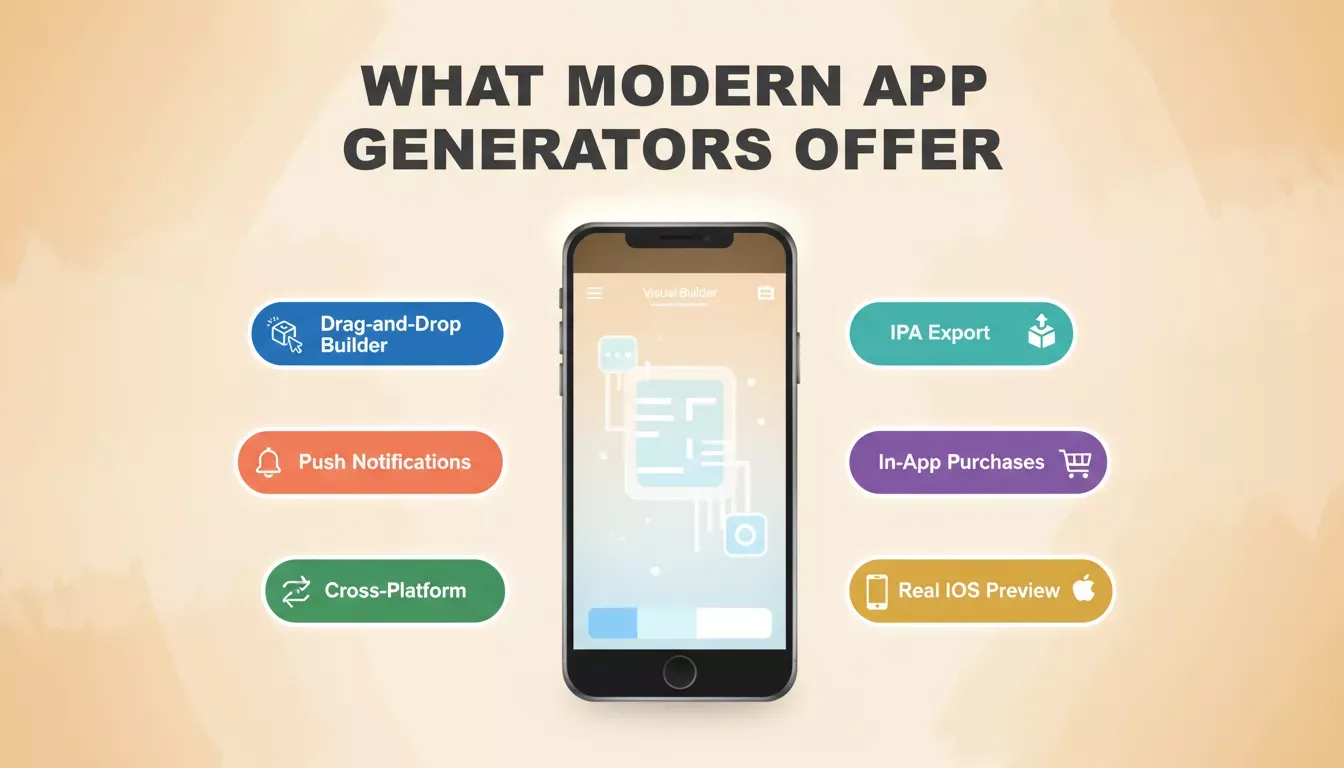
A modern iOS app generator covers the full stack from design to deployment, no developer required.
How App Builders Changed Development
The traditional coding approach demanded time and constant testing. With visual app builders, creators can build apps faster and more flexibly. The shift from code-first to prompt-first development has compressed timelines from months to days.
The workflow is now straightforward: start with an idea, design screens visually, add features through prompts, preview on an iOS device, and publish directly to the App Store once ready.
From idea to App Store: the streamlined workflow with a modern iOS app generator.
Why Businesses Prefer App Builders
Businesses rely on mobile apps to reach customers directly, collect data, and deliver timely updates. Using an app generator iOS or cross-platform tool makes it easier to build for iPhone, iPad, and Android devices, publish on both major stores, and update apps without coding.
With these tools, businesses gain flexibility, speed, and a better way to stay connected to customers. Research shows no-code and low-code platforms are now used by over 70% of new application development activity, signalling a permanent shift in how products are built.
For teams exploring cross-platform options, understanding how to build a mobile app with AI gives a clear picture of what the modern development workflow looks like end to end.
Technical Depth Without Coding Hassles
Even with no coding required, many platforms support advanced features. Teams can integrate customer databases, connect to analytics tools, manage subscriptions, and test features on real iOS devices. This means coding knowledge is optional, not mandatory.
Developers can focus on optimizing workflows while beginners create apps visually. Both groups save time and reduce the risk of errors, allowing updates to happen quickly without waiting on a developer's schedule.
For teams that want to go deeper, Rocket's 26+ connector integrations cover payments, CRM, databases, AI, email, and analytics, all wired up from a single chat prompt.
Flexibility for Beginners and Experts
Beginners benefit from a free app maker that helps them test ideas and build confidence. Experienced teams can use these tools to create prototypes, gather feedback, or publish full-featured apps.
Exporting an IPA file and linking it to an Apple Developer account is straightforward, and the tools handle compatibility with the latest iOS versions. This ensures apps run smoothly across iPhone, iPad, and Android devices.
Creators can also change icons or the app name instantly, add advanced features gradually, connect data and analytics, and manage subscriptions and in-app purchases. For a deeper look at what goes into choosing an iOS mobile app builder, the key factors are cross-platform support, publishing tools, and how well the builder handles real device testing.
Rocket Mobile: Building Apps Anywhere
Rocket.new recently introduced Rocket Mobile, and it changes how people start building. Instead of waiting until you are back at a laptop, you can pull out your phone and keep shaping your idea right where inspiration hits.
The experience is surprisingly fluid. You can open a project, tweak a screen, adjust a flow, or start something new from a simple prompt. Everything you need sits right inside the mobile interface, so the process fits naturally into small pockets of time throughout the day.
According to the official Rocket blog, you can build and manage projects from your mobile device without losing access to powerful features. Here is what makes the Rocket approach to iOS app generation stand out:
- Prompt-based building: Describe what you want, and Rocket creates the app structure automatically using Flutter for iOS and Android.
- Figma-to-app conversion: Import up to 40 Figma screens, and Rocket generates a complete Flutter app with native navigation, styled components, and clean Dart code.
- Mobile device preview: Test screens and flows in a phone frame directly inside Rocket before submitting to the App Store.
- Full-stack generation: Rocket builds both the UI and backend, so the app functions end-to-end from day one.
- Instant web preview sharing: Share a live link so testers can try your app in a browser without installing it.
For teams that want to understand the full publishing process, deploying apps on iPhone covers every step from IPA export to App Store submission.
Publishing to the Apple App Store requires an Apple Developer account ($99/year) and Xcode on a Mac. Rocket generates production-ready Flutter code that you export, open in Xcode, and submit directly through App Store Connect.
"AI-powered no-code tools are fundamentally reshaping how teams approach mobile app creation, with faster iteration cycles and lower barriers to entry becoming the new standard". - LinkedIn research on mobile development trends
The Path Ahead
The future of mobile app development favors speed, flexibility, and iteration. Modern app-building tools enable creators to launch quickly, gather feedback, and evolve their products faster than ever before. No longer confined by coding complexity, teams can focus on delivering better user experiences.
The ability to export an IPA file, preview on iOS devices, and publish to the store ensures ideas turn into real apps quickly. As Apple Vision and other new technologies expand, creators gain more opportunities to innovate without starting from scratch.
For teams ready to scale beyond a single app, building a no-code mobile app with AI-based tools provides the fastest path from validated idea to live product.
The Impact of an App Generator for iOS
Creating a mobile app is no longer a long, daunting process. With an iOS app generator, teams can turn ideas into polished apps for iOS, Android, and web platforms quickly. Businesses save time, engage users effectively, and iterate faster.
Today, visual builders and free app makers give anyone, from beginners to experts, the chance to build apps that work, look great, and reach the Apple App Store or Google Play Store without heavy coding.
If you are ready to turn your idea into a production-ready iOS app without writing a single line of code, Rocket is the platform built for exactly that. From prompt-based building to Figma import, full-stack Flutter generation, and direct App Store submission, Rocket handles the entire development lifecycle.
Start building for free today and see how fast your next app can go from concept to the App Store.
Table of contents
- -When Traditional App Development Slowed Everything Down
- -The Rise of Visual App Builders
- -Key Features of Modern App Makers
- -How App Builders Changed Development
- -Why Businesses Prefer App Builders
- -Technical Depth Without Coding Hassles
- -Flexibility for Beginners and Experts
- -Rocket Mobile: Building Apps Anywhere
- -The Path Ahead
- -The Impact of an App Generator for iOS