

Most teams don't have a collaboration problem. They have a context problem. The right information never reaches the right person at the right time. AI fixes that by making context automatic, not manual.
Why are distributed teams still copying updates between five different apps when AI can handle coordination automatically?
Most teams don't lack tools. They lack a single platform that connects communication, task management, and workflow automation under one intelligent layer.
The result is duplicated status meetings, missed deadlines, and institutional knowledge buried in threads nobody reads.
According to McKinsey's 2025 Superagency report, 92 percent of companies plan to increase their AI investments over the next three years. Yet only 1 percent consider their AI deployment mature enough to transform workflows. That gap between intention and execution is exactly where collaboration breaks down.
What Features Should Your AI Collaboration Platform Include?
Before choosing a tech stack, get clarity on the features that separate a basic collaboration tool from an intelligent one. The right platform connects every team member to their work, not just to each other.
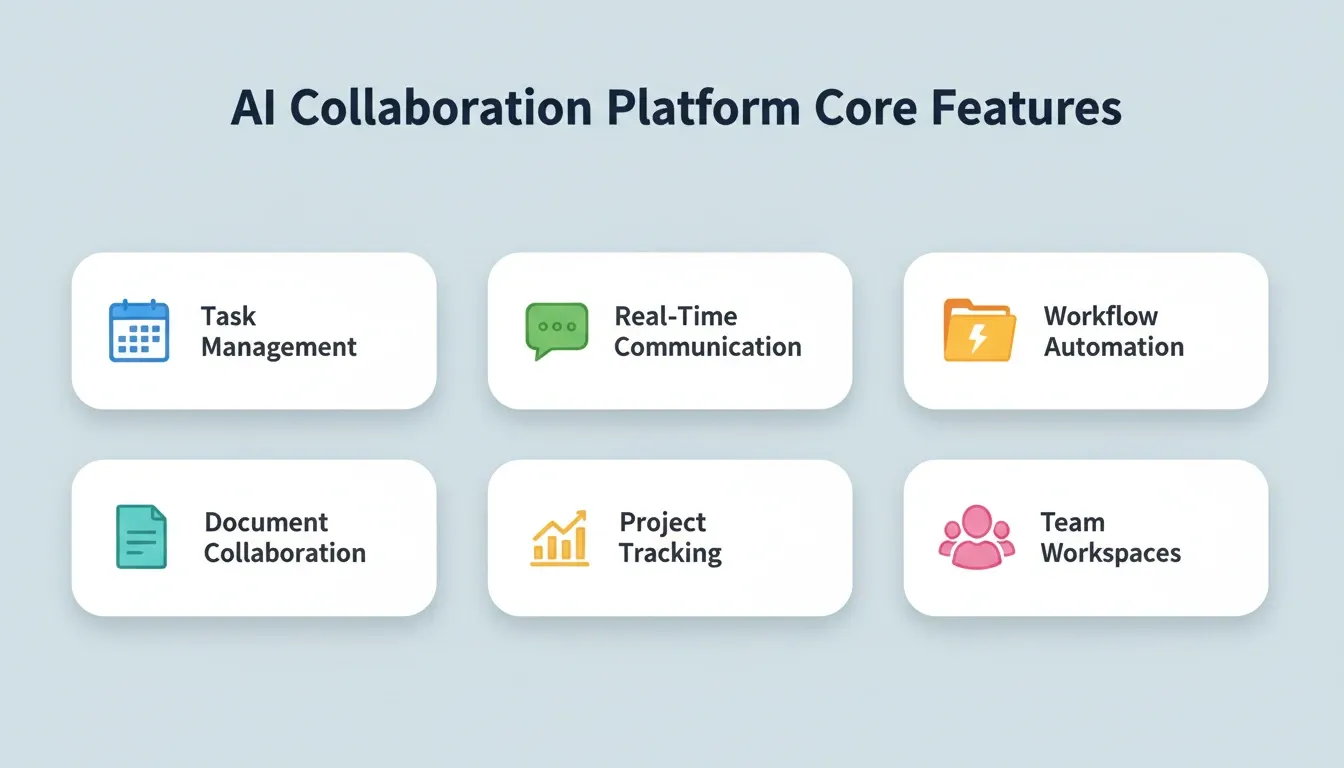
Here is a breakdown of the core feature categories and how AI enhances each one:
| Feature Category | What It Does | AI Enhancement |
|---|---|---|
| Team Workspaces | Organizes projects by team with role-based access controls | AI suggests workspace structure based on project type |
| Task Management | Visual boards with kanban, list, and calendar views | AI auto-assigns tasks based on workload and past patterns |
| Document Collaboration | Shared docs with version history and co-editing | AI generates first drafts and summaries from meeting notes |
| Project Tracking | Dashboards with timelines, milestones, and dependency mapping | Predictive scheduling flags overdue tasks and bottlenecks early |
| Real-Time Communication | Channels, threads, and async video for distributed teams | AI meeting summaries and action-item extraction |
| File Sharing | Centralized storage with search and tagging | AI-powered search surfaces answers from past documents instantly |
| Workflow Automation | Custom triggers, approval flows, and status updates | AI agents handle repetitive tasks and route work to the right people |
The feature depth matters because enterprise teams and small teams have very different needs. A startup might prioritize speed. A scaling company needs advanced reporting, granular permissions, and security standards like SOC 2 certification.
For a deeper look at how these features come together in practice, see A Practical Guide to Team Collaboration App Development.
Validate Before You Build: Why Research Comes First
The most expensive mistake in any business is not a bad execution. It is a good execution of the wrong thing. Teams spend months shipping features nobody uses because they skipped the research phase. Before writing a single line of code, strong teams answer three questions:
-
Who exactly needs this platform? Engineering teams, remote-first startups, or enterprise operations?
-
What collaboration pain is most acute? Context loss at handoffs, missed deadlines, or tool sprawl?
-
What does the competitive landscape look like? Which features are table stakes versus genuine differentiators?
Skipping this step is where most collaboration platform projects fail. You can build the right features on the wrong foundation and still end up with a product nobody adopts.
How AI Agents Handle Repetitive Work for Teams
AI agents represent the biggest shift in how collaboration platforms create value. Unlike simple chatbots, they observe team patterns, execute multi-step workflows, and reduce the coordination overhead that drains productivity.
Here is what AI agents handle automatically in a well-built collaboration platform:
-
Meeting summaries: After every call, the AI assistant extracts action items, assigns owners, and posts the summary in the relevant channel.
-
Smart notifications: Instead of alerting everyone, AI routes alerts only to people whose work is directly affected.
-
Routine status updates: Weekly reports and sprint check-ins are drafted by AI agents pulling live data from the board.
-
Predictive scheduling: AI flags tasks at risk of missing deadlines and recommends reallocation before the problem surfaces.
-
Knowledge surfacing: AI searches across all documents and threads to surface relevant context, preserving institutional knowledge as team members change.
When routine tasks are handled by AI, the whole team spends more time on decisions and less time on coordination.
How Cross-Functional Teams Collaborate with AI Tools
The gap between how engineering, marketing, and sales teams collaborate reveals why most collaboration tools fail at scale. Each function has different workflows, different reporting cadences, and different definitions of "done."
AI bridges these gaps by translating work across contexts. An AI collaboration tool can take an engineering ticket, extract the customer-facing impact, and automatically update the marketing team's content calendar. Cross-functional teams no longer need to rely on manual handoffs or status meetings to stay aligned.
Asana's 2023 Anatomy of Work report found that 55 percent of workers at collaborative organizations reported revenue growth over three years. That is nearly double the rate at companies with weak collaboration. This data point reinforces why choosing the right collaboration software is a business decision, not just a tooling preference.
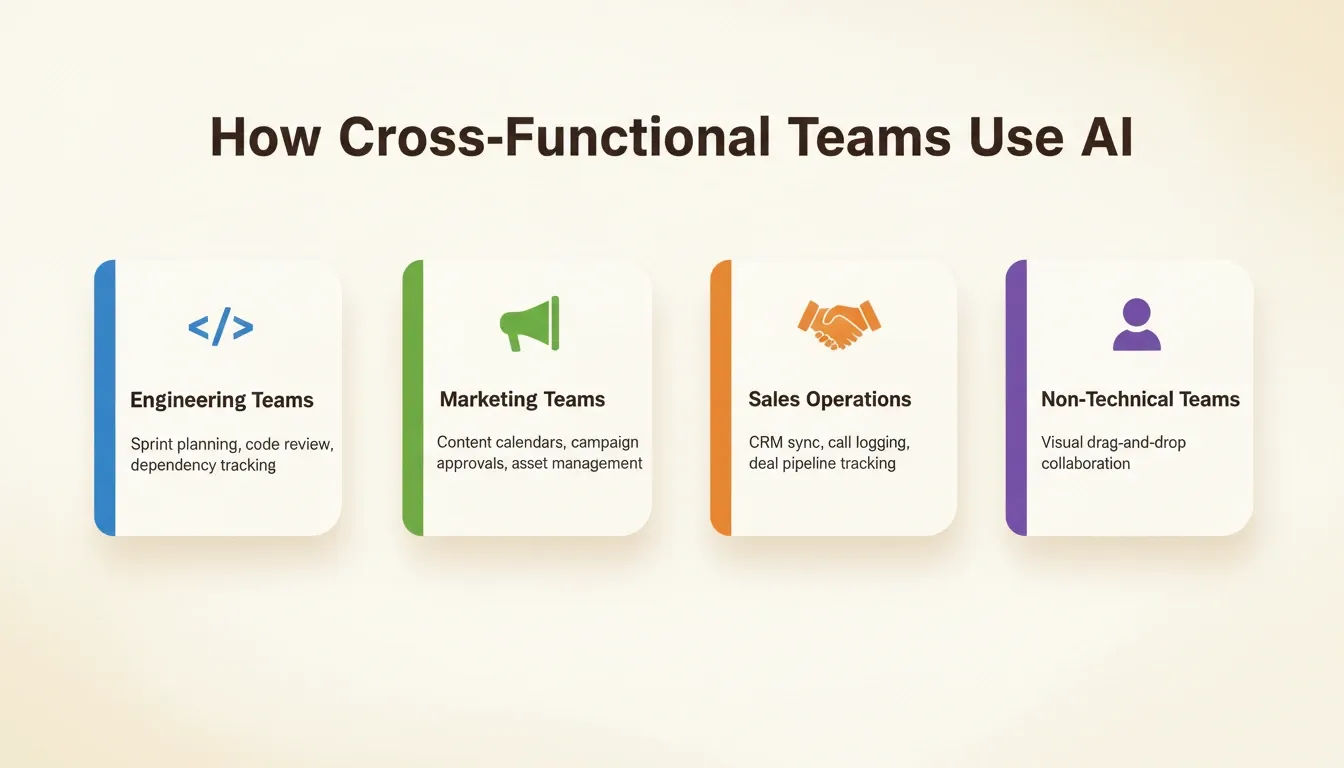
The workflow shift looks like this:
Workflow migration: from scattered tools to a unified AI collaboration platform
How Rocket Turns Collaboration Ideas into Working Apps
You understand the features and the cross-functional requirements. Now comes the hard part: building it. Traditional development means months of architecture decisions before reaching an MVP. Rocket collapses that timeline significantly.
Rocket is the world's first Vibe Solutioning platform. It combines strategic research (Solve), AI app building (Build), and competitive monitoring (Intelligence) in a single product with shared context. 1.5 million people have tried Rocket across 180 countries, from solopreneurs to enterprise teams.
Solve takes any business question and returns a structured, evidence-backed report with findings and recommendations. You validate your collaboration platform idea, scope your MVP, and generate a product requirements document before a single build task starts. The research lives in the same project as the build, so no context gets lost at the handoff.
Build generates production-ready web apps in Next.js and mobile apps in Flutter from a plain-language description. Describe your collaboration platform and Rocket generates the frontend, database schema, API routes, and authentication. The Build pillar also includes an Advisor Agent, a built-in senior architect sub-agent that resolves error loops and makes architectural decisions so the coding agent never gets stuck.
Intelligence monitors every public platform your competitors operate on, continuously. It interprets what signals mean for your product direction, not just what changed, but what it means for your next decision.
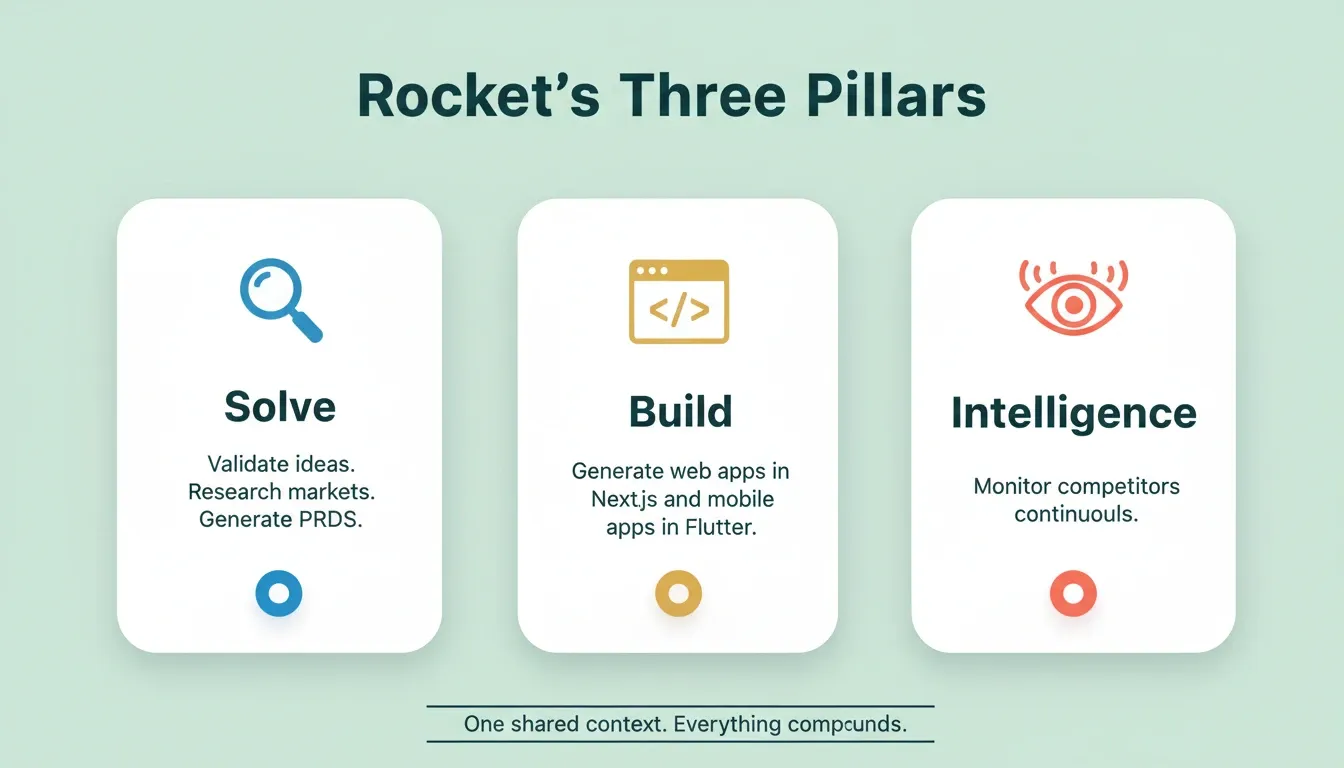
Rocket's Three Pillars: Solve, Build, and Intelligence
Here is how Rocket's plans are structured:
| Plan | Price | Credits Per Month | What's Included |
|---|---|---|---|
| Free | USD 0 | 20 (one-time) | Build apps + Light Solve |
| Pro | USD 25/mo | 100 | Build + Light Solve |
| Rocket | USD 50/mo | 250 | Build + Full Solve + Intelligence |
| Booster | USD 250/mo | 1,500 | Build + Full Solve + Intelligence |
All paid plans include unlimited team members. Credits roll over month-to-month on monthly plans. Source: docs.rocket.new/getting-started/pricing.
What Does the Technical Stack Look Like?
Understanding the architecture helps teams evaluate what to build versus what to buy. Here is what a production-ready stack looks like when you factor in AI capabilities, data handling, and scale.
| Layer | Technology | Role in Collaboration Platform |
|---|---|---|
| Frontend (Web) | Next.js with React | Server-side rendering, real-time UI updates, responsive design |
| Frontend (Mobile) | Flutter | iOS and Android from a single codebase, ready for app stores |
| Backend | Node.js API routes | RESTful endpoints for task management, user management, project tracking |
| Database | PostgreSQL via Supabase | Relational data for tasks, projects, users, and roles with real-time subscriptions |
| Authentication | Supabase Auth + OAuth | Google Workspace and Microsoft Teams SSO, role-based access controls |
| AI Layer | OpenAI / Anthropic / Gemini | Task summarization, predictive scheduling, meeting summaries |
| Real-Time | WebSockets + Supabase Realtime | Live cursors, typing indicators, instant message delivery |
| Storage | Cloud object storage | File attachments, version history with search indexing |
| Deployment | Vercel or Netlify | Global CDN, auto-scaling, zero-downtime deploys |
The AI models powering your platform can range from OpenAI's GPT series for content generation to Anthropic's Claude for long-document analysis. What matters is that the stack supports hot-swapping models as capabilities improve. This avoids vendor lock-in.
Every Rocket build ships with SEO-ready structure, WCAG 2.1 AA accessibility compliance, GDPR coverage, and performance optimization by default. These are the baseline, not optional extras.
Team Roles, Access Control, and Governance
One of the most overlooked aspects of building a collaboration platform is the access control architecture. Who can see what? Who can edit what? How do you give a client read-only access without exposing internal strategy?
A well-designed collaboration platform uses a three-level access model. Admins can also set per-user credit limits to control how much any individual team member can generate per month. This is a governance feature that matters at enterprise scale.
Two roles apply across all levels: Editor (create, edit, upload, invite) and Viewer (read-only, leave feedback). Roles set at a higher level cascade down but can be made more restrictive at lower levels.
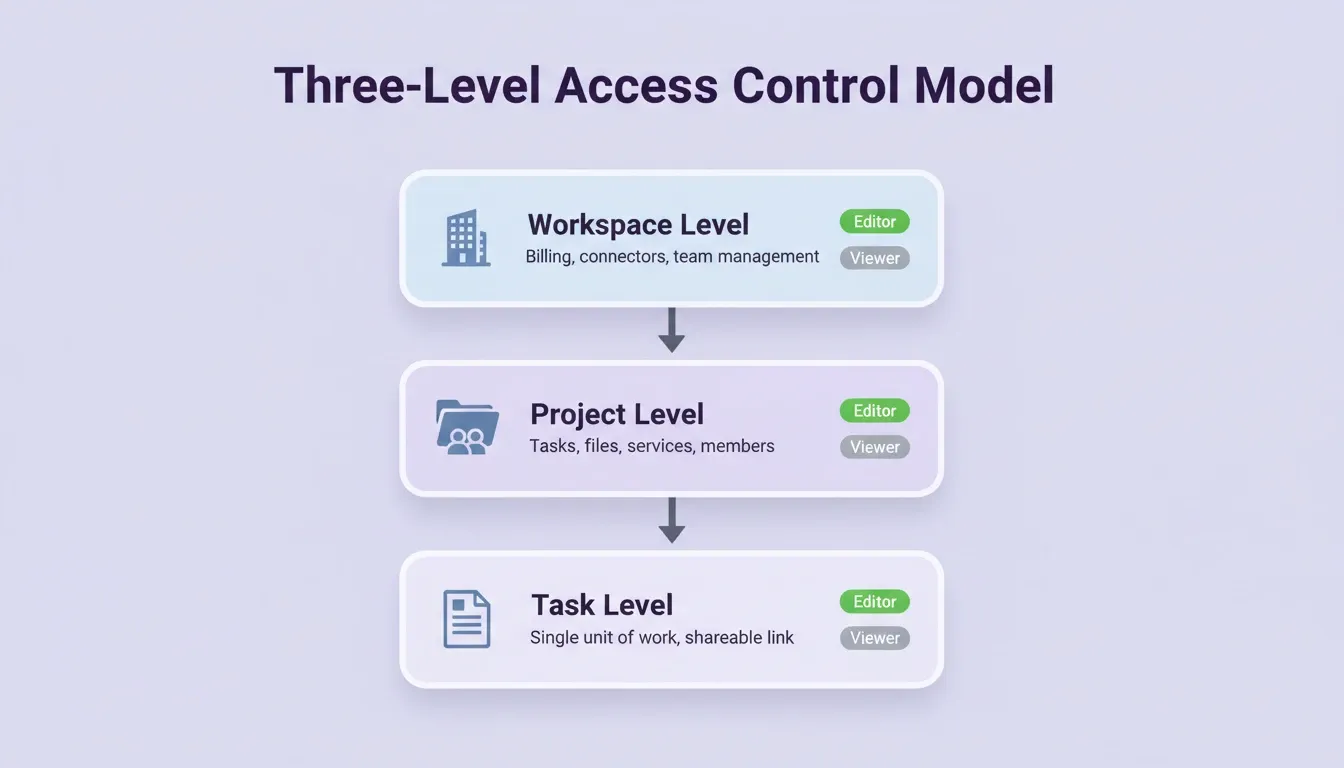
Three-Level Access Control Model
This governance model matters for enterprise teams where compliance, audit logging, and data isolation are non-negotiable. Platforms built on Supabase inherit row-level security policies by default. This gives even early-stage products enterprise-grade data isolation without custom security work.
Measuring AI Platform Success and Scaling It
Building the platform is only half the challenge. Making sure teams adopt it requires measuring the right signals and iterating based on real usage data.
-
Adoption velocity: Track how quickly teams adopt the platform compared to the legacy tools it replaces. If team collaboration does not improve within the first two weeks, onboarding flows need adjustment.
-
Time saved on coordination: Measure reduction in status meetings and context-switching. High-performing AI collaboration platforms reduce coordination overhead by 30 percent or more.
-
AI feature engagement: Monitor which AI-powered features teams actually use. Meeting summaries and automated status updates tend to see the highest adoption.
-
Security and compliance posture: Audit logs, data encryption in transit and at rest, and compliance certifications like SOC 2 Type II protect enterprise teams as you scale.
For teams tracking project delivery alongside collaboration metrics, see How to Build a Project Tracking Web App for a complementary approach.
Sahil Lavingia, founder of Gumroad, shared on X: "The best tools disappear into the workflow. If your team has to think about the tool, it's already failing them." That applies directly to AI collaboration platforms. The moment team communication feels forced through a rigid interface, people revert to scattered tools.
"The best tools disappear into the workflow. If your team has to think about the tool, it's already failing them." — Sahil Lavingia, via X
Build the Collaboration Platform Your Team Actually Needs
The gap between how teams want to collaborate and how their existing tools let them is wider than most leaders realize. Building a team collaboration platform with AI is no longer a months-long engineering project. It is a decision about what your team's work should feel like.
As AI capabilities deepen, collaboration platforms will move from reactive tools to proactive systems that anticipate coordination needs before they become problems. The teams that build this infrastructure now will compound that advantage over time.
You type what your team needs. Rocket handles the research, the architecture, the code, and the deployment. Start building on Rocket and ship your collaboration platform today.
Table of contents
- -What Features Should Your AI Collaboration Platform Include?
- -Validate Before You Build: Why Research Comes First
- -How AI Agents Handle Repetitive Work for Teams
- -How Cross-Functional Teams Collaborate with AI Tools
- -How Rocket Turns Collaboration Ideas into Working Apps
- -What Does the Technical Stack Look Like?
- -Team Roles, Access Control, and Governance
- -Measuring AI Platform Success and Scaling It
- -Build the Collaboration Platform Your Team Actually Needs


