

Build an HVAC job scheduling app without writing code. Use Rocket.new to generate a drag-and-drop dispatch calendar, native technician mobile app, online booking page, and Stripe invoicing from a single plain-language prompt. Go live in days, not months.
Build an HVAC job scheduling app without writing a single line of code. This guide covers every feature your dispatch team needs: drag-and-drop calendar, mobile technician view, online booking, and Stripe invoicing. It shows how to go live in days using an AI-powered no-code platform.
Why HVAC Companies Still Struggle With Technician Dispatch
Most HVAC companies still rely on phone calls, sticky notes, and shared calendars to manage dispatch. These systems break down the moment call volume spikes, a technician calls in sick, or an emergency job overrides the day's schedule.
How does a three-person HVAC crew manage 40 service calls per week without losing a single appointment?
According to the Bureau of Labor Statistics, there are 425,200 HVAC jobs in the United States as of 2024, with 8% growth projected through 2034. That is a lot of technicians running a lot of appointments on systems that were not built for the volume.
One HVAC technician on Reddit put it plainly: "Great to have easy access to job history with photos/notes, but inputting the data takes time and can be frustrating." (source). This is the core tension. HVAC professionals want software that tracks job progress and customer details, but the tools available are either too complex or too time-consuming to use between service calls.
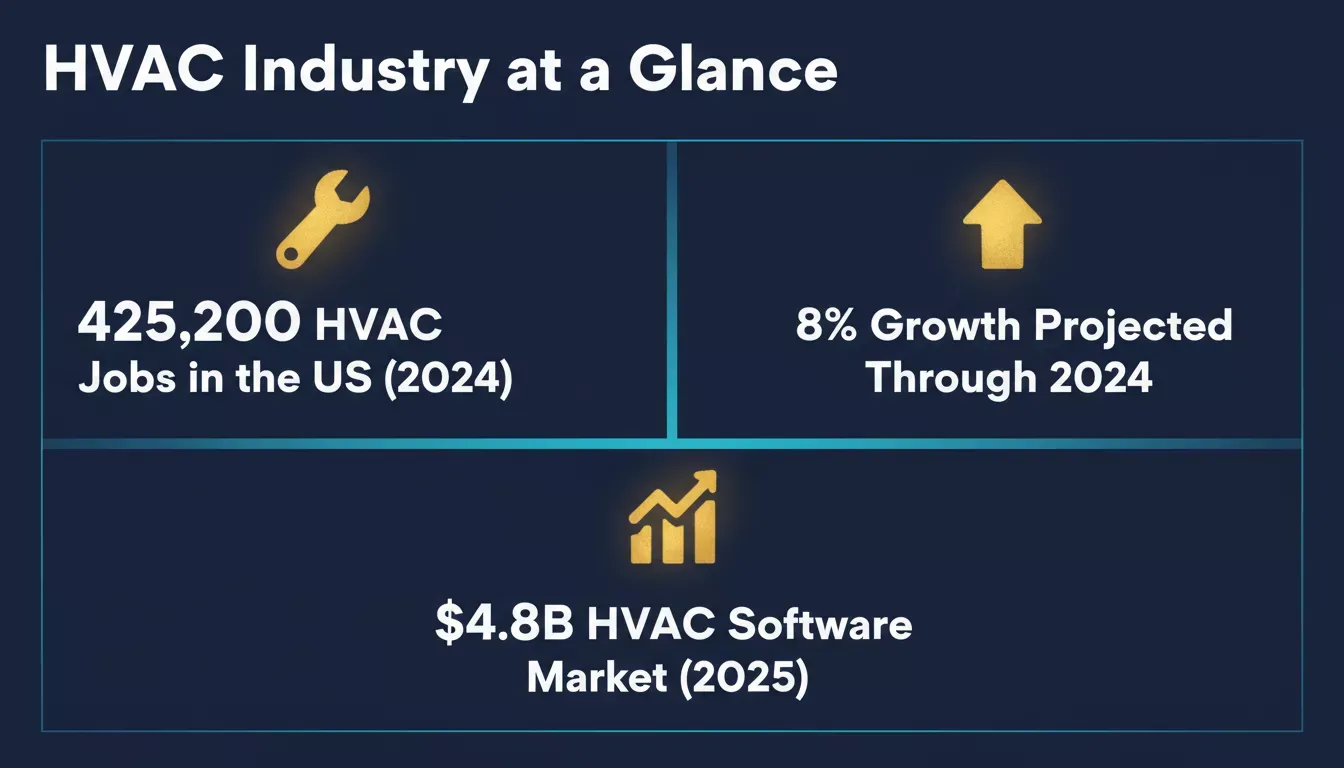
Key HVAC industry figures that explain why scheduling software demand is accelerating.
Here is what typically breaks down for HVAC teams managing scheduling manually:
- Emergency calls override the calendar, and nobody updates the rest of the team's schedules in real time
- Technician availability is tracked in someone's head, not a system that shows optimal time slots
- Customers calling for urgent repairs get put on hold while the office checks a paper calendar
- Follow-ups for recurring maintenance fall through because there is no automatic reminder system
- Job details, customer information, and service history live in separate places with no quick access
These gaps cost HVAC businesses real revenue. When you cannot dispatch the right jobs to the right technicians at the right time, you lose appointments, collect fewer payments, and watch customer satisfaction drop.
What Does a Modern HVAC Scheduling Platform Actually Need?
A modern HVAC scheduling platform needs six core capabilities: a drag-and-drop dispatch calendar, a technician mobile app, customer-facing online booking, automated reminders, integrated invoicing with payment collection, and a centralized job history database. Everything else is an extension of those six.
The HVAC field service software market reached $4.8 billion in 2025 and is growing at an 8.6% CAGR. That growth reflects the number of HVAC businesses actively searching for better scheduling tools.
Software like Jobber and Housecall Pro dominates conversations about HVAC software, but they come with tradeoffs. Jobber offers scheduling and invoicing on its basic plan, yet many small HVAC businesses report that pricing climbs quickly once you add technicians.
Housecall Pro offers a booking page and mobile app, but customization options are limited if your HVAC business involves specialized workflows.
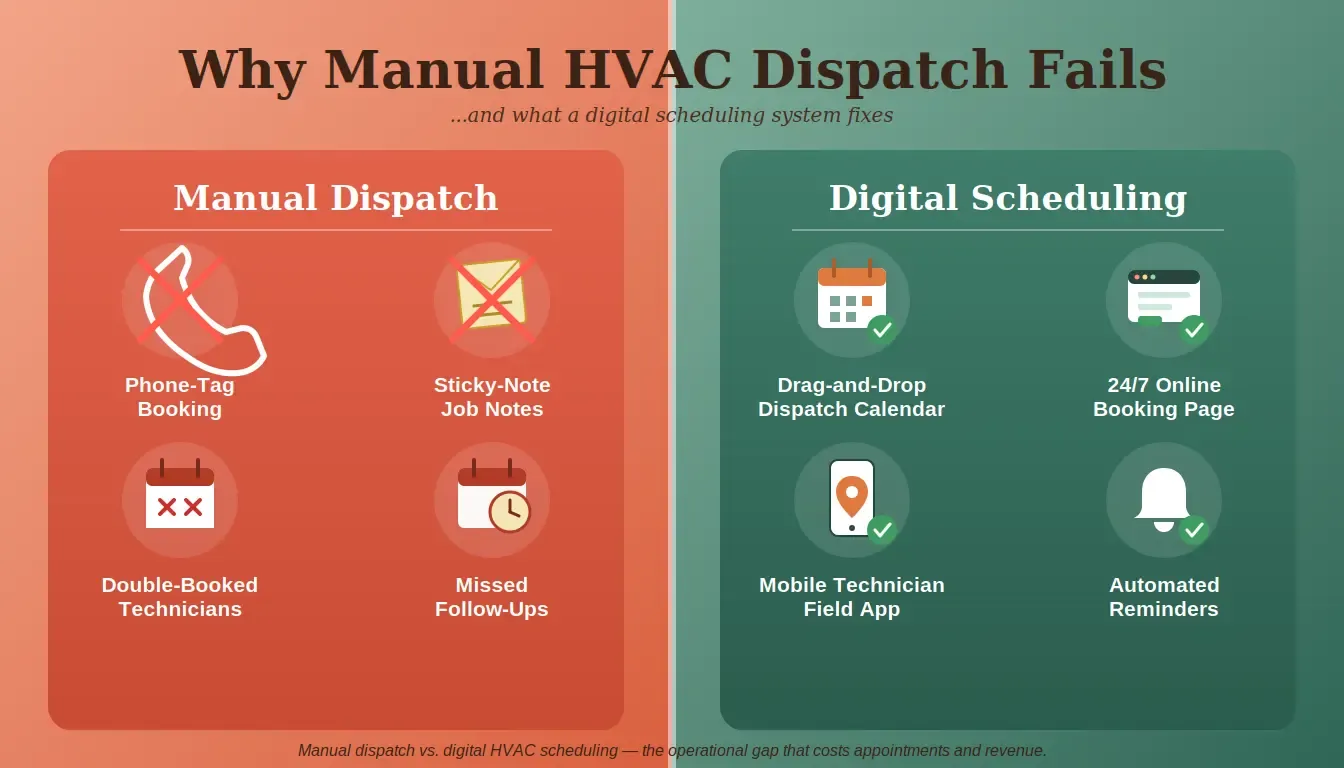
Manual dispatch relies on phone calls, paper notes, and shared calendars. Digital scheduling replaces all three with automated, real-time tools.
Here is what a well-built HVAC scheduling platform needs to cover:
- A drag-and-drop calendar that dispatchers use to assign jobs based on technician availability, location, and skill set
- A mobile app for technicians that shows their next job, provides driving directions, and lets them update job progress from the field
- Online booking for customers with a shareable booking link on your website, so clients can secure bookings 24/7 without calling your office
- Automated follow-ups and reminders that reduce no-shows and keep clients informed about arrival windows
- Invoicing and payment collection with flexible payment options, including credit card processing on-site
- Time tracking and digital timesheets so you can track working hours, calculate job costs, and run payroll accurately
- Job history and customer management give technicians quick access to past service notes, equipment details, and customer details
The best HVAC scheduling software connects all these features in one place. Building an app with AI means you define what you need and the platform assembles it, rather than paying monthly for features you do not use.
Feature Comparison: Jobber vs. Housecall Pro vs. a Custom No-Code App
| Feature | Jobber | Housecall Pro | Custom No-Code App |
|---|---|---|---|
| Drag-and-drop scheduling | Yes | Yes | Yes |
| Branded booking page | Limited | Yes | Fully custom |
| Mobile app for technicians | Yes | Yes | Yes, native Flutter |
| Stripe invoice and payments | Built in | Built in | Full Stripe control |
| Custom job intake forms | Limited fields | Templates only | Any field you want |
| Monthly platform cost | $169+/month | $199+/month | From $25/month on Rocket.new |
Jobber and Housecall Pro pricing sourced from their respective public pricing pages; verify current rates before purchasing. Rocket.new pricing per official docs as of July 2026.
In plain terms: Jobber is a strong all-rounder for general field service. Housecall Pro excels at customer communication. A custom no-code app wins when your HVAC business has workflows neither platform was designed for, and it starts at a lower monthly cost than either competitor.
How No-Code Tools Changed the Game for HVAC Pros
What is a no-code AI platform? A no-code AI platform lets you describe an application in plain language and receive a working, production-ready product, complete with UI, database logic, and navigation, without writing a single line of code. You own the output and can deploy it immediately.
Five years ago, custom HVAC scheduling software meant paying a developer $30,000 to $80,000 for a build that took months. Today, no-code platforms let HVAC professionals describe what they want and receive a working application.
This shift matters most for small HVAC businesses and solo technicians who cannot justify enterprise software pricing.
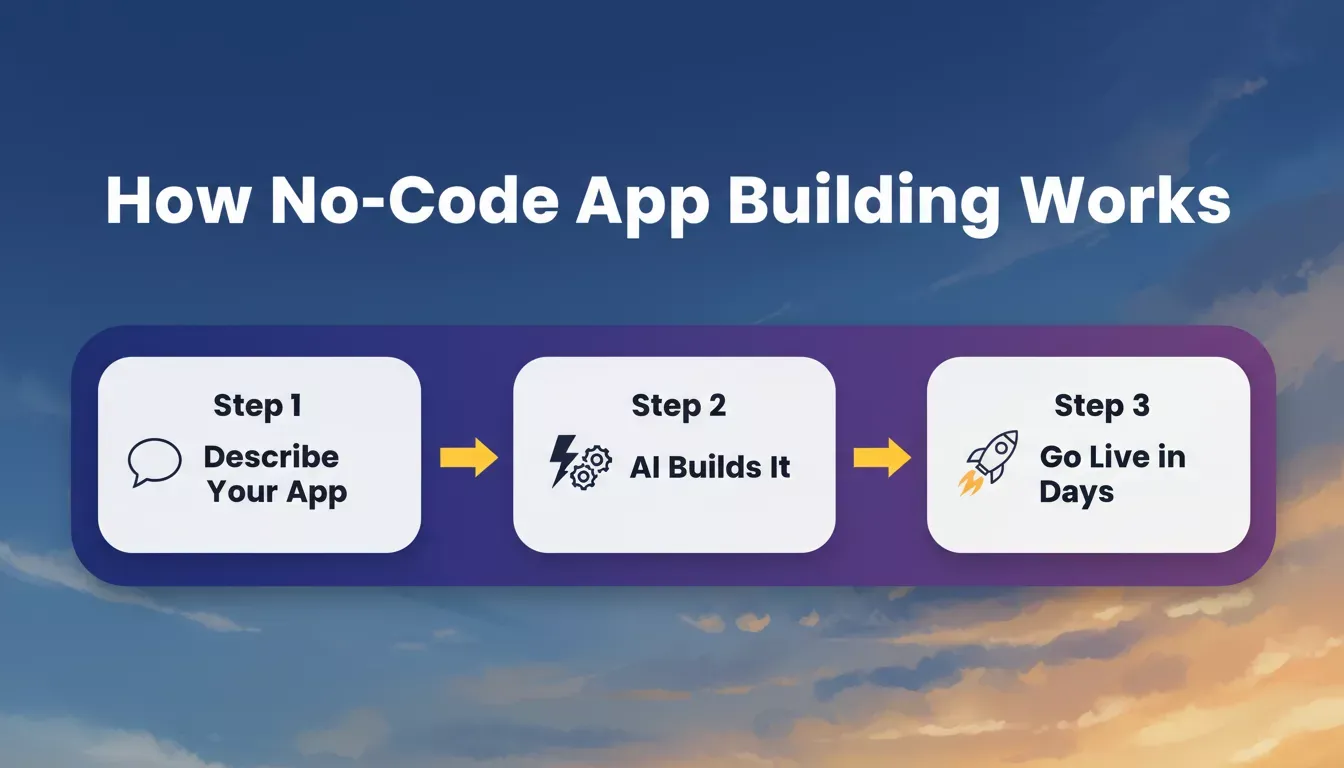
The three-step no-code workflow: describe your app, let AI build it, and launch in days.
Here is how the shift from traditional to no-code development plays out for HVAC businesses:
- No waiting weeks for a developer to interpret your requirements and build screens one at a time
- Your HVAC business workflow stays intact because you describe the software around how your team already works
- Updates happen in minutes when you need to adjust schedules, add a new booking page, or change how job costs are calculated
- You own the software, the data, and the customer relationships without depending on a SaaS platform that raises prices every year
The best HVAC software for your company is the one that matches exactly how your HVAC services operate. No-code tools make that possible without the budget of a large HVAC contractor. Explore how building apps without coding has evolved to support even complex field service workflows.
The best HVAC software for your company is the one that matches exactly how your HVAC services operate. No-code tools make that possible without the budget of a large HVAC contractor. Explore how building apps without coding has evolved to support even complex field service workflows.
From first prompt to live HVAC scheduling app in five steps.
From Prompt to Live HVAC App on Rocket.new
On Rocket.new, you type a structured prompt describing your scheduling app, and the platform generates the full application with working screens, database logic, and navigation. The Rocket.new Build quick-start guide walks through the full process from idea to deployed app in under 10 minutes.
Here is a prompt that works for a typical HVAC business:
"Build a job scheduling app for my HVAC company. I need a calendar dispatch view where office staff can drag and drop appointments, a mobile app for technicians to see their daily schedule and update job progress, an online booking page where customers can request service, and Stripe invoicing so we can collect payments on site."
From that single description, Rocket.new generates:
- A drag-and-drop calendar with daily, weekly, and monthly views for managing your team's schedules
- A Flutter mobile app that technicians use in the field to check their next job, log time, add photos, and mark jobs completed
- A customer-facing booking page with your branding, available time slots based on technician availability, and online booking confirmation
- Stripe-connected invoicing lets you collect payments via credit card on-site or send payment links for flexible payment options. You control the Stripe integration directly, without an additional platform markup on top of Stripe's standard processing fees.
- A client hub with customer information, job history, and service notes that stay up to date across devices
Jobber offers solid scheduling, and Housecall Pro offers good customer communication tools, but both lock you into their system with limited ability to customize how your HVAC teams work. With Rocket.new, you describe what your HVAC business needs, and you get exactly that.
Rocket.new connects to 26+ third-party services out of the box, including Stripe, Supabase, Twilio for SMS notifications, and Calendly for scheduling widgets.
For more booking and scheduling app patterns, see the Build a Booking App recipe, which covers calendar scheduling, Stripe payments, and email reminders in a step-by-step format directly applicable to HVAC workflows.
Rocket.new Pricing: What It Actually Costs
Rocket.new runs on a monthly subscription and credit system, not a one-time fee. According to the official pricing documentation (as of July 2026):
| Plan | Monthly Cost | Credits Per Month | Best For |
|---|---|---|---|
| Free | $0 | 20, one-time | Testing and first builds |
| Pro | $25/month | 100 | Personal projects and side projects |
| Rocket | $50/month | 250 | Teams needing research and competitive intelligence |
| Booster | $250/month | 1,500 | Power users with high-volume usage |
All paid plans include unlimited team members. You can add extra credits on top of any subscription tier as needed. Annual billing saves 20%.
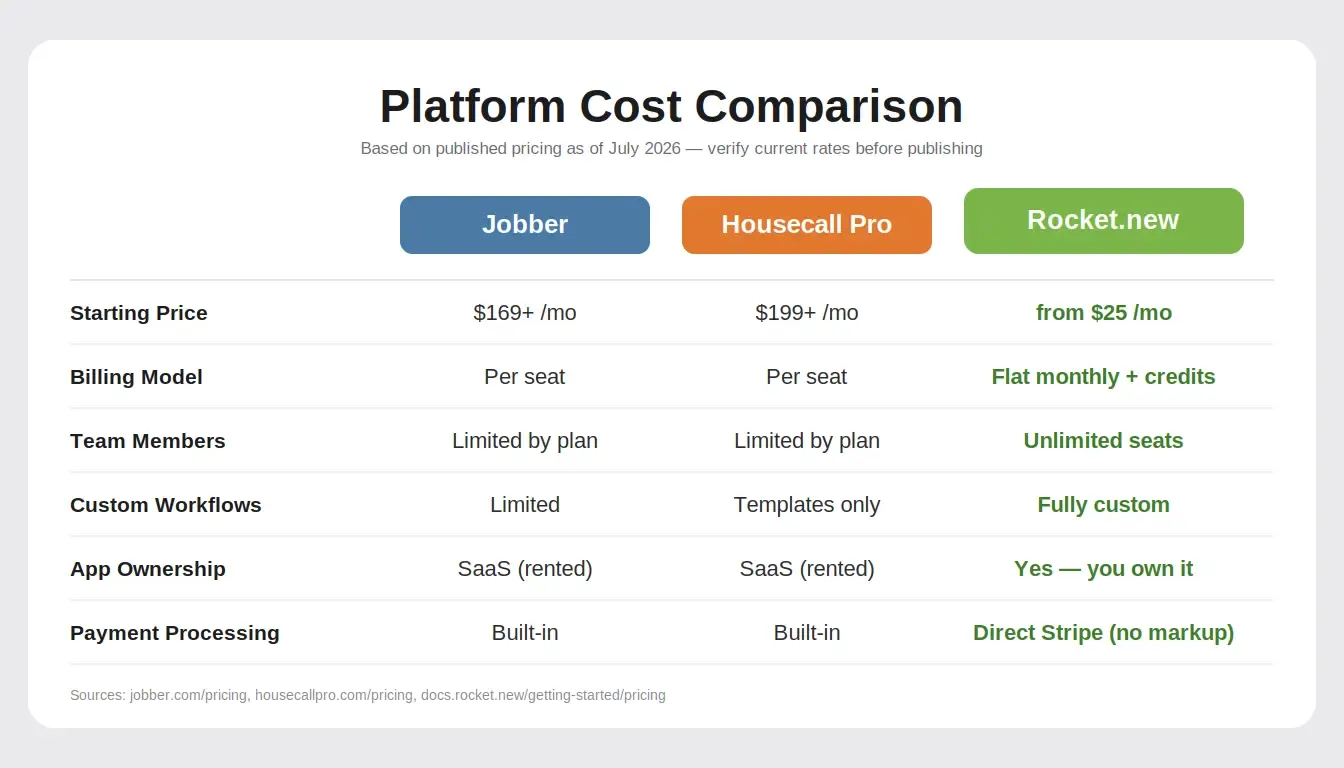
At $25 to $50/month with unlimited team members, Rocket.new costs significantly less than per-seat field service platforms.
At $25 to $50/month, Rocket.new's entry plans cost significantly less than Jobber ($169+/month) or Housecall Pro ($199+/month) for a five-person team. The key difference is that with Rocket.new you build and own the app itself: your scheduling logic, your customer data, your booking flows, rather than renting access to someone else's platform.
Which Key Features Should Your Scheduling App Include?
Once you decide to build your own HVAC scheduling software, you need to prioritize which features matter most for your daily operations. The HVAC services market is growing by $46 billion through 2029, meaning more service calls, more competition, and more pressure to manage appointments without errors.
Here are the key features that separate good HVAC software from the tools that collect dust on your technicians' phones:
- Smart scheduling with drag-and-drop calendar. Dispatchers see technician availability at a glance and assign jobs by dragging them into optimal time slots. The system accounts for travel time, working hours, and technician skills.
- GPS tracking and built-in route optimization. Know where every technician is in real time. Route optimization reduces traffic delays between appointments and helps HVAC teams complete more jobs per day.
- Job tracking from start to finish. Track job progress through stages: scheduled, en route, on site, completed. Technicians update status from their mobile app so the office and customer stay connected.
- Online booking with a branded booking page. Customers visit your booking page, select a service type, pick an available time slot, and secure bookings without calling. This works 24/7 and reduces the scheduling load on your office phone.
- Digital timesheets and time tracking. Technicians clock in and out from the mobile app. Time tracking feeds directly into payroll and job cost calculations, eliminating the need for a separate time tracking subscription.
- Invoice generation and payment collection. Create professional quotes, convert approved quotes into invoices, and collect payments on-site with credit card processing. Clear pricing builds trust and speeds up payment cycles.
- Customer communication and follow-ups. Automatic reminders reduce no-shows and cancellations. Text or email notifications keep clients informed when technicians are en route. Follow-ups after service completion request positive reviews and schedule recurring maintenance visits.
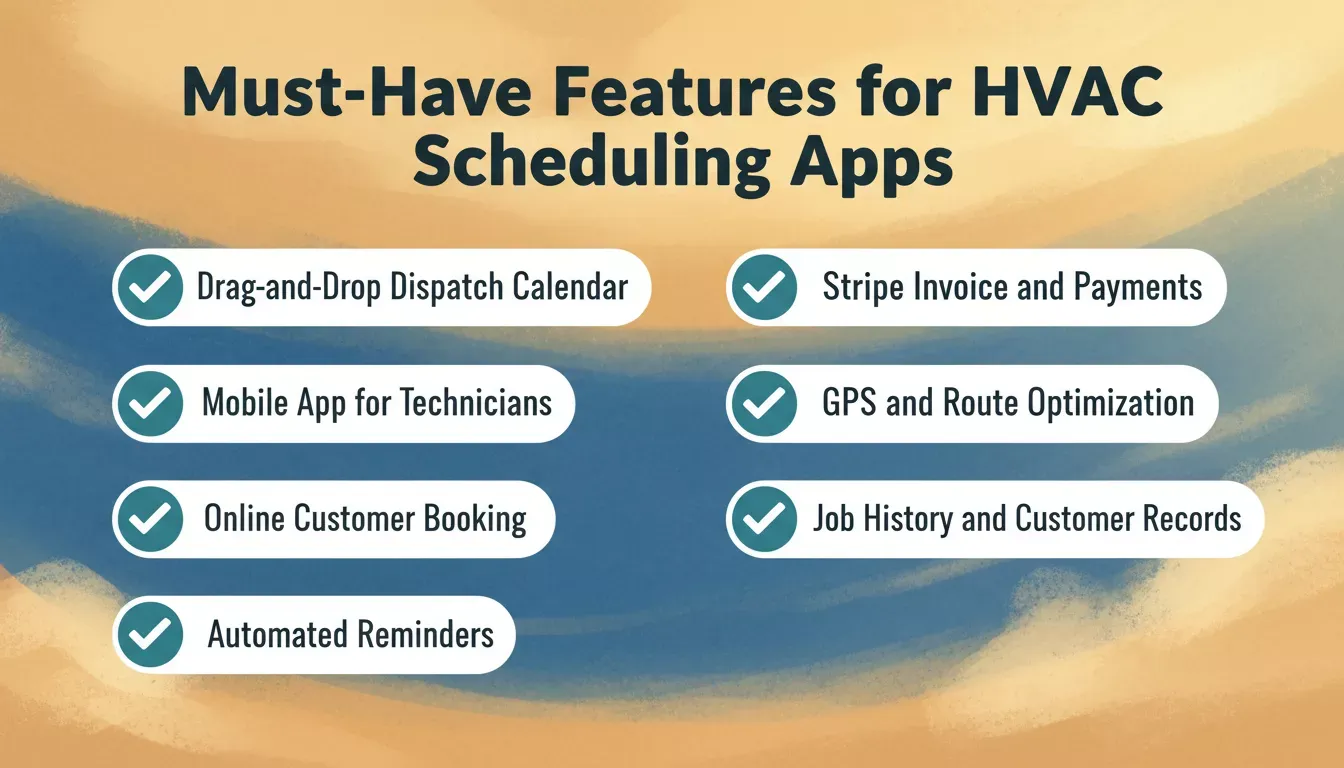
Seven core features every HVAC scheduling app needs to reduce missed appointments and improve dispatch efficiency.
You do not need every feature on day one. Start with scheduling and dispatching, then add online booking and invoicing as your HVAC business grows. Learn how mobile-first app building works on Rocket.new so your technicians get a native iOS and Android experience from the start.
Steps to Go Live With Your HVAC Scheduling App
Ready to move from planning to a live scheduling system? Here is how to go from idea to working HVAC scheduling software that your team actually uses.
- Map your current scheduling workflow. Write down how service calls come in, who assigns them, how technicians get notified, and how jobs get closed out. This becomes your app description.
- List your must-have screens. At minimum: a dispatcher calendar view, a technician mobile view, a customer booking page, and an admin dashboard for reporting.
- Describe your app in a structured prompt. Include your HVAC services list, team size, preferred booking link style, how you handle emergency calls vs scheduled maintenance visits, and your invoicing workflow. The prompt starters for founders include ready-to-use templates you can adapt directly.
- Generate and test. Let the platform build your app. Then run through common scenarios: scheduling a new job, reassigning when a tech calls in sick, handling an emergency call that overrides the existing schedule, collecting payment on site.
- Add your team and go live. Invite technicians to download the mobile app, set up your online booking page, connect your payment processor, and adjust schedules as needed during the first week.
The goal is a system where your HVAC business runs online with smart scheduling, real-time updates, and customer self-service booking. Building apps without coding means you can customize as you grow, adding custom tags for job types, reporting tools for tracking revenue by technician, or a client hub that shows customers their full service history.
Most HVAC teams reach a fully operational scheduling system within the first week of building, which is faster than the typical two-to-four-week onboarding process for Jobber or Housecall Pro, including data migration and team training. If you want to see how the full process works end-to-end, the step-by-step mobile app guide on Rocket.new covers every stage from idea validation to deployment.
Your Next Service Call Starts With a Better System
The HVAC companies winning more jobs right now are the ones that made scheduling, dispatching, and customer communication automatic instead of manual. They spend less time on admin work and more time delivering HVAC services that keep customers happy and earn positive reviews.
Whether you run a solo operation or manage a team of fifteen technicians, the right scheduling app eliminates the chaos that costs you appointments, revenue, and reputation. The best time to fix your scheduling system is before your next busy season hits.
Stop letting manual scheduling cost you jobs. Rocket.new is the fastest way to build an HVAC job scheduling app that fits your exact workflow, with a dispatch calendar, technician mobile access, customer booking, and Stripe payments included. Start building for free on Rocket.new today.
Table of contents
- -Why HVAC Companies Still Struggle With Technician Dispatch
- -What Does a Modern HVAC Scheduling Platform Actually Need?
- -Feature Comparison: Jobber vs. Housecall Pro vs. a Custom No-Code App
- -How No-Code Tools Changed the Game for HVAC Pros
- -From Prompt to Live HVAC App on Rocket.new
- -Rocket.new Pricing: What It Actually Costs
- -Which Key Features Should Your Scheduling App Include?
- -Steps to Go Live With Your HVAC Scheduling App
- -Your Next Service Call Starts With a Better System


