
Build a Flutter PWA with service workers and a web app manifest, deploy to Firebase Hosting, and share a live URL with testers in minutes - no app store approval needed. Rocket.new generates Flutter mobile apps with a one-click web preview built in.
A Flutter PWA is a web application built with Flutter's web target that behaves like a native app - installable, offline-capable, and accessible via a shareable URL without app store approval. Build one with service workers and a web app manifest, deploy to any host, and share a working link with testers in minutes.
What you'll need: Flutter SDK (3.10+), a Firebase account (free tier works), and the Firebase CLI installed locally.
Why Would You Wait Weeks When You Can Share a Working App Now?
Why do teams still wait days for app store approval when they could share a working application with users today?
According to industry data, 32% of companies now ship a PWA alongside their native mobile app in 2026. That number keeps climbing because progressive web apps give teams instant distribution without download friction on any device.
The Flutter framework makes this approach practical for startups and established teams alike. You write one codebase, build for the web, and deploy to any URL your stakeholders can open in a browser. No TestFlight invites, no provisioning profiles, no waiting for review cycles.
This article walks through building progressive web apps with Flutter step by step: configuring service workers for offline support, setting up your web app manifest, deploying to Firebase Hosting, and launching a shareable Flutter PWA that works across all platforms and screen sizes.
Why Teams Ship Progressive Web Apps Before Store Review
Before your mobile app reaches the App Store or Google Play, there is a gap between "it works on my device" and "real users can test this." A Flutter PWA bridges that gap by giving you a shareable URL immediately after deployment.
- Instant access for testers: share a URL instead of managing TestFlight invitations or APK sideloading on Android devices
- No app store review cycles: skip the 24-48 hour iOS review period and the 1-3 hour Google Play wait during beta testing
- Works across all platforms: one link opens on iOS, Android, desktop, and any mobile browser without additional configuration
- Native app features included: install prompt, home screen icon, offline mode, and push notifications, all of which function properly in a well-configured PWA
- Zero installation friction: users access your web application through their browser without visiting app stores or creating an account
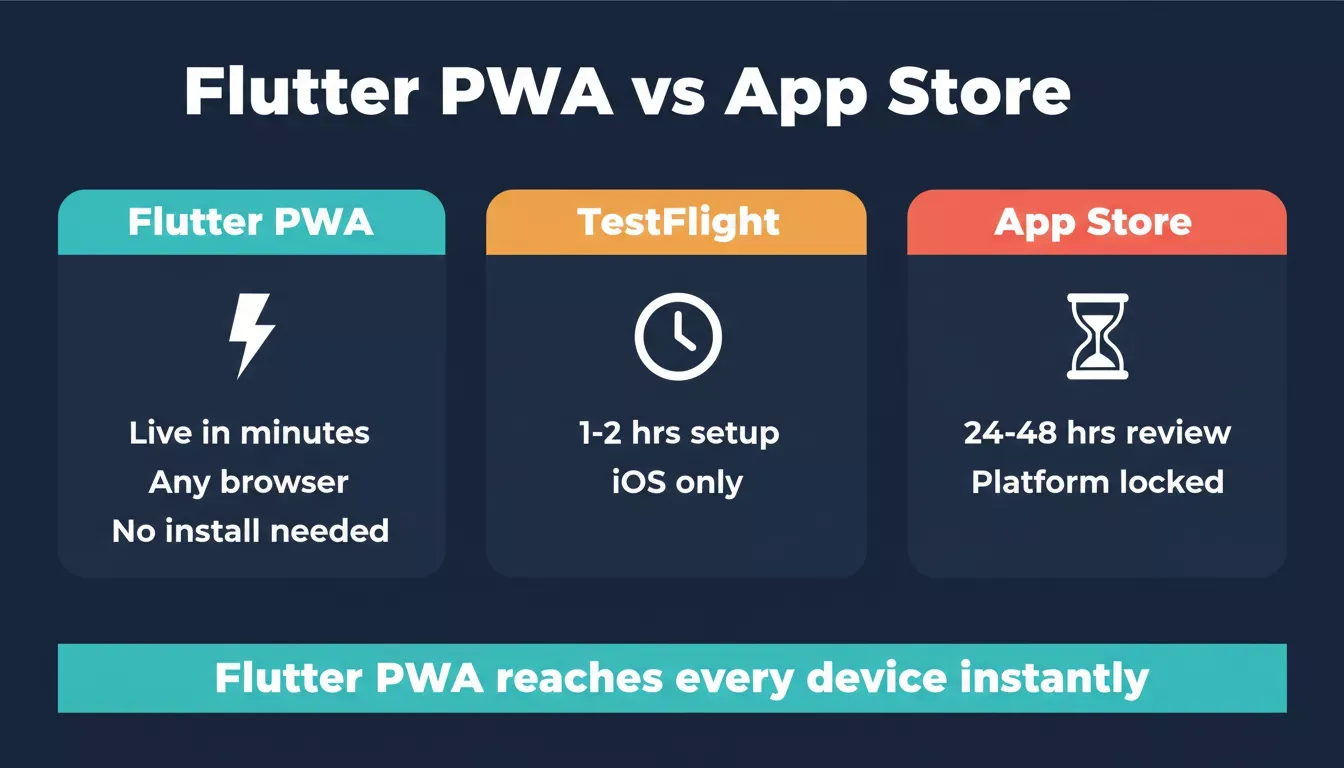
Flutter PWA reaches every device instantly, while app store submissions take hours to days
| App Distribution Method (2026) | Time to First Tester | Platform Reach | Updates |
|---|---|---|---|
| Flutter PWA via URL | Immediate | All platforms | Automatic |
| TestFlight | 1-2 hrs setup | iOS only (limited) | Rebuild required |
| Google Play (Android) | 1-3 hrs after build | Android only | Submit new version |
| App Store (iOS) | 24-48 hrs after build | iOS only | Submit new version |
The speed difference matters for startups running tight validation cycles. A progressive web app builder for teams eliminates the setup time when combined with AI-powered tools that generate your Flutter project with web support already configured.
How Does a Service Worker Enable Offline Mode?
A service worker is a background script that intercepts network requests and controls caching behavior. When building Flutter PWAs, the framework generates a flutter_service_worker.js file automatically during every flutter build web command, giving your application offline capabilities from the start.
- Request interception: service workers sit between your Flutter web app and the network, caching assets for offline access on every device
- Cache-first strategy: static assets like compiled Dart code, images, icons, and fonts load from cache, reducing load time dramatically
- Background sync capability: when connectivity drops, queued actions complete once the connection returns without user intervention
- Update management: new versions of your application download silently and activate on the next launch window
- Scope control: service workers only intercept requests within their registered scope, letting you control which pages work offline
Flutter's web support generates flutter_service_worker.js with every build. This service worker handles the caching strategy by default, storing your compiled Dart output, widget libraries, and static assets so the application runs without network access.
As Gareth Reese, CTO of Foresight Mobile, noted:
"In our 9 years delivering 50+ Flutter apps, we've consistently seen Flutter projects complete faster and with fewer bugs than equivalent React Native or native projects."
The same efficiency applies to web builds; Flutter compiles Dart code to optimized output that service workers cache effectively for offline use.
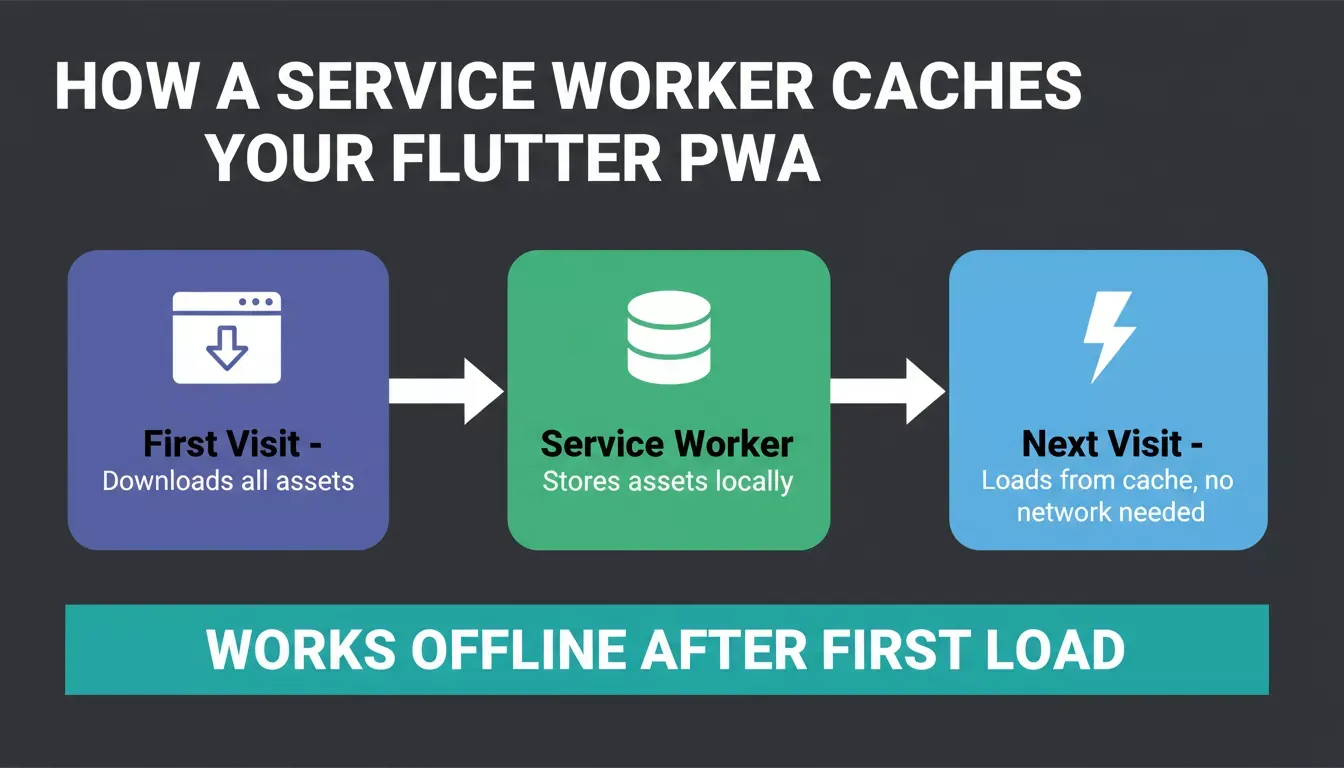
Service workers store all assets on the first visit, so the app loads instantly from cache on every return
The caching pattern works like this: the first visit downloads all assets, service workers store them locally, and subsequent visits load from cache regardless of network status. Your users experience the application as if it were a native mobile app installed from the store, with the same responsiveness and speed.
Configuring Your Web App Manifest for Install Prompt
The web app manifest is a JSON file that tells the browser how your Flutter PWA should behave when installed on a device. Without a properly configured manifest, the browser will not show an install prompt, and users cannot add your application to their home screen.
Flutter projects include a manifest.json file in the web/ directory by default.
Here is what the key fields control:
1{
2 "name": "Your Flutter Application",
3 "short_name": "FlutterApp",
4 "start_url": ".",
5 "display": "standalone",
6 "background_color": "#0175C2",
7 "theme_color": "#0175C2",
8 "icons": [
9 {
10 "src": "icons/Icon-192.png",
11 "sizes": "192x192",
12 "type": "image/png"
13 },
14 {
15 "src": "icons/Icon-512.png",
16 "sizes": "512x512",
17 "type": "image/png"
18 },
19 {
20 "src": "icons/Icon-maskable-192.png",
21 "sizes": "192x192",
22 "type": "image/png",
23 "purpose": "maskable"
24 }
25 ]
26}- Display mode set to standalone makes the application feel like a native app without browser chrome displayed around it
- Icons in multiple sizes (192px and 512px minimum) are required for the install prompt to appear on Android and iOS devices
- Start URL defines which page opens when users launch from their home screen after installation
- Maskable icons adapt to different device shapes, shown correctly on both circular and rounded-square icon grids
A well-configured manifest is what pushes your Lighthouse PWA score toward 100, the standard benchmark developers use to verify installability and offline readiness. The installation process varies by platform: on Chrome desktop, a small install icon appears in the address bar; on mobile devices, browsers show an "Add to Home Screen" banner after the user visits multiple times.
What Makes Flutter Web Apps Load Fast on Mobile Devices?
Performance on different screen sizes is where Flutter web applications historically struggled with large bundle sizes and slow initial rendering. Recent Flutter releases changed that story with WebAssembly compilation and the Impeller rendering engine, making web apps feel snappy on every device.
- WebAssembly compilation: Dart compiles directly to Wasm, delivering near-native performance in Chrome, Edge, and Firefox browsers
- CanvasKit renderer: handles complex widget trees and animations without dropped frames regardless of screen size
- Tree shaking: removes unused Dart code and widget libraries during build, keeping the final bundle smaller
- Deferred loading: splits your application into components loaded on demand, improving initial load time on slower connections
- Responsive widget system:
MediaQueryandLayoutBuilderwidgets adapt to every screen and device width automatically
A Flutter PWA built with CanvasKit downloads approximately 2-3 MB on first visit; after that, service workers serve the app from cache, making subsequent loads near-instant regardless of network speed.
Flutter's single codebase approach means the same code that runs on iOS and Android platforms also runs on the web. The framework handles responsiveness through its widget system rather than relying on CSS, so your Flutter web app displays consistently across desktop, tablet, and mobile without separate layouts.
Teams exploring cross-platform app development with AI can take advantage of this architecture to ship to every platform from a single project.
Step-by-Step Deployment to Firebase Hosting
Deployment is where many Flutter projects stall because setting up hosting, configuring URL structure, and connecting a custom domain adds complexity beyond the build command. Firebase Hosting remains the most popular choice for Flutter web applications because Google provides a global CDN, free SSL, and a simple CLI tool.
Here is the complete deployment process to get your Flutter PWA running and shareable:
- Generate the release build: run
flutter build web --release --pwa-strategy offline-firstto create optimized output with service worker caching enabled - Install Firebase CLI and log in: run
firebase login, thenfirebase inithosting - Configure firebase.json: point the public directory at build/web, where your compiled Flutter code lives
- Deploy with one command: run
firebase deploy --only hostingand receive your live URL immediately - Share the URL: send the generated link to stakeholders, testers, or investors for instant access
Note: The --pwa-strategy offline-first flag (available in Flutter 3.10+) replaces the older --web-renderer canvaskit approach for PWA-specific builds. Use --pwa-strategy none if you want to disable the default service worker and manage caching manually.
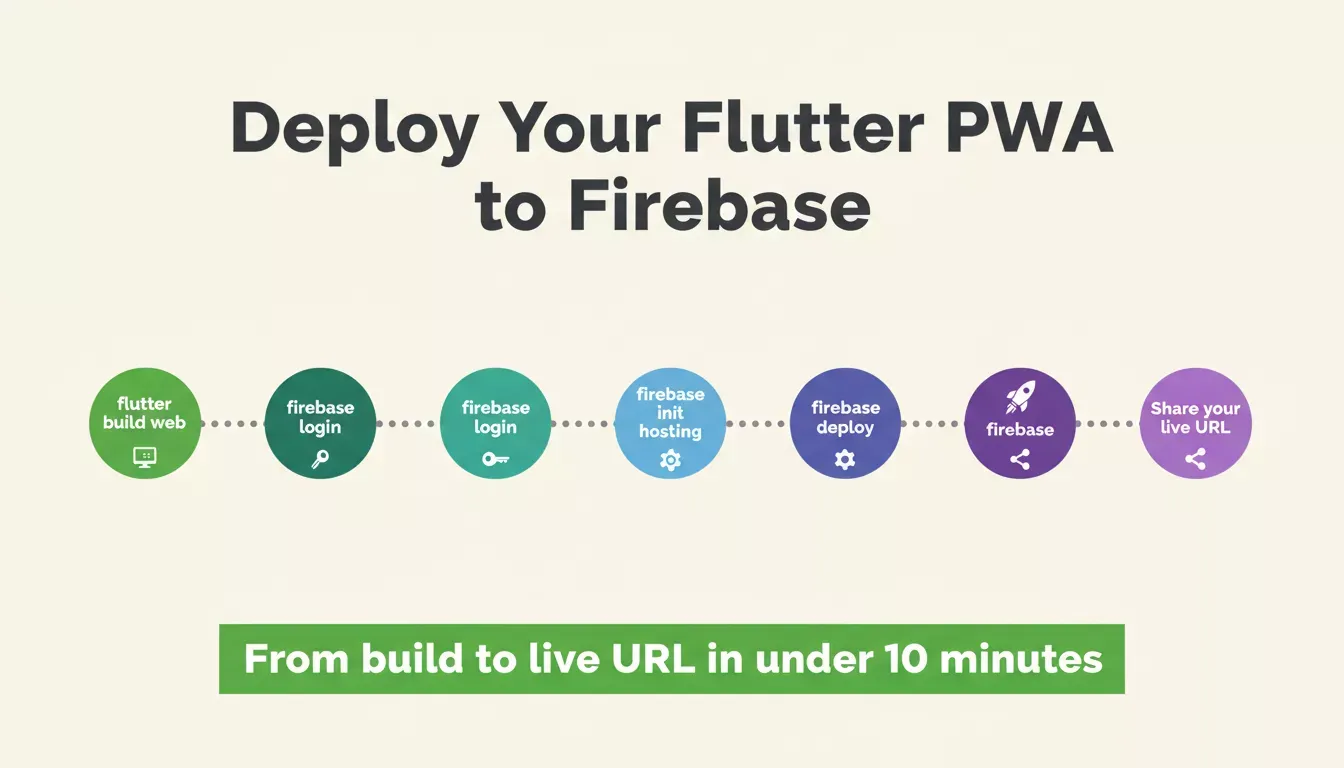
From Flutter build to a live shareable URL in under 10 minutes
1void main() {
2 runApp(const MyApp());
3}
4
5class MyApp extends StatelessWidget {
6 const MyApp({super.key});
7
8 @override
9 Widget build(BuildContext context) {
10 return MaterialApp(
11 title: 'My Progressive Web App',
12 debugShowCheckedModeBanner: false,
13 home: const HomePage(),
14 );
15 }
16}
17
18class HomePage extends StatelessWidget {
19 const HomePage({super.key});
20
21 @override
22 Widget build(BuildContext context) {
23 return Scaffold(
24 appBar: AppBar(title: const Text('Welcome')),
25 body: Center(
26 child: Column(
27 mainAxisAlignment: MainAxisAlignment.center,
28 children: [
29 const Text('Your Flutter PWA is running!'),
30 ],
31 ),
32 ),
33 );
34 }
35}With over 2 million active developers using the Flutter framework globally, community packages for deployment automation have matured considerably. Tools like Vercel adapters and GitHub Pages workflows generate deployment pipelines that auto-deploy on every code push to your project repository.
After the deploy command finishes, your Flutter PWA is live and shareable immediately - no waiting for store review, no managing release channels, no worrying about provisioning profiles or developer accounts. Teams that want to skip this manual setup entirely can explore how AI app builders save development costs by automating exactly these configuration steps.
Why Startups Choose Rocket to Ship Flutter Apps Faster
Manual configuration of service workers, manifests, icons, and hosting works for experienced developers who enjoy setting things up from scratch. But startups and non-technical founders face a different reality: they need a working Flutter mobile app deployed and shareable before their next investor meeting or user research session.
This is where Rocket's architecture matters. Rocket generates Flutter for mobile (iOS and Android) and Next.js for web - two separate, production-grade codebases from a single project.
For Flutter mobile apps specifically, Rocket includes a built-in web preview feature: one click deploys your Flutter app as a browser-accessible link on Netlify, so anyone can open and test it without installing anything from an app store.
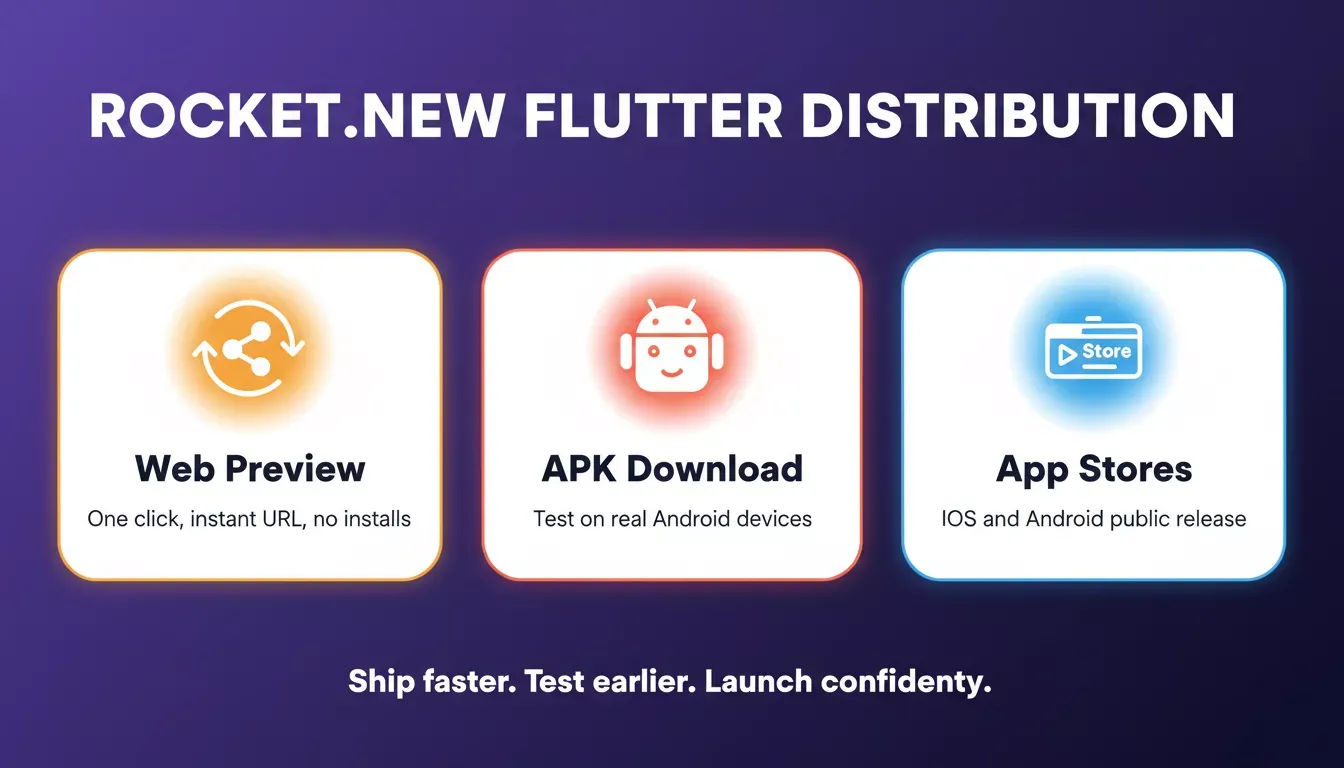
Rocket.new gives Flutter apps three distribution paths: share instantly via web preview, test via APK, or publish to app stores
- AI-generated Flutter project structure: Rocket creates the full application scaffold, including platform settings, navigation, and design system, from a natural language prompt
- One-click web preview deployment: no CLI commands, no Firebase setup, no hosting configuration needed; your Flutter mobile app deploys to a shareable URL automatically via Rocket's built-in Netlify integration
- Parallel distribution paths: share the web preview link today for immediate feedback while your native iOS and Android builds go through store review
- Research-to-running-app pipeline: Rocket's Solve feature starts from market research and competitive analysis, so the application you build solves a validated problem rather than guessing
- Full code ownership: download your Flutter project, open it in any IDE, customize every widget and component, and deploy anywhere you choose
Traditional tools like FlutterFlow require manual widget dragging and still export code that needs separate hosting configuration.
Rocket generates production Flutter code that compiles to iOS, Android, and a shareable web preview from the same project; all distribution paths are covered. You can read more about how Rocket approaches building production-ready mobile apps without the usual setup overhead.
Teams can ship production apps without a dedicated dev team by letting the AI handle configuration decisions that typically require senior developer knowledge. The platform verifies that manifests, icons, and deployment settings are correctly configured before your build goes live.
Rocket also connects to 25+ integrations, including Supabase, Stripe, and Notion, so your Flutter app ships with a full backend from day one, which you can explore further through the AI app builder overview.
How Do Push Notifications and Background Sync Work?
Once your Flutter PWA is deployed and installable, two capabilities bring it closer to the native app experience that users expect: push notifications and background sync. Both rely on service workers running in the background even when the browser tab is not open.
- Push notifications require a service worker registered and active, plus user permission granted through the Notification API in the browser
- Background sync queues failed network requests and replays them when connectivity returns, keeping data consistent across sessions
- Firebase Cloud Messaging integrates with Flutter web applications to deliver notifications when the page is not displayed or the browser is closed
- Custom notification data can include actions, images, and deep links that navigate users to specific pages within your application
Here is how a message travels from a user action to a delivered push notification in a Flutter PWA:
Flutter PWA push notification flow - online requests go direct, offline requests sync automatically when connectivity returns
The combination of push notifications, offline support, and installability makes your web application practically indistinguishable from a native app for most use cases. Users interact with the same features whether they found your application through the app stores or received your shared URL directly.
For teams building native mobile experiences, the progressive web app serves as the fastest path to real user feedback while native store submissions proceed in parallel. You launch the Flutter PWA today, collect data from real users, and submit polished native builds to app stores with confidence based on actual usage. Teams that want to understand the full mobile-to-web strategy can explore how AI is changing product development and what it means for shipping timelines.
From Prototype to Production Without Store Delays
Sharing a working Flutter application before store approval is not a workaround anymore. It is the standard approach for teams that value speed and direct user feedback. Service workers, web app manifests, and instant deployment turn your Flutter project into a shareable product within minutes of completing development.
The gap between "code complete" and "users testing" should be measured in minutes, not days. Whether you configure everything manually or let an AI platform handle the setup, the goal stays the same: get your Flutter PWA into real hands and learn what works before committing to a full app store release.
If you would rather skip the manual configuration above entirely, Rocket handles service workers, manifests, and deployment automatically from a single prompt and generates a shareable web preview of your Flutter mobile app with one click.
Start building your next Flutter project on Rocket.new and share a live, installable Flutter PWA with your team today; no app store approval required, no waiting, just a working URL ready for feedback.
Table of contents
- -Why Would You Wait Weeks When You Can Share a Working App Now?
- -Why Teams Ship Progressive Web Apps Before Store Review
- -How Does a Service Worker Enable Offline Mode?
- -Configuring Your Web App Manifest for Install Prompt
- -What Makes Flutter Web Apps Load Fast on Mobile Devices?
- -Step-by-Step Deployment to Firebase Hosting
- -Why Startups Choose Rocket to Ship Flutter Apps Faster
- -How Do Push Notifications and Background Sync Work?
- -From Prototype to Production Without Store Delays