
Rocket generates fully responsive, production-ready websites from plain language prompts. No templates, no coding, no limits. Describe your site, get real code back, and go live in minutes, mobile and desktop ready from the first generation.
Can a website builder give you full design freedom and mobile responsiveness without a single template?
Yes, and that is exactly what Rocket does. You describe your site in plain language, and it generates a fully responsive, production-ready website from scratch. No template grid to fight. No locked layouts. No coding required.
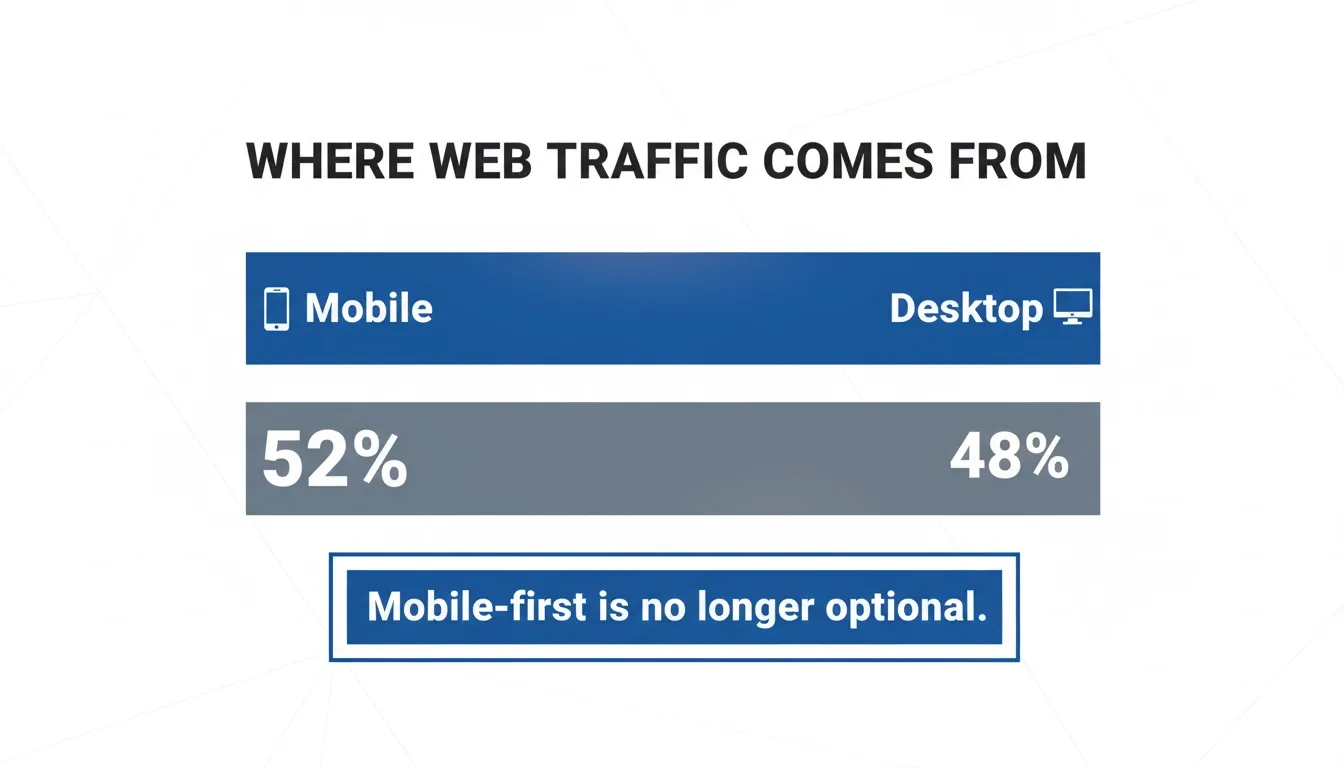
Over 52% of all global web traffic now comes from mobile devices, according to Statista's Q1 2026 data. If your site does not look right on a phone, you are already losing more than half your audience before they read a single word.
Why Mobile Responsiveness Is Non-Negotiable Now
Mobile traffic crossed the 50% mark years ago and has stayed there. Google switched to mobile-first indexing, meaning your site's mobile version is what gets ranked, not the desktop one.
Most website builders apply responsive design automatically. The problem is that automatic does not always mean correct. Layouts break, text overlaps, and buttons become too small to tap.
Fixing those issues often requires digging into CSS or paying for a developer, which defeats the purpose of using a builder in the first place.
The no-code and low-code market has grown fast precisely because people need a better answer. The global low-code development platform market was valued at USD 13.2 billion in 2020 and was projected to reach USD 45.5 billion by 2025 at a CAGR of 28.1%, according to MarketsandMarkets. Demand for tools that remove technical barriers is real and growing.
But here is the catch: most website builders still have a ceiling.
The Template Trap: Why Most Website Builders Hold You Back
Most popular website builders follow the same playbook: pick a template, drag and drop elements, change colors, hit publish. For a basic site, it works. The moment you want something that does not fit the template grid, you run into a wall.
Here is what that wall looks like in practice:
-
You want a custom layout, but the template does not support it
-
You want dynamic content, but you need a plugin or a paid plan upgrade
-
You want to adjust the mobile layout independently, but the editor locks you out
-
You want to add custom code, but it is only available on higher paid plans
-
You want to connect an API or external data, but that is not possible without hiring a developer
Most website builders are built around the idea that you will stay within their guardrails. The templates are the product. The drag and drop editor is the product. You are a user of their system, not the builder of your own.
So the real cost of template-based web design is not just time. It is creative ceiling.
Template Builder vs. Rocket: A Side-by-Side Look
| Feature | Template Builder | Rocket |
|---|---|---|
| Custom layouts | Limited to template grid | Fully custom via natural language |
| Mobile responsiveness | Auto-applied, often breaks | Built-in, production-ready |
| Custom code | Locked behind paid plans | Available from the start |
| Dynamic content | Plugin-dependent | Native support |
| Version history | Basic or none | Full version history |
| Starting point | Pick a template | Describe what you want |
| Time to live | Hours to days | Minutes |
What a Real No-Code Builder Should Actually Do
A no-code builder worth using should do three things well. It should let you describe what you want in plain language and return something real. It should handle responsive layouts automatically across all screen sizes. And it should give you full control when you need it, without requiring coding skills.
That third point is where most platforms fall short. The best no-code platform is not one that hides complexity. It is one that handles complexity for you while keeping the door open if you want to go deeper.
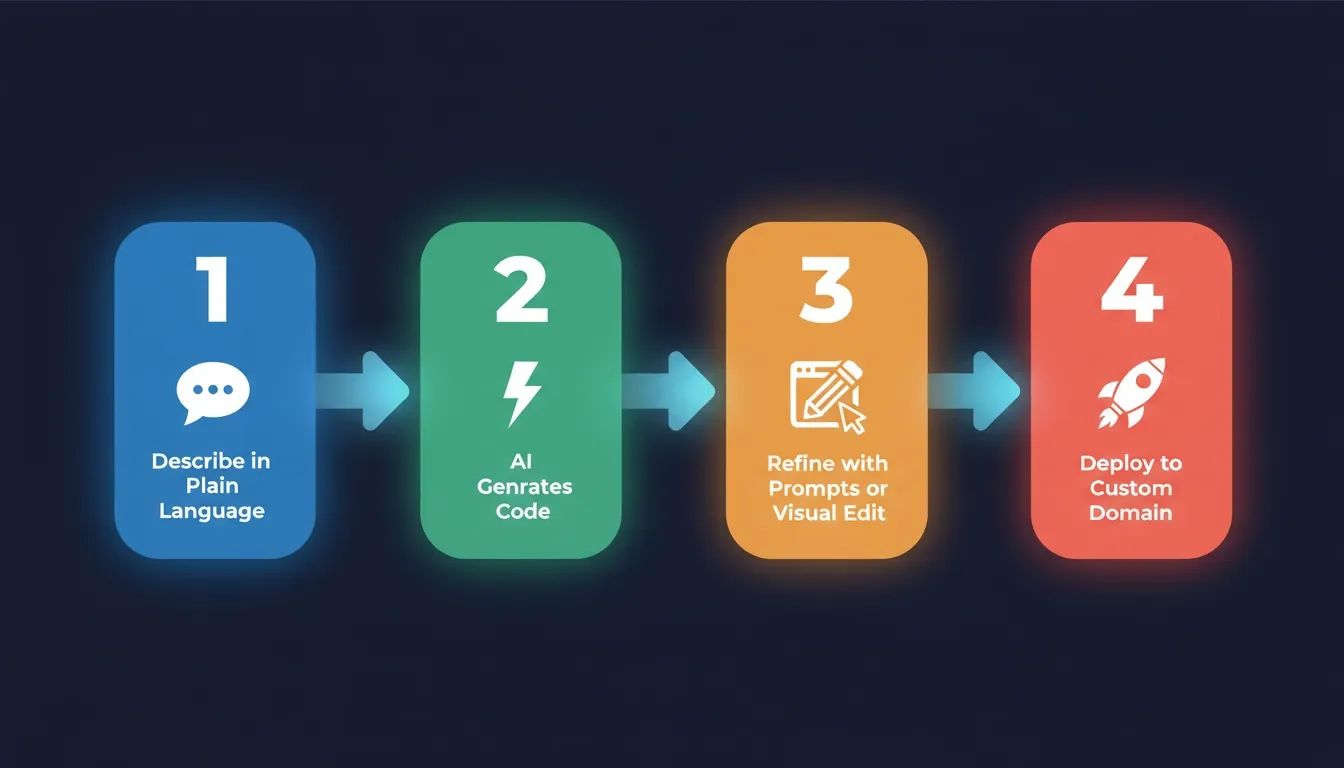
Here is how a proper AI-powered build flow works for website creation:
-
Describe your website in plain language, covering layout, purpose, style, and features
-
AI generates production-ready code with fully responsive layouts across all screen sizes
-
Review and refine via chat prompts or visual edit mode
-
Deploy with one click to a custom domain, mobile and desktop ready from day one
This is not a theoretical flow. This is exactly how Rocket works, and it is why most website builders feel limited once you have tried it. You can also explore how to build a website for a business in simple steps to see the full process in action.
How Rocket Builds Websites Without Templates
Rocket is not just an AI website builder. It is the world's first Vibe Solutioning platform, a system that covers the full arc from deciding what to build, to building it, to tracking what your competition does next. For website creation, the Build capability is where things get fast.
You do not pick a template. You describe what you want in plain language and Rocket generates a fully functional, production-ready site from that prompt.
What Rocket generates from a single prompt:
-
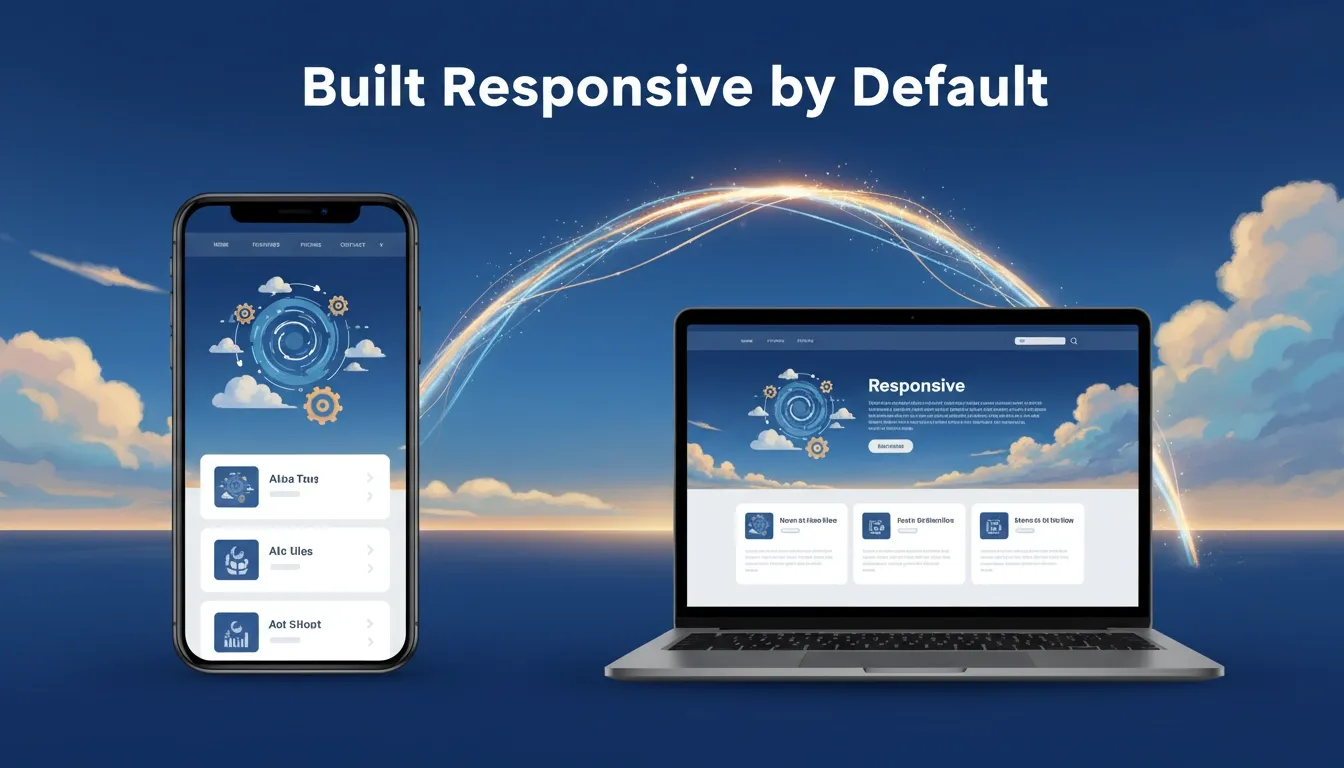
Fully responsive layouts that work on mobile, tablet, and desktop
-
Clean HTML, CSS, and JavaScript, giving you real code and not a locked editor
-
Contact forms, buttons, menus, and interactive elements
-
A design that matches the brief, not a generic template
-
SEO-ready structure with proper heading hierarchy and metadata
The key difference is that Rocket generates actual code. You own it. You can export it, edit it, or deploy it directly. Most website builders give you a locked interface. Rocket gives you a real product.
 If you want to compare how no-code website builders perform for fast site creation, the differences become clear when you see them side by side.
AI-Powered Customization: Two Ways to Edit
Once your site is generated, you have two ways to customize it without writing code. Both give you more control than most drag and drop editors while keeping the experience simple enough for non-technical users.
Chat-based editing via natural language prompts:
-
Type what you want to change in plain language
-
"Make the hero section taller" and it is done instantly
-
"Change the font to something more modern" and it is done instantly
-
"Add a search bar to the navigation" and it is done instantly
-
Rocket updates the code and shows you the result right away
Visual edit mode:
-
Click directly on any element and edit it
-
Move things around, change colors, and adjust spacing
-
No coding knowledge needed at any point
-
Works the same way on mobile preview and desktop preview
Together, these two modes give you full control over your site's look and feel, without ever opening a code editor. For a deeper look at how AI transforms the editing experience, see how AI in web development is changing modern websites.
Dynamic Content, Version History, and Real Production Features
Here is where Rocket separates itself from the no-code builder crowd. Most platforms offer a free plan with limited features and push you toward paid plans for anything serious. Rocket is built for real projects from day one.
What sets Rocket apart:
-
Version history: Every change is tracked. Roll back to any previous version with one click. Most website builders skip this entirely.
-
Dynamic content: Need a blog, a product listing, or a data-driven dashboard? Rocket handles dynamic content natively. You are not limited to static pages.
-
Custom code: Want to add a JavaScript snippet or a custom CSS rule? You can. Rocket does not lock custom code behind a paywall.
-
Custom domain: Connect your own domain without jumping through hoops. No forced subdomains on the free plan.
-
Google Analytics and SEO tools: Built-in support for tracking and search optimization. Your site is visually appealing and built to be found.
-
Contact forms: Generated automatically as part of the site. No third-party form builder needed.
The result is a site that is not just good-looking. It is production-ready from the first generation. Developers who want to go further can also explore how to build a web app without coding using the same platform.
Where Competitors Fall Short
Other platforms offer pieces of what Rocket does. None of them put it together the same way. Here is where each one hits its limits:
Wix:
-
Great for beginners with no design background
-
The drag and drop editor creates messy code under the hood
-
Mobile responsiveness is applied automatically but often needs manual fixes
-
Customization options are limited unless you pay for Velo, their developer mode
-
Velo has a steep learning curve that defeats the purpose for non-technical users
Framer:
-
Beautiful output, but primarily designed for designers with a design background
-
Non-technical users face a real learning curve
-
Templates are central to the workflow
-
Going off-template requires significant effort and coding knowledge
Bolt and Lovable:
-
Both are AI-powered app builders with strong communities
-
They focus more on web apps than on websites built for marketing and landing pages
-
Neither carries context from a research or strategy phase into the build
-
Rocket's Solve-to-Build flow means your site starts from real decisions, not a blank prompt
The pattern across other platforms is the same: they either limit your creativity through templates, or they require technical skills to go beyond the basics.
Who Should Use Rocket for Website Creation
Rocket fits a wide range of builders and teams. Here is who gets the most out of it:
-
Small businesses that need a professional website without hiring a developer
-
Founders who want to go from idea to live quickly without writing code
-
Marketers building landing pages and testing different versions fast
-
Designers who want to skip the coding phase and focus on the output
-
Developers who want to scaffold a project quickly and then extend it with custom code
-
Beginners who have never built a website and need a starting point that actually works
The free plan gives you enough to get started. Paid plans open up more advanced features for teams working on bigger projects with complex workflows. For teams who need more than a website, building a web app using AI without a team is equally straightforward on the same platform.
Building a Mobile Responsive Website: Step by Step with Rocket
Here is what the process looks like in practice. The whole thing, from blank prompt to live website, can take under 30 minutes for a standard landing page.
Step-by-step process:
-
Go to Rocket and start a new Build project
-
Describe your website, being specific about layout, purpose, and style
-
Review the generated output, as Rocket generates a fully responsive site
-
Refine with prompts by asking for changes in plain language
-
Use visual edit for fine-tuning specific elements
-
Check the mobile view by toggling between screen sizes in the editor
-
Connect your custom domain and deploy with one click
For more complex web apps with dynamic content, contact forms, and databases, plan for a few hours of iteration. The starting point is always strong. You are refining, not rebuilding from scratch.
Want to go further after launch? Building a high-converting landing page with AI tools walks through the next level of optimization.
Rocket: The Smarter Way to Build for the Mobile-First Web
Most website builders were designed for a world where templates were the fastest path to a live site. That world has changed. AI-powered generation means you can describe what you want and get something production-ready back, fully responsive, fully functional, and fully yours.
The Rocket way to mobile responsive website builder, no templates, no limits, is not a marketing line. It is a real shift in how website creation works. If you have been stuck inside a template grid, or frustrated by the gap between what you want and what your current tool can deliver, it is worth trying a different approach.
Start free and describe your first website. You might be surprised how fast idea to live can actually be.
Rocket is the fastest way to go from idea to a live, fully responsive website, without templates, without coding, and without limits. Whether you are a founder, marketer, designer, or small business owner, the AI-powered build flow handles the complexity so you can focus on what matters. Start building for free on Rocket and have your first responsive site live today.
Table of contents
- -Why Mobile Responsiveness Is Non-Negotiable Now
- -The Template Trap: Why Most Website Builders Hold You Back
- -Template Builder vs. Rocket: A Side-by-Side Look
- -What a Real No-Code Builder Should Actually Do
- -How Rocket Builds Websites Without Templates
- -AI-Powered Customization: Two Ways to Edit
- -Dynamic Content, Version History, and Real Production Features
- -Where Competitors Fall Short
- -Who Should Use Rocket for Website Creation
- -Building a Mobile Responsive Website: Step by Step with Rocket
- -Rocket: The Smarter Way to Build for the Mobile-First Web