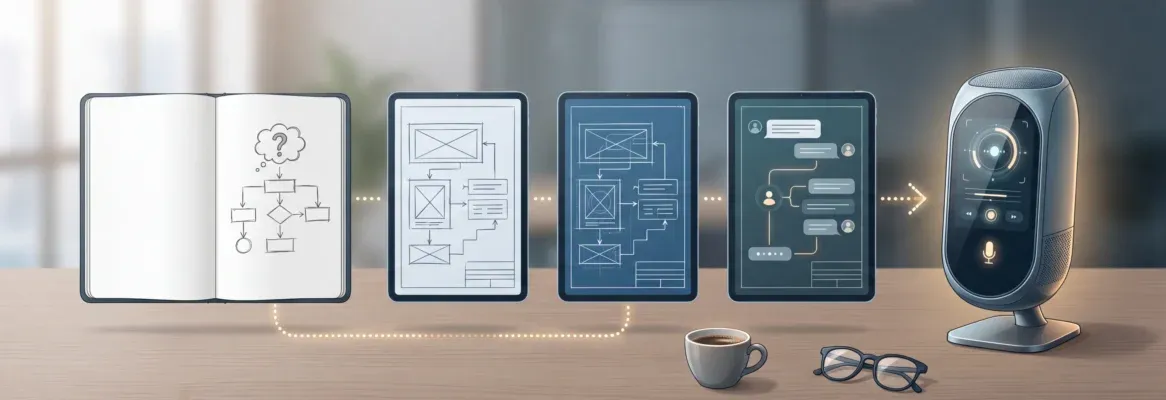
Every internal tool your team needs already exists as a description. The right AI prompt turns that description into a deployed, production-ready app in minutes, not months. This blog gives you 25 tested, production-ready prompts covering admin panels, dashboards, workflows, and reporting apps, along with the techniques that make each one actually work.
How much of your engineering backlog consists of internal tools nobody wants to prioritize?
The software development tools market will reach \$7.44 billion in 2026, growing at 16.12% CAGR through 2031, according to Mordor Intelligence. Large organizations spend more on building internal tools every year. The real cost, though, is not the platform or the coding tool itself.
It is the weeks of developer time pulled away from customer-facing work. Internal tools sit in backlogs because they never compete with revenue features for priority.
Business users across departments need dashboards, approval workflows, and data management apps that simply do not get built. That is exactly the problem these prompts solve.
What Makes AI Tools Effective for Building Internal Apps?
AI tools have genuinely changed how businesses approach building internal tools. Instead of writing code line by line, business users describe what they need and an AI app builder generates the app with UI, database schema, and logic included.
The shift is measurable. According to Retool's State of Internal Tools 2023 report, approximately 86% of respondents believe their organization spent as much or more time on internal tools than the year before. AI prompts break this cycle by turning a product brief into a deployable app in minutes rather than months.
How AI Systems Generate Applications from Prompts
The input-output model is actually quite simple. You provide a structured prompt. The AI interprets your requirements, defines the data model, selects component layouts, and generates a deployable app. Think of it as briefing a very fast developer who needs clear instructions to do their best work.
Good prompts act as concise product briefs. They define users, features, data sources, and design preferences. Better prompts go further by including specific details about security, error handling, and integrations with existing systems. The key elements that make a prompt production-ready: context about your organization, the specific needs of your users, and clear constraints around compliance and audit requirements.
How Effective AI Prompts Differ from Vague Requests
There is a meaningful difference between prompts that generate prototypes and prompts that generate production applications. Effective prompts define the audience, mention the database type, specify role-based access, and describe the expected output format.
A vague prompt produces a generic interface with no real data connections and no error handling. A specific prompt gives the AI enough context to match your requirements on the first generation. You can always refine afterward, but starting with a strong prompt saves hours of back-and-forth.
Anatomy of a Production-Ready Prompt
| Prompt Element | Vague Version | Production-Ready Version |
|---|---|---|
| User Role | "for my team" | "for ops managers who approve expenses" |
| Data Source | not mentioned | "Connect to Supabase with audit logs" |
| Key Features | "manage stuff" | "search, filter, approve, reject, export" |
| Access Control | not mentioned | "role-based access for admin and viewer" |
| Error Handling | not mentioned | "show validation errors on duplicate records" |
| Integrations | not mentioned | "integrate with Stripe APIs for payment data" |
| Design Preference | not mentioned | "clean dashboard layout, card-based UI" |
The 3-Category Framework for Internal Tool Prompts
Before jumping into the prompts, it helps to know which category your team needs most. Each category maps to a different set of problems and a different set of prompts.
Prompts for Admin Panels and Dashboard Apps
Admin panels and dashboards are the most commonly requested internal tools across every industry. The prompts below cover everything from customer management to team performance tracking. Each one is written with the specific elements that help an AI coding tool generate a working, deployable app rather than a mockup.
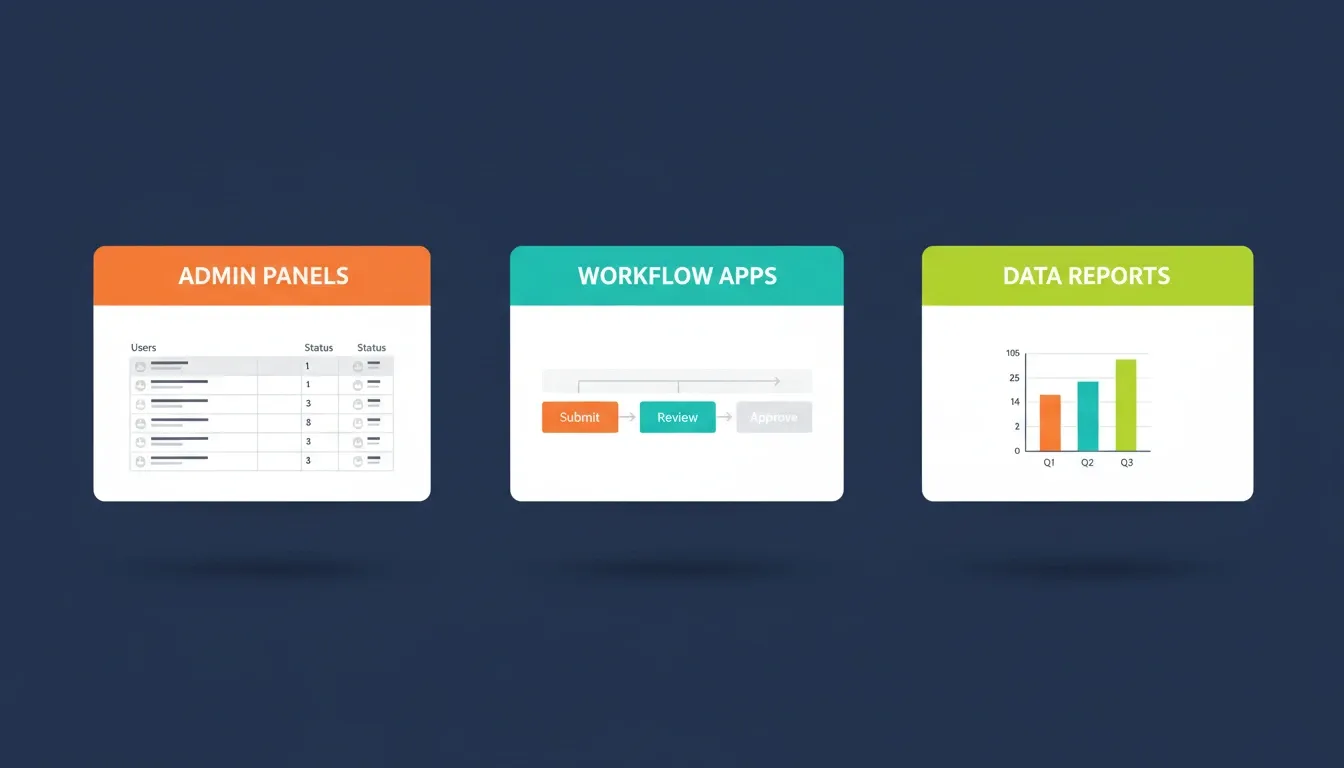
Each category solves a different operational problem. Admin panels manage data, workflow apps route decisions, and reporting tools surface insights.
User Account Management App
Prompt 1: "Build an admin panel app for managing user accounts. Include a searchable table with columns for name, email, status, and last login. Add bulk actions for suspend, activate, and delete. Connect to a Supabase database with audit logs that record every change."
Why this works: Naming the database, specifying exact table columns, and requiring audit logs gives the AI enough context to generate a compliance-ready admin panel rather than a generic interface.
Sales Performance Dashboard App
Prompt 2: "Create a sales performance dashboard app for business users on the revenue team. Use bar charts for monthly revenue, a funnel for pipeline stages, and cards showing top reps. Connect to PostgreSQL. Include filters by date range and region."
A SaaS company with 20+ sales reps can replace a weekly Excel export with a live dashboard that updates automatically from their CRM database. That alone saves hours every week.
Order Management for E-commerce Teams
Prompt 3: "Generate an order management app for operations staff. Include order search by ID and customer name, status filters, refund processing buttons, and shipment tracking. Add audit trails for every action. Integrate with Stripe APIs for payment data."
Content Moderation Queue App
Prompt 4: "Build a content moderation app with a queue of flagged posts. Each card shows the content, reporter details, and action buttons for approve, remove, or escalate. Track decisions in audit logs. Display daily moderation stats at the top."
Customer Health Monitoring Dashboard
Prompt 5: "Create a customer health dashboard app for account managers. Show NPS scores, support ticket volume, feature usage, and churn risk indicators. Color-code accounts as green, yellow, or red. Send email alerts when accounts enter red status."
To take this even further, add "Connect to Mixpanel for feature usage data and Intercom for support ticket volume" to generate a fully integrated multi-source dashboard on the first build.
Ready to test Prompts 1-5? Copy any prompt above and paste it directly into Rocket. You will have a working, deployed internal tool in under 3 minutes. No code. No waiting. Try it free on Rocket.new
Team Capacity Planning App
Prompt 6: "Build a team capacity planning app for managers. Show each team member's workload, upcoming deadlines, and availability. Include a calendar view and workload distribution chart. Enable drag-and-drop task reassignment between employees."
Subscription Billing Admin Panel
Prompt 7: "Generate a subscription billing admin app. Display active subscriptions, failed payments, and upcoming renewals. Connect Stripe APIs for real data. Allow manual invoice generation and provide a bulleted list of payment history per account."
Inventory Management Dashboard
Prompt 8: "Create an inventory management dashboard app for warehouse teams. Display stock levels by SKU, reorder alerts when items drop below threshold, and supplier lead times. Track inventory changes with version history. Include CSV export for reporting."
Retail and logistics teams use this prompt pattern to replace spreadsheet-based inventory tracking that breaks the moment multiple users try to edit simultaneously. It is one of the highest-ROI internal tools a warehouse team can ship.
Prompts for Internal Communications and Workflow Apps
If admin panels save time, workflow apps save sanity. These prompts replace the email chains, the Slack threads asking for approvals, and the spreadsheets tracking who signed off on what. The result is a unified application that keeps your team aligned without the coordination overhead.
For a deeper look at what types of tools are possible, see what internal tools AI can build for your team.
Purchase Order Approval System
Prompt 9: "Build a purchase order approval app. Employees submit POs with vendor, amount, and category. Managers get notifications and can approve or reject with comments. Orders over \$5,000 require VP approval. Record all decisions in audit logs for compliance."
The "\$5,000 threshold" is critical. Without it, the AI generates a flat, single-tier approval flow. With it, the app includes conditional routing logic that mirrors how real procurement workflows actually operate.
New Hire Onboarding Checklist App
Prompt 10: "Build an onboarding checklist app for HR teams. Create task templates per role. Assign tasks to new employees with due dates. Managers track completion on a dashboard. Send reminders when tasks are overdue."
Companies that standardize onboarding with structured checklists reduce time-to-productivity for new hires by weeks. This prompt generates that system in minutes, not months.
Prompts 6-10 are ready to ship. Paste any of these into Rocket and watch it generate the full app, complete with database schema, role-based access, and a live deployment URL. Start building for free on Rocket.new
Time-Off Request App
Prompt 11: "Create a time-off request app for employees. Users select dates and leave type. Managers view a team calendar overlay and approve or deny requests. Auto-calculate remaining PTO balance. Send email notifications when status changes."
Expense Reimbursement Workflow App
Prompt 12: "Generate an expense reimbursement app. Users upload receipts, enter amounts and categories through a form. Finance reviews submissions in a queue with approve, reject, or request-more-info actions. Store all receipt records with audit trails."
IT Access Request System
Prompt 13: "Create an IT access request app. Employees request access to specific tools from a dropdown list. IT admins view pending requests, check compliance requirements, approve with role assignment, and record all access grants in audit logs."
Vendor Onboarding Workflow App
Prompt 14: "Generate a vendor onboarding app. Procurement adds vendor details, compliance documentation, and contract terms. Legal reviews documents. Finance approves payment configuration. Track each vendor through a kanban board with audit trails."
Bug Triage Tool for QA Teams
Prompt 15: "Build a bug triage app for developers. Team members submit bugs with severity, screenshots, and reproduction steps. QA leads assign priority and sprint allocation. Include a burndown chart for open items. Connect to existing project management APIs."
When you define workflow stages this explicitly, the AI generates the full logic chain from a single description rather than a disconnected set of screens.
Your approval workflow is one prompt away. Prompts 11-15 cover the most common HR, finance, IT, and ops workflows. Paste one into Rocket and deploy it before your next standup. Build it now on Rocket.new
Content Publishing Approval App
Prompt 16: "Create a content publishing approval app for marketing departments. Writers submit drafts. Editors review and track edits. Legal checks compliance. Track each piece through stages: draft, review, approved, published. Maintain brand consistency across outputs."
Shift Scheduling App
Prompt 17: "Generate a shift scheduling app for retail managers. Create weekly schedules by dragging employee blocks. Employees request shift swaps via the app. Auto-flag overtime violations and coverage gaps. Send alerts when shifts change."
Prompts for Data Management and Reporting Apps
Data tools are the third major category, and often the most impactful for operations teams. These prompts handle CSV imports, scheduled reports, and multi-source dashboards that businesses rely on to track performance across departments. The key with data tools is being explicit about your data sources and what the output should look like.
CSV Data Import and Validation App
Prompt 18: "Build a CSV import app that lets business users upload customer data files. Validate required fields, flag duplicates, show a preview table, and write clean records to a database. Include error handling for incorrect format and missing information."
Most AI tools generate a happy-path import flow that silently fails on malformed data. Specifying "flag duplicates" and "show validation errors" is what produces a robust, production-grade import tool instead of a fragile prototype.
Automated Weekly Sales Report App
Prompt 19: "Create a weekly sales report app. Pull closed deals from CRM data, calculate win rate and average deal size, generate summaries, and output a formatted PDF report emailed to the team every Monday. Track report history with versioning."
Financial Reconciliation App
Prompt 20: "Build a financial reconciliation app. Upload bank statements and internal ledger exports side by side. Auto-match transactions by amount and date. Highlight unmatched items for manual review. Record all reconciliation decisions for compliance."
Adding "record all reconciliation decisions for compliance" generates an immutable audit trail, which is critical for finance teams subject to SOX or similar regulations.
Prompts 16-20 are production-ready. Each one generates a complete app with real data connections, not a prototype. Paste any prompt into Rocket and ship it today. Try Rocket.new free
Customer Feedback Analysis App
Prompt 21: "Generate a customer feedback analysis app. Import NPS survey responses, categorize by theme using tags, display sentiment trends over time, and export filtered results as CSV. Help businesses identify patterns in customer input."
Project Resource Tracking App
Prompt 22: "Create a project resource allocation app. Track hours logged per project, budget burn rate, and forecasted completion dates. Send alerts when projects exceed 80% of budget. Provide clear views for managers to evaluate resource distribution."
Compliance Audit Log Viewer App
Prompt 23: "Generate a compliance audit log viewer app. Search and filter system events by user, action type, and date range. Export filtered records as CSV for auditors. Auto-identify security anomalies. Support large organizations with thousands of daily events."
Multi-Source KPI Dashboard App
Prompt 24: "Build a multi-source KPI consolidation app. Connect APIs from Google Analytics, Stripe, and Intercom. Display unified charts for revenue, traffic, and support response times. Help business users track performance without switching between SaaS tools."
Naming each API explicitly, "Google Analytics, Stripe, and Intercom," rather than saying "connect to our tools," is what generates a dashboard with actual data connections rather than placeholder UI.
Employee Skills Inventory App
Prompt 25: "Create an employee skills inventory database app. HR captures certifications, languages, and specializations per team member. Managers search by skill to find internal experts. Include a form for employees to update their own records."
Research from GitHub's enterprise study with Accenture shows that developers code up to 55% faster when working with AI coding tools. That productivity gain multiplies when applied to internal tools that have been sitting in backlogs for months.
All 25 prompts are yours to use. Every one of them generates a working, deployed app on Rocket in under 3 minutes. No code. No waiting. Just describe and ship. Start your first build on Rocket.new
How to Write Better Prompts for AI App Builders
Once you have tested a few of these prompts, you will start to develop an instinct for what makes a prompt work. The core principle is simple: treat every prompt as a concise product brief. The more context you give the AI, the less guessing it has to do, and the closer the first generation is to what you actually need.
For a deeper look at prompt craft, the prompt engineering best practices guide covers how to structure inputs for consistent, accurate AI output.
Define the User Role and Their Specific Needs
Start every prompt by naming who uses the app. An app built for "managers who approve expenses" looks and behaves very differently from one built for "employees who submit expenses." That user context shapes navigation depth, permission levels, and the entire layout logic.
Business users should describe their daily tasks when writing prompts, keeping the focus on what they need to achieve. The how is the AI's job.
Provide Context About Existing Systems and Integrations
Mention your database type, APIs, and existing tools upfront. If your organization runs on PostgreSQL and uses Slack for notifications, say that clearly. This context helps the AI connect the correct data sources and skip irrelevant configuration steps.
Non-technical teams especially benefit from being specific here. The more infrastructure context you provide, the less testing and rework you need after the first generation.
Use Strong Verbs and Avoid Vague Language
Strong prompts use action verbs: "track," "record," "capture," "generate," "approve," "reject," "export." Weak prompts use vague phrases like "manage stuff" or "handle things." The difference in output quality is significant.
Keep prompts concise. Skip anything that does not help the AI make a design decision. Focus on actions, data, and user needs rather than explaining how the underlying code should work.
Specify Security and Compliance Requirements Upfront
Security is one of the most commonly forgotten elements in an initial prompt. If your app handles employee data, financial records, or customer PII, include these constraints from the start:
-
"Add role-based access control with admin and viewer roles"
-
"Include audit logs for every data modification"
-
"Require two-factor authentication for admin actions"
-
"Encrypt sensitive fields at rest"
Including these requirements upfront generates apps that are compliance-ready from the first build, rather than requiring costly security retrofits later.
The Iteration Strategy: Start Lean, Expand Through Chat
The most effective prompting approach follows a simple three-phase pattern:
-
Phase 1 — Core prompt: 3-5 key features, one user role, one data source. Get a working first version.
-
Phase 2 — Expand through chat: Add secondary features, additional user roles, and edge case handling through follow-up messages.
-
Phase 3 — Polish: Refine the UI, add compliance features, and connect additional integrations.
This consistently produces better results than trying to front-load every requirement into a single prompt. Start lean, then layer in complexity.
Refine Through Iteration and Feedback
Even a well-written prompt benefits from refinement after you see the first generation. Review what came back, identify the gaps, and add the missing details in follow-up messages. Most AI app builders support full conversation-based iteration, so you can tweak the app step by step without starting over.
This iterative process is also how you develop prompt intuition over time. For more on this, see how to build internal tools with AI without a developer.
What Coding Tool Limitations Should You Know?
No AI coding tool is perfect, and understanding where the limits are helps you write prompts that avoid common failure points.
Security and Compliance Constraints
AI tools generate code quickly, but security configuration always needs explicit instruction. If your app handles sensitive data, mention every security requirement in the prompt. Specify audit logs, access controls, and data encryption explicitly. Large organizations should also include regulatory constraints to ensure generated apps respect enterprise policies.
Complex Logic and Edge Case Behavior
AI handles straightforward workflows well but can miss edge cases. Define what happens when input validation fails, when a user submits a duplicate record, or when an API connection breaks. Prompts that describe error handling behavior produce far more stable applications. Always test with real data after generation to catch anything the prompt missed.
Scaffolding Versus Production-Ready Output
Some AI coding tools generate scaffolding that still needs developer refinement. Others produce production-ready apps with accessibility, responsive layouts, and performance optimization built in from the start. Knowing which type of tool you are working with helps you calibrate how much detail your prompts need.
When to Use AI Prompts vs. Traditional Development
| Scenario | AI Prompts | Traditional Dev |
|---|---|---|
| CRUD dashboards and admin panels | Ideal | Overkill |
| Simple approval workflows | Ideal | Overkill |
| Complex multi-system integrations | Good with detailed prompts | Better for complex logic |
| Real-time collaborative tools | Good with iteration | Preferred |
| Compliance-critical financial systems | Good with explicit constraints | Preferred for regulated industries |
| Rapid prototyping and validation | Ideal | Too slow |
| Replacing manual spreadsheet processes | Ideal | Overkill |
From Prompt to Shipped App in Minutes with Rocket
Writing a great prompt is only half the challenge. The other half is whether your AI app builder actually turns that prompt into something production-grade, or hands you a wireframe to fix yourself.
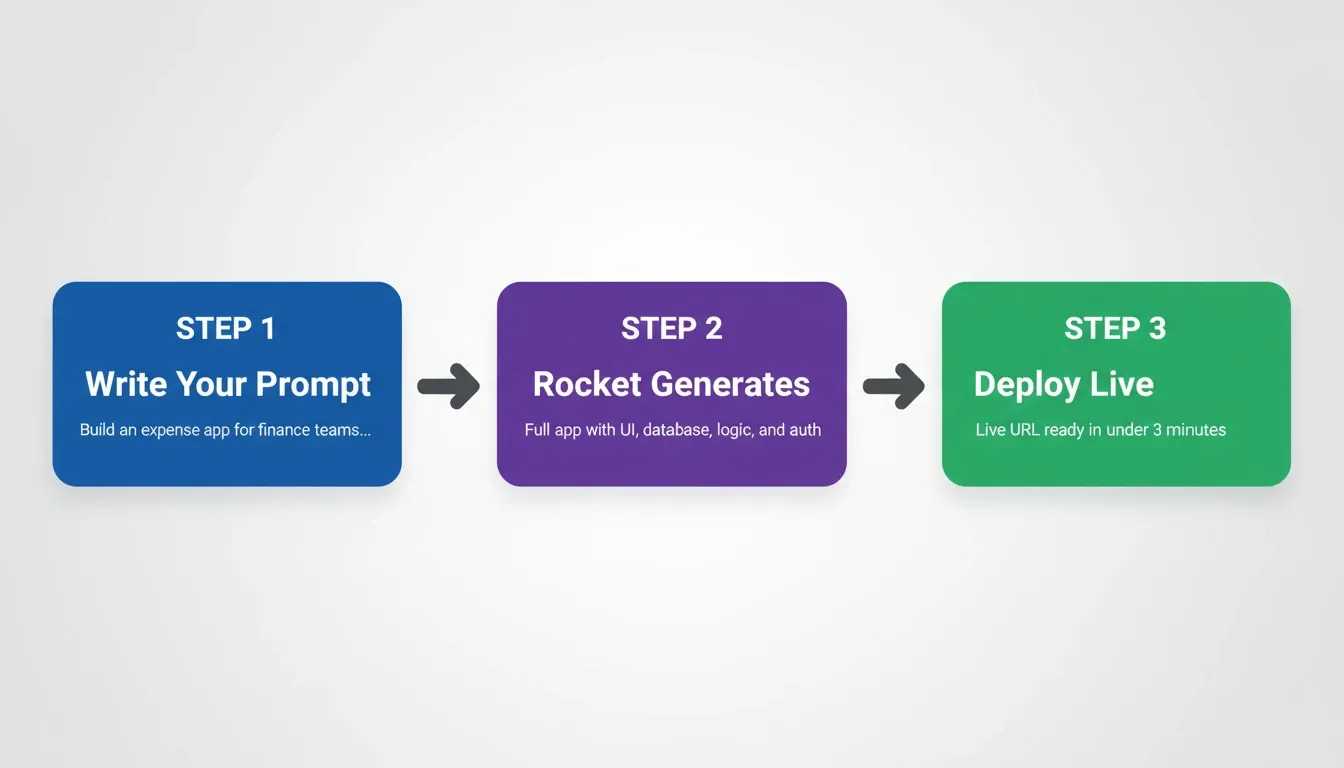
Rocket's three-step pipeline: describe your tool, generate the full app, deploy live. Most internal tools are ready in under 3 minutes.
Rocket's Build capability generates production-grade internal tools from plain-language descriptions. Before generating, Rocket surfaces the decisions that matter most: target users, key interactions, data model, and design direction. What comes back is a working, deployable product, not a mockup.
Here is what that looks like in practice for each of the 25 prompts above:
-
Rocket generates working Next.js web apps from plain-language descriptions, with real design systems, dark/light theming, fluid navigation, and domain-specific data density.
-
The platform scores your prompt for clarity before making decisions, asking targeted questions when scope needs refinement.
-
Every build ships with WCAG accessibility compliance, GDPR coverage, SEO-ready structure, and performance optimization by default. These are the baseline, not optional extras.
-
Internal tools connect directly to Supabase for database, Stripe for payments, or any REST APIs through 25+ built-in integrations including Airtable, Notion, Linear, and Mixpanel.
-
Iteration is unlimited. Refine through chat, visual editing, or direct code access without re-explaining context from scratch.
-
Teams share a persistent workspace, so every app benefits from accumulated project information and brand guidelines.
1.5 million people have tried Rocket across 180 countries, from solopreneurs to enterprise teams. The difference is not speed alone. It is the way Rocket understands your requirements, connects integrations, and generates apps that work on day one.
For teams building ops tools at scale, see how to build AI apps for operations teams.
Common Mistakes That Lead to Poor AI App Results
After testing hundreds of prompts for building internal tools, the same failure patterns come up again and again. Knowing what to avoid is just as valuable as knowing what to include.
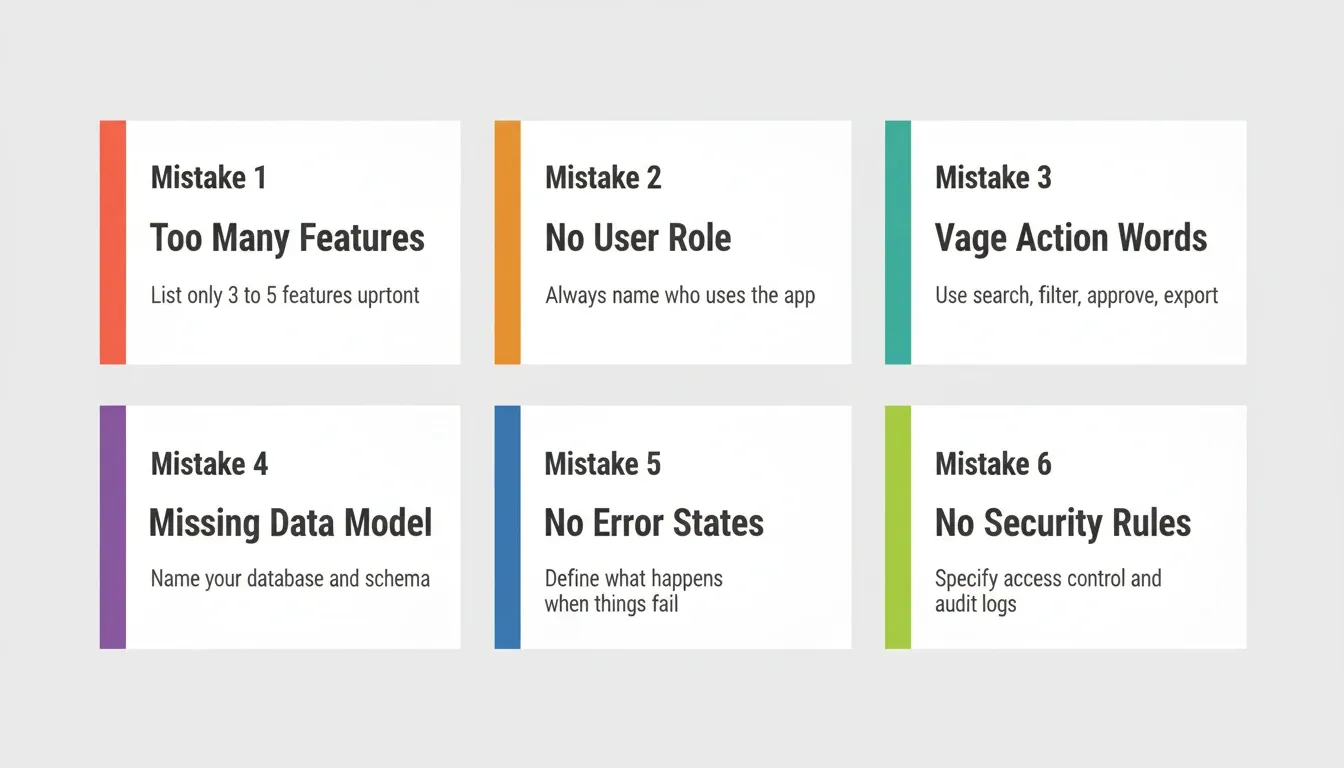
These six mistakes account for most of the iteration cycles teams waste on their first generated app. Avoid them and your first build will be significantly closer to production-ready.
-
Overloading the initial prompt with 15+ features. Start with 3-5 key features, then add the rest through follow-up messages.
-
Skipping the user role description, which leaves the AI making wrong assumptions about navigation depth and security.
-
Using vague action words instead of specifying "search, filter, edit, archive, and export."
-
Forgetting to define the data model, which produces disconnected screens that lack relationships between records.
-
Not mentioning brand guidelines or design preferences, leading to apps that feel generic rather than purpose-built.
-
Failing to describe error states, which creates apps that break silently when input validation fails.
-
Not specifying the deployment environment. Saying "deploy to Supabase" or "host on Netlify" helps the AI generate the correct infrastructure configuration from the start.
-
Ignoring mobile responsiveness. Add "responsive layout for desktop and tablet" if your team uses the tool on multiple devices.
The best practices for prompting any AI coding tool: start concise, provide context about your environment, define users and their tasks, include information about integrations and APIs, and refine based on testing feedback.
For more on this, the best prompts for app building guide covers the patterns that consistently produce better apps with less rework.
Internal Tool Prompts by Team and Industry
The 25 prompts above cover the most common use cases, but every team has slightly different needs. Here is how to adapt them for specific organizational contexts.
For Operations Teams
Focus on workflow automation (Prompts 9-17) with explicit approval chains and audit trails. Operations teams get the most value from apps that replace email-based approval processes, where decisions are currently scattered across inboxes and Slack threads.
For Finance Teams
Prioritize compliance and audit requirements in every prompt. Add "immutable audit log," "export to CSV for auditors," and "role-based access with read-only finance viewer" to any financial tool prompt. Finance tools need to be right the first time.
For HR Teams
Emphasize employee self-service and manager visibility. Prompts 10, 12, and 25 are the highest-value starting points for HR teams replacing manual spreadsheet processes. The onboarding checklist app alone typically saves HR teams several hours per new hire.
For Engineering and QA Teams
Bug triage (Prompt 15) and project resource tracking (Prompt 22) deliver the most immediate impact. Add "connect to Jira API" or "connect to Linear API" to integrate with existing project management tools your team already uses.
For Sales Teams
Sales performance dashboards (Prompt 2) and multi-source KPI consolidation (Prompt 24) replace the Monday morning reporting ritual. Add "connect to HubSpot API" or "connect to Salesforce API" to pull live CRM data directly into the dashboard.
The Future of AI Prompts for Internal Tools
The way teams build internal tools is changing faster than most organizations realize. As AI app builders become more capable, the quality of your prompt becomes the primary determinant of the quality of your output. The tool is only as good as the brief you give it.
Teams that invest in prompt literacy today, learning how to write structured, context-rich descriptions, will consistently outship teams that rely on trial and error. The gap between a well-written prompt and a vague one is not small. It is the difference between shipping in an afternoon and iterating for a week.
Pick the prompt closest to your team's biggest bottleneck, customize the data sources and users, and generate your first version today. Internal tools do not need to sit in a backlog while revenue features take priority. Better prompts and the right platform turn weeks of development into hours of building, testing, and deploying apps that employees actually use.
Start building your first internal tool on Rocket.new and deploy a working app your team can use today.
Table of contents
- -What Makes AI Tools Effective for Building Internal Apps?
- -How AI Systems Generate Applications from Prompts
- -How Effective AI Prompts Differ from Vague Requests
- -Anatomy of a Production-Ready Prompt
- -The 3-Category Framework for Internal Tool Prompts
- -Prompts for Admin Panels and Dashboard Apps
- -User Account Management App
- -Sales Performance Dashboard App
- -Order Management for E-commerce Teams
- -Content Moderation Queue App
- -Customer Health Monitoring Dashboard
- -Team Capacity Planning App
- -Subscription Billing Admin Panel
- -Inventory Management Dashboard
- -Prompts for Internal Communications and Workflow Apps
- -Purchase Order Approval System
- -New Hire Onboarding Checklist App
- -Time-Off Request App
- -Expense Reimbursement Workflow App
- -IT Access Request System
- -Vendor Onboarding Workflow App
- -Bug Triage Tool for QA Teams
- -Content Publishing Approval App
- -Shift Scheduling App
- -Prompts for Data Management and Reporting Apps
- -CSV Data Import and Validation App
- -Automated Weekly Sales Report App
- -Financial Reconciliation App
- -Customer Feedback Analysis App
- -Project Resource Tracking App
- -Compliance Audit Log Viewer App
- -Multi-Source KPI Dashboard App
- -Employee Skills Inventory App
- -How to Write Better Prompts for AI App Builders
- -Define the User Role and Their Specific Needs
- -Provide Context About Existing Systems and Integrations
- -Use Strong Verbs and Avoid Vague Language
- -Specify Security and Compliance Requirements Upfront
- -The Iteration Strategy: Start Lean, Expand Through Chat
- -Refine Through Iteration and Feedback
- -What Coding Tool Limitations Should You Know?
- -Security and Compliance Constraints
- -Complex Logic and Edge Case Behavior
- -Scaffolding Versus Production-Ready Output
- -When to Use AI Prompts vs. Traditional Development
- -From Prompt to Shipped App in Minutes with Rocket
- -Common Mistakes That Lead to Poor AI App Results
- -Internal Tool Prompts by Team and Industry
- -For Operations Teams
- -For Finance Teams
- -For HR Teams
- -For Engineering and QA Teams
- -For Sales Teams
- -The Future of AI Prompts for Internal Tools