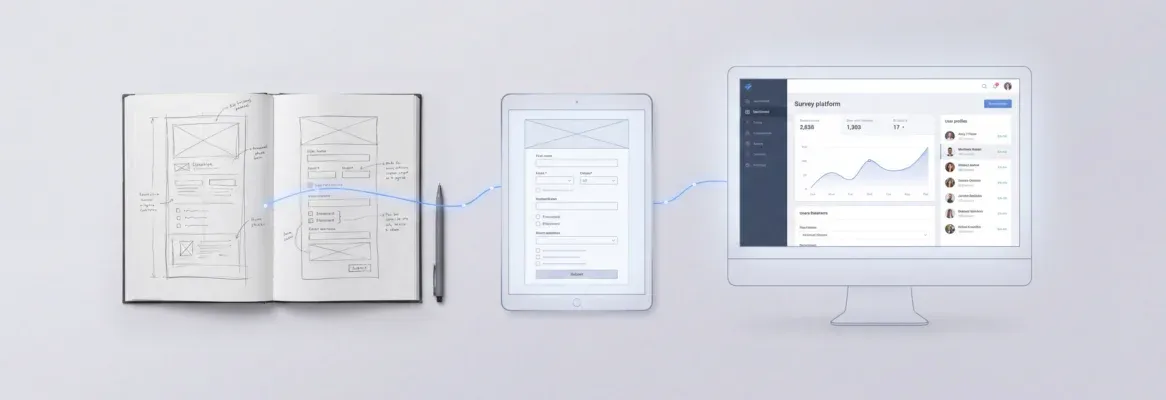
AI prompts for one-shot app generation let you ship complete, production-ready apps from a single instruction. This blog covers 20 tested prompts across five categories, the five-signal formula, and what separates a deployed product from a broken prototype.
Why does "build me a task manager" produce something that barely works?
The answer ties directly to how language models interpret one-shot prompt instructions. According to SQ Magazine, structured prompt processes reduce AI errors by up to 76%, yet most builders still write vague one-liners and expect production-ready software in return.
The gap comes down to prompt engineering fundamentals. When you provide a single example with enough context, the model generalizes from that one-shot example to produce a complete, working application.
This article covers 20 field-tested prompts across five app categories, each designed to produce a usable result on the first generation. These are not hypothetical templates. They are writing effective app-building prompts that real builders use to ship products in minutes rather than weeks.
What is One-Shot App Generation?
One-shot app generation is the practice of describing a complete application in a single, well-structured prompt and receiving a fully functional, deployable product as output on the first attempt. The "one shot" refers to the single example prompt that carries enough signal for the AI model to generate the entire application. This covers screens, navigation, data structure, and design, all without requiring multiple rounds of correction.
This differs from iterative vibe coding, where you build incrementally through many back-and-forth messages. One-shot generation front-loads all the intelligence into the initial prompt so the first output is already close to production-ready.
The technique works because modern AI builders do not just generate code. They interpret purpose, infer architecture, and apply design systems based on the signals in your prompt. The quality of those signals determines everything.
How Does One-Shot Prompting Compare to Other Techniques?
Before writing better prompts, it helps to understand where one-shot prompting sits relative to zero-shot prompting and few-shot prompting. Each technique serves a different purpose, and picking the wrong one is the fastest way to get poor output.
-
Zero-shot prompting gives the model no examples at all. You provide a direct instruction and the model responds based entirely on its pre-trained data. It works for simple tasks like summarization or classification, but it struggles with complex tasks requiring specific formats or multi-screen app generation.
-
One-shot prompting provides a single example that demonstrates the desired output. The model learns the pattern from that one example and applies it to your task. This is the sweet spot for app generation because you can show exactly what a good result looks like without filling the context window with multiple examples.
-
Few-shot prompting supplies two or more examples embedded directly in the prompt. It works when the task requires adherence to very specific formats. For app generation, however, it is overkill. Providing multiple examples of complete apps consumes too many tokens without proportional improvement.
| Technique | Examples Provided | Best For | App Generation Fit |
|---|---|---|---|
| Zero-shot prompting | None | Simple tasks, general queries | Low — too ambiguous |
| One-shot prompting | One | Complex tasks with clear structure | High — ideal balance |
| Few-shot prompting | Two or more | Tasks requiring multiple examples | Medium — context overhead |
The key difference: one-shot prompting gives the AI model enough guidance to produce structured output without the token cost of few-shot learning. For building software, one-shot prompting is the fastest path from idea to live app.
For a deeper look at how natural language shapes what gets built, see A Practical Guide to Natural Language Prompts.
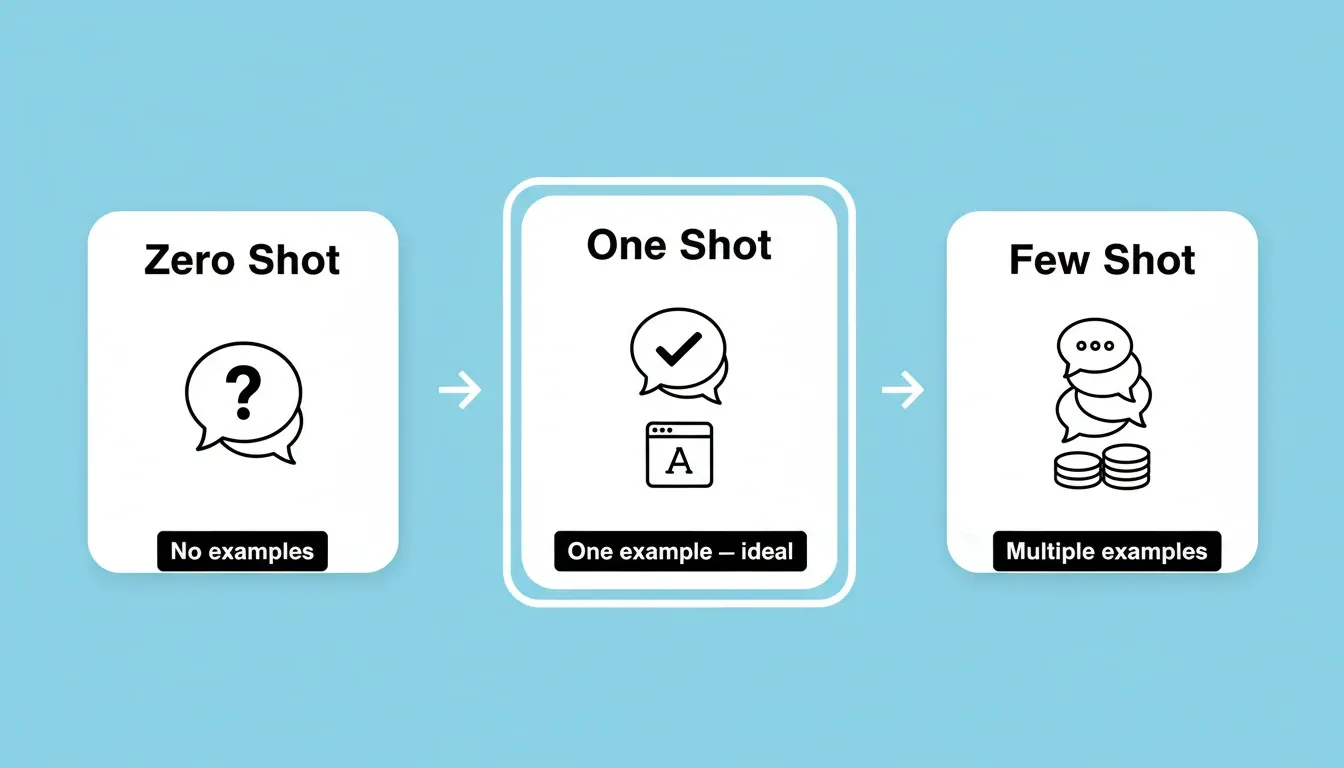
How the three prompting techniques compare and why one-shot hits the ideal balance for app generation.
What Makes a Single Prompt Produce a Working Application?
A single example prompt can produce a complete application only when it contains the right signals. According to Superdesign's analysis of 210,000 real prompts, 40% of AI design generations are refinements rather than successful first attempts. The median prompt that works on the first try is 806 characters long, roughly 130 words of specific guidance.
Here are the five signals that determine whether your one-shot prompt ships or fails:
-
App type declaration matters most. Models rely heavily on knowing whether you want a dashboard, mobile app interface, landing page, or SaaS product. This single signal determines which patterns from the model's training data get activated.
-
Feature specificity separates good from great. Name 3-5 features explicitly. The model can generalize from a one-shot example only when you clarify what "done" looks like. Vague prompts like "make it good" produce generic output every single time.
-
Design direction prevents creative drift. State your color preferences, layout style, or reference a specific aesthetic. Pre-trained language models generate more accurate responses when the output format includes visual constraints.
-
User context adds intelligence. Describing who will use the app and for what purpose helps the model fill in blanks you did not explicitly cover. This is where knowledge prompting meets practical application.
-
Technical preferences lock the scope. Specifying frameworks, integrations, or database connections tells the model exactly how to structure the code and what dependencies to include.
The difference between a prompt that generates a working app and one that returns garbage is not length alone. It is the density of relevant information packed into that single prompt. When you build full-stack apps from a single description, these five components are what separate a shipped product from another failed prototype.
The five-signal diagnostic loop: identify which signal is missing, add it, and re-submit until the app ships on the first generation.
The 3-5 Feature Rule: Why Scope Determines Success
Include three to five key features in your initial prompt. This is the sweet spot. It gives the model enough detail to generate something useful without making the app unwieldy.
After the initial build, add complexity through follow-up messages one feature at a time. This incremental approach produces cleaner, more reliable results than front-loading every feature into a single one-shot prompt.
Fewer than three features leaves too much ambiguity. More than five creates complex tasks the model may handle inconsistently, dropping features, confusing relationships, or producing a shallow version of everything.
Before and After: Weak Prompts vs. Strong Prompts
The difference between a failed one-shot prompt and a successful one is not the idea. It is the structure. Every example below covers the same app concept, but the strong version includes all five signals.
| App Type | Weak Prompt | Strong One-Shot Prompt |
|---|---|---|
| SaaS Dashboard | "Build a project management app" | "Build a project management dashboard for marketing teams with Kanban boards, team member cards showing task count, a sidebar with Projects, Calendar, and Settings. White background, indigo accent buttons. Include a search bar and notification bell." |
| Mobile App | "Make a fitness app" | "Create a fitness tracking mobile app with a daily steps circle, calorie counter, workout log, and bottom tab bar with Home, Workouts, Progress, and Profile. Dark gradient background, for gym-goers tracking daily activity." |
| E-commerce | "Build an online store" | "Build a clothing store with product grid showing images, prices, and quick-add buttons, a hero banner with sale announcement, category sidebar, shopping cart drawer, and Stripe checkout. Clean minimal style." |
| Internal Tool | "Create an inventory tracker" | "Create an internal inventory management tool with product table showing stock levels, reorder alerts in orange, barcode scanner input, and CSV export button. Simple sidebar layout for warehouse staff." |
| Landing Page | "Make a landing page" | "Build a SaaS landing page with a hero containing headline, subheading, and two CTAs, a feature grid with icons, a three-tier pricing table, testimonial carousel, and footer newsletter signup." |
For more on what makes prompts work across different app types, see Prompt Engineering Best Practices for Accurate AI Results.
Five Prompt Categories That Cover Every App Type
The following 20 prompts span five categories. Each uses one-shot prompting principles with enough specificity to produce a working application on the first generation. These are production prompts, not concept sketches.
Category 1: SaaS Dashboard Prompts (Prompts 1-4)
SaaS dashboards require clear data hierarchy, navigation structure, and visual differentiation between data types. Each prompt below declares the app type, names 3-5 specific screens or components, sets a visual direction, and implies the user context.
-
Prompt 1: "Build a project management dashboard with Kanban boards, team member cards showing task count, a sidebar navigation with Projects, Calendar, and Settings sections. Use a clean white background with indigo accent buttons. Include a top search bar and notification bell icon."
-
Prompt 2: "Create a subscription analytics dashboard showing MRR line chart, churn rate donut chart, customer lifetime value cards, and a table of recent transactions with status badges. Dark theme with gradient headers."
-
Prompt 3: "Generate an HR onboarding dashboard with employee progress trackers, document checklist cards, a welcome message section, and a calendar widget showing upcoming orientations. Professional style with rounded corners."
-
Prompt 4: "Build a sales CRM dashboard with a pipeline funnel visualization, deal cards sorted by stage, recent activity feed, and revenue forecast bar chart. Include filter buttons for date range and team member."
Category 2: Mobile App Prompts (Prompts 5-8)
Mobile app prompts must specify navigation patterns (tab bar, drawer, stack), screen layout conventions, and touch-friendly interaction patterns. Without these signals, the model defaults to web-style layouts that feel wrong on mobile.
-
Prompt 5: "Create a fitness tracking mobile app with a home screen showing daily steps circle, calorie counter, workout log list, and a bottom tab bar with Home, Workouts, Progress, and Profile sections. Use a dark gradient background."
-
Prompt 6: "Build a recipe sharing mobile app with a scrollable recipe feed, category chips at top, a detailed recipe screen with ingredients list and step-by-step instructions, and a favorites tab. Light theme with food photography placeholders."
-
Prompt 7: "Generate a habit tracker mobile app with daily habit checkboxes, streak counters for each habit, a weekly calendar view, and a statistics screen with completion rate charts. Minimal design with pastel accent colors."
-
Prompt 8: "Create a personal finance mobile app with account balance cards, transaction list grouped by date, budget progress bars per category, and an add-expense floating action button. Clean material design."
Ready to test these mobile prompts? Copy any prompt above and paste it into Rocket. The platform generates a Flutter mobile app with dark/light theming, real navigation patterns, and App Store-ready code in minutes. Build your mobile app on Rocket.
Category 3: E-commerce Store Prompts (Prompts 9-12)
E-commerce prompts need to specify the product browsing flow, cart behavior, and checkout path. Naming the payment provider (for example, Stripe) in the prompt signals the model to generate the correct integration pattern rather than a placeholder checkout.
-
Prompt 9: "Build an online clothing store with product grid showing images, prices, and quick-add buttons. Include a hero banner with sale announcement, category navigation sidebar, shopping cart drawer, and a Stripe checkout flow."
-
Prompt 10: "Create a digital product marketplace with download cards, star ratings, seller profiles, search with filters for category and price range, and a purchase confirmation screen. Modern gradient style."
-
Prompt 11: "Generate a specialty coffee subscription store with product cards showing roast type and origin, a subscription plan selector with monthly and quarterly options, order tracking page, and customer reviews section."
-
Prompt 12: "Build an electronics store with comparison table feature, product detail pages with specifications tabs, related products carousel, and a multi-step checkout with shipping calculator."
Stripe, Supabase, and your product catalog — all in one prompt. Rocket connects 25+ integrations at generation time, so your e-commerce store ships with real payment flows, not placeholders. Start building your store on Rocket.
Category 4: Internal Tool Prompts (Prompts 13-16)
Internal tools prioritize function over form. Prompts for internal tools should name the specific workflow they support, the user roles involved, and the data operations required. Role-based access and export functionality are high-value signals for this category.
-
Prompt 13: "Create an internal inventory management tool with product table showing stock levels, reorder alerts highlighted in orange, a barcode scanner input field, and export to CSV button. Simple dashboard layout with sidebar."
-
Prompt 14: "Build a team scheduling tool with a weekly grid calendar, shift assignment drag zones, employee availability toggles, and a conflict warning system. Include role-based views for managers and staff."
-
Prompt 15: "Generate a customer support ticket system with ticket queue sorted by priority, status labels with color coding, an assignment dropdown for team members, and response time metrics at the top. Customer service settings for SLA configuration."
-
Prompt 16: "Create an internal knowledge base with a searchable article library, category tree navigation, markdown editor for new entries, and a recently updated feed. Include user permissions for edit and view access."
Internal tools ship faster when the platform remembers your context. Rocket retains your project history, data models, and previous decisions across every build. Your second internal tool takes a fraction of the time the first one did. Build your internal tools on Rocket.
Category 5: Landing Page Prompts (Prompts 17-20)
Landing page prompts must specify the conversion goal, the hero section structure, and the social proof elements. Without a clear CTA hierarchy in the prompt, the model generates informational pages rather than conversion-optimized ones.
-
Prompt 17: "Build a SaaS product landing page with a hero section containing headline, subheading, and two CTA buttons. Include a feature grid with icons, a pricing table with three tiers, customer testimonial carousel, and a footer with newsletter signup."
-
Prompt 18: "Create a mobile app launch landing page with a phone mockup in the hero, app store download badges, three benefit sections with illustrations, an FAQ accordion, and a sticky header with CTA button."
-
Prompt 19: "Generate a freelancer portfolio landing page with a full-width hero showing name and title, project gallery grid, skills progress bars, client logo strip, testimonial cards, and a contact form with calendar booking link."
-
Prompt 20: "Build an event registration landing page with countdown timer, speaker cards with headshots and bios, agenda timeline, ticket pricing table, venue map embed, and an early bird registration form."
A landing page that ships today beats a perfect one that ships next week. Rocket generates conversion-focused landing pages with SEO-ready structure, WCAG compliance, and one-click deployment built in. Launch your landing page on Rocket.
Each prompt follows the same one-shot pattern: declare the type, list specific features, set design direction, and define user context. Whether you are building mobile apps for consumers or internal tools for your own team, prompt-to-app platforms can execute these in a single generation pass.
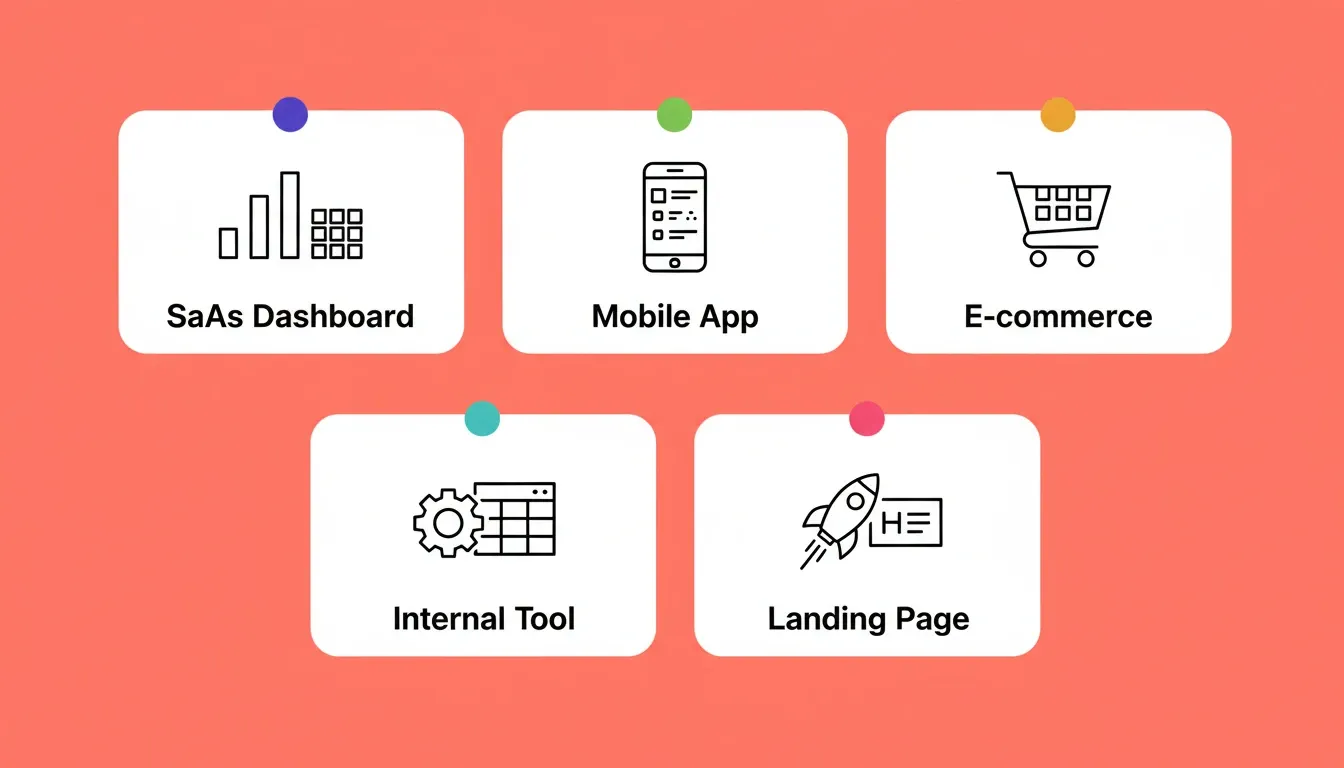
The five app categories in this guide, each requiring different prompt signals to generate a working first output.
The Complete Prompt Formula for Successful Generation
What separates a prompt that ships from one that stalls? According to IBM's research on one-shot prompting, this method leverages large language models to understand and generate responses from minimal data input. The model's ability to produce accurate output depends heavily on how you structure that single prompt.
Here are five structural principles that consistently produce better results:
-
Lead with purpose, not features. "Build a booking system for a pet grooming salon" gives the model more context than "build a booking app." The purpose tells the model which patterns from its pre-trained data to apply, which edge cases to consider, and what the expected output should look like.
-
Use the 3-5 feature rule. More than five features in a one-shot prompt overwhelms the model. Fewer than three leaves too much room to generalize sideways. This is the balance point where one-shot prompting produces the best result.
-
Separate design from logic. State visual preferences in one sentence, then list functional requirements. This helps the model process two different types of instructions without confusing them. Effective prompt engineering keeps these concerns isolated.
-
Name screens explicitly. Instead of "add navigation," say "include a sidebar with Dashboard, Clients, Invoices, and Settings pages." The model produces more accurate responses when each screen has a clear label and purpose.
-
Include example data. For data-heavy applications, paste a few rows of sample data. This one high-quality example of content structure helps the model understand your domain without needing extensive training data.
This formula works because one-shot prompting relies on providing a single, information-dense prompt rather than multiple examples spread across sessions. The model learns from that one-shot example what your standards are, then applies its pre-trained knowledge to fill in every gap.
Prompt Formula Quick Reference
| Prompt Element | What to Include | Example |
|---|---|---|
| App type | Declare the category explicitly | "Build a SaaS dashboard" |
| Purpose | Who uses it and why | "for marketing teams tracking campaigns" |
| Features (3-5) | Named screens or components | "with Kanban board, activity feed, and team cards" |
| Design direction | Colors, style, layout | "clean white background with indigo accents" |
| Technical scope | Frameworks, integrations, data | "connected to Stripe for billing" |
What Happens After Your One-Shot Prompt Generates
One-shot app generation does not end at the first output. Understanding what happens next is what separates builders who ship from those who stay stuck in refinement loops.
After the initial generation, you have three ways to refine without re-explaining what already exists:
-
Chat-based iteration. Send natural language instructions to change any part of the app. For example: "Change the header background to dark blue," "Add a settings page with profile editing," or "Fix the mobile layout." Each instruction builds on the existing context, so there is no need to re-explain the whole app. There is also no change limit.
-
Visual editing. Click any element in the live preview to change text, style, spacing, images, or layout directly. This is the fastest path for design adjustments that are easier to point at than describe.
-
Code-level editing. Browse and modify the generated source files directly. You get full access to the Next.js or Flutter code for precision changes that chat cannot describe exactly.
The most effective post-generation workflow for functional apps is to verify the core user flow first, then add integrations and data connections, and finally polish the visual design. For consumer-facing apps and landing pages, the opposite works better: get the visual design right first, then add logic.
When the output is significantly off from your vision, the fastest recovery is not iterating the broken version. Instead, start a new task with a better prompt. Copy what worked from the first attempt, add the missing signals, and regenerate.
What "Production-Ready" Actually Means in One-Shot App Generation
Not all AI builders produce the same quality output from the same prompt. The term "production-ready" is used loosely across the industry. In practice, here is what it should mean and what to look for.
A genuinely production-ready output from a one-shot prompt includes:
-
SEO-ready structure. Clean semantic HTML, page titles derived from content, basic meta descriptions, and mobile-responsive layouts that satisfy search ranking signals.
-
Accessibility compliance. Semantic HTML elements, heading hierarchy, standard form labels, and responsive layouts that meet WCAG 2.1 AA baseline requirements.
-
Privacy coverage. GDPR-compatible structure, cookie consent handling, and privacy policy scaffolding built into the generated code rather than added as an afterthought.
-
Performance optimization. Core Web Vitals-aware code structure, optimized asset loading, and framework-level performance defaults.
-
Real design systems. Dark and light theming, fluid navigation, staggered animations, and intentional typography. Not generic card grids that read as AI-generated.
These should be the baseline output from any one-shot prompt on a platform that takes production quality seriously, not optional extras you have to ask for.
Why Rocket Turns a Single Prompt Into a Deployed Product
Most AI builders execute one-shot prompting at face value. You write a prompt, the model generates code, and you get a prototype that needs days of refinement before it ships. Rocket works differently because it adds intelligence before the build even begins.
-
Pre-build context architecture. Before generating a single line of code, Rocket evaluates your one-shot prompt against your project history, uploaded documents, and previous research. Your single prompt carries the weight of every decision your team has already made. Other tools start from zero every time.
-
Production-grade output from generation one. Rocket generates Next.js for web and Flutter for mobile apps with real design systems, dark and light theming, fluid navigation, and staggered animations. Every build ships with SEO-ready structure, WCAG accessibility compliance, GDPR coverage, and performance optimization by default. These are the baseline, not optional extras.
-
Most apps generate in 1-3 minutes. After submitting your one-shot prompt, Rocket plans the architecture, writes production-ready code, and shows a live interactive preview. You can click through the app, navigate screens, and fill forms before making a single change.
-
One-click deployment to a live URL. There is no configuring hosting and no manual deployment pipelines. One prompt in, live app out.
-
Iterate without re-explaining. After the first generation, every follow-up prompt builds on what already exists. Rocket remembers context between sessions, so your second prompt does not need to repeat what the first one established.
-
25+ integrations included at generation time. Stripe payments, Supabase databases, Google Analytics, and more are available during the initial one-shot prompt generation. You do not need a separate prompt for each integration.
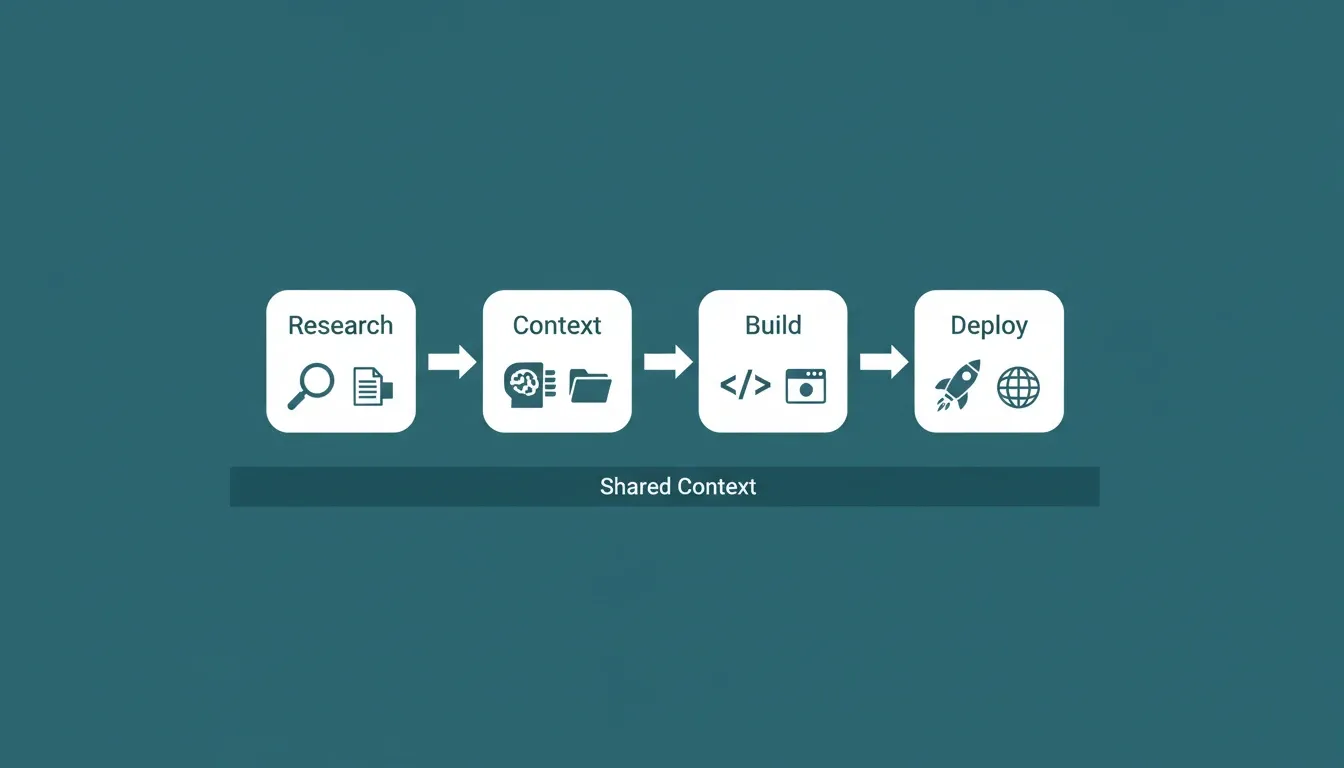
Rocket connects research, context, build, and deployment in a single shared pipeline, so your one-shot prompt starts with everything your project already knows.
Rocket's three core capabilities connect through a shared context architecture: Solve for pre-build research, Build for production-grade generation, and Intelligence for continuous competitive monitoring. The thinking before the build and the build itself happen in the same place.
Common Mistakes That Make Prompts Fail on First Try
Even with the right formula, certain patterns consistently produce poor results in one-shot prompting scenarios. These mistakes explain why 40% of generations end up as refinements instead of shipped products.
-
Overloading with every feature at once. Cramming 15 features into a one-shot prompt does not demonstrate thoroughness. It demonstrates a misunderstanding of how language models process instructions. The model may drop features, confuse relationships, or produce a shallow version of everything. Keep it to 3-5 core features, then iterate.
-
Using vague adjectives instead of specific examples. "Make it modern" means nothing to a model. "Use a clean white background with indigo buttons and rounded card components" gives the model a single example it can replicate precisely. Specificity is what makes one-shot prompting generate accurate results.
-
Skipping the user context entirely. Who is this app for? Without that signal, the model defaults to generic patterns from its training datasets. A booking app for a veterinary clinic looks completely different from a booking app for a corporate event space.
-
Copy-pasting prompts between different models. Each AI model interprets one-shot prompt instructions differently. A prompt that works on one platform may return inconsistent outputs on another. Effective prompt engineering means adapting your single example prompt to the specific model and platform you are using.
-
Ignoring mobile layout until the end. If your app needs to work on mobile, state that in the initial one-shot prompt. Retrofitting mobile layouts after the fact forces major restructuring that often breaks the desktop experience.
-
Describing outputs instead of purposes. "Add a chart" is weaker than "show monthly revenue trends so the team can spot growth slowdowns." Purpose-first prompts activate the model's domain knowledge rather than just its pattern library.
For a full breakdown of what goes wrong in AI-generated apps and how to avoid it, see Common Vibe Coding Mistakes.
Prompt Mistakes and Stronger Alternatives
| Weak Pattern | Why It Fails | Stronger Alternative |
|---|---|---|
| "Make it modern" | No actionable signal | "White background, indigo buttons, rounded cards" |
| 10+ features listed | Model drops or shallows features | List 3-5 core features, iterate for the rest |
| No user context | Generic output | "For marketing managers at 50-person companies" |
| Same prompt across platforms | Different models, different outputs | Adapt prompt to each platform's strengths |
| "Add a chart" | No purpose signal | "Show monthly revenue so the team spots slowdowns" |
| No mobile mention | Web-style layout on mobile | "Mobile-first with bottom tab navigation" |
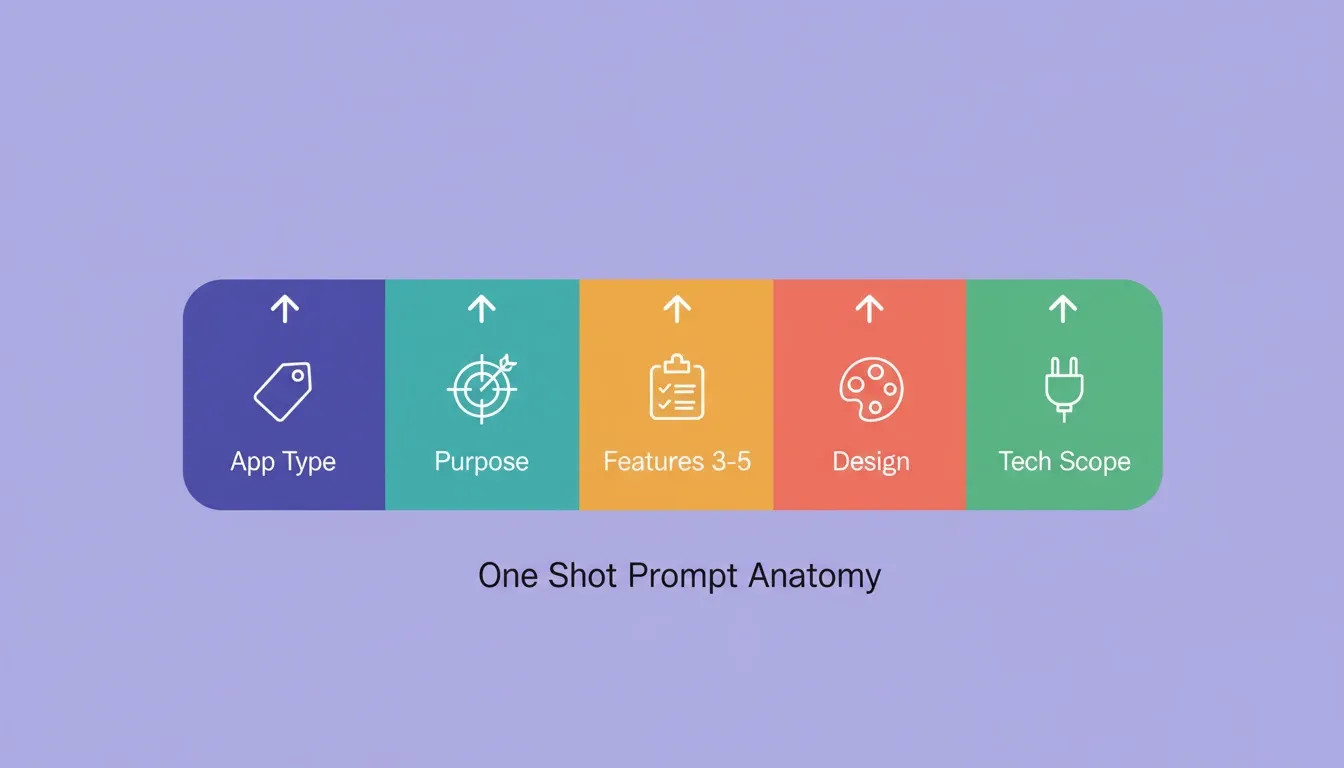
A well-structured one-shot prompt has five distinct signal segments. Each one reduces ambiguity and moves the model closer to a working first output.
Your Prompts Are Only as Good as the Platform Behind Them
A well-structured one-shot prompt still depends on what happens after you press enter. The technique gives the model direction. The platform determines whether that direction becomes a working product or another prototype that never ships.
The 20 prompts in this guide work best when the system behind them adds intelligence, handles deployment, and maintains context across iterations. Start with one prompt today and see what ships.
If you want a platform that turns your AI prompts for one-shot app generation into deployed, production-grade applications, sign up for Rocket.new and build your first app from a single prompt today.
Table of contents
- -What is One-Shot App Generation?
- -How Does One-Shot Prompting Compare to Other Techniques?
- -What Makes a Single Prompt Produce a Working Application?
- -The 3-5 Feature Rule: Why Scope Determines Success
- -Before and After: Weak Prompts vs. Strong Prompts
- -Five Prompt Categories That Cover Every App Type
- -Category 1: SaaS Dashboard Prompts (Prompts 1-4)
- -Category 2: Mobile App Prompts (Prompts 5-8)
- -Category 3: E-commerce Store Prompts (Prompts 9-12)
- -Category 4: Internal Tool Prompts (Prompts 13-16)
- -Category 5: Landing Page Prompts (Prompts 17-20)
- -The Complete Prompt Formula for Successful Generation
- -Prompt Formula Quick Reference
- -What Happens After Your One-Shot Prompt Generates
- -What "Production-Ready" Actually Means in One-Shot App Generation
- -Why Rocket Turns a Single Prompt Into a Deployed Product
- -Common Mistakes That Make Prompts Fail on First Try
- -Prompt Mistakes and Stronger Alternatives
- -Your Prompts Are Only as Good as the Platform Behind Them