
Using the right AI prompts to build a marketplace app cuts development from months to days. These 15 structured, phase-by-phase prompts cover auth, listings, payments, trust, and growth, so you can ship a production-ready two-sided platform without a dev team.
Why Founders are Shipping Marketplaces With Prompts Instead of Dev Teams
According to Hostinger's 2026 research, 90% of developers now use at least one AI tool at work, and no-code platforms cut development time by up to 90% (Hostinger).
The no-code AI platform market hit $6.56 billion in 2025 and is projected to reach $75 billion by 2034. What once required a full engineering team now starts with a well-written prompt.
The catch? Most prompts produce generic output.
A vague instruction like "build me a marketplace" gives you a skeleton with placeholder data. The prompts below are specific, structured, and tested against real marketplace requirements so you can ship a full-stack application from a single prompt that actually works.
What is a Marketplace App?
A marketplace app is a two-sided platform that connects two distinct user groups, typically buyers and sellers, customers and service providers, or renters and hosts, and facilitates transactions between them. The platform earns revenue by taking a commission, charging listing fees, or running a subscription model.
Classic examples include Airbnb (spaces and travelers), Fiverr (freelancers and clients), and Etsy (makers and buyers). What makes marketplace development complex is the dual-sided nature: you are building two products simultaneously. Each side has its own onboarding, dashboard, and user flow, all connected by a shared transaction layer.
To see this in practice, read how to create a marketplace website with Rocket.
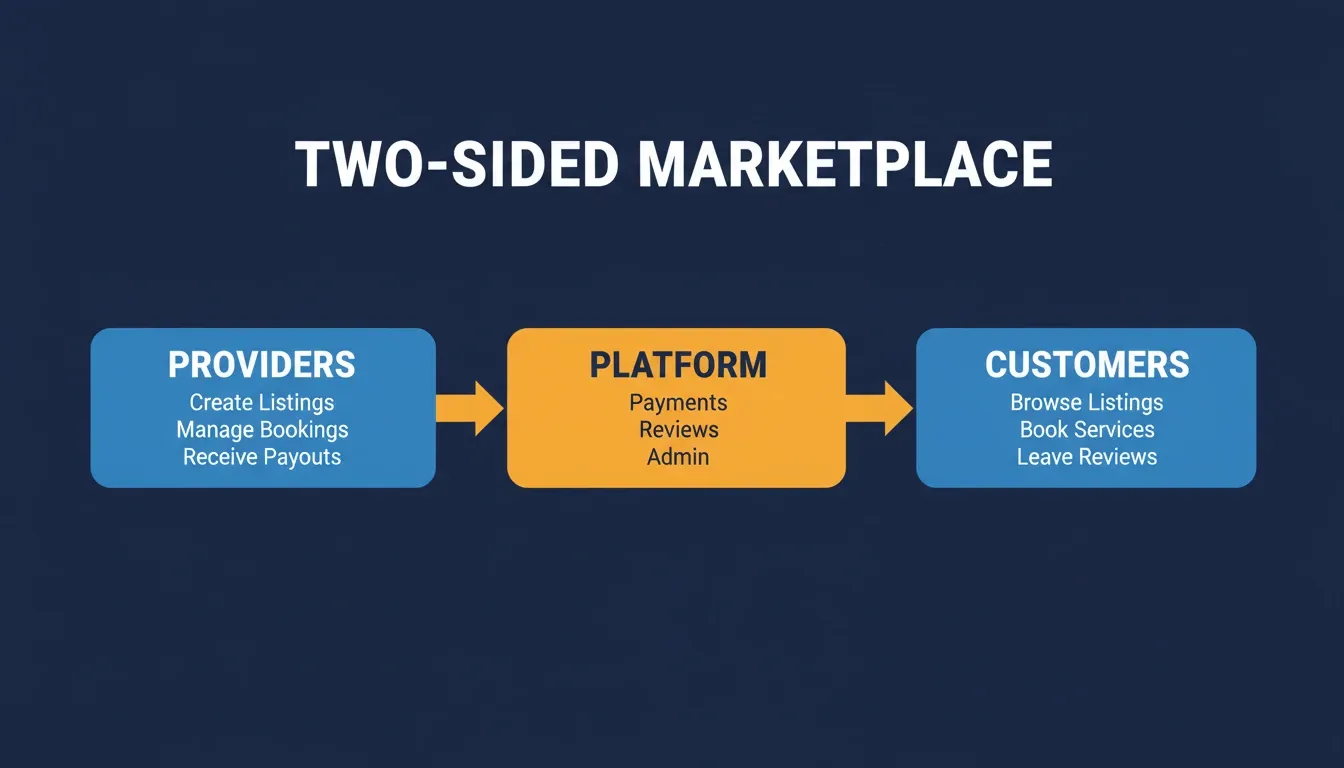
A two-sided marketplace connects providers and customers through a central platform that handles auth, payments, reviews, and moderation.
What Makes a Marketplace Prompt Work vs. Fail
The gap between a mediocre prompt and a production-ready one comes down to four qualities. Here is what separates builders who ship from builders who iterate endlessly.
-
Context density: specify the marketplace vertical, target users, and transaction type upfront
-
Feature specificity: name exact screens, data fields, and user flows to remove ambiguity
-
Constraint clarity: state tech stack preferences, design direction, and must-have integrations
-
Output format: define what "done" looks like, such as a live preview, specific pages, and a responsive layout
A one-liner like "make a freelancer marketplace" produces a toy. In contrast, a prompt that names user roles, lists five key screens, specifies Stripe for payments, and describes search filter behavior produces something you can launch. Structured prompting follows proven prompt engineering best practices that mirror how professional teams write product requirements.
Prompt Quality at a Glance
| Prompt Type | Example | Likely Output |
|---|---|---|
| Vague | "Build me a marketplace" | Generic skeleton, no logic |
| Partial | "Build a freelancer marketplace with payments" | Basic UI, broken flows |
| Specific | Full prompt with roles, screens, Stripe, search | Launchable first generation |
| Layered | Scaffold first, then features one prompt at a time | Production-ready platform |
The 15 AI Prompts to Build a Marketplace App
These prompts are organized by building phase. Start at the foundation, layer in features, then polish for production. Test after every prompt, not after all fifteen.
Phase One: Foundation Prompts (Prompts One Through Five)
Your marketplace needs a skeleton before it needs features. These five prompts establish the core architecture, user roles, and responsive layout system.
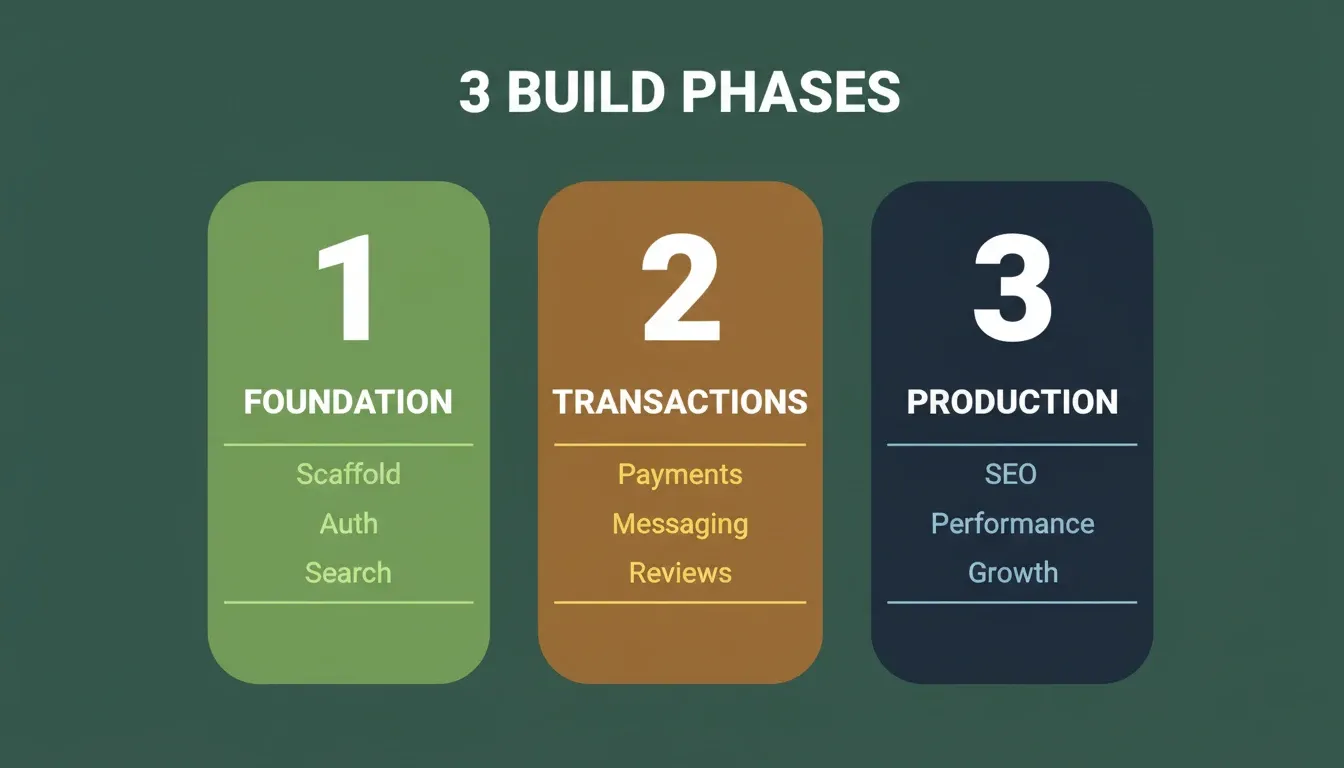
Prompts 1 through 5 build the foundation. Prompts 6 through 10 add transactions and trust. Prompts 11 through 15 make it production-ready.
Prompt One: Marketplace scaffold with user roles
"Build a two-sided marketplace web app for connecting local service providers with customers. Include two user roles: Provider (creates listings, sets pricing, manages bookings) and Customer (browses listings, books services, leaves reviews). Add a shared navigation bar, role-based dashboards, and a responsive layout that works on mobile and desktop."
Why this works: Naming both user roles upfront forces the AI to generate separate data models, routing logic, and dashboard views from the first generation. Without this, you get a single-user app that requires major rework.
Prompt Two: Authentication and profile system
"Add email and Google OAuth sign-up to the marketplace. After registration, route Providers to an onboarding flow that collects business name, service category, location radius, hourly rate, and a profile photo. Route Customers to a simplified profile with name, location, and notification preferences. Include email verification and password reset."
Why this works: Specifying the exact fields for each role prevents a generic one-size-fits-all profile form. The post-registration routing instruction ensures the two user journeys diverge at the right moment. For more on this, see how to generate an authentication system using AI.
Prompt Three: Listing creation flow
"Create a multi-step listing form for Providers. Step 1: service title, category (dropdown with 12 options), and description (max 500 characters). Step 2: pricing model (hourly, fixed, or custom quote), availability calendar with time slots. Step 3: upload up to 6 images with drag-and-drop reordering. Show a live preview card before publishing."
Why this works: Multi-step forms require explicit step definitions. Without them, the AI generates a single long form with no progress indicator and no preview state.
Prompt Four: Search and discovery
"Build a search page with a prominent search bar, category filters (sidebar on desktop, bottom sheet on mobile), price range slider, rating filter (four-plus stars, three-plus stars), location radius selector, and sort options (relevance, price low-to-high, highest rated, newest). Display results as cards showing the listing image, title, price, rating, and provider name."
Why this works: Search is the most complex page in any marketplace. Specifying filter types, layout behavior across breakpoints, and exact card data prevents the AI from generating a basic text search with no filtering capability.
Prompt Five: Responsive layout system
"Implement a mobile-first grid system. Listing cards show one per row on mobile, two on tablet, three on desktop. Navigation collapses into a hamburger menu below 768px. Dashboard tables become stacked cards on small screens. All touch targets are minimum 44px. Test the layout at 375px, 768px, and 1440px breakpoints."
Why this works: Mobile responsiveness is where most AI-generated marketplaces fail. Naming specific breakpoints and exact layout behavior at each one produces a genuinely responsive output, rather than a desktop layout that technically scales down.
Ready to build your marketplace foundation? Describe your two-sided platform on Rocket.new and get user roles, dashboards, and a responsive layout generated in minutes.
Phase Two: Transaction and Trust Prompts (Prompts Six Through Ten)
With structure in place, the next layer handles money, communication, and social proof. These features determine whether real users trust your platform with their time and money.
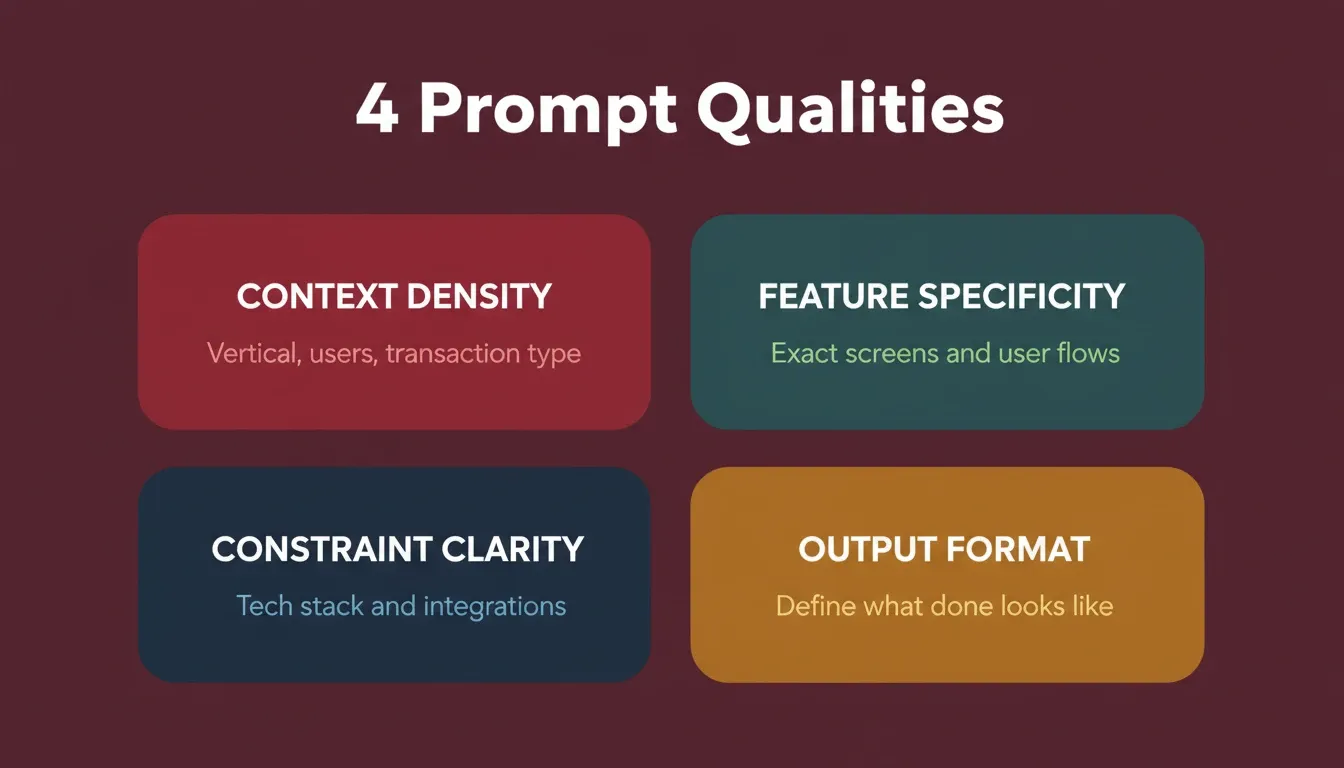
Every production-ready marketplace prompt includes these four qualities. Missing any one of them increases iteration cycles.
Prompt Six: Booking and checkout
"Add a booking flow: Customer selects a time slot from the Provider's availability calendar, reviews the total price (including a 10% platform fee), then proceeds to checkout. Show an order summary with cancellation policy before payment. After payment, both parties receive confirmation with booking details and a unique reference code."
Why this works: Booking flows have multiple state transitions, including selected, pending, confirmed, and cancelled. Naming each step and the communications triggered at each step produces a complete state machine, rather than a basic form submission.
Prompt Seven: Payment integration
"Integrate Stripe Connect for split payments. The platform collects the full amount, deducts a 10% commission, and transfers the remainder to the Provider's connected Stripe account after service completion. Add a 48-hour hold period before payout. Include a Provider earnings dashboard showing pending, available, and paid-out amounts."
Why this works: Stripe Connect for marketplaces is architecturally different from standard Stripe. Specifying split payments, the commission rate, the hold period, and the earnings dashboard produces a working marketplace payment layer. For a broader comparison, see best AI builders with payment integration.
Handling payment integrations through an AI builder requires precise prompting because financial flows have zero tolerance for ambiguity.
Prompt Eight: Messaging system
"Build a real-time messaging system between matched Customers and Providers. Messages appear in a chat interface with timestamps, read receipts, and typing indicators. Allow image attachments. Include a conversation list view sorted by most recent message. Providers cannot share external contact information in messages (basic keyword filter)."
Why this works: The keyword filter instruction is the detail most builders skip. Without it, Providers immediately move conversations off-platform, which destroys your ability to protect the transaction and collect commission.
Prompt Nine: Review and rating system
"After a booking is completed, prompt the Customer to leave a review. Collect a one-to-five star rating, a text review (50 to 500 characters), and optional photo uploads. Display reviews on the Provider's profile with aggregate rating, total review count, and a breakdown bar chart. Providers can reply once to each review."
Why this works: The reply-once constraint prevents Provider responses from becoming a moderation problem. The character limits prevent both empty one-word reviews and essay-length complaints that skew the display.
Prompt Ten: Admin dashboard
"Create an admin panel accessible only to platform operators. Include: user management (view, suspend, delete accounts), listing moderation queue (approve, reject, flag), transaction overview (total GMV, platform revenue, payout status), dispute resolution inbox, and basic analytics (new users per week, listings created, booking conversion rate)."
Why this works: Without an admin panel, you cannot moderate your marketplace. The GMV and conversion rate metrics give you the data to make product decisions. The dispute resolution inbox is the feature most builders forget until their first user complaint.
Your marketplace core is ready to test. Add payments, messaging, and reviews through conversation on Rocket.new, with no API wiring and no separate services required.
Phase Three: Production Readiness Prompts (Prompts Eleven Through Fifteen)
These final prompts transform a working prototype into a product people trust with their money. Skip any of these and you will rebuild them under pressure after launch.
Prompt Eleven: Email notification system
"Set up transactional emails for: account verification, booking confirmation, booking reminder (24 hours before), review request (2 hours after service completion), payout confirmation for Providers, and password reset. Use clean, minimal email templates with the marketplace logo, a single CTA button, and an unsubscribe link in the footer."
Why this works: The timing specifications (24 hours before, 2 hours after) are critical. Without them, the AI generates generic templates with no trigger logic.
Prompt Twelve: SEO and meta structure
"Add dynamic meta titles and descriptions to all listing pages using the format: '[Service Title] by [Provider Name] in [City] | [Marketplace Name]'. Generate an XML sitemap including all published listings. Add Open Graph tags for social sharing. Implement JSON-LD structured data for LocalBusiness on Provider profiles and Product schema on listings."
Why this works: Marketplace SEO depends on listing pages ranking individually. The JSON-LD structured data instruction separates marketplaces that appear in Google rich results from those that do not.
Prompt Thirteen: Performance and loading states
"Add skeleton loading screens for the search results page, listing detail page, and dashboard. Implement image lazy loading with blur-up placeholders. Paginate search results (20 per page) with infinite scroll on mobile and numbered pagination on desktop. Cache category filters and recently viewed listings in local storage."
Why this works: Skeleton screens prevent the jarring blank-page flash that causes users to abandon. The different pagination patterns for mobile and desktop reflect how users actually navigate on each device.
Prompt Fourteen: Trust and safety features
"Add identity verification for Providers: upload a government ID photo and a selfie for manual review. Display a 'Verified' badge on profiles that pass review. Add a 'Report Listing' button with reason categories (misleading, inappropriate, spam, other). Create an automated flag system that hides listings receiving three or more reports pending admin review."
Why this works: The automated three-report threshold prevents your admin queue from being overwhelmed while still protecting users from bad actors.
Prompt Fifteen: Analytics and growth hooks
"Implement a referral system: each user gets a unique referral link. When a referred user completes their first booking, the referrer receives a $10 credit. Add a 'Share this listing' button with pre-filled text for Twitter, WhatsApp, and email. Track referral conversions in the admin dashboard with source attribution."
Why this works: Growth mechanics built at launch cost a fraction of what they cost to retrofit. The source attribution instruction ensures you can measure which channels are actually driving conversions, not just signups.
All 15 prompts. One platform. Take your marketplace from scaffold to production-ready on Rocket.new, with SEO, WCAG accessibility, and performance built in by default.
What Separates Successful Prompt-Built Marketplaces From Failed Ones
Not every prompt-built marketplace survives first contact with real users. The pattern is clear when you compare projects that scale versus those abandoned after launch. For a broader view, see how to build an ecommerce app with AI for modern businesses.
| Factor | Successful Marketplaces | Failed Marketplaces |
|---|---|---|
| Prompt specificity | Named screens, user flows, data fields | Vague "build me an Airbnb clone" |
| Iteration approach | One feature per prompt, tested between changes | Everything in a single mega-prompt |
| Payment handling | Escrow, split payments, refund logic defined | "Add payments" with no flow detail |
| Trust signals | Reviews, verification, moderation built in | No social proof or safety layer |
| Mobile experience | Mobile-first constraints stated upfront | Desktop-only, mobile as afterthought |
| Admin tooling | Moderation queue and GMV dashboard built in | No operator tools until first crisis |
| Email system | Transactional triggers defined at build time | Manual follow-up until scale breaks it |
Research from GitHub shows that developers complete coding tasks 55% faster with AI assistance, but the quality depends entirely on instruction clarity (GitHub Blog). The same principle applies to prompt-driven building: clear input produces reliable output.
"AI enables you to build things that would have never been possible before due to cost. Less than $200 to build an app from scratch, by myself." — Reddit user on r/microsaas (source)
The Prompt-First Marketplace Building Workflow
The order in which you prompt matters as much as the prompts themselves. Here is the workflow that produces the best results with prompt-to-app tools.
Test after every prompt, not after all fifteen. Each prompt should produce something you can click through and verify before adding the next layer. This iterative pattern mirrors how professional product teams operate: they ship increments, gather feedback, and adjust. With AI builders, each increment takes minutes rather than sprint cycles.
Over 1.1 billion people now use AI applications regularly, and the AI app sector generated $18.5 billion in 2025 alone (Business of Apps). The tools are mature enough that your marketplace prompt today produces better output than a junior developer team produced two years ago.
How Rocket Turns a Single Prompt Into a Live Marketplace
Most AI builders start from a blank prompt and stop at code generation. Rocket connects strategic thinking to execution inside one platform, and for marketplace builders, that difference is meaningful.
You describe your marketplace in plain language. Before generating, Rocket surfaces the decisions that matter: target users, key interactions, data model, and design direction. What comes back is not a wireframe. It is a working, deployable product. To understand what this looks like in practice, see what the best AI app builder delivers for this kind of work.
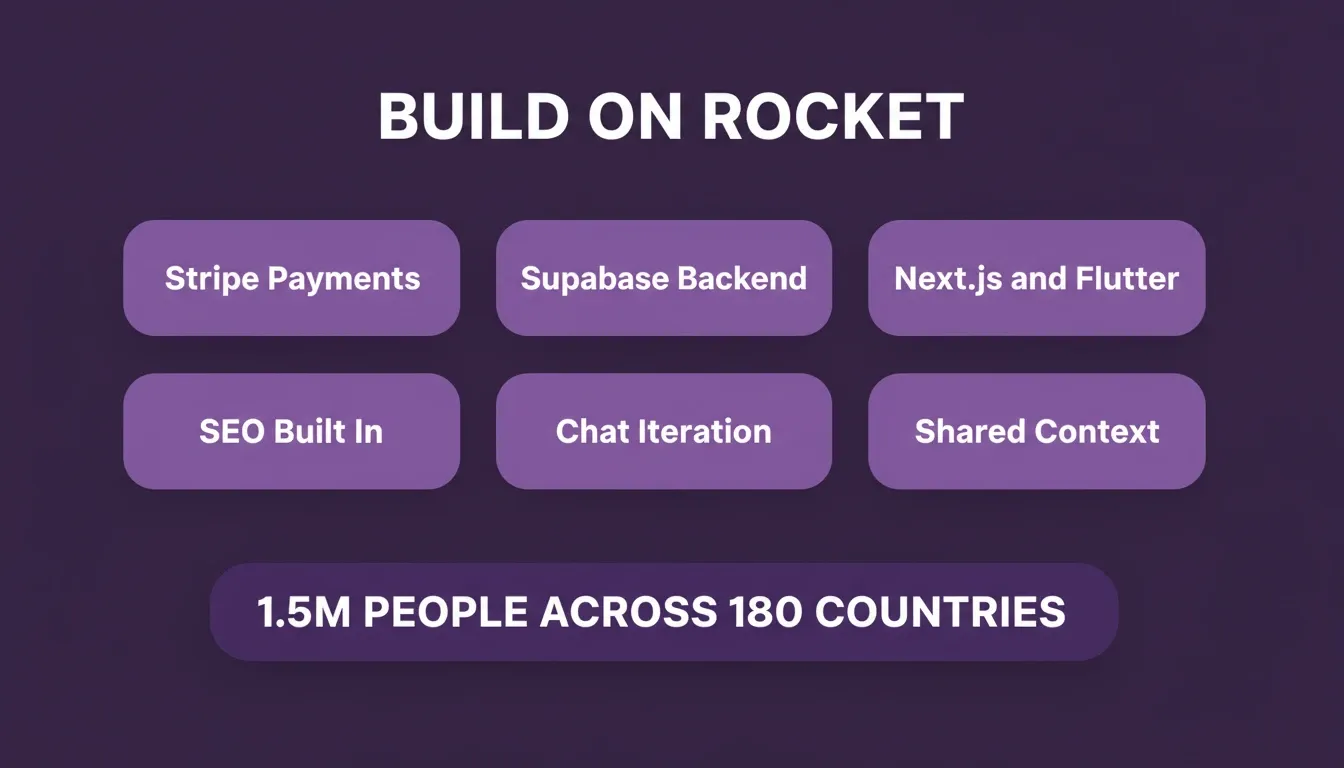
Rocket connects 25+ integrations directly into generation, including Stripe and Supabase, so marketplace features work from the first build.
-
Stripe, Supabase, and 25+ integrations connect directly into generation, so payment splits and real-time data work from day one
-
Production-grade output ships with SEO structure, WCAG accessibility, and responsive design as defaults, not extras you add later
-
Iterate through conversation: change the booking flow, adjust pricing models, or add new user roles without re-explaining what already exists
-
Shared project context means your market research, competitor analysis, and product decisions carry into every build task automatically
The marketplace you describe in a prompt becomes a deployed product you can validate with real users the same day. 1.5 million people have tried Rocket across 180 countries, from solo founders shipping their first marketplace to enterprise teams replacing agency-built platforms.
AI Prompts Are Now the Fastest Path to a Live Marketplace
The 15 AI prompts to build a marketplace app in this guide cover every phase from scaffold to production. Authentication, listings, payments, messaging, reviews, admin tools, and growth mechanics are all included. Each prompt is specific enough to produce usable output on the first generation.
The founders shipping fastest treat prompts like product requirements, not wishes. Specific inputs produce specific outputs. As AI builders grow more capable, prompt quality will remain the primary differentiator between marketplaces that launch and those that stall in iteration.
Start building your marketplace on Rocket.new — describe your idea, watch it generate, iterate through chat, and launch when ready.
Table of contents
- -What is a Marketplace App?
- -What Makes a Marketplace Prompt Work vs. Fail
- -Prompt Quality at a Glance
- -The 15 AI Prompts to Build a Marketplace App
- -Phase One: Foundation Prompts (Prompts One Through Five)
- -Phase Two: Transaction and Trust Prompts (Prompts Six Through Ten)
- -Phase Three: Production Readiness Prompts (Prompts Eleven Through Fifteen)
- -What Separates Successful Prompt-Built Marketplaces From Failed Ones
- -The Prompt-First Marketplace Building Workflow
- -How Rocket Turns a Single Prompt Into a Live Marketplace
- -AI Prompts Are Now the Fastest Path to a Live Marketplace