
AI-powered platforms now let enterprise teams go from a plain-language prompt to a deployed, production-ready application in days. But only if you pick the right tools and follow the right workflow. This blog covers exactly that.
Is your enterprise still spending months on apps that AI can ship in days?
Building enterprise apps has always meant juggling security, compliance, scalability, and deep integrations. That work used to take large teams months. AI changes that. Today, platforms like Rocket generate full-stack, production-ready code with RBAC, GDPR, and WCAG built in, straight from a prompt.
This blog walks you through the best tools, the right workflow, and the security controls you must enforce. It also covers how to measure ROI so your team ships faster without cutting corners. 1.5 million people have tried Rocket across 180 countries, from solopreneurs to enterprise teams.
Why Enterprises Are Turning to AI for App Development
Enterprise software development has historically been slow, expensive, and bottlenecked by developer availability. AI changes that equation entirely.
According to Gartner, by 2026 more than 80% of enterprises will have deployed AI-powered applications in some form, up from less than 5% in 2023. The shift is driven by three forces: speed, cost, and competitive pressure.
AI development tools now handle everything from generating backend logic and database schemas to producing responsive front-end interfaces. As a result, enterprise teams ship features faster, reduce technical debt, and free senior engineers to focus on architecture and strategy.
McKinsey research shows that generative AI could add up to $4.4 trillion in annual value across industries. Software engineering ranks among the top beneficiaries. Enterprises that delay AI adoption risk falling behind competitors who already compress development cycles from months to days.
Understanding how AI is changing product development is the first step toward building a competitive advantage that compounds over time.
Core Components of an Enterprise AI App
Before choosing tools, it helps to understand what separates an enterprise application from a consumer app. Enterprise apps must meet higher standards across four dimensions.
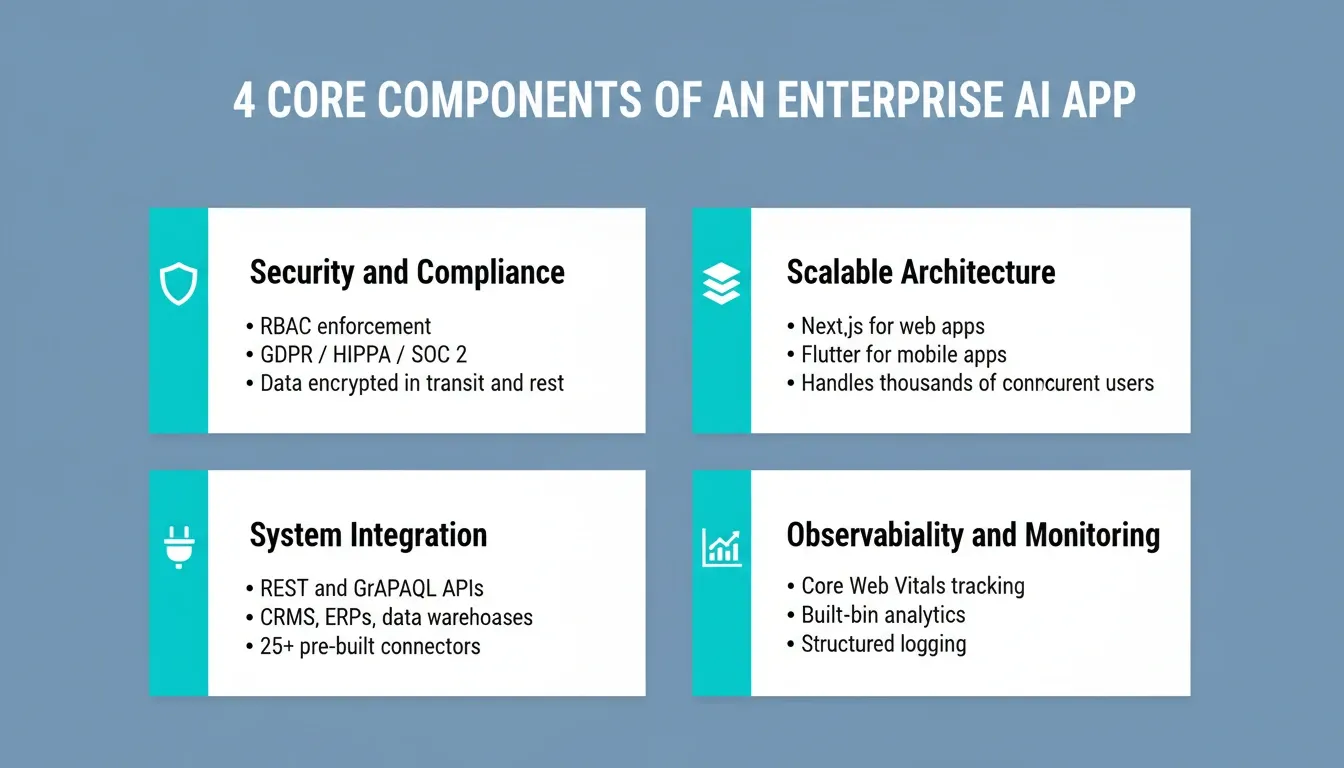
The four non-negotiable dimensions every enterprise AI app must satisfy before going to production.
Security and Compliance
Enterprise applications handle sensitive data. Any AI-built app must enforce role-based access control (RBAC), encrypt data in transit and at rest, and comply with relevant regulations such as GDPR, HIPAA, or SOC 2.
Web security best practices from Mozilla provide a solid baseline for developers building secure enterprise applications. GDPR fines can reach €20M or 4% of global annual turnover. Compliance is not optional, and teams cannot retrofit it after launch.
Scalable Architecture
Enterprise apps need to handle thousands of concurrent users without degrading performance. AI platforms that generate production-grade code in frameworks like Next.js or Flutter provide a scalable architecture out of the box.
Microservices, serverless functions, and containerized deployments are common patterns in enterprise AI app architecture. The framework choice matters: Next.js handles server-side rendering and SEO requirements that enterprise web apps demand. Flutter delivers a single codebase for both iOS and Android mobile apps.
Integration with Existing Systems
Most enterprises run on a mix of legacy systems, SaaS tools, and custom APIs. A successful enterprise AI app must integrate cleanly with CRMs, ERPs, data warehouses, and third-party services.
Look for platforms that support REST and GraphQL APIs, webhooks, and pre-built connectors to popular enterprise tools. The integration layer is where most AI-built apps succeed or fail in production.
Observability and Monitoring
Production enterprise apps require logging, error tracking, and performance monitoring. AI-generated code should include structured logging. It should also work with observability tools such as Datadog, Sentry, or Prometheus.
Built-in analytics that track Core Web Vitals, visitor behavior, and conversion rates eliminate the need for separate monitoring setup. They also give teams immediate visibility after launch.
Top AI Tools to Build Enterprise Apps
The market for AI development platforms has matured rapidly. Here is a balanced comparison of the leading options for enterprise teams.
| Platform | Best For | Output Type | Enterprise Features | Deployment |
|---|---|---|---|---|
| Rocket | Full-stack enterprise apps | Next.js + Flutter | RBAC, GDPR, WCAG, 25+ integrations | One-click cloud deploy |
| GitHub Copilot | Developer code assistance | Code snippets | IDE integration, audit logs | Developer-managed |
| Replit | Prototyping and education | Multi-language code | Teams plan, basic auth | Replit cloud |
| Bolt | Rapid front-end prototypes | React / Vite | Limited enterprise controls | Manual export |
| Lovable | UI-focused apps | React | Basic auth, Supabase | Lovable cloud |
Rocket stands out for enterprise use cases because it generates clean, production-ready Next.js and Flutter code with built-in compliance defaults. Teams can go from a natural language prompt to a deployed, scalable application without writing a single line of boilerplate.
For a deeper comparison of enterprise-grade AI builders, see which platform is better for enterprise app development.
What Rocket Builds for Enterprise Teams
Rocket's Build capability covers far more than web apps. Enterprise teams use it for internal dashboards, customer portals, compliance and governance tools (GDPR DSAR management, audit-ready trackers), sales enablement platforms, investor data rooms, and full-stack SaaS products.
Every build ships with SEO-ready structure, WCAG 2.1 AA accessibility compliance, GDPR coverage, and performance optimization as the baseline. The design output uses considered typography and real visual hierarchy. Nothing reads as AI-made.
Rocket also operates as a three-pillar platform: Solve for strategic research and decision intelligence, Build for production-grade app generation, and Intelligence for continuous competitive monitoring. For enterprise teams, this means the research that validates what to build flows directly into the build. No context gets lost between strategy and execution.
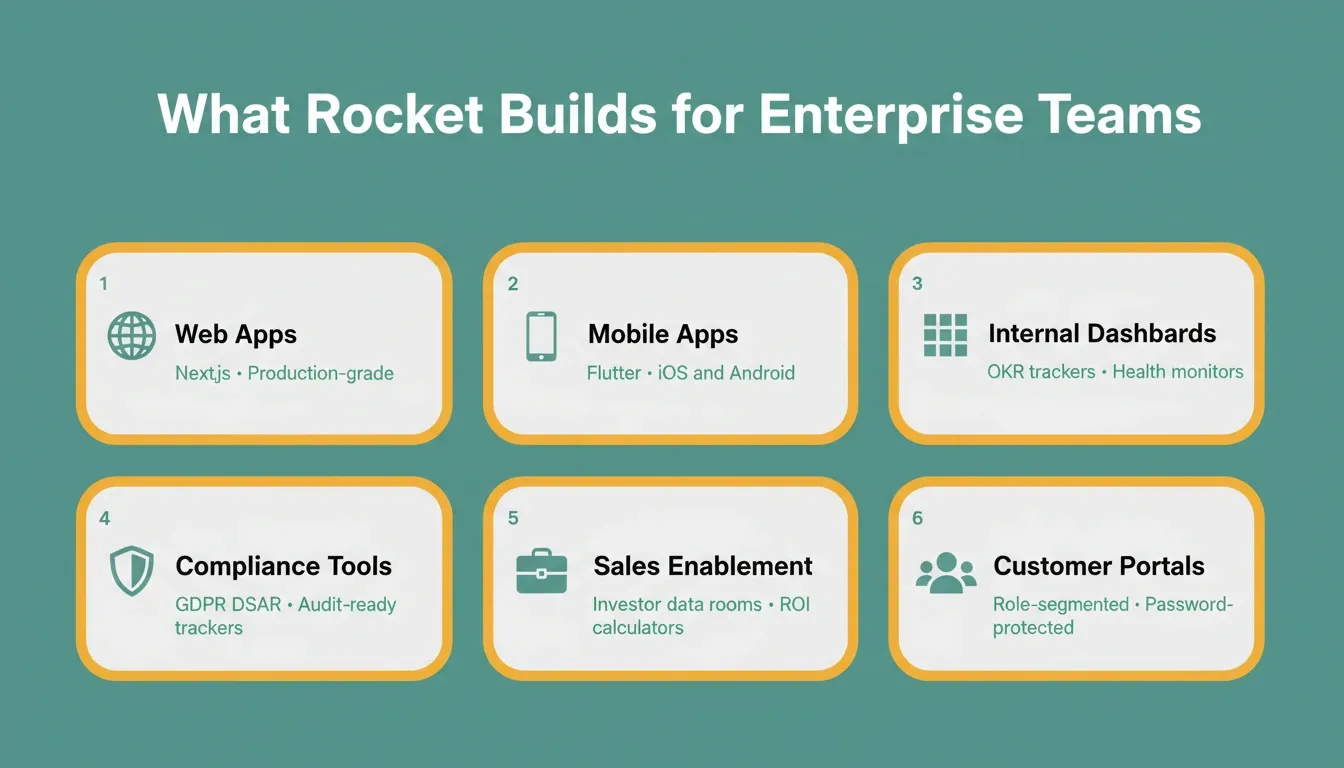
Rocket's Build capability generates six categories of enterprise-grade output, all from a natural language prompt.
Enterprise AI App Development Workflow
A structured workflow reduces risk and accelerates delivery when you build enterprise apps with AI. The diagram below illustrates the recommended end-to-end process.
Figure: End-to-end workflow for building enterprise apps with AI, from requirements to production monitoring.
On Rocket, this workflow runs as a compound loop, not a linear pipeline. The platform's shared context architecture means every Solve research task, every competitive signal from Intelligence, and every prior build decision carries forward automatically into the next task. Deployment is equally streamlined: click Launch, get a staging URL, share with teammates, then push to production with a custom domain. Full version history and one-click rollback mean nothing built is ever lost.
Best Practices for Building Enterprise Apps with AI
Following proven best practices separates successful enterprise AI app deployments from costly failures. These guidelines apply regardless of which AI development platform you choose.
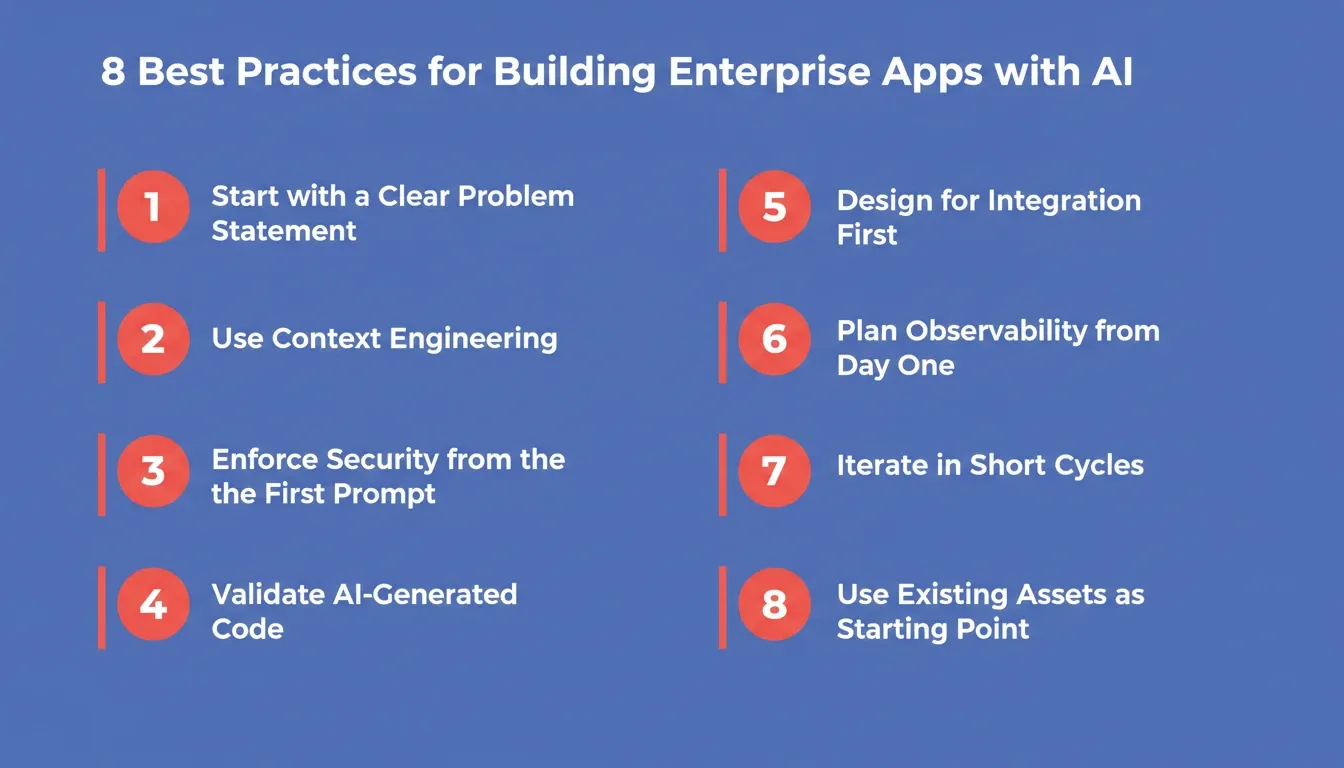
Eight practices that separate successful enterprise AI deployments from costly failures.
1. Start with a Clear Problem Statement
AI tools amplify both good and bad requirements. Before writing a single prompt, document the business problem, target users, key workflows, and success metrics.
Vague requirements produce vague applications. Precise, context-rich prompts produce production-ready enterprise software. On Rocket, the platform surfaces clarifying questions before generation begins. It asks about target users, key interactions, data model, and design direction.
2. Use Context Engineering, Not Just Prompt Engineering
Context engineering is the practice of providing the AI with rich, structured context about your business domain, data model, user roles, and integration requirements. This goes beyond a single prompt. It involves building a context document the AI references throughout the session.
On Rocket, this is built into the platform architecture. Projects carry shared context. Upload files, add background, connect research, and every task inherits it automatically. The Solve output that validated the direction becomes the foundation of the Build. Nothing is re-explained. Everything compounds.
3. Enforce Security from the First Prompt
Security cannot be added after the fact. Specify authentication requirements, authorization roles, and data handling policies in your initial prompts.
Platforms like Rocket ship WCAG accessibility compliance, GDPR coverage, and SEO-ready structure as the build baseline. For full compliance coverage, including cookie consent, CCPA notices, and privacy policy pages, run/Implement Privacy Compliancebefore launch. Teams should also run automated security scans on AI-generated code before deployment.
4. Validate AI-Generated Code Against Enterprise Standards
AI-generated code is a starting point, not a finished product. Enterprise teams should establish code review checklists that cover performance, security, accessibility, and maintainability.
Automated linting, type checking, and test generation help catch issues early in the development cycle. Rocket gives teams full access to the generated Next.js or Flutter source code. Teams can browse files, edit directly in the code editor, or download for local development.
5. Design for Integration First
Enterprise apps live or die by their integrations. Before building any feature, map out the APIs, webhooks, and data flows that connect the new app to existing systems.
Rocket's connector system covers both workspace-level OAuth connections (Notion, GitHub, Supabase, Figma, Airtable, Linear, Mailchimp, Calendly, Netlify) and task-level API key integrations (Stripe, PayPal, OpenAI, Anthropic, Gemini, Mixpanel, Twilio, SendGrid, and more). Authenticate once and they flow into every build.
6. Plan for Observability from Day One
Production enterprise applications need structured logging, distributed tracing, and alerting. Specify observability requirements in your AI prompts so that logging and error handling are built into the generated code from the start.
Rocket's built-in Measure feature tracks visitors, unique visitors, pageviews, visit duration, bounce rate, traffic sources, and UTM campaigns with zero setup. For performance, it monitors Core Web Vitals (LCP, INP, CLS) and surfaces specific issues with one-click auto-fix options.
7. Iterate in Short Cycles
The best enterprise AI app development processes use short feedback loops. Build a thin vertical slice of functionality, deploy it to a staging environment, gather feedback from real users, and then iterate.
Rocket's iteration model supports three modes: Chat (natural language changes, no re-explaining context), Visual Edit (click any element in the live preview), and Code (direct source file editing). There is no change limit. Every significant edit creates a new version in full version history.
8. Use Existing Assets as Your Starting Point
Enterprise teams rarely start from zero. Rocket supports six starting methods: from an idea, from an attachment (screenshots, PDFs, spreadsheets), from Figma (preserving typography, spacing, and color system), from GitHub (Codebase Pickup for any existing Next.js TypeScript project), from a template, or from a URL (redesign any existing website using eight slash commands).
For enterprise teams migrating from legacy systems or building on top of existing codebases, Codebase Pickup and Figma import eliminate the most expensive part of traditional development: the handoff.
Common Challenges and How to Overcome Them
Enterprise teams adopting AI development tools frequently encounter the same set of challenges. Understanding them in advance reduces friction and accelerates adoption.
Hallucinated Code and Logic Errors
AI models occasionally generate code that looks correct but contains subtle logic errors or uses deprecated APIs. The mitigation is systematic code review combined with automated testing.
Enterprise AI platforms that generate test suites alongside application code provide an additional safety net. On Rocket, the full source code is accessible and editable. Teams can run their own linting, type checking, and security scans before deployment.
Context Drift in Long Sessions
In long development sessions, AI models can lose track of earlier decisions and generate code that contradicts previous outputs. To combat this, maintain a living specification document and reference it explicitly in prompts throughout the session.
Rocket's cross-task context feature addresses this at the platform level. Reference any previous task in a new one, and the thinking carries forward automatically.
Compliance and Data Residency
Enterprises in regulated industries must ensure that AI-generated applications comply with data residency requirements and industry-specific regulations. Choose AI development platforms that provide deployment options in compliant cloud regions and generate code with built-in compliance patterns.
Rocket's/Implement Privacy Compliancecommand generates geo-based consent flows, GDPR and CCPA coverage, and policy pages based on actual data practices.
Tool Sprawl and Coordination Overhead
Enterprise teams often run strategy in one tool, research in another, and building in a third. The coordination overhead of carrying context between tools is a hidden cost that compounds over time.
Rocket's shared context architecture, where Solve research, Intelligence signals, and Build tasks all live in the same project, removes this coordination tax without requiring more process. Teams building internal tools with AI consistently report that platform consolidation delivers the largest ROI gains.
Measuring ROI from Enterprise AI App Development
Quantifying the return on investment from AI development tools helps justify continued investment and guides tool selection. Key metrics to track include:
-
Development velocity — Features shipped per sprint before and after AI adoption
-
Time to first deployment — Calendar days from project kickoff to production deployment
-
Defect rate — Bugs per thousand lines of code in AI-generated versus manually written code
-
Developer satisfaction — Survey scores measuring how engineers feel about their tools and workflows
-
Cost per feature — Total engineering cost divided by features shipped
-
Tool consolidation savings — Subscription and coordination costs eliminated by replacing fragmented stacks
Teams that track these metrics consistently report significant improvements within the first quarter of AI tool adoption. Furthermore, the compounding effect of faster iteration cycles and lower defect rates creates a substantial competitive advantage over time.
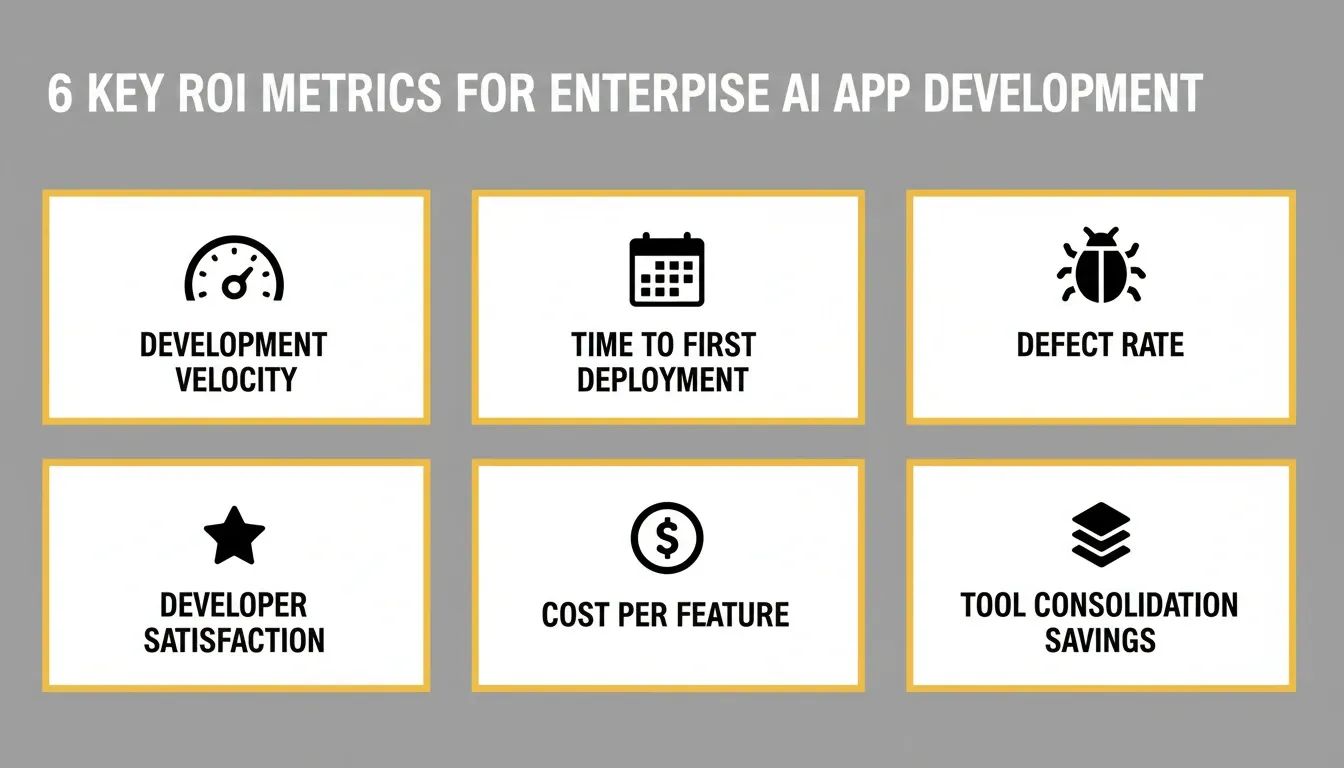
Track these six metrics to quantify the business impact of AI-powered enterprise app development.
Enterprise AI App Security Checklist
Before deploying any enterprise AI application to production, validate the following security controls.
| Security Control | Description | Priority |
|---|---|---|
| Authentication | Multi-factor authentication enforced for all users | Critical |
| Authorization | Role-based access control with least-privilege defaults | Critical |
| Data Encryption | TLS 1.3 in transit, AES-256 at rest | Critical |
| Input Validation | All user inputs sanitized and validated server-side | High |
| API Security | Rate limiting, API key rotation, and scope restrictions | High |
| Audit Logging | All sensitive operations logged with user and timestamp | High |
| GDPR / CCPA Compliance | Consent banners, data subject rights, geo-based flows active | High |
| Dependency Scanning | Automated scanning for vulnerable third-party packages | Medium |
| Accessibility (WCAG 2.1 AA) | Accessibility report generated and issues resolved before launch | Medium |
| Core Web Vitals | LCP below 2.5s, INP below 200ms, CLS below 0.1, verified in staging and production | Medium |
The Future of Enterprise AI App Development
The trajectory of AI-powered enterprise app development points toward even greater automation and intelligence. Agentic AI systems that can autonomously plan, build, test, and deploy applications are already emerging. Model Context Protocol (MCP) enables AI agents to interact with enterprise systems in real time. This opens new possibilities for dynamic, context-aware applications.
Enterprises that build internal competency in AI-assisted development today will be best positioned to adopt these next-generation capabilities as they mature. Moreover, the organizations that treat AI development tools as a core strategic capability, rather than a tactical shortcut, will compound their advantages over time.
The shift from traditional software development to AI-augmented development is not a future trend. It is happening now.
The Right Time to Build Enterprise Apps with AI Is Now
The enterprises that build enterprise apps with AI today are not just shipping faster. They are compressing the gap between strategy and execution that used to cost months and millions. As agentic AI systems mature and context architectures deepen, the advantage will compound further for teams that started early.
Rocket is built for exactly this moment. Type what you want to build. Rocket researches it, generates production-grade code, and deploys it, with security, compliance, and integrations already in place. Start building on Rocket.new and ship your first enterprise AI app today.
Table of contents
- -Why Enterprises Are Turning to AI for App Development
- -Core Components of an Enterprise AI App
- -Security and Compliance
- -Scalable Architecture
- -Integration with Existing Systems
- -Observability and Monitoring
- -Top AI Tools to Build Enterprise Apps
- -What Rocket Builds for Enterprise Teams
- -Enterprise AI App Development Workflow
- -Best Practices for Building Enterprise Apps with AI
- -1\. Start with a Clear Problem Statement
- -2\. Use Context Engineering, Not Just Prompt Engineering
- -3\. Enforce Security from the First Prompt
- -4\. Validate AI-Generated Code Against Enterprise Standards
- -5\. Design for Integration First
- -6\. Plan for Observability from Day One
- -7\. Iterate in Short Cycles
- -8\. Use Existing Assets as Your Starting Point
- -Common Challenges and How to Overcome Them
- -Hallucinated Code and Logic Errors
- -Context Drift in Long Sessions
- -Compliance and Data Residency
- -Tool Sprawl and Coordination Overhead
- -Measuring ROI from Enterprise AI App Development
- -Enterprise AI App Security Checklist
- -The Future of Enterprise AI App Development
- -The Right Time to Build Enterprise Apps with AI Is Now