
Build a custom social media scheduler on Rocket.new using AI prompts. No coding needed. Get a post queue, content calendar, Supabase backend, and approval workflows in minutes. Free to start, paid plans from $25/month.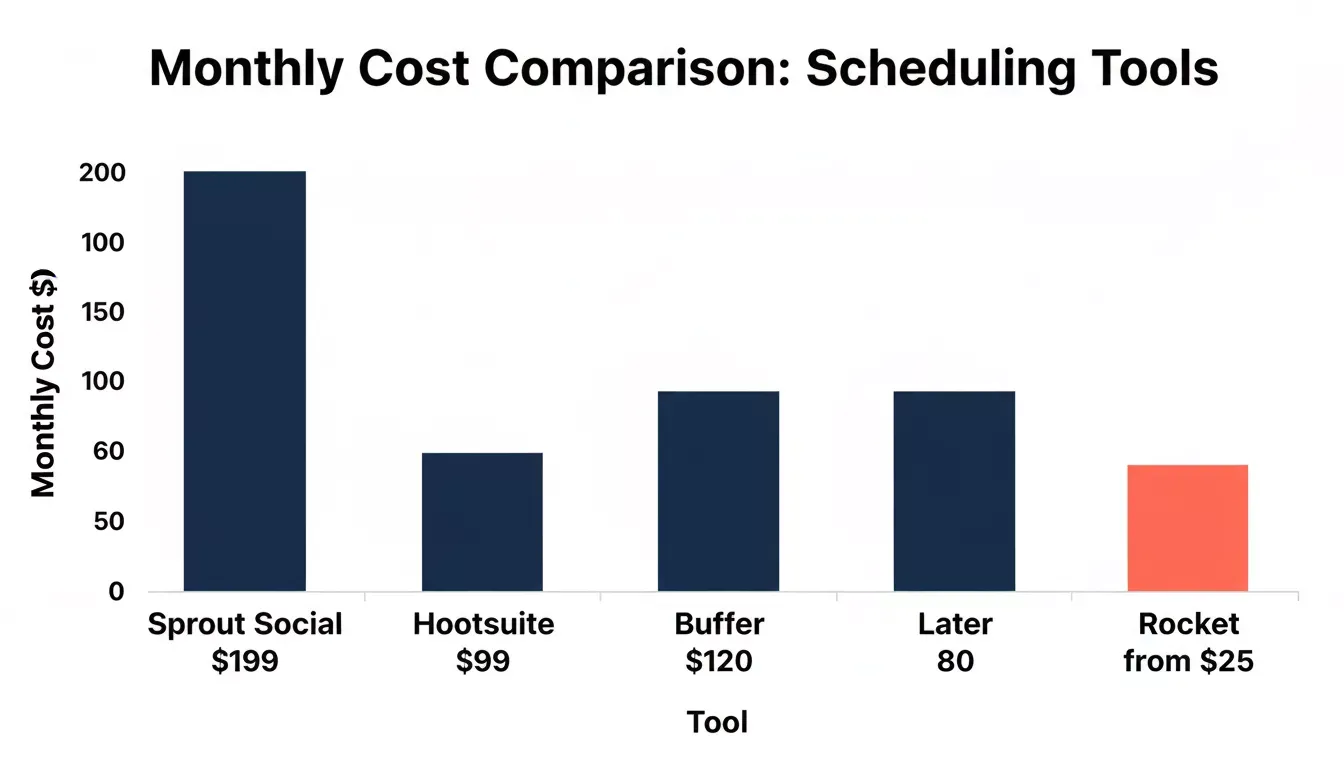
You can design, queue, and manage social media posts from a custom scheduling dashboard built in minutes on Rocket. No coding required, no $200/month subscriptions, no feature compromises. This guide shows you exactly how to build a social media scheduler that fits your workflow, your platforms, and your budget, and what to realistically expect from an AI-generated tool.
Why Do Marketers Want Custom Scheduling Tools?
How much of your week disappears into switching between Instagram, LinkedIn, X, and Facebook just to hit publish at the right time? According to HubSpot research, marketers save an average of 3 hours per piece of content when AI handles the scheduling logistics. That time adds up fast when you manage social media posts across multiple networks every single day.
The social media scheduling software market sits at a crossroads. Most scheduling tools promise to save time, but their pricing creates a different problem entirely.
Monthly cost comparison across popular social media scheduling platforms:
| Platform | Monthly Cost | Free Tier | Approval Workflows | Own the Code |
|---|---|---|---|---|
| Sprout Social | $199/seat | No | Yes | No |
| Hootsuite | $99/month | No | Yes (higher plans) | No |
| Buffer | Free to $120/month | 3 channels, 10 posts each | No | No |
| Later | Free to $80/month | 5 posts/profile/month | No | No |
| Custom on Rocket | Free to start (20 credits), paid from $25/mo | 20 one-time credits | You build it in | Yes, full code ownership |
The gap between needing a scheduling tool and affording one keeps growing. Small businesses and solo creators face custom pricing tiers designed for enterprise teams with dedicated budgets. A freelancer managing three clients does not need social listening for 50 brands.
Enterprise tools bundle approval workflows, sentiment analysis, and deep analytics into plans that start above $200 per month. Growing teams with lean budgets watch their social media management costs balloon before they see a meaningful return. Meanwhile, a free plan from Buffer or Later offers so few scheduled posts that it barely qualifies as a scheduling tool at all.
This is precisely why founders and marketers started asking a different question: Can I just build my own? The answer, in 2026, is yes. And it takes minutes rather than months.
What Does a Custom Scheduler Actually Need?
Before opening any app builder, you need a clear picture of what a social media scheduling tool requires under the hood. The architecture that lets you schedule social media posts across multiple platforms from a single dashboard is more straightforward than most people expect.
Here are the core capabilities every custom media scheduler needs:
- Post queue with scheduling logic: store drafts, assign publish dates, and automate posting times based on audience data and past performance
- Visual content calendar: a calendar view showing all planned social posts across every connected channel at a glance
- Media library and asset management: upload, organize, and reuse images, video, GIFs, and brand assets without switching tools
- Cross-platform scheduling: manage content for multiple platforms from one place, with platform-specific formatting where needed
- Built-in analytics: track engagement, click-through rates, and performance data so you know what content works
- Content recycling: queue evergreen content to republish on a schedule without manual effort
The architecture of a social media scheduling software tool follows a straightforward flow. Content creation feeds into the queue; the queue routes through approval workflows if needed, and approved posts are pushed to each platform on schedule.
Social media scheduler flow: from draft to published post and back to analytics
The Post Queue and Calendar View
A scheduling tool lives or dies by its queue system. The post queue is where you load content in advance, set specific dates and posting times, and let the scheduler handle the rest while you focus on strategy.
- Batch content loading: upload a week or month of social posts at once via CSV or bulk scheduling interface
- Smart time slots: the calendar suggests posting windows based on when your audience is most active
- Drag and drop rescheduling: move posts around the calendar view to adjust your content strategy on the fly
- Queue categories: separate queues for different content types, campaigns, or social media accounts
Your one dashboard becomes the control center. Everything from drafts to published posts to performance data lives in a single place, organized by date, channel, and campaign.
Your content pipeline: three clear stages from draft to published
Approval Workflows for Growing Teams
When a team grows beyond one person, approval workflows become a priority. Without them, you get off-brand posts going live, compliance risks in regulated industries, and version history nightmares when multiple people edit the same content.
- Role-based permissions: assign team roles like creator, editor, and approver so the right people review at each stage
- Multi-level approval workflows: route posts through manager review, then compliance check, then final sign-off for enterprise teams
- Automated approval workflows: set rules that auto-approve posts matching certain criteria without manual bottlenecks
- Comments and feedback loops: leave notes directly on scheduled posts so team collaboration stays in context
For agencies managing multiple brands and clients, these approval workflows prevent the chaos of coordinating content across dozens of social media accounts. Governance at scale does not need enterprise pricing.
Data Ownership, Compliance, and API Reality
Building your own scheduler means you own the data, but it also means you own the compliance obligations. A few things to plan for before you build:
- GDPR and CCPA: if your scheduler stores user data or post history, you need a data retention policy. Rocket generates GDPR-compliant apps with consent banners by default, as covered in the compliance and privacy docs.
- Platform API rate limits: every social network caps how many API calls you can make per hour. For high-traffic schedulers, cache media data in Supabase to avoid hitting limits.
- API access revocation risk: Meta, X, and LinkedIn all reserve the right to revoke developer app access. Build a manual export fallback so you are never fully dependent on a single API connection staying live.
- Developer app approval: publishing to Instagram, Facebook, LinkedIn, and X programmatically requires your own approved developer app on each platform. Plan for a 1-4 weeks approval process per platform before your scheduler can post automatically.
How Can AI Replace Months of Development Work?
Traditionally, building social media scheduling software from scratch meant hiring developers, designing interfaces, writing API integrations, and spending months before you had anything usable. That process made custom scheduling tools a luxury only well-funded startups could afford.
HubSpot reports that 80% of marketers now use AI for content creation, and the same wave is hitting product development. A social media management tool that took a development team six months can now generate in minutes.
One Reddit community member shared their experience building exactly this kind of tool:
"I built a social media scheduling tool (many exist in the market) and created an open-source version. This is Postiz, an open-source social media scheduling tool." — r/SaaS community member, making $700/month from their custom scheduler
That creator spent months writing code. With AI assistance and caption generation built into the workflow, you skip the engineering complexity. The scheduling logic, the dashboard design, the database layer, and the content library are all generated from a single prompt conversation.
AI features handle the heavy lifting that used to require a full development team. Caption generation suggests post copy based on your brand voice. Smart scheduling recommends posting times based on audience data. Content recycling automates the republishing of evergreen posts.
The exact prompt to start building
Here is a prompt sequence you can paste directly into Rocket to generate your scheduler. This approach is part of the broader AI prompts to build web apps from scratch method:
1Build a social media scheduling dashboard with:
2- A post queue showing scheduled posts by date and platform
3- A visual content calendar (monthly view, filterable by channel)
4- A media library for uploading and reusing images and videos
5- A draft editor with character count per platform (Instagram 2,200 / LinkedIn 3,000 / X 280)
6- Role-based access: Creator, Editor, Approver
7- A Supabase backend to store posts, media, and user data
8- Analytics dashboard showing post performance (engagement, reach, clicks)
9
10Use Next.js with Tailwind CSS. Connect Supabase for the database and auth.After generation, iterate in chat: "Add a bulk CSV import for scheduling posts," "Add an approval workflow that emails the approver when a post is ready for review," or "Add a content recycling queue that republishes evergreen posts every 30 days."
Ship Your Scheduler on Rocket This Week
Rocket takes a different approach to building social media scheduling tools. Instead of patching together templates or fighting with code, you describe your scheduling needs in plain language and receive a production-grade Next.js application with real design, real logic, and real deployment.
Here is what makes Rocket the right fit for building a custom social media management tool:
- Describe, generate, ship: tell Rocket what your scheduling tool needs and watch it generate your app in minutes
- Full code ownership: unlike SaaS schedulers where you rent access, you own every line of code. Download, modify, and host anywhere
- Supabase backend: your post queue, media library, user accounts, and analytics data all live in a Supabase database that Rocket scaffolds automatically. No manual database setup required
- One platform for everything: research your scheduling workflow needs with Solve, build the tool with Build, track competitors with Intelligence. No tool switching
- Free to start: the free plan gives you 20 one-time credits to generate your first scheduler. Paid plans start at $25/month for 100 monthly credits, with unlimited team members on every paid plan
- Iterate through conversation: add bulk scheduling, change the dashboard layout, connect new features, all by chatting with Rocket after the first generation
With Rocket, your scheduling tool matches your exact workflow. An e-commerce brand managing product launches across Instagram and TikTok gets a different tool than a B2B agency managing LinkedIn and X for multiple clients. Same platform, different results, zero compromises.
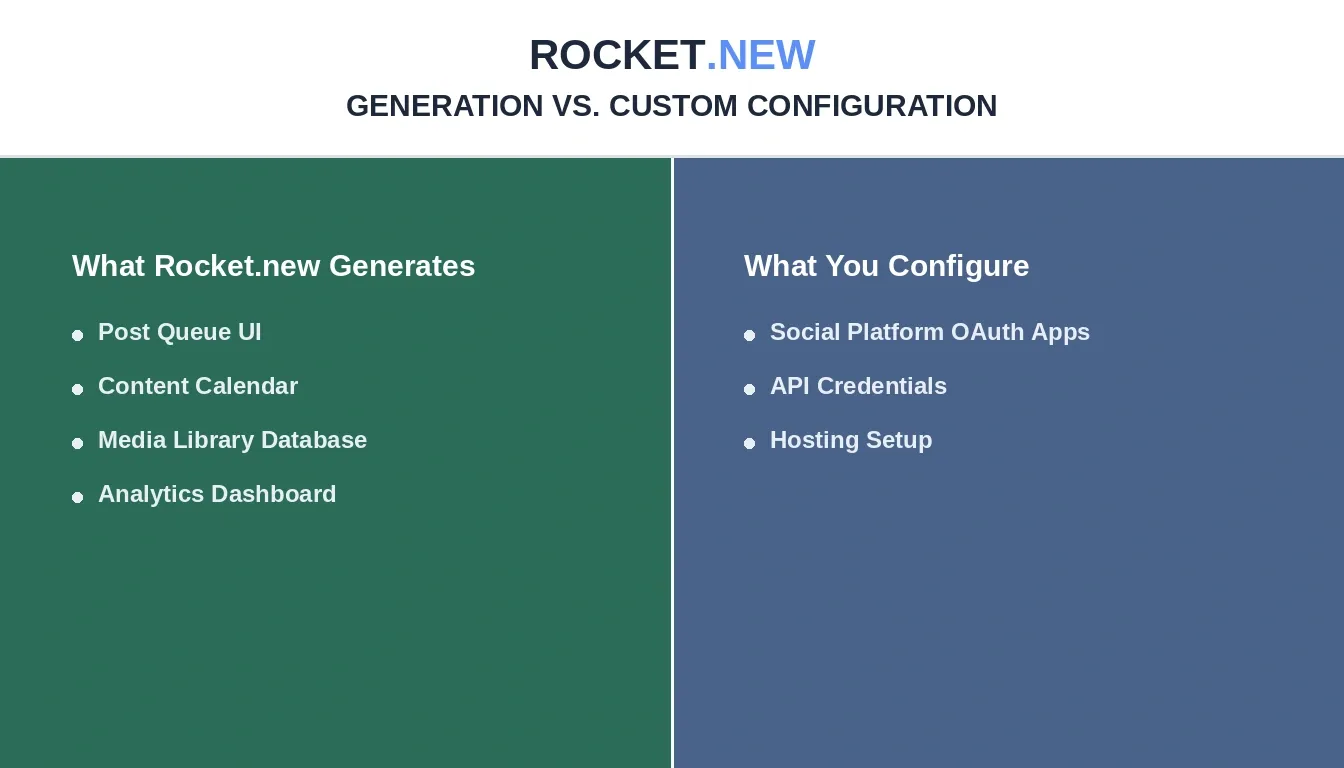
What Rocket.new handles automatically vs. what you set up yourself
| Feature | Rocket generates | You configure |
|---|---|---|
| Post queue UI and logic | Yes | - |
| Content calendar view | Yes | - |
| Media library | Yes | - |
| Supabase database and auth | Yes | - |
| Analytics dashboard | Yes | - |
| Approval workflow UI | Yes | - |
| Social platform OAuth apps | - | Yes |
| Automatic post publishing | - | Yes |
| Post-launch hosting setup | - | Yes |
Most scheduling tools force you into their workflow. Buffer's simplicity means you sacrifice advanced features. Sprout Social's depth means you pay for capabilities you never touch. Hootsuite sits somewhere between but lacks the customization that niche workflows demand.
The key features of a Rocket-built scheduler include everything from the prompt-based building approach to one-click deployment. You can also explore no-code app building guides to understand the full scope of what is possible before you start.
What Should You Connect to Your Scheduler?
A scheduling tool only delivers real value when it connects to the platforms your audience actually uses. Here is how that connection works in practice.
Platforms your audience is on
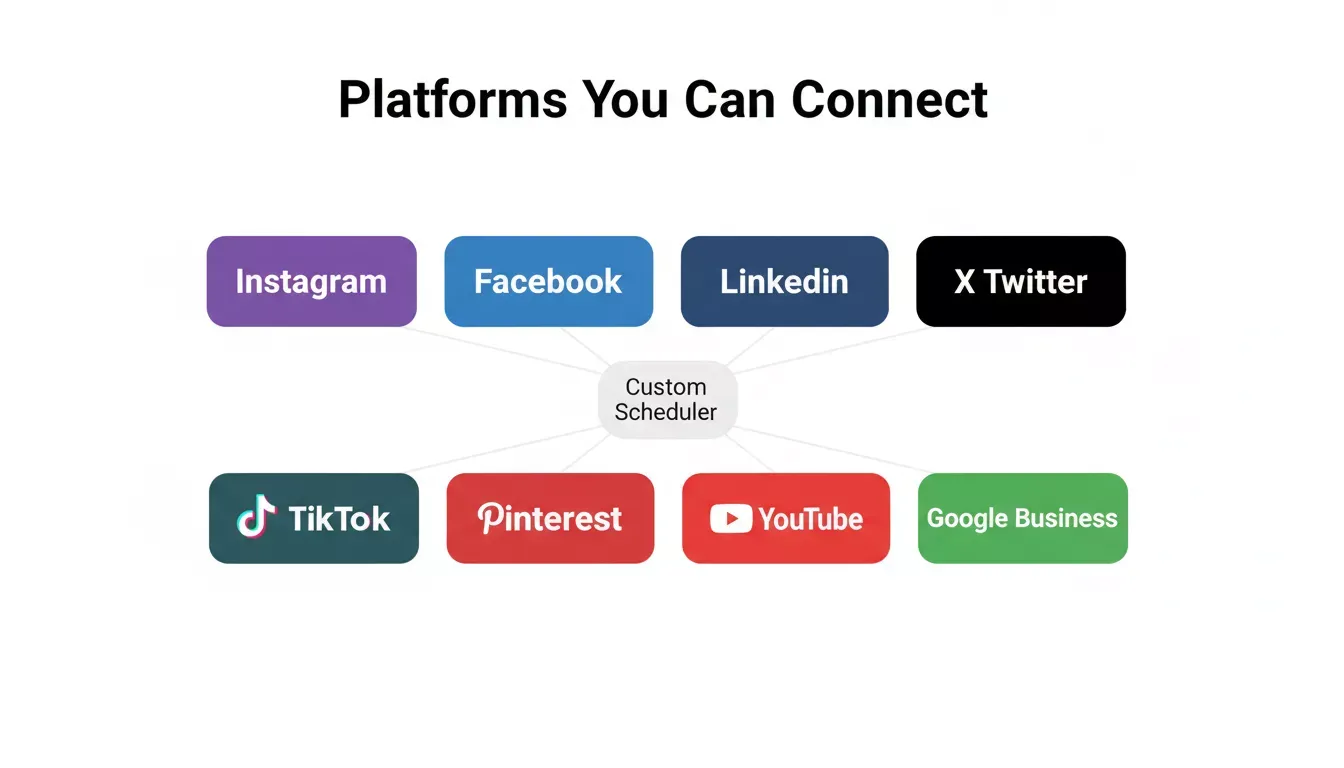
Eight platforms you can connect to your custom social media scheduler
- Instagram: schedule feed posts, stories, reels, and carousels. Programmatic publishing requires a Meta developer app with Instagram Graph API access (Business or Creator account required)
- Facebook: publish to pages and groups. Requires a Meta developer app with Pages API access
- LinkedIn: queue articles, company updates, polls, and employee advocacy content. Requires a LinkedIn developer app with the Marketing Developer Platform
- X (formerly Twitter): schedule tweets and threads. Requires an X developer app (Basic tier or above for posting)
- TikTok: plan short-form video content drops. Requires a TikTok developer app with Content Posting API access
- Pinterest: batch pin scheduling for visual content. Requires Pinterest API for Business access
- Google Business Profile: post local updates, offers, and events to stay visible in local search
- YouTube: schedule video uploads with descriptions, tags, and community posts. Requires YouTube Data API v3 credentials
How Rocket connects to social platforms
Rocket has a native Instagram connector that lets you display your Instagram feed, media grids, and social proof sections inside your app, authenticated via OAuth with no API key needed. This is ideal for building a social proof wall or embedding your latest posts on a landing page.
For publishing to social platforms on a schedule, your Rocket-generated scheduler calls each platform's API using credentials you supply. You store those API keys securely in Rocket's environment variables, and the scheduler app Rocket generates handles the API calls. Rocket supports connecting to 26+ third-party services, including databases, email, analytics, and more, through its connector system.
If you want to skip the developer app approval process while you test, connect your scheduler to social media monitoring software via Zapier or Make as a bridge. This lets you trigger posts through automation without direct API integration until your developer apps are approved.
A unified inbox that pulls comments, mentions, and messages across multiple networks into one view saves hours of tab switching. Combined with social listening capabilities, your scheduler becomes a full social media management tool rather than just a posting automation.
How Do Solo Creators and Agencies Scale with Custom Tools?
The people who gain the most from custom scheduling tools are those stuck between free plans that do too little and enterprise tools that charge too much. This mid-market gap affects solo creators, small teams, freelancers, and growing agencies alike.
- Solo creators: one person managing personal brand presence across five or more social media platforms needs a tool that combines scheduling with content creation, not one that charges per channel
- Small businesses: local shops and startups need consistent messaging without hiring a full marketing team or committing to annual contracts
- Freelancers and consultants: managing multiple clients means multiple accounts, but most platforms charge per brand or per workspace
- Growing agencies: scaling from three clients to thirty requires role-based permissions, client workspaces, and white-label options that enterprise teams take for granted
- E-commerce brands: product launches require coordinating content across all social channels with specific timing, and most scheduling tools lack product-focused templates
The social media scheduling tool market was valued at USD 1.5 billion in 2024 and is growing at 12.8% CAGR. That growth reflects demand from exactly these segments: people who need scheduling tools built for their specific audience and social media strategy rather than generic one-size-fits-all platforms.
A custom tool scales with your needs because you control the roadmap. When a new platform emerges, you add support. When your team grows, you add approval workflows. When clients need reporting, you add custom analytics.
Marketing teams that outgrow their scheduling software face a painful choice: migrate everything to a more expensive platform or accept limitations. A custom-built scheduler eliminates that decision entirely. Your social media strategy evolves, and your tool evolves with it.
Post-launch maintenance: what to plan for
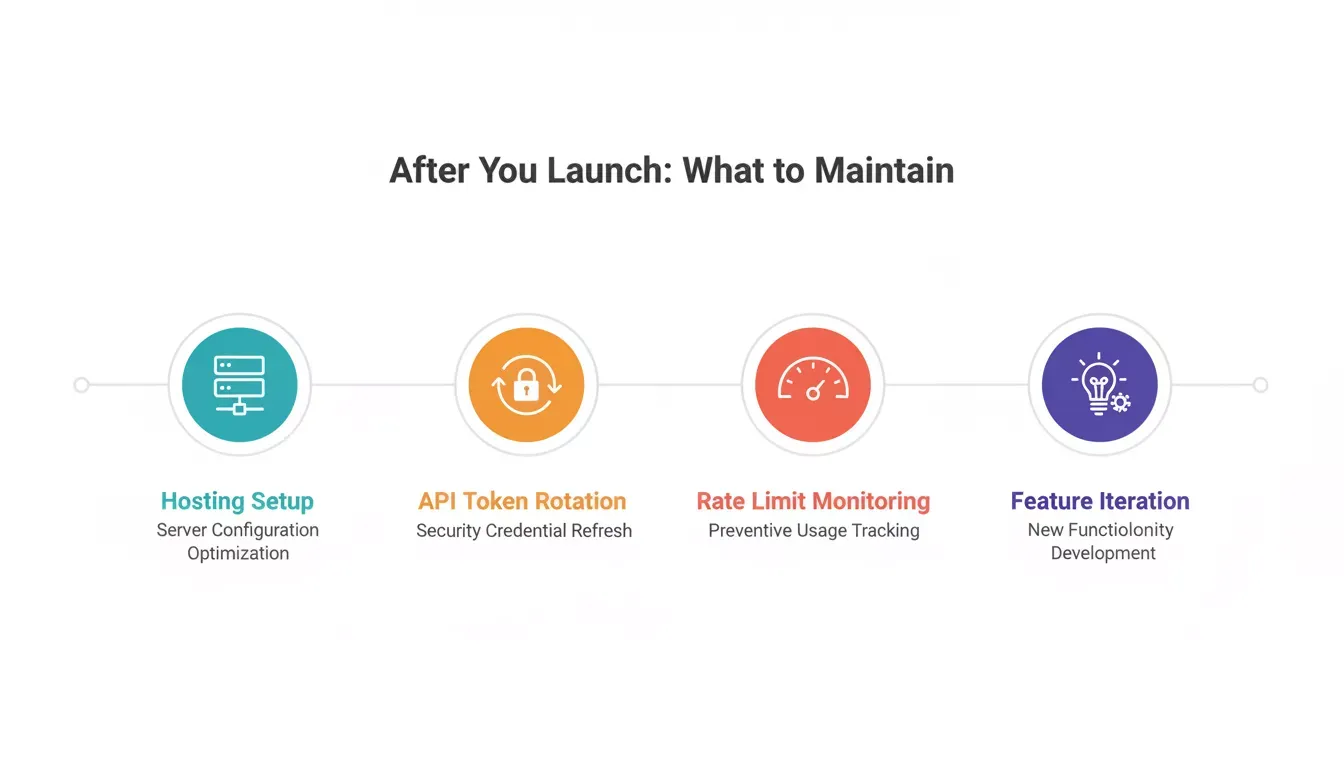
Four maintenance areas to plan for after your scheduler goes live
- Hosting costs: Netlify's free tier covers most small schedulers (100GB bandwidth/month). High-volume schedulers with media uploads will need Netlify Pro ($19/month) or a custom hosting setup
- Supabase costs: the free tier covers up to 500MB database storage and 2GB file storage. A media-heavy scheduler with months of post history may need the Pro plan ($25/month)
- API credential rotation: platform API tokens expire. Build a token refresh flow into your scheduler from the start, or use Supabase's auth layer to handle refresh cycles automatically
- What breaks first: media uploads and platform API rate limits are the most common failure points. Add error handling and retry logic to your API calls during the build phase
For teams building productivity tools beyond social media, the best AI workflow builder guide covers how to extend your Rocket-built apps with automation layers.
How Does Rocket Compare to Other No-Code Builders?
If you are deciding between no-code builders for your social media scheduler, here is how the main options compare:
| Builder | Output | Social API Support | Code Ownership | Best For |
|---|---|---|---|---|
| Rocket | Production Next.js + Flutter | You supply API credentials | Yes | Full-stack schedulers with custom logic |
| Bubble | Bubble-hosted app | Plugin ecosystem | No | Visual drag-and-drop workflows |
| Lovable | React app | You supply API credentials | Yes | Front-end focused builds |
| Replit | Any language | You supply API credentials | Yes | Developers who want a coding environment |
| Zapier/Make | Automation workflows | Native social connectors | No | Connecting existing tools, not building new ones |
Rocket is the strongest fit when you need a scheduler with a real database, approval workflows, and the ability to add features over time without rebuilding from scratch. For a deeper look at how Rocket stacks up, see the Rocket vs Lovable comparison on code quality and maintainability.
For founders who want to understand the full no-code landscape before committing, the best no-code app builder for startups guide breaks down the trade-offs across all major platforms.
Your Scheduling Tool, Your Rules
The distance between paying $200 per month for features you never use and owning a scheduling tool built for your exact workflow is shorter than it has ever been. Custom does not mean complex anymore, and the tools that fit your social media strategy perfectly are the ones you design yourself.
Whether you manage one brand or thirty, the scheduling tool that matches how you actually work will always outperform the one that forces you into someone else's workflow.
Ready to stop renting scheduling software and start owning it? You can Describe your ideal social media scheduler and watch it generate in minutes. Your workflow, your features, your tool.
Table of contents
- -Why Do Marketers Want Custom Scheduling Tools?
- -What Does a Custom Scheduler Actually Need?
- -The Post Queue and Calendar View
- -Approval Workflows for Growing Teams
- -Data Ownership, Compliance, and API Reality
- -How Can AI Replace Months of Development Work?
- -The exact prompt to start building
- -Ship Your Scheduler on Rocket This Week
- -What Should You Connect to Your Scheduler?
- -Platforms your audience is on
- -How Rocket connects to social platforms
- -How Do Solo Creators and Agencies Scale with Custom Tools?
- -Post-launch maintenance: what to plan for
- -How Does Rocket Compare to Other No-Code Builders?
- -Your Scheduling Tool, Your Rules