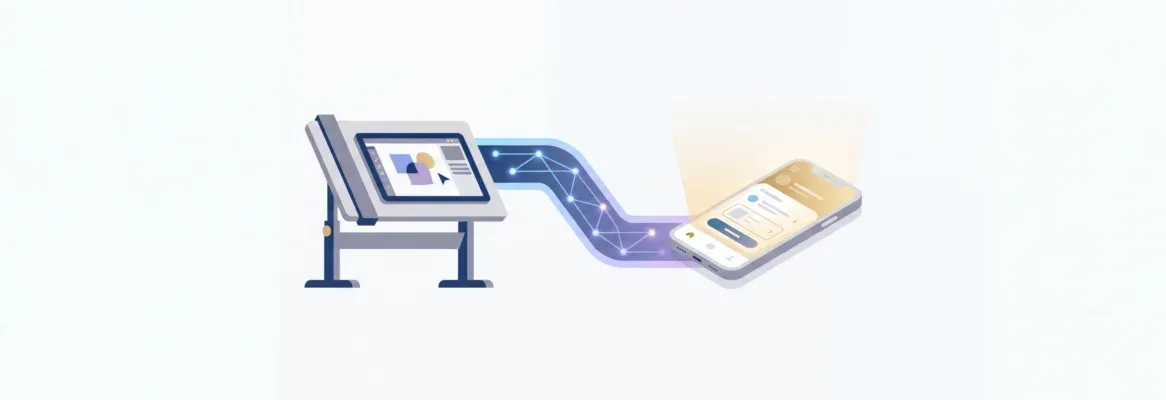
AI-powered platforms now convert Figma designs into production-ready mobile apps in minutes, preserving typography, spacing, and color systems. Rocket handles the full pipeline from import to deployment, making it the strongest choice for shipping without a developer handoff.
Why do most Figma designs still require weeks of manual coding before they become functional iOS apps?
According to Figma's 2026 design statistics report, 85% of creative leaders reclaim at least four hours per week using AI tools in their workflows. The gap between designing a screen and shipping that screen as a working app has been the most persistent bottleneck in mobile development for over a decade.
The answer is changing fast. AI-assisted conversion tools now parse design layers, generate clean code, and preserve visual intent with 90-95% accuracy. For designers and founders building iOS products, this means shipping in days instead of months, without losing the design quality that took weeks to perfect.
Why the Figma to iOS App Gap Still Exists in 2026?
The gap between a finished Figma file and a live iOS app is one of the most persistent bottlenecks in mobile product development.
The root causes are structural, not individual. So let's break them down.
The Language Mismatch Problem
Figma organizes information in frames, auto-layout rules, and design tokens. Xcode and Swift expect view hierarchies, UIKit constraints, and state management patterns. These are fundamentally different mental models for the same visual output.
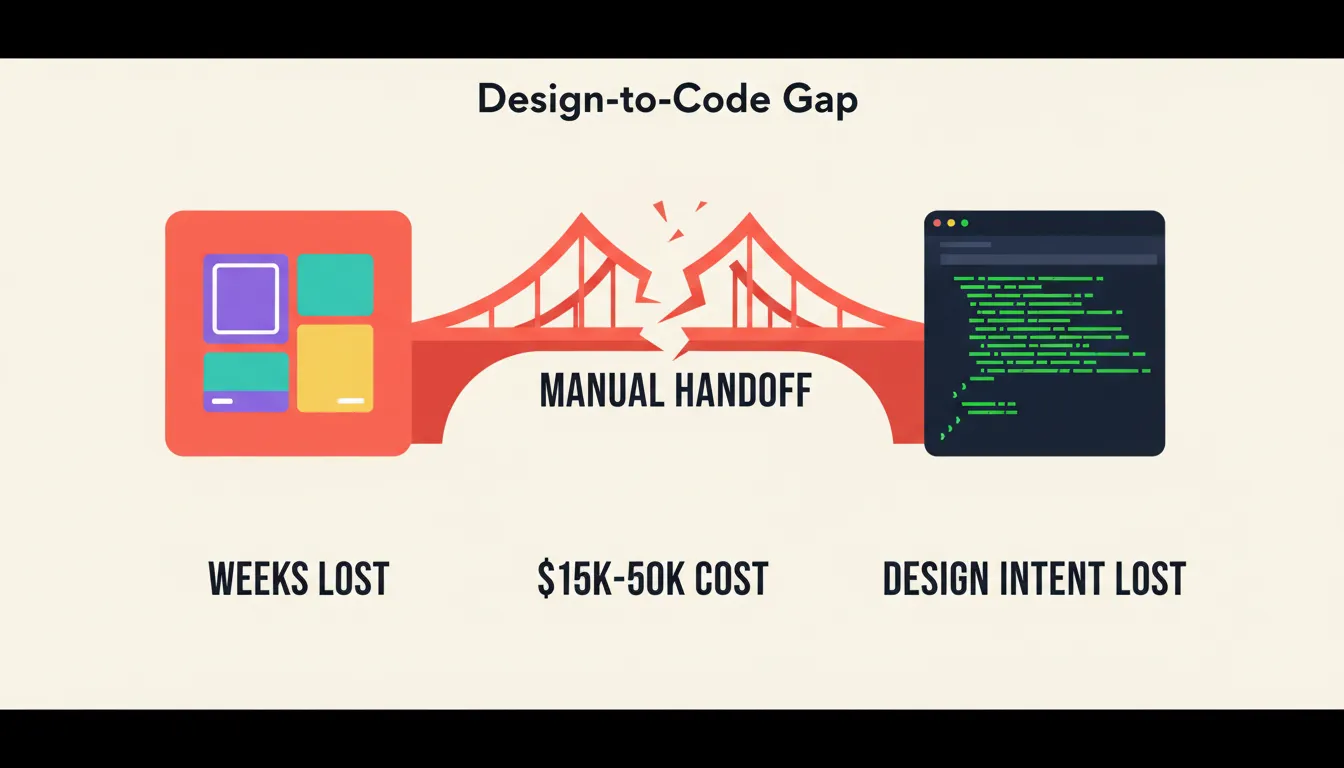
Every handoff requires a human translator. Human translators introduce interpretation errors. A single color value, spacing decision, or font weight can drift between the design file and the final build.
The Iteration Tax
When a developer's implementation drifts from the design, the correction cycle gets expensive. A single round of feedback, revision, and re-review can consume three to five business days.
Multiply that across ten screens and two or three revision rounds, and a "simple" app becomes a three-month project. The iteration tax is the hidden cost most teams underestimate.
iOS-Specific Complexity
iOS demands adherence to Apple's Human Interface Guidelines, safe area handling, dynamic type support, and App Store submission requirements that do not exist in static design files.
A designer cannot encode these requirements in Figma. A developer must interpret them, and interpretation introduces variance. This is why shipped apps so often look nothing like their Figma source.
The Cost Reality
Traditional iOS development for a production-ready MVP costs between $15,000 and $50,000 depending on complexity and team location. For early-stage founders and small product teams, that price point delays or prevents validation entirely.
These four forces combine to create a gap that has resisted solution for over a decade. AI-powered Figma to iOS app conversion addresses all four simultaneously.
What AI-Powered Figma to iOS Conversion Actually Does
Traditional design handoff tools generate CSS values, spacing measurements, and code snippets. They translate design properties into developer-readable specs. The developer still writes the app.
AI-powered conversion goes several layers deeper. Here is what that actually means in practice.
Layer-Level Understanding
Modern AI tools read Figma's API data directly, not screenshots. They understand component hierarchies, auto-layout rules, constraint relationships, and responsive behavior at the structural level.
The output is not a visual approximation. It is a programmatic reconstruction of the designer's intent. This distinction matters for every pixel that needs to match.
Design Token Transfer
Colors, typography scales, spacing systems, and corner radii move from design to code without manual mapping. A design token defined once in Figma becomes a code variable used consistently across every component in the generated app.
This is the single biggest fidelity improvement over traditional handoff. No more color drift. No more spacing guesswork.
Production-Grade Code Output
84% of developers now use or plan to use AI tools in their development workflows, up from 76% the year before (Stack Overflow Developer Survey 2025). The output from leading platforms includes proper state management, navigation patterns, and platform-specific adaptations. It is not static HTML mockups or prototype-quality code.
Cross-Platform Efficiency
Flutter, the framework used by leading AI app builders, compiles natively for both iOS and Android from a single codebase. One Figma file becomes one Flutter project that runs on both platforms, cutting maintenance burden in half.
Real-World Use Cases: Who Benefits Most
Understanding who gets the most value from Figma to iOS app conversion helps teams decide when and how to use it. The use cases span a wide range of team sizes and contexts.
Indie Founders and Solo Builders
A non-technical founder with a validated idea and a completed Figma file can ship a production-ready iOS app without hiring a developer. The platform subscription replaces a $30,000 engineering contract, and the timeline compresses from months to days.
Design-Led Product Teams
Product teams where designers outnumber developers can remove the handoff queue entirely. Designers ship directly from their Figma files, iterate through conversation, and deploy to TestFlight without waiting for engineering bandwidth. For more on how design-led teams build faster, see how Figma files become production code.
Agencies and Freelancers
Agencies building iOS apps for clients can cut delivery timelines significantly. A project that previously required six weeks of development can reach a functional first build in under a week, leaving more time for iteration, testing, and polish.
Startups Validating Product-Market Fit
Early-stage startups testing multiple product hypotheses can build and test iOS app variants without committing full engineering resources to any single direction. The cost of a failed experiment drops from tens of thousands of dollars to a platform subscription.
Enterprise Innovation Teams
Large organizations running internal innovation programs can prototype and test iOS app concepts at a fraction of the traditional cost. More experiments, faster learning cycles, lower risk per iteration.
Step-by-Step: How the Figma to iOS App Pipeline Works
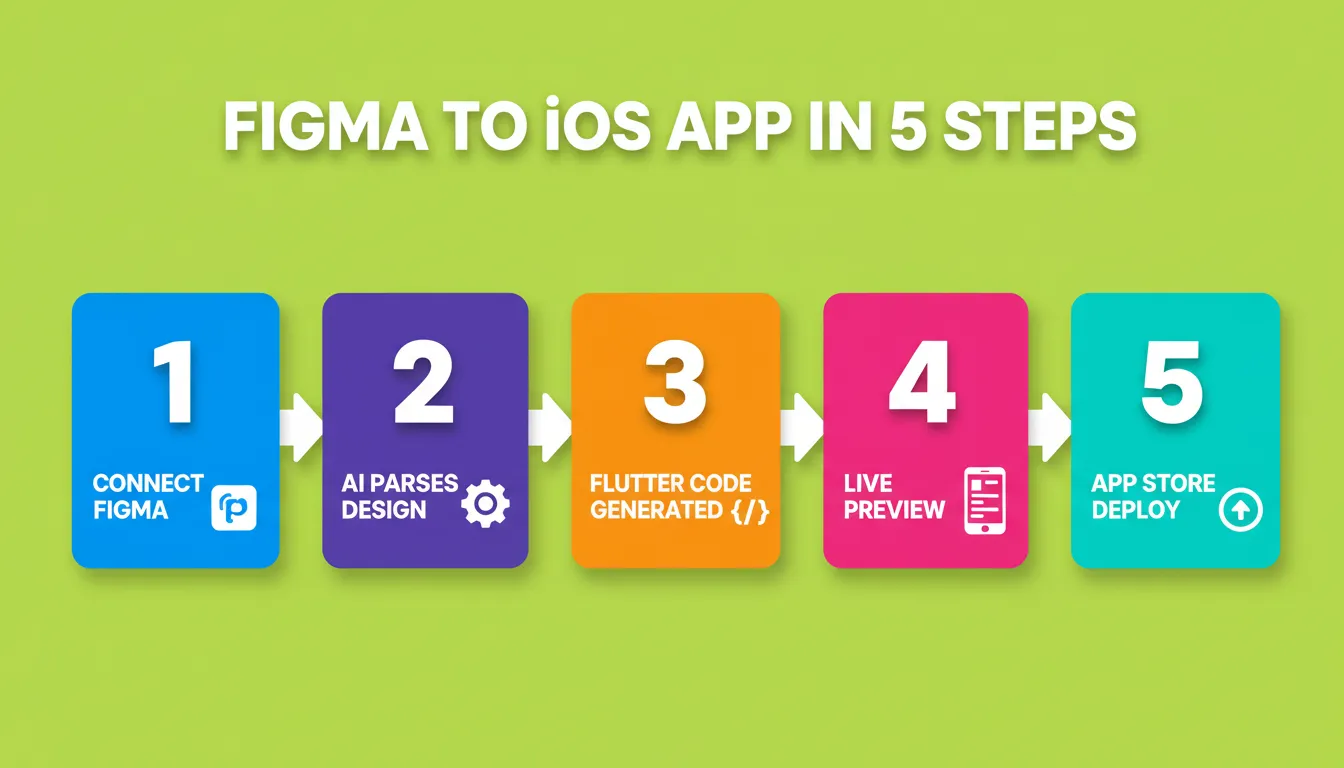
Whether you use Rocket, Builder.io, or another platform, the general workflow follows a consistent pattern. Understanding each step helps you evaluate which tool fits your pipeline.
Step 1: Connect Your Figma Workspace
The platform connects to your Figma workspace via API integration, not screenshot capture. This gives it access to full layer data, component definitions, auto-layout rules, and design tokens. Everything needed to reconstruct your design programmatically transfers at this stage.
Step 2: Select Frames and Define Scope
You select the specific frames, screens, or components you want to convert. Most platforms let you scope the conversion to a subset of your Figma file. This is useful for iterative builds where you ship one feature at a time.
Step 3: AI Parses the Design Structure
The AI engine extracts typography (font families, sizes, weights, line heights), spacing (padding, margin, gap values), color palettes (with hex values and opacity), component hierarchies, and responsive behavior.
This structural parsing is what separates API-connected tools from screenshot-based converters. The difference shows up in every pixel of the output.
Step 4: Code Generation Runs
The system outputs Flutter code organized into reusable components with proper navigation structure. The generated code includes widget trees mirroring your Figma component hierarchy, theme files encoding your design tokens as code variables, and state management scaffolding for interactive elements.
Step 5: Live Preview and Device Testing
You interact with the live build in a device simulator. Test navigation flows, check layout behavior on different screen sizes, and identify any gaps before committing to App Store submission. Most platforms also generate a shareable web preview link for stakeholder review without requiring device installation.
Step 6: Iterate Through Conversation
After the first generation, you refine through natural language instructions. "Make the header sticky," "Add a loading state to the product list," "Change the primary color to match the brand update." Changes apply in context without re-explaining the entire app structure.
Teams following a structured AI-powered development workflow typically move from Figma file to first live preview in under five minutes.
Step 7: Deploy to TestFlight or the App Store
The platform generates signed iOS builds ready for Apple's review process. You submit through App Store Connect, distribute to testers via TestFlight, or share a web preview link for immediate stakeholder feedback.
Traditional iOS Development vs AI-Powered Conversion
The numbers tell a clear story about why teams are shifting to AI-powered conversion for their Figma to iOS app projects.
| Factor | Traditional iOS Development | AI-Powered Conversion |
|---|---|---|
| Time to first build | 4–8 weeks | Under 5 minutes |
| Design fidelity | Varies by developer skill | Pixel-accurate preservation |
| Cost for MVP | $15,000–$50,000+ | Platform subscription |
| Iteration speed | Days per change request | Minutes per change |
| Code output quality | Depends on team expertise | Production-grade by default |
| Designer independence | Requires developer for every change | Designer ships directly |
| Cross-platform support | Separate iOS and Android builds | Single Flutter codebase |
| App Store readiness | Manual signing and configuration | Automated signed builds |
| Accessibility compliance | Optional, often skipped | Built in by default |
Time savings compound with each iteration. A traditional project might need 10–15 revision cycles. AI-generated builds let you test and adjust in real time, compressing weeks of back-and-forth into hours of conversation.
App Store and Developer Account Pricing
Before submitting any iOS app, you need the right developer accounts. These costs are set by Apple and Google, not by the build platform you use.
| Account | Provider | Cost | Required For |
|---|---|---|---|
| Apple Developer Program | Apple | $99/year | App Store submission, TestFlight |
| Google Play Developer | $25 one-time | Google Play Store | |
| Web Preview | Platform-dependent | Free | Shareable link, no install |
| APK Download (Android testing) | Platform-dependent | Included with paid plan | Sideloading on Android |
Apple's review process typically takes one to three business days for new apps and one to two days for updates. Plan your launch timeline accordingly.
Choosing the Right Tool: Platform Comparison
Not all Figma to iOS app tools are equal. Here is how leading options compare on the dimensions that matter most for production shipping.
| Platform | Output Type | Deployment Pipeline | Design Fidelity | Cross-Platform |
|---|---|---|---|---|
| Rocket | Complete Flutter app | Full App Store pipeline | Pixel-accurate | iOS + Android |
| Builder.io Visual Copilot | SwiftUI snippets | Requires manual assembly | High | iOS only |
| Locofy.ai | Modular code components | Export only | Medium-high | iOS + Android |
| Monday Hero | Swift + Storyboard files | Requires manual assembly | Medium | iOS only |
| Draftbit | Visual app builder | Limited | Medium | iOS + Android |
The critical differentiator is the deployment pipeline. Tools that only generate code leave you at the "now what?" stage. You still need Xcode expertise to assemble, debug, and submit.
Builder.io's Visual Copilot generates SwiftUI snippets that work well for developers already comfortable with Xcode. Locofy.ai produces modular components suited for teams that want to own the assembly process. Monday Hero exports files designed for integration into existing Swift projects. Each tool has its place depending on your team's technical depth.
Platforms with an end-to-end pipeline handle the full path from design to live product. That matters most for non-technical founders and design-led teams.
Common Mistakes When Converting Figma to iOS Apps
Understanding what goes wrong helps you avoid the most common failure modes. Most issues trace back to a few predictable sources.
Using Screenshots Instead of API-Connected Import
Some tools accept screenshots of your Figma designs rather than connecting to the Figma API. Screenshot-based conversion loses all structural data: component hierarchies, auto-layout rules, design tokens. The output is a visual approximation, not a programmatic reconstruction. Always use platforms that connect to the Figma API directly.
Converting Incomplete Designs
AI conversion works best on designs that are complete and consistent. Placeholder content, inconsistent spacing, unnamed layers, and missing component definitions all degrade output quality. Spend time cleaning your Figma file before conversion. It pays dividends in code quality and reduces post-generation iteration time.
Expecting Zero Post-Generation Work
Current AI tools achieve 90–95% accuracy when converting Figma designs to production code. The remaining 5–10% typically involves edge cases like complex animations or custom interactions that benefit from manual refinement. Plan for iteration, not perfection on the first pass. The live preview stage is where you catch and fix these gaps before submission.
Ignoring iOS-Specific Requirements
A Figma design optimized for visual presentation may not account for iOS-specific requirements like safe area insets, dynamic type scaling, or Human Interface Guideline compliance. The best platforms handle these automatically. Still, it is worth verifying that your generated app respects these constraints before App Store submission.
Design System Fidelity, Accessibility, and Versioning
These three areas are often overlooked in Figma to iOS app guides. They matter for production shipping.
Design System Fidelity
Design tokens are the backbone of accurate conversion. Colors, typography, spacing, and corner radii defined in your Figma file should transfer as code variables, not hardcoded values.
When tokens transfer correctly, a single brand color update in Figma propagates across every component in the generated app. When they do not, you end up with hundreds of hardcoded hex values that need manual updates.
Accessibility by Default
Apple requires apps to meet basic accessibility standards for App Store approval. WCAG compliance, dynamic type support, and proper contrast ratios are not optional.
Production-grade platforms build accessibility in from the first generation. This is not a feature to add later. It is a baseline requirement that should be part of every build from day one. For a deeper look at how accessibility gets built into mobile apps, see building mobile apps with AI.
Version History and Rollback
Every significant iteration creates a new version of your app. Production platforms maintain full version history and support one-click rollback to any previous state. This matters when a change breaks something unexpected. You should be able to restore a working state in seconds, not hours.
How Rocket Builds From Your Figma File
You connect your Figma workspace, select the frames you want to convert, and Rocket reads your typography, spacing, visual hierarchy, and color system exactly as designed. The import happens at the API level, so every component relationship, auto-layout rule, and design token transfers intact.
Rocket generates Flutter code for all mobile apps. The output includes real design systems with your actual color tokens and typography scales, dark and light theming built from your Figma color modes, fluid navigation with proper iOS transitions and gestures, and staggered animations that match your prototype interactions.
After the first generation, you refine through natural language. Change layouts, add features, adjust colors, connect APIs, modify data models. Rocket applies changes in context without requiring you to re-explain what already exists.
Every build ships with WCAG accessibility compliance, GDPR coverage, SEO-ready structure, and Core Web Vitals optimization by default. These are the baseline, not optional extras. For iOS apps, this means accessibility labels, dynamic type support, and proper contrast ratios are handled automatically.
Rocket connects Stripe, Supabase, OpenAI, Google Analytics, Mixpanel, Notion, Airtable, and 20+ more integrations directly into the build. Authenticate once and they flow into every generated app. For teams building Flutter apps specifically, see why Rocket generates Flutter for mobile.
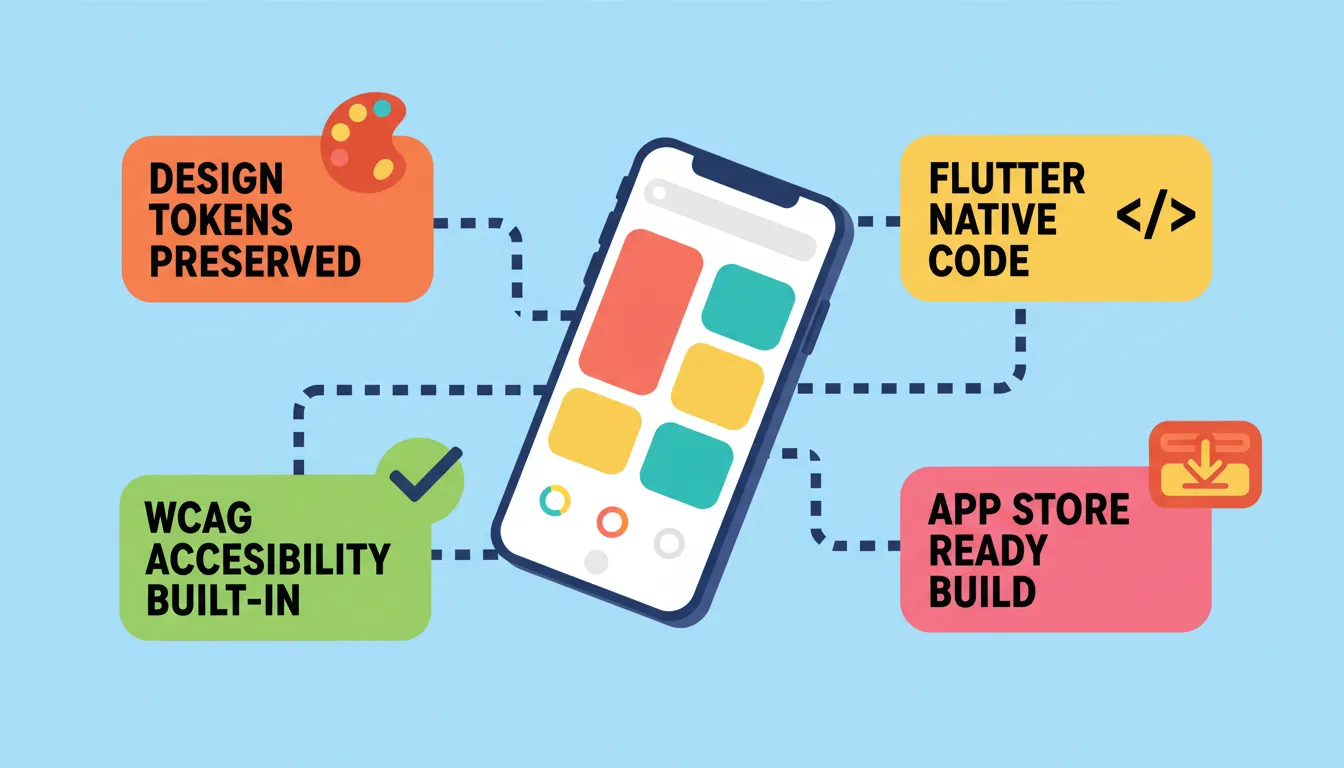
Rocket generates signed builds ready for Apple's review process. You submit through App Store Connect without needing Xcode, a Mac, or iOS development experience. Web preview links let you share progress with stakeholders instantly, before any App Store submission.
1.5 million people have tried Rocket across 180 countries.
"AI accelerates tasks that we thought would take much longer. I believe we're now in a phase where AI is becoming more practical and less about flashy, experimental uses." — Ido Kosover, Head of Media at Wix
What to Expect After Your First Generation
The first generation is the starting point for a rapid iteration cycle. Here is what a typical post-generation workflow looks like.
Review the Live Preview
Open the device simulator and walk through every screen. Check navigation flows, verify that design tokens applied correctly, test interactive elements, and note any gaps between the Figma design and the generated output.
Prioritize Iteration in Three Categories
Critical gaps come first: screens that are missing, navigation that is broken, or data that is not displaying correctly. Design fidelity gaps come second: spacing, typography, or color values that drifted from the Figma source. Feature additions come last: functionality that was not in the original Figma file but is needed for the MVP.
Test on Real Devices
Download the APK (Android) or share the web preview link to test on real devices before App Store submission. The device simulator is accurate but not identical to real hardware behavior, especially for gestures and performance.
For a complete guide on deploying apps to iPhone, see how to deploy apps on iPhone.
Prepare for App Store Submission
Apple's review process requires a valid Apple Developer account ($99/year), proper app metadata (name, description, screenshots, privacy policy), and compliance with App Store guidelines. Rocket generates the signed build. You handle the submission through App Store Connect.
The Future of Figma to iOS App Development
The trajectory of AI-powered design conversion points toward a fundamental shift in how mobile products are built and shipped. A few developments are worth watching closely.
Bidirectional sync is the next evolution. Changes made in Figma will propagate to the codebase automatically, and code changes will reflect back in the design file. This removes the concept of a "handoff" entirely.
The emerging pattern is not "designer creates, AI converts" but "designer and AI collaborate in real time." Designers describe what they want in natural language, AI generates options, designers select and refine, and the code updates continuously. The design tool and the code editor converge into a single environment.
AI that understands design intent, not just design values, is coming. Current tools transfer design values: colors, spacing, typography. Future tools will transfer design intent, understanding that a particular spacing choice was made to create visual breathing room, or that a color was chosen to signal urgency.
For teams thinking about where mobile app development is heading, see modern iOS app building methods.
The Figma to iOS App Pipeline Is Ready
The distance between a finished Figma file and a live iOS app used to be measured in weeks, engineering budgets, and developer handoff cycles. AI-powered design conversion has collapsed that timeline into minutes, giving designers and founders the ability to ship mobile apps that match their original vision with pixel-level accuracy.
The tools are production-ready. The workflows are proven. Platforms that once required a developer to translate every design decision now handle that translation automatically, preserving your typography, your spacing, your color system, and your component hierarchy from Figma file to App Store submission.
The only question left is what you will build first.
Start building your Figma to iOS app on Rocket.new and ship to the App Store without writing a single line of code.
Table of contents
- -Why the Figma to iOS App Gap Still Exists in 2026?
- -The Language Mismatch Problem
- -The Iteration Tax
- -iOS-Specific Complexity
- -The Cost Reality
- -What AI-Powered Figma to iOS Conversion Actually Does
- -Layer-Level Understanding
- -Design Token Transfer
- -Production-Grade Code Output
- -Cross-Platform Efficiency
- -Real-World Use Cases: Who Benefits Most
- -Indie Founders and Solo Builders
- -Design-Led Product Teams
- -Agencies and Freelancers
- -Startups Validating Product-Market Fit
- -Enterprise Innovation Teams
- -Step-by-Step: How the Figma to iOS App Pipeline Works
- -Step 1: Connect Your Figma Workspace
- -Step 2: Select Frames and Define Scope
- -Step 3: AI Parses the Design Structure
- -Step 4: Code Generation Runs
- -Step 5: Live Preview and Device Testing
- -Step 6: Iterate Through Conversation
- -Step 7: Deploy to TestFlight or the App Store
- -Traditional iOS Development vs AI-Powered Conversion
- -App Store and Developer Account Pricing
- -Choosing the Right Tool: Platform Comparison
- -Common Mistakes When Converting Figma to iOS Apps
- -Using Screenshots Instead of API-Connected Import
- -Converting Incomplete Designs
- -Expecting Zero Post-Generation Work
- -Ignoring iOS-Specific Requirements
- -Design System Fidelity, Accessibility, and Versioning
- -Design System Fidelity
- -Accessibility by Default
- -Version History and Rollback
- -How Rocket Builds From Your Figma File
- -What to Expect After Your First Generation
- -Review the Live Preview
- -Prioritize Iteration in Three Categories
- -Test on Real Devices
- -Prepare for App Store Submission
- -The Future of Figma to iOS App Development
- -The Figma to iOS App Pipeline Is Ready