
Building a live chat platform with AI cuts response times, automates repetitive queries, and ships real-time messaging at scale. This blog covers architecture, NLP integration, feature prioritization, and production deployment in one place.
Why do 79% of service leaders say AI investment is now non-negotiable?
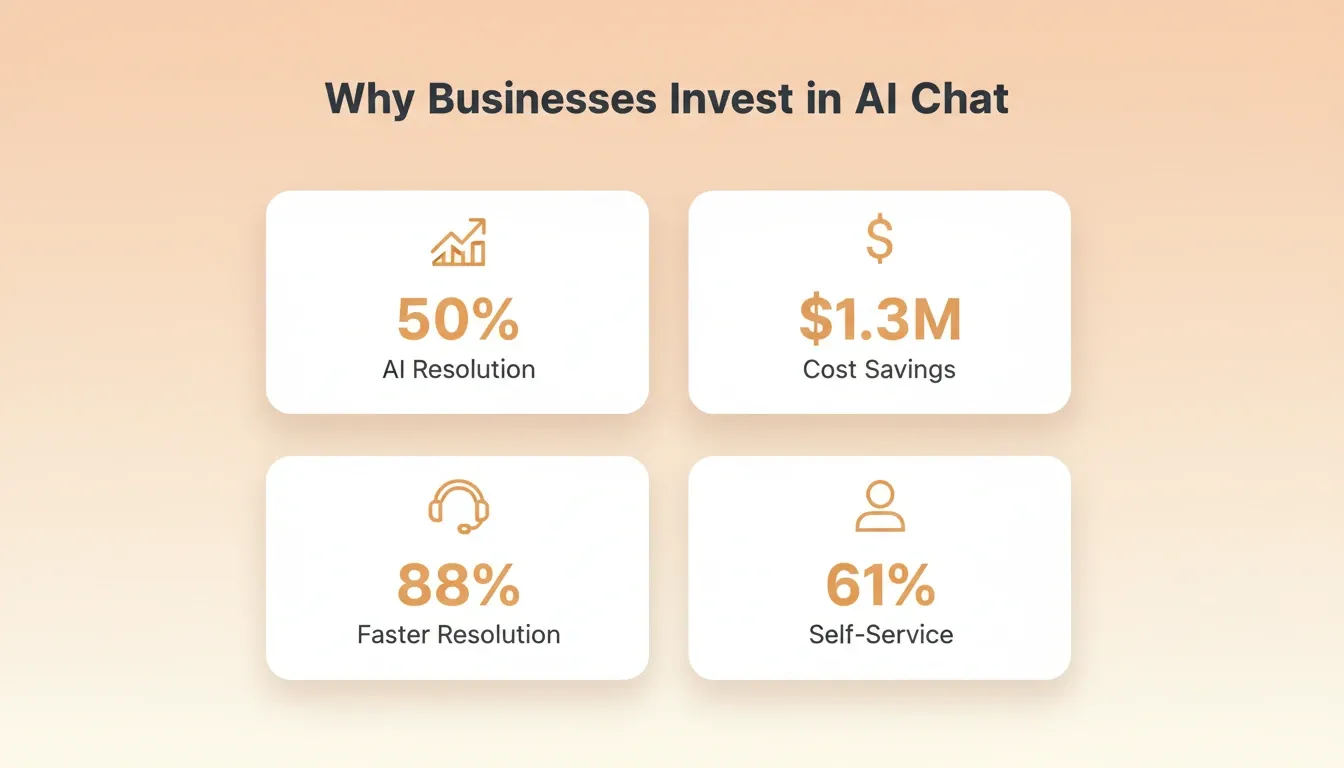
According to Salesforce's State of Service report, 30% of customer service cases were resolved by AI in 2025. That number is expected to hit 50% by 2027.
Real-time messaging with intelligent automation is no longer optional for modern businesses. It is the standard customers expect. Whether you are building for customer support, internal communication, or a SaaS product, the stakes are simple: respond fast or lose the conversation.
This blog walks you through the full process of creating an AI-powered chat system, from architecture decisions to production deployment.
Why Businesses Are Investing in AI-Powered Chat Systems
The shift toward intelligent messaging is driven by numbers that are hard to ignore.
-
The chatbot market is projected to reach $15.5 billion by 2028, growing at 23.3% CAGR from a $5.4 billion base in 2023, according to MarketsandMarkets
-
88% of service professionals say conversational AI accelerates resolution times, and 87% say it frees representatives to handle more complex issues
-
Companies like Unity saved $1.3 million by deploying AI agents to manage ticket volume and deliver instant answers
-
Self-service is becoming the leading use case, with 61% of customers preferring to resolve simple issues on their own
Businesses that invest in conversational AI agents are not just cutting costs. They are also improving the quality of every customer interaction. They scale support without adding headcount.
The question is not whether to add AI to your messaging product. It is how quickly you can ship a working system.
What Does a Real-Time Chat Architecture Look Like?
Before writing a single line of code, you need a clear picture of how data flows through a chat application.
A real-time messaging system has several moving parts that work together. The client sends a message, the server processes it, AI analyzes intent, and the response gets delivered back in milliseconds.
The WebSocket connection is the backbone of any real-time chat system. It keeps a persistent channel open between the client and server. Messages arrive instantly rather than waiting for HTTP polling cycles.
The key architectural decision is whether your AI processing happens synchronously or asynchronously. For simple intent classification and auto-replies, synchronous processing keeps latency low. For complex analysis like sentiment scoring, an async queue prevents message delivery from slowing down.
Core Features Every AI Chat Application Needs
Not every feature matters equally. Shipping the right ones first determines whether users stay or leave.
Here is a breakdown of what belongs in your first version versus what can wait:
| Feature | Priority | Why It Matters |
|---|---|---|
| Real-time text messaging | Must-have | Core product value; without it, nothing else matters |
| AI-powered auto-responses | Must-have | Handles common questions without human agents |
| Typing indicators and read receipts | Must-have | Creates a natural conversation feel |
| Sentiment analysis | Should-have | Routes frustrated users to human agents faster |
| Multi-language support | Should-have | Opens international markets from day one |
| Voice and video chat | Nice-to-have | Adds depth but requires significant infrastructure |
| File and media sharing | Should-have | Expected in modern messaging apps |
| Conversation history and search | Must-have | Users need to find past messages quickly |
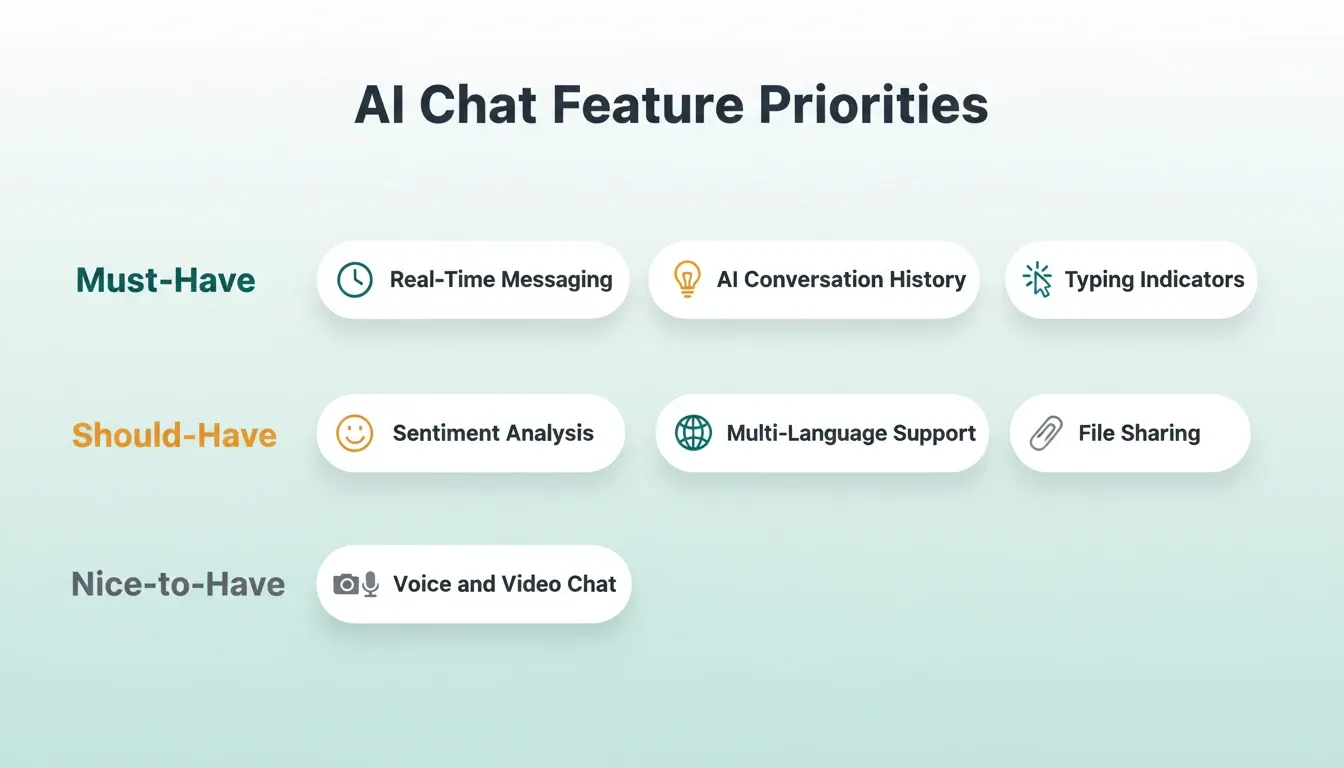
Start with the must-haves. A text messaging system with AI auto-responses covers the majority of support interactions. The client sends a message, your backend can retrieve context from a knowledge base before generating AI responses, and integrating ChatGPT into your app gives you a powerful starting point for that response layer.
Add sentiment analysis early. It lets your system detect when a customer is getting frustrated. You can then route them to a human agent before the situation escalates.
Machine learning models improve over time. The more conversations your system processes, the better it gets at classifying intent and generating accurate responses. Token streaming also improves perceived responsiveness by sending partial answers as they are generated. Retrieval-Augmented Generation (RAG) can also pull current information during response generation. Fast session state is often managed with Redis to preserve context across active chats. Vector databases store and search vectorized text efficiently for semantic retrieval.
How Do You Add Intelligence to Messaging?
Adding AI to a chat application is more than plugging in a language model. It requires thoughtful design around how the system understands, processes, and responds to user messages.
-
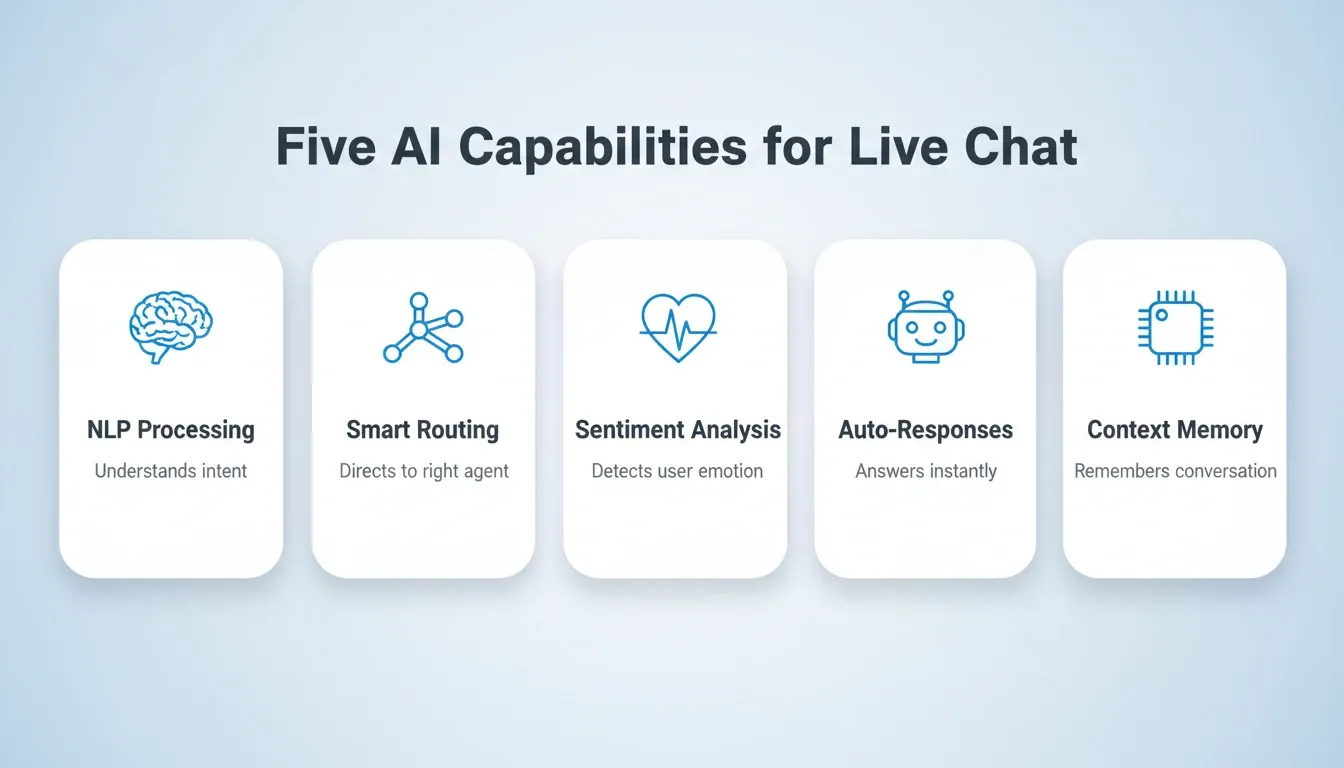
Natural language processing is the foundation. NLP breaks down what users type into structured data, helping an AI chatbot interpret user input. It handles intent detection, entity extraction, and language understanding across different phrasing styles.
-
Smart routing decides who handles the conversation. Artificial intelligence can triage incoming messages, answer straightforward questions automatically, and let a bot hand off complex issues to the right team member.
-
Automation handles the repetitive work. Order status checks, password resets, appointment scheduling, and FAQ responses are perfect candidates to automate conversations, and many ai bots are trained specifically for these repetitive support flows.
-
Conversational AI makes interactions feel natural. Modern AI-powered chat systems maintain context across multiple messages, remember what was said earlier, and adapt their tone based on the situation to support human-like conversations.
"Keep the agent focused on one job and test conversations often. Most issues come from context handling and prompt design." — Developer insight on Reddit
The biggest mistake teams make is overcomplicating the AI layer. Start with intent classification and auto-responses to improve customer experience and answer questions quickly. Add sentiment analysis and smart routing once your base system is stable.
Chatbots can also initiate conversations based on user behavior on websites.
Choosing the Right AI Provider
Different AI providers suit different use cases. Here is a practical comparison for live chat applications:
| AI Provider | Best Chat Use Case | Key Characteristic |
|---|---|---|
| OpenAI (GPT models) | General-purpose auto-responses, FAQ bots | Versatile, large ecosystem |
| Anthropic (Claude) | Long-context conversations, nuanced support | Careful reasoning, large context window |
| Google Gemini | Multimodal chat with image support | Text and image understanding |
| Perplexity | Factual queries requiring cited sources | Real-time web search with citations |
You can connect multiple providers in the same application. Use one for fast auto-replies and another for complex escalations that require careful reasoning.
How Rocket Turns Your Chat App Idea into a Working Product
After mapping out architecture, features, and AI capabilities, you need a platform that does not slow you down. Most traditional approaches involve hiring backend engineers, configuring WebSocket servers, and spending weeks on infrastructure before writing a single chat feature.
Rocket takes a different approach entirely.
-
Describe your chat application in plain language. Tell Rocket what you need: "a real-time customer support chat app with AI-powered auto-responses, user authentication, and conversation history." Rocket plans the architecture, writes production-ready code, and shows you a live preview. Most apps generate in 1 to 3 minutes.
-
Next.js for web, Flutter for mobile. Rocket generates messaging apps like a WhatsApp clone with a single codebase that runs on both iOS and Android. Web applications use Next.js with server-side rendering for speed.
-
Supabase handles your backend. Database, authentication, real-time subscriptions, and row-level security are all built into the generated app. No separate backend setup is required.
-
25+ connectors plug directly into the build. Stripe for payments, Twilio for SMS, OpenAI and Anthropic for AI models, and SendGrid for email notifications. Authenticate once and they flow into every build.
-
Iterate without re-explaining. After the first generation, change data models, adjust visual hierarchy, add features, or connect new services. All changes happen in context because Rocket remembers what exists and builds on top of it.
Every build includes SEO-ready structure, WCAG accessibility compliance, GDPR coverage, and performance tuning as defaults. These are not optional extras you configure after the fact. The output looks like a design team built it.
Traditional development of a real-time chat application takes 3 to 6 months with a team of 2 to 4 engineers. Rocket compresses that timeline to days. When something needs changing, you iterate through chat, visual edit, or direct code access.
Steps to Ship a Production-Ready Chat App
Having the right features and architecture is one thing. Building an AI-powered live chat system starts by defining a clear purpose, then getting your chat application into the hands of real users requires a few more steps.
-
Describe your chat application and create the first version from a prompt. Rocket helps teams create the initial app quickly, and the setup is user friendly enough for non-technical teams to move fast.
-
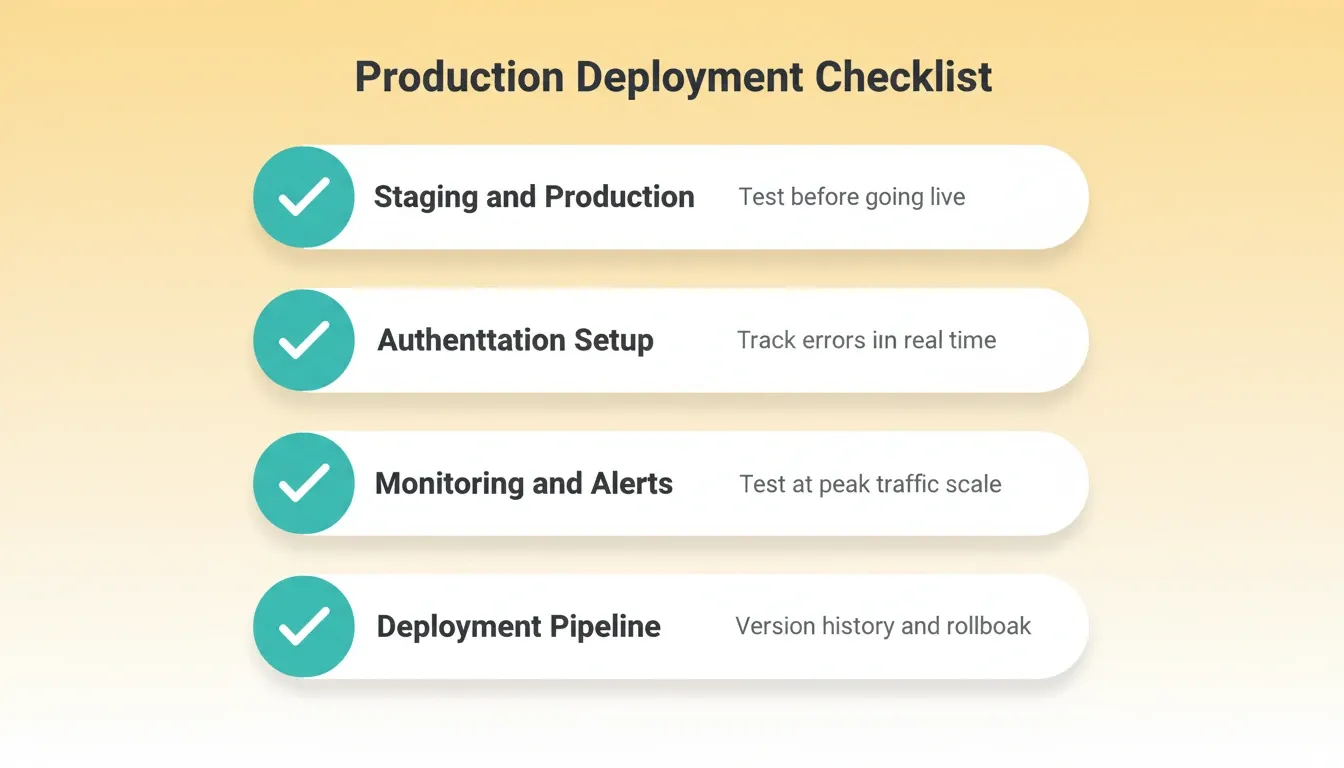
Set up staging and production environments. Test every feature in staging before pushing to production. This catches bugs that only appear under real network conditions or with actual user data.
-
Configure authentication and session management. Users expect secure login, persistent sessions across devices, and the ability to log out from all devices at once. Verify identity before exposing sensitive account actions, especially when handling refunds or stored credits. Get this right before launch.
-
Connect the tools your workflow depends on. Rocket connects internal systems and AI tools used across business workflows, and your app can support customers across multiple channels and messaging platforms without losing customer conversations.
-
Put monitoring and error tracking in place. Real-time chat applications have unique failure modes. Messages can silently drop, WebSocket connections can time out, and AI responses can drift in quality. Set up alerts for each of these.
-
Load test with realistic traffic patterns. Chat applications have spiky traffic. A support team might handle 50 simultaneous conversations at 2 PM and 500 at 10 AM. Your infrastructure needs to handle both without degrading response times.
-
Plan your deployment pipeline. Staging, production, version history, and one-click rollback are not optional for a production messaging system. You need the ability to push fixes in minutes and roll back if something breaks.
A shared inbox helps teams manage conversations from chat and other channels.
A knowledge base or help center gives AI a source to learn from for better responses.
Live chat can also support sales and marketing by engaging potential customers with personalized greetings on websites.
If you want product examples, Chatwoot allows brand-level live chat widget customization, and Chatbot.com supports training AI agents on specific business knowledge.
The most common deployment mistake is skipping load testing. Everything works perfectly with 10 users. Everything breaks with 1,000. Test early, test often, and test at scale before you announce your launch.
The Supabase integration in Rocket handles database, authentication, and real-time subscriptions out of the box. Your deployment pipeline starts from a production-ready backend, not a blank slate. For GDPR, make data protection defaults explicit and link to privacy or consent details anywhere the product UI exposes them.
Ship Your AI Chat Platform: The Gap is Execution
The decision to build a live chat platform with AI is no longer a competitive advantage. It is a baseline expectation. As AI models improve and customer tolerance for slow support shrinks, the teams that ship intelligent messaging first will set the standard everyone else chases.
The architecture is proven. The integrations exist. The remaining variable is how fast you move from idea to deployed product. You describe what you want to build, and Rocket generates a production-grade, WCAG-compliant, GDPR-ready application with the backend included. Sign up for Rocket and ship your AI chat platform today.
Table of contents
- -Why Businesses Are Investing in AI-Powered Chat Systems
- -What Does a Real-Time Chat Architecture Look Like?
- -Core Features Every AI Chat Application Needs
- -How Do You Add Intelligence to Messaging?
- -Choosing the Right AI Provider
- -How Rocket Turns Your Chat App Idea into a Working Product
- -Steps to Ship a Production-Ready Chat App
- -Ship Your AI Chat Platform: The Gap is Execution