
An AI CRUD app builder generates production-ready data apps from plain-language prompts, handling databases, forms, authentication, and role-based access in minutes. This blog covers how CRUD apps work, what you can build, and why the right platform makes the difference between a prototype and a product.
Why do teams still spend weeks building basic data tools?
The no-code AI platform market is projected to reach \$75.14 billion by 2034, growing at a 31% CAGR according to recent industry research. That growth signals one clear thing: businesses want to build crud apps faster, with less code, and without relying on a full developer team.
This blog walks through exactly how AI-powered platforms work, what you can build with them, and which features separate production-ready tools from quick prototypes.
Whether you manage client projects or need admin panels for internal tools, the process starts with understanding what CRUD operations actually do.
What Is a CRUD App, and Why Does Every Data Tool Run on One?
Every data-driven application revolves around four core operations. These are not advanced concepts. They are the foundation of how users interact with structured records in any database system.
CRUD stands for Create, Read, Update, and Delete. Here is what each operation handles:
-
Create: Users add new records through forms, define fields like name, email, date, or status, and store entries in connected database tables
-
Read: The app displays stored data in lists, detail pages, dashboards, or filterable views that users can search and scroll through
-
Update: Users modify existing records by clicking into a row, editing field values, and saving changes back to the database
-
Delete: Removing records when they are no longer needed, with permissions controlling who can delete what
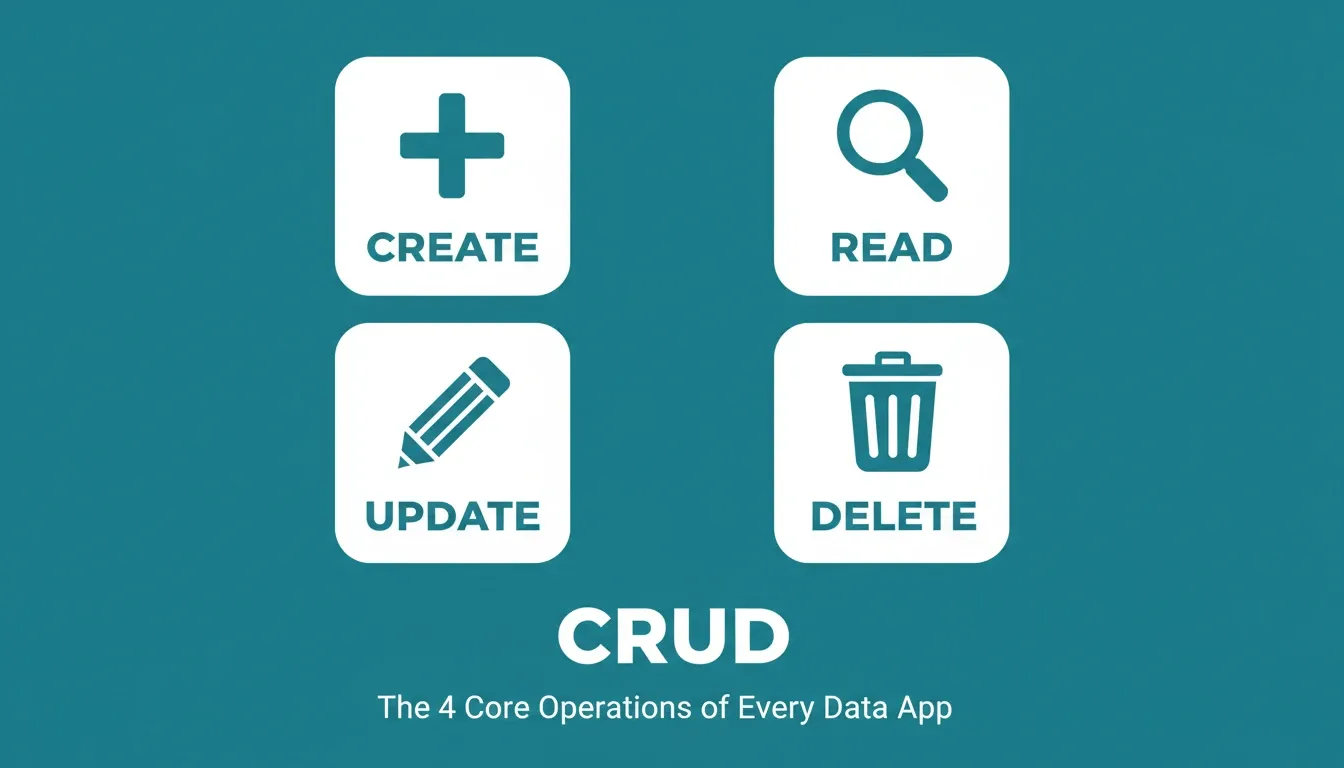
The four CRUD operations that power every data-driven application
| Operation | User Action | Backend Result | Common Example |
|---|---|---|---|
| Create | Fill out a form | New row in database table | Submit a new customer record |
| Read | View a list or detail page | Query returns matching records | Browse an inventory dashboard |
| Update | Edit fields in a record | Row values change in place | Update a task status |
| Delete | Click remove button | Row removed from table | Archive a completed order |
Simple crud might sound basic. In practice, though, most business applications, from CRMs to inventory trackers to employee portals, are built on these four operations running against structured data.
When you connect your app to a database without coding, these CRUD operations become the backbone of everything your users do. Understanding them is the first step to knowing what to ask an AI builder to generate.
What Makes a CRUD App "Production-Ready"?
A working prototype and a production-ready CRUD app are not the same thing. Production-ready means the app handles real users, real data, and real edge cases, not just a demo that looks good in a browser.
Here are the six things a production-ready CRUD app needs from day one:
-
Validation rules that prevent bad data from entering the database
-
Role-based access control so admins, editors, and viewers each see only what they should
-
Authentication with secure login flows, password resets, and session management
-
Responsive design that works across all devices without extra configuration
-
Error handling that tells users what went wrong and how to fix it
-
Deployment infrastructure that stays live under real user load
Most basic AI builders generate the first two or three items. The best platforms ship all six from the first generation. That gap is what separates a demo from a deployable product.
Why Teams Are Choosing AI to Build Data Apps
The traditional path to a working CRUD app required a backend developer, a frontend developer, a database administrator, and weeks of coordination. AI builders have compressed that timeline to minutes.
-
No coding experience required: Platforms let users describe what they want to build in plain English, and the AI generates a working app with forms, tables, and backend logic included
-
Speed gains are measurable: According to recent development statistics, 84% of developers now use or plan to use AI tools in their workflows, and low-code platforms power 62% of new app projects
-
Cost drops significantly: Teams save time and money by generating full-stack apps instead of hiring dedicated developers for every new project
-
Lower learning curve for everyone: Non-technical team members can configure apps, set up permissions, and deploy tools without relying on engineering queues
The shift is not just about speed. AI builders give teams full access to production-ready generated code while the platform handles the backend, database structure, and deployment in one connected process.
The No-Code vs. AI Builder Distinction
No-code tools let you drag and drop components. AI builders, on the other hand, generate the components, the logic, the database schema, and the deployment configuration from a text description. That distinction matters when you need a crud app that handles real data, real users, and real edge cases.
| Capability | Traditional No-Code | AI CRUD App Builder |
|---|---|---|
| Database schema generation | Manual setup required | Auto-generated from prompt |
| Backend APIs | Limited or none | Full CRUD API generated |
| Authentication | Plugin-based | Built-in from first generation |
| Role-based access | Basic | Configurable per table/field |
| Code ownership | Locked in platform | Export and own your code |
| Deployment | Platform-hosted only | Custom domain, own infrastructure |
To see how this plays out in practice, the guide on building a web app without coding walks through the full process step by step.
How an AI-Powered Builder Generates a Full Stack App
The generation process is straightforward. You describe what you need, and the platform handles everything from database schema to frontend UI to deployment.
Here is how most AI-powered crud app builders handle the workflow:
-
Step 1: Define your data structure. Describe your tables, fields, and relationships in natural language. For example: "I want to build a project tracker with tasks, deadlines, and team assignments."
-
Step 2: AI generates the full stack. The platform creates frontend pages, backend APIs, authentication, role-based access controls, and validation rules automatically.
-
Step 3: Customize and configure. Adjust forms, detail pages, charts, filters, search functionality, and permissions to match your exact use case.
-
Step 4: Deploy to production. Push your app live with one click. Users can access it on any device through a browser, with a custom domain if needed.
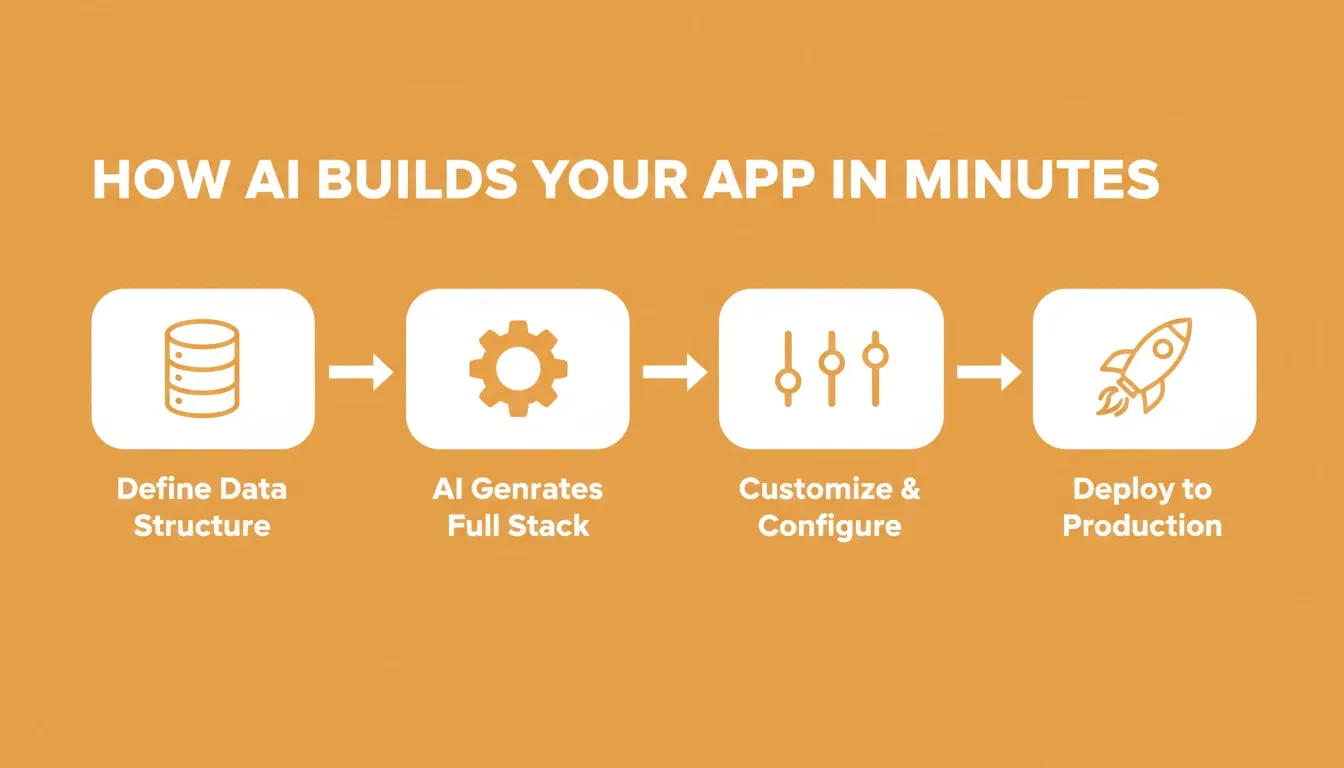
The four-step AI generation workflow: from plain-language prompt to deployed production app
What used to take weeks of full stack development now happens in minutes. The platform generates production-ready code that runs on real infrastructure, not a sandboxed preview. Teams can iterate quickly, test new features, and configure automation rules without starting from scratch each time.
For a deeper look at how this works end-to-end, see the guide on building a full stack app with an AI prompt.
What Can You Actually Build? Real Use Cases and Examples
The real test for any crud app builder is whether it produces apps that work in production, not just demos. Here are the most common use cases teams deploy today, with specific examples of what each looks like in practice.
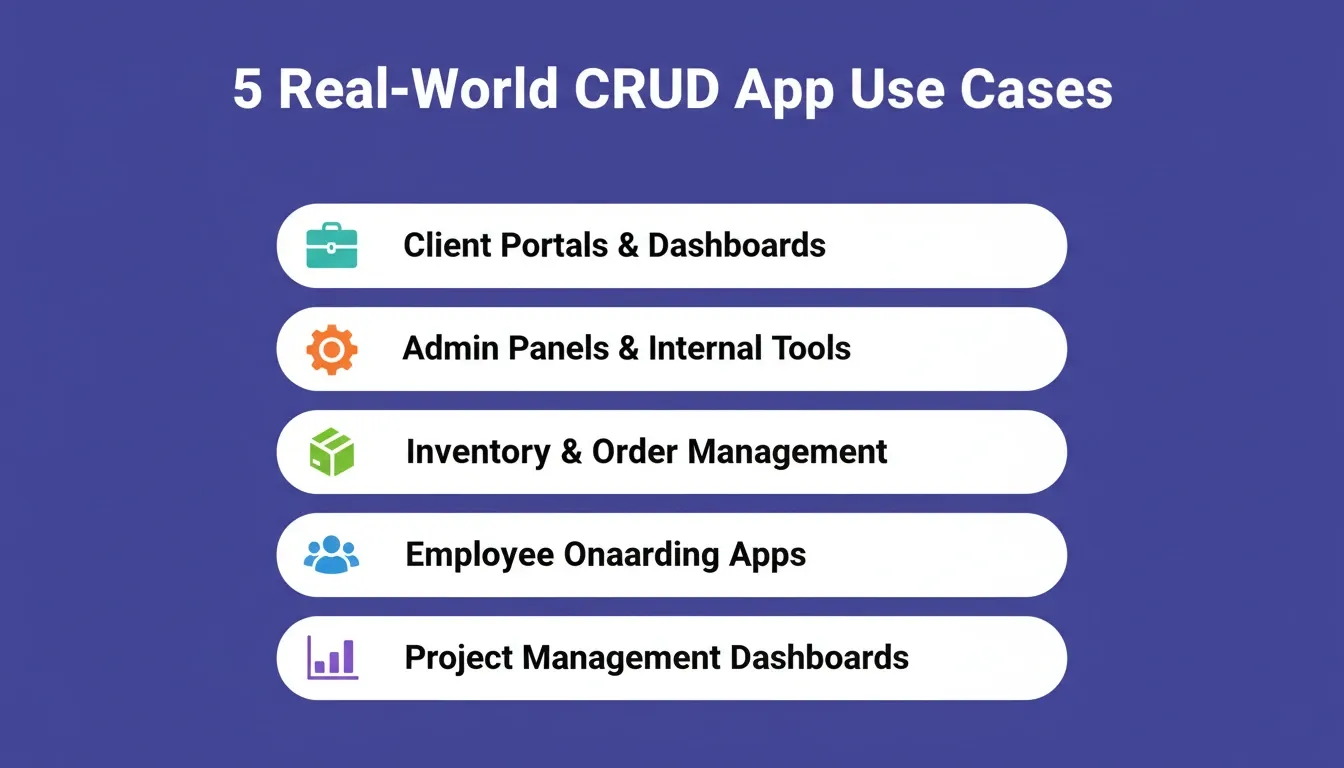
Five production-ready CRUD app categories teams build and deploy today
Client Projects and Customer Portals
Build client-facing dashboards where users log in, view their records, update information, and manage files through a clean interface. A marketing agency, for example, can build a portal where each client logs in to see campaign performance, approve assets, and submit feedback. All of that data is stored in a connected database with role-based views.
Admin Panels for Internal Tools
Generate admin views with role-based access so managers can control access, configure workflows, and manage users across the system. An operations team can build an admin panel that lets managers update inventory levels, assign tasks to team members, and view audit logs, without touching a line of code.
Inventory and Order Management
Track products, orders, billing, and stock levels with tables that support search, filters, export, and connected Google Sheets data. A small business owner can build a system that tracks incoming orders, flags low-stock items, and exports weekly reports, all from a single prompt.
Employee Onboarding Apps
Create apps where HR teams define tasks, assign roles, and log completion dates while new hires access their onboarding path. A 50-person company can replace a spreadsheet-based onboarding process with a proper app that tracks each hire's progress, sends reminders, and stores signed documents.
For a practical walkthrough, see the guide on building HR onboarding software in minutes.
Project Management Dashboards
Teams build tools with tasks, templates, status fields, and charts that update as records change in real time. A product team can build a sprint tracker that shows task status, owner, due date, and completion percentage, with a dashboard view that updates automatically as work moves through stages.
"CRUD stands for Create/Read/Update/Delete; the bread-and-butter operations of business software for working with structured data." — Flatlogic, 10+ Best AI App Builders
The common pattern across all these use cases is structured data management with permissions. Whether it is a client portal or an internal tool built without a developer, the fundamentals are the same: forms, records, access control, and configurable views that fit your specific workflow.
Use Case Comparison
| Use Case | Key Features Needed | Who Builds It |
|---|---|---|
| Admin panels | Role-based access, audit logs, user management | Operations teams |
| Client portals | Login, record views, file uploads | Agencies, consultants |
| Inventory trackers | Tables, filters, export, Google Sheets | Small business owners |
| Employee onboarding | Tasks, roles, completion tracking | HR teams |
| Project dashboards | Status fields, charts, templates | Product managers |
Key Features to Look for in an AI CRUD App Builder
Not every platform delivers the same output. These are the features that separate a tool worth using from one that creates more work than it saves.
Database and Schema Generation
The platform should generate a complete database schema from your description, including tables, fields, data types, and relationships, without requiring manual configuration. Look for support for relational data models, not just flat tables. For more on this, see the guide on generating a database schema with AI.
Role-Based Access Control
Every real crud app needs permissions. Admins should see everything. Editors should update records. Viewers should read without modifying. The platform should let you configure this per table or per field, not just at the app level.
Authentication Out of the Box
Login flows, password resets, session management, and social auth should all be included in the first generation. If you have to add authentication as a separate step, the platform is not production-ready.
API Generation and Integration Support
The generated app should expose backend APIs that other systems can connect to. Look for platforms that support 25 or more integrations, including Stripe for payments, Supabase for the database, Airtable for spreadsheet data, and tools like Mailchimp, Mixpanel, and Notion for the rest of your stack.
Code Ownership and Export
Some platforms lock your generated code inside their runtime. That means you cannot extend it, host it yourself, or hand it to a developer. Choose a platform that lets you export the full source code, whether that is Next.js for web apps or Flutter for mobile, so you own what you build.
One-Click Deployment with Custom Domain Support
After deployment, you should be able to connect your own custom domain through the platform settings. This gives your app a professional URL that fits your brand, accessible through any browser on any device.
Comparing AI CRUD App Builders: What Sets Them Apart
Most tools in this category generate a basic frontend and stop there. The meaningful differences show up when you need a real app, not a prototype.
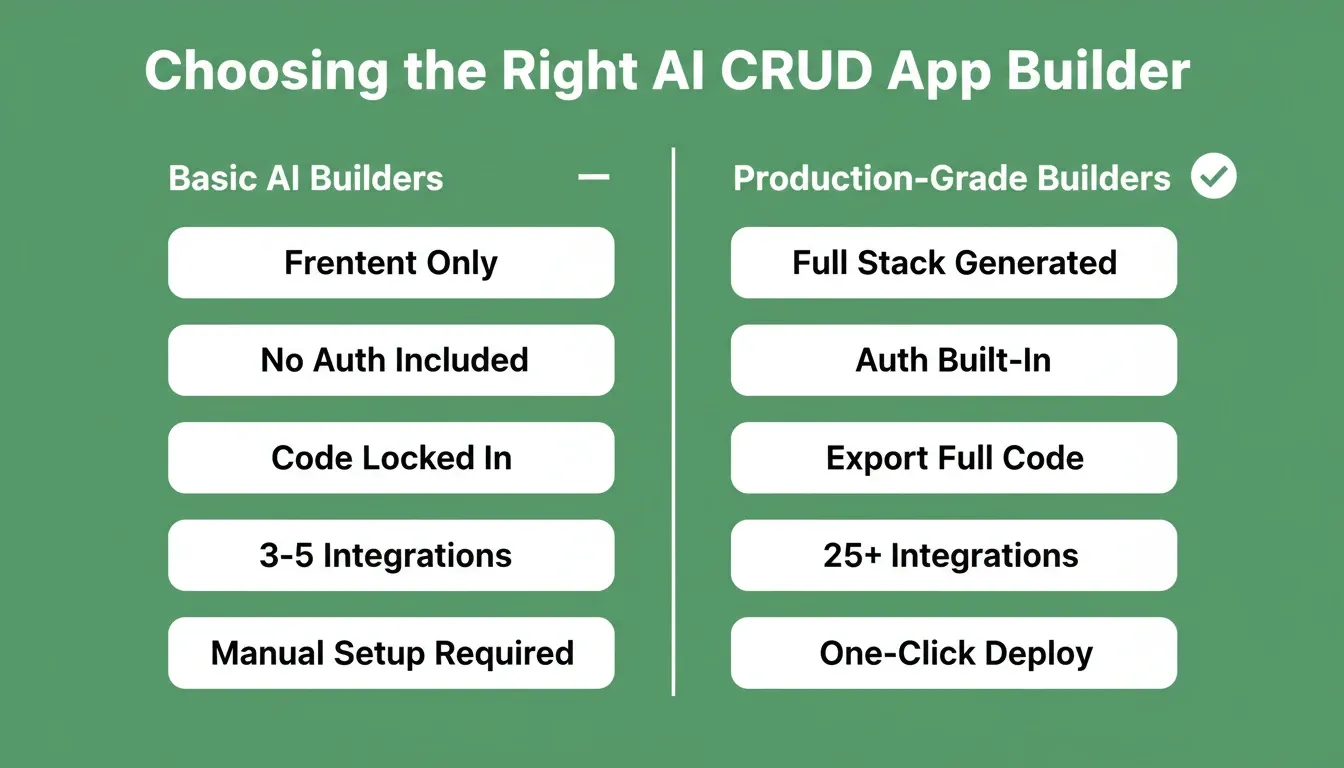
Key feature differences between basic AI builders and production-grade platforms
| Feature | Basic AI Builders | Production-Grade Builders |
|---|---|---|
| Database schema | Manual setup | Auto-generated from prompt |
| Backend APIs | Frontend-only | Full CRUD API included |
| Authentication | Add-on required | Built-in, first generation |
| Code export | Locked in platform | Full source code download |
| Integrations | 3 to 5 basic | 25+ including Stripe, Supabase |
| Role-based access | Basic | Per-table, per-field |
| Deployment | Platform-hosted | Custom domain, own infrastructure |
| Iteration | Restart required | Chat-based, in context |
When evaluating platforms, the questions that matter most are: Does it generate a complete backend, not just a UI? Can you export the code? Does it include authentication and role-based access from the first generation? The answers tell you whether you are looking at a demo tool or a production platform.
Where Rocket Fits in the AI-Powered Build Workflow
Most crud app builders generate a basic frontend and call it done. Rocket treats the entire workflow, from data structure to deployment, as a single connected process.
1.5 million people have tried Rocket across 180 countries. Here is what the platform delivers when you start building:
-
Full stack generation from a text prompt: Describe your application in plain English, and Rocket produces frontend pages, backend APIs, Supabase-connected database tables, and authentication out of the box. Web apps are built in Next.js; mobile apps in Flutter.
-
Production-ready on first build: Generated apps include validation rules, error handling, responsive design for all devices, and structured data models ready for real users from day one. Every build ships with WCAG accessibility compliance, GDPR coverage, and SEO-ready structure by default.
-
25+ integrations that flow directly into generation: Stripe, Supabase, Airtable, Google Analytics, Mailchimp, Mixpanel, Linear, Notion, and more. Authenticate once, and they connect into every build.
-
Configurable without code changes: Adjust forms, fields, permissions, automation rules, and page layouts through a visual interface after the initial generation. Or edit the source code directly.
-
Export code and deploy instantly: Full source code download. Custom domain support. Staging and production environments. One-click rollback. You own what you build.
-
Iterate through conversation: After the first generation, change the data model, add features, connect integrations, or modify specific sections, all in context, without re-explaining what already exists.
Before generating, Rocket surfaces the decisions that matter: target users, key interactions, data model, and design direction. The first generation reflects genuine product thinking, not just a template applied to a description.
Rocket Pricing Overview
Rocket uses a credit-based system. One credit balance covers Solve, Build, and Intelligence, with no separate billing for compute, storage, or hosting. Unused subscription credits roll over month to month.
| Plan Type | What Is Included | Best For |
|---|---|---|
| Free | Limited credits to explore Build | First-time builders |
| Build | Build credits, templates, custom domain | Founders and solo developers |
| Solve + Build | Research and Build credits | Teams validating before building |
| Solve + Build + Intelligence | All features, competitor monitoring | Full-stack product teams |
| Intelligence add-on | $100/month per competitor tracked (500 credits/month) | Strategy and GTM teams |
Credit add-ons are available as one-time purchases for paid users. Upgrades are prorated, so you pay only the difference for the remaining billing cycle. For the latest pricing details, visit rocket.new.
CRUD App Builder Checklist: Before You Pick a Platform
Use this checklist before committing to any AI crud app builder:
Does it generate a complete database schema from a plain-language description?
Does it include backend APIs, not just a frontend UI?
Is authentication built in from the first generation?
Can you configure role-based access per table or per field?
Does it support the integrations your stack already uses?
Can you export the full source code?
Does it support custom domains and production deployment?
Can you iterate through conversation without restarting?
Does it ship with accessibility, GDPR, and performance defaults?
Is there a path to mobile apps from the same platform?
The Future of AI CRUD App Building
The gap between having a product idea and shipping a working crud app has never been smaller. AI-powered builders now handle the database design, frontend forms, backend APIs, and authentication that used to take dedicated developer teams weeks to configure and deploy manually.
The best AI crud app builders are moving beyond generation toward full-lifecycle platforms, where the research that validates the idea, the code that builds the product, and the intelligence that monitors how it performs all live in the same place.
Your data-driven application is one prompt away from becoming real. The tools exist, the process is proven, and thousands of teams already use this approach for client projects, admin panels, and internal tools across every industry.
Start with Rocket.new, describe what you want to build, and go from idea to a production-ready crud app in minutes, not months. Sign up and start building today.
Table of contents
- -What Is a CRUD App, and Why Does Every Data Tool Run on One?
- -What Makes a CRUD App "Production-Ready"?
- -Why Teams Are Choosing AI to Build Data Apps
- -The No-Code vs. AI Builder Distinction
- -How an AI-Powered Builder Generates a Full Stack App
- -What Can You Actually Build? Real Use Cases and Examples
- -Client Projects and Customer Portals
- -Admin Panels for Internal Tools
- -Inventory and Order Management
- -Employee Onboarding Apps
- -Project Management Dashboards
- -Use Case Comparison
- -Key Features to Look for in an AI CRUD App Builder
- -Database and Schema Generation
- -Role-Based Access Control
- -Authentication Out of the Box
- -API Generation and Integration Support
- -Code Ownership and Export
- -One-Click Deployment with Custom Domain Support
- -Comparing AI CRUD App Builders: What Sets Them Apart
- -Where Rocket Fits in the AI-Powered Build Workflow
- -Rocket Pricing Overview
- -CRUD App Builder Checklist: Before You Pick a Platform
- -The Future of AI CRUD App Building