
The Rocket.new Production Workflow takes you from idea validation to a deployed, production-ready app, covering research, code generation, testing, and launch inside one shared-context platform.
Why Do Most App Ideas Never Ship?
The gap is not ambition. It is the absence of a structured workflow connecting research, building, and deployment in one place.
Rocket is the world's first Vibe Solutioning platform. It is a single workspace where you research what to build, build it, and monitor what matters. 1.5 million people across 180 countries have tried Rocket, from solo founders to enterprise teams.
The platform runs on seven pillars: Solve for research and validation, Build for code generation, Intelligence for competitive monitoring, Redesign for website transformation, Context for shared memory across tasks, Collaborate for team workspaces, and Support for human help when needed.
How Does an AI App Builder Speed Up Development?
Traditional development cycles are long and expensive. According to the GitHub Octoverse 2024 report, developers used 10.54 billion GitHub Actions minutes in a single year. That is a 30% increase, reflecting how much teams now automate their build and test workflows.
AI app builders change the math entirely. Instead of assembling screens, backend logic, and database schemas by hand, you describe your app idea in a single prompt. Working code generates in real time. Most apps generate in 1 to 3 minutes.
If you want to build an app with AI in minutes, the core shift is this: the platform handles the technical implementation while you focus on the idea.
The Stack Overflow Developer Survey 2024 found that 76% of developers now use or plan to use AI tools. That is up from 70% the year before. The teams moving fastest are not just using AI to write code faster. They are using structured workflows that eliminate the entire planning-to-deployment gap.
Before writing a single line of code, teams that do market research and validate their business idea ship products that hold up under real user pressure. That research-first approach is built into the Rocket.new Production Workflow from the start.
Here is what a modern AI app builder brings to the table:
-
Natural language input: Describe your product in plain English. The platform generates frontend screens, backend logic, and data storage.
-
Production-ready code from day one: Output uses Next.js for web and Flutter for mobile. Developers can refine it directly. It is not a locked prototype.
-
Rapid prototyping without coding experience: Beginners and product teams build mobile and web apps from ideas alone.
-
Research before you build: Unlike tools that start from a blank prompt, Rocket validates your idea with market research before a single line of code generates.
What Does a Production-Ready Code Workflow Look Like?
A production workflow is more than generating code from a prompt. It covers every step from the first idea to the moment real users sign in and use your app.
Most AI builders skip the middle steps. They generate screens but leave you without a clear path to test, refine, and deploy. The Rocket.new Production Workflow covers all four stages:
Stage 1: Research & Validate
Solve — market research, PRD, competitive analysis
Stage 2: Generate Code
Build — frontend, backend, database schemas in one pass
Stage 3: Test & Iterate
Live preview, chat edits, visual edit, code view
Stage 4: Deploy
Staging URL to custom domain, automatic HTTPS
Post-Launch: Monitor & Improve
Built-in analytics, Intelligence briefs, iterate with prompts
The complete Rocket.new Production Workflow: from idea to live app and beyond
Stage 1: Research and Validate With Solve
Before building, Solve validates your idea. Type any business question in plain language and get back a structured, evidence-backed report built from live data.
Solve has two modes. Light Solve delivers fast, conversational research on all plans. It produces focused answers with visual summaries, exportable as PDF, PPT, HTML, or PRD. Full Solve runs parallel agent research streams simultaneously for high-stakes decisions. It produces multi-section reports with an executive summary, supporting evidence, and actionable recommendations. Full Solve typically takes about 45 minutes. It is available on Rocket and Booster plans, routed automatically based on your prompt.
Solve covers market analysis, competitive teardowns, pricing strategy, product direction, and GTM planning. The output flows directly into your Build task. Your research becomes the foundation of your app, not a separate document you re-explain.
Stage 2: Generate Code With Build
Describe what you want in natural language. Rocket generates frontend, backend, and database schemas in one pass. It uses Next.js for web and Flutter for mobile.
Before generating, Rocket scores your prompt for clarity. If the score meets the threshold, work starts immediately. If not, Rocket asks targeted clarifying questions. These cover target users, key interactions, data model, and design direction. This ensures the first generation reflects genuine product thinking.
Six ways to start a build:
-
From an idea: describe what you want in plain language
-
From an attachment: upload a screenshot, wireframe, PDF, or spreadsheet
-
From Figma: import a design and convert it to working code, preserving typography, spacing, and color system
-
From GitHub: import an existing Next.js TypeScript repository and continue building from where it left off
-
From a template: start from a pre-built template at zero credits; credits only apply when you begin customizing
-
Redesign: provide a URL and transform an existing website using eight slash commands across three categories: Reimagine, Insight-Driven, and Brand and Consistency
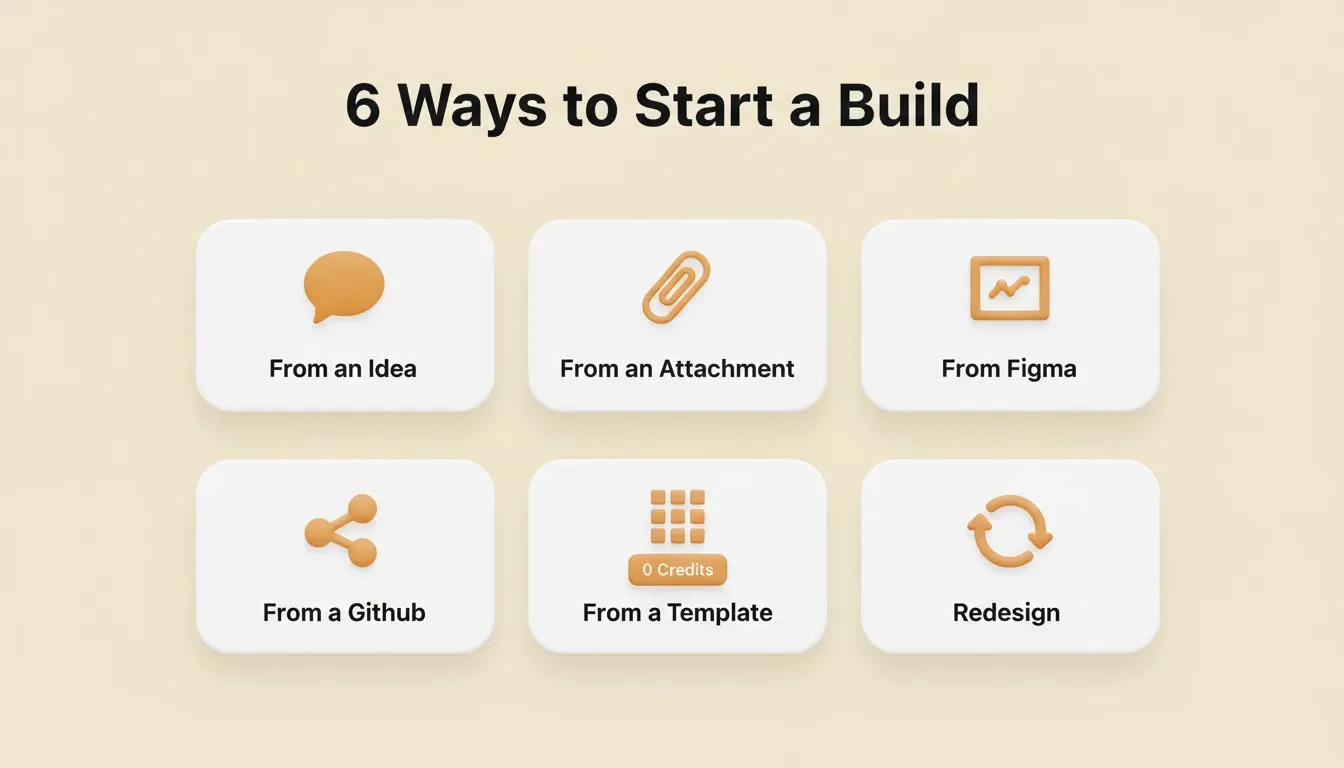
6 Ways to Start a Build — pick the starting point that matches where you are
Stage 3: Test and Iterate in the Build Editor
Once Rocket generates your app, you have three ways to iterate with no change limit.
Chat with Rocket: type natural language instructions to change anything. Rocket applies changes in context. You do not need to re-explain what already exists.
Visual Edit: click any element in the live preview to change text, style, spacing, or images directly. Every selected element also has an Ask me field. Type a plain-language change and Rocket applies it to just that element. No code required.
View and Edit Code: browse and modify source files directly in the code editor. You get full access to the generated Next.js or Flutter code. Download the source code for local development at any time.
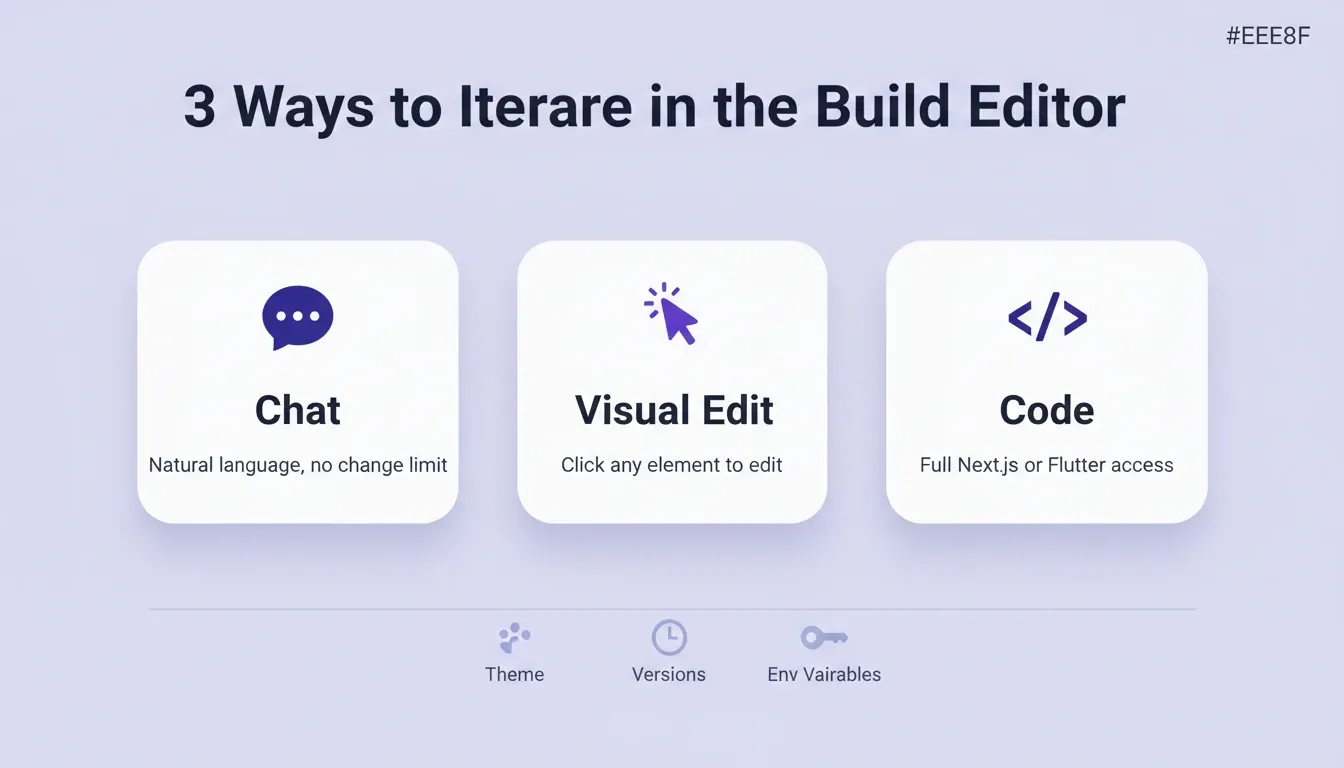
3 Ways to Iterate in the Build Editor — Chat, Visual Edit, and Code, with no change limit
Beyond the three iteration modes, the editor also includes:
-
Theme controls: change colors, fonts, and design tokens across the entire app at once
-
Versions: every Rocket response saves a new version with a code diff view, rollback, label creation, and the ability to deploy any specific version to staging or production
-
Environment variables: store API keys and secrets securely at the server level, never exposed in client code
-
Custom code injection: add JavaScript, CSS, or HTML beyond what chat and visual edit produce
-
Image and SVG generation: create custom illustrations, logos, and favicons that match your project's design identity
-
Advisor Agent: surfaces proactive suggestions as you build, helping you avoid common mistakes before they compound
Stage 4: Deploy to Staging and Production
Rocket deploys web apps to a staging URL first, then to production with a custom domain. One-click deployment includes automatic HTTPS.
Staging: publish to a private preview URL. Share it with teammates for feedback. Push updates to the same URL without rebuilding. End users cannot see this environment.
Production: go live on a custom domain. Rocket supports automatic DNS configuration for supported domain providers. For other providers, it shows the exact DNS records to add manually. You can also purchase a domain directly through Rocket from the Launch panel.
For mobile apps, Rocket generates a signed APK for Android testing or a build ready for App Store Connect and Google Play Console submission.
Speed Comparison: Traditional vs. Rocket Workflow
| Stage | Traditional Development | Rocket.new Production Workflow |
|---|---|---|
| Idea validation | 1 to 2 weeks (manual research) | Minutes (Light Solve) or ~45 min (Full Solve) |
| Ideation to mockup | 1 to 2 weeks | Minutes |
| Mockup to working code | 4 to 8 weeks | 1 to 3 minutes |
| Code to staging | 1 to 2 weeks | One click |
| Staging to production | 1 week | One click |
| Post-launch analytics setup | 1 to 3 days | Zero, built in |
| Total time to launch | 6 to 13 weeks | Same day |
After Launch: Measure and Monitor
Every deployed Rocket project includes built-in analytics and performance monitoring. Zero setup is required.
Analytics tracks visits, unique visitors, pageviews, visit duration, bounce rate, traffic source, device breakdown, and UTM campaign data. Core Web Vitals (LCP, INP, and CLS) are graded A through F. Rocket lists specific issues with estimated savings and offers one-click automatic fixes.
Intelligence monitors competitors continuously across every public platform they operate on. It delivers daily, weekly, or monthly briefs to your sidebar dashboard automatically.
What Can You Build With Rocket?
Every build ships with SEO-ready structure, WCAG accessibility compliance, GDPR coverage, and performance optimization by default. These are the baseline, not optional extras.
To understand the full range of what is possible, see what you can build on Rocket's full-stack AI app builder.
Customer-facing products:
-
Web apps: SaaS dashboards, marketplaces, AI-powered tools, and customer portals
-
Mobile apps: iOS and Android from a single Flutter codebase, ready for App Store and Google Play submission
-
Landing pages: conversion-focused pages with SEO structure, WCAG accessibility, and GDPR compliance built in
-
E-commerce stores: product catalogs, cart, checkout, and payment integrations
Internal tools and business infrastructure:
-
Internal dashboards connected to Mixpanel, Airtable, Linear, and Notion
-
Customer portals and onboarding systems
-
Compliance and governance tools, including GDPR DSAR management and audit-ready trackers
-
Investor data rooms, sales enablement platforms, and ROI calculators
Starting from what you already have:
-
From a Figma design: preserves typography, spacing, visual hierarchy, and color system
-
From a GitHub repo: picks up any existing Next.js TypeScript codebase and continues it
-
From a URL: Redesign reimagines any existing website via eight slash commands
-
From an attachment: upload a screenshot, PDF, or spreadsheet and Rocket builds from it
How to Write a Good Prompt for Rocket Build
The quality of your first prompt directly determines the quality of the initial generation. Writing effective prompts is a learnable skill. These patterns consistently produce better results.
Lead with purpose, not features. "Build a booking system for a hair salon with appointment scheduling and client management" produces a better result than "build a booking app."
Use the 3 to 5 feature rule. List the most important features upfront. Add more through chat after the first generation. Front-loading every feature in one prompt produces cluttered, inconsistent results.
Name your screens explicitly. "The app needs a dashboard, a client list, an appointment calendar, and a settings page" gives Rocket a clear structure to generate from.
Separate design from functionality. Get the features working first. Then refine the visual design in a second pass. Trying to optimize both at once slows iteration.
Include example data. For data-heavy apps, sample records in your prompt help Rocket generate realistic layouts and data models from the start.
Start lean, then iterate. A focused core app generates faster and is easier to refine. Add features through chat after the first generation looks right.
Prompt Patterns and Anti-Patterns
| Pattern | Why It Works |
|---|---|
| Start with a focused prompt | Produces a cleaner initial generation that is easier to iterate on |
| Add features incrementally | Each addition is isolated and testable |
| Test after every change | Bugs are caught immediately, not compounded |
| Reference specific designs | Anchors the visual direction and reduces ambiguity |
| Separate design from logic | Lets you optimize each dimension without interference |
| Anti-Pattern | Why It Fails |
|---|---|
| Front-loading every feature in one prompt | Produces cluttered, inconsistent results that need more rework |
| Making many changes without testing | Bugs compound and become harder to diagnose |
| Vague prompts ("make it better") | Produces generic improvements that miss your specific vision |
| Ignoring mobile until the end | Forces major restructuring late in the process |
| Over-iterating instead of shipping | Real feedback from users beats endless internal polish |
What Are the Hidden Risks of AI App Building?
Speed without structure creates problems. Many developers discover this after committing to an AI builder that produces code with no clear way to manage, customize, or scale it.
These are the risks that catch teams off guard:
-
Credit and token limits: Most platforms meter your interactions. Larger apps cost more per prompt, and experimenting burns through credits fast. Rocket's credit system covers Solve, Build, and Intelligence from one balance. There is no separate billing for compute, storage, or hosting.
-
No editable code access: Some builders lock you into their environment. You cannot export or refine code line by line. Rocket gives you full source code access and GitHub export at any time.
-
Debugging blind spots: When AI generates errors deep in the backend logic, fixing them requires product thinking and code knowledge the platform does not provide. Rocket's Advisor Agent surfaces issues proactively. The Support pillar also connects you to the Rocket team inside the platform when the AI reaches its limit.
-
Missing deployment path: Generating screens is only half the work. Without built-in test and deploy workflows, your project stays a prototype.
-
No shared memory: Most AI builders start from zero each session. You re-explain context every time. Rocket's Context pillar persists files, research, and decisions across every task in a project. Everything is remembered, every time.
-
No research layer: Most AI builders assume you already know what to build. Rocket's Solve pillar validates your idea before a single line of code generates.
The difference between a good AI builder and a risky one is whether it gives you a clear production workflow or just a collection of generated screens.
Once you ship, the next challenge is growth. Teams that scale SaaS built with AI tools consistently point to two things: a solid deployment foundation and continuous competitive awareness. Both are built into the Rocket.new Production Workflow.
Why Rocket Handles the Full Build Lifecycle
Rocket covers every stage from research to deployment inside one workspace. Where other AI builders stop at code generation, Rocket handles the full lifecycle across seven pillars.
Here is what makes Rocket a strong fit for teams that want to build real apps and ship them:
-
Research before you build: Solve validates your app idea with market research and competitive analysis. That research flows directly into your Build task before a single line of code generates.
-
Full-stack code generation: Build produces Next.js web apps and Flutter mobile apps with Tailwind CSS styling, backend logic, authentication, and database schemas.
-
Continuous competitive monitoring: Intelligence monitors competitors across every public platform they operate on. It delivers daily or weekly briefs automatically.
-
Persistent context: The Context pillar adds files, research, and decisions once. Every task in the project inherits them. Nothing is re-explained. Everything compounds.
-
Team collaboration: Shared workspaces include three-level role-based access: Admin, Creator, and Viewer. Inline comments, per-user credit allocation, and unified billing are all included.
-
25+ integrations from day one: Connect Stripe, Supabase, Google Analytics, OpenAI, Anthropic, Mailchimp, Mixpanel, Airtable, Linear, Notion, Twilio, Resend, and more. Authenticate once and they flow into every build.
-
Editable code you own: Export your codebase to GitHub, customize every file, and work with it like any hand-coded project.
-
Staging and production environments: Test on a staging URL before going live. Full version history and one-click rollback mean nothing you build is ever lost.
-
Built-in analytics: Track visitors, conversions, accessibility scores, and Core Web Vitals after launch. No separate analytics tool is needed.
-
Human help when you need it: Rocket's Support pillar connects you to the Rocket team inside the platform, with your permission, when the AI reaches its limit.
Backed by Salesforce Ventures and Accel, Rocket is built by the team that previously shipped 300+ apps through DhiWise. That founding experience shaped the platform's approach to production-grade output.
How Rocket Compares to Other AI Builders
| Feature | Rocket | Lovable | Bolt | Replit |
|---|---|---|---|---|
| Pre-build research (Solve) | Yes | No | No | No |
| Competitor monitoring (Intelligence) | Yes | No | No | No |
| Shared context across tasks | Yes | No | No | No |
| Next.js and Flutter output | Yes | Partial | Partial | No |
| Staging and production environments | Yes | No | No | Partial |
| Built-in analytics | Yes | No | No | No |
| WCAG, GDPR, and SEO by default | Yes | No | No | No |
| 25+ integrations in generation | Yes | Partial | Partial | Partial |
| Editable code and GitHub export | Yes | Yes | Yes | Yes |
| Human help inside the platform | Yes | No | No | No |
| Persistent context across sessions | Yes | No | No | No |
Who Is the Rocket.new Production Workflow For?
Rocket serves three distinct user types. Each has a different reason to use the production workflow.
The Builder: Founders, developers, and agencies shipping products. They use Build to generate web apps, mobile apps, and SaaS products faster than any traditional development approach. They use Solve to validate direction before building and Intelligence to monitor what competitors ship after.
The Operator: Product managers, marketing teams, sales teams, and consultants who need to ship landing pages, internal tools, and customer portals without a developer. They use Build for execution and Solve for research, without ever touching code.
The Platform Consolidator: Enterprise and scaled-stage teams replacing tool sprawl. Instead of separate tools for research, building, monitoring, and analytics, they run everything inside one shared-context workspace.
The path from market validation to a deployed product looks different for each user type. However, the underlying workflow is the same: research first, build from that research, and deploy with confidence.
How Do Teams Test and Deploy Without a DevOps Team?
Testing and deployment used to require a dedicated operations team. According to the JetBrains Developer Ecosystem 2024 survey, 57% of developers report that AI tools make their coding and development faster. That gap keeps growing.
The Rocket.new Production Workflow automates the parts that used to need specialists:
-
Live preview in browser: Test your app with real data and interactions before publishing to customers. Mobile apps render in a device simulator.
-
Automated error detection: The platform catches errors in your code, flags broken screens, and suggests fixes through conversational prompts.
-
Staging environment: Publish to a staging URL first. Share it with teammates for feedback. Push updates to the same URL without rebuilding.
-
One-click production deployment: No Docker configuration, no CI/CD pipeline setup, no server management. Your app goes live on a custom domain with automatic HTTPS.
-
Post-launch iteration: Continue refining your app with prompts after launch. Changes deploy instantly without downtime.
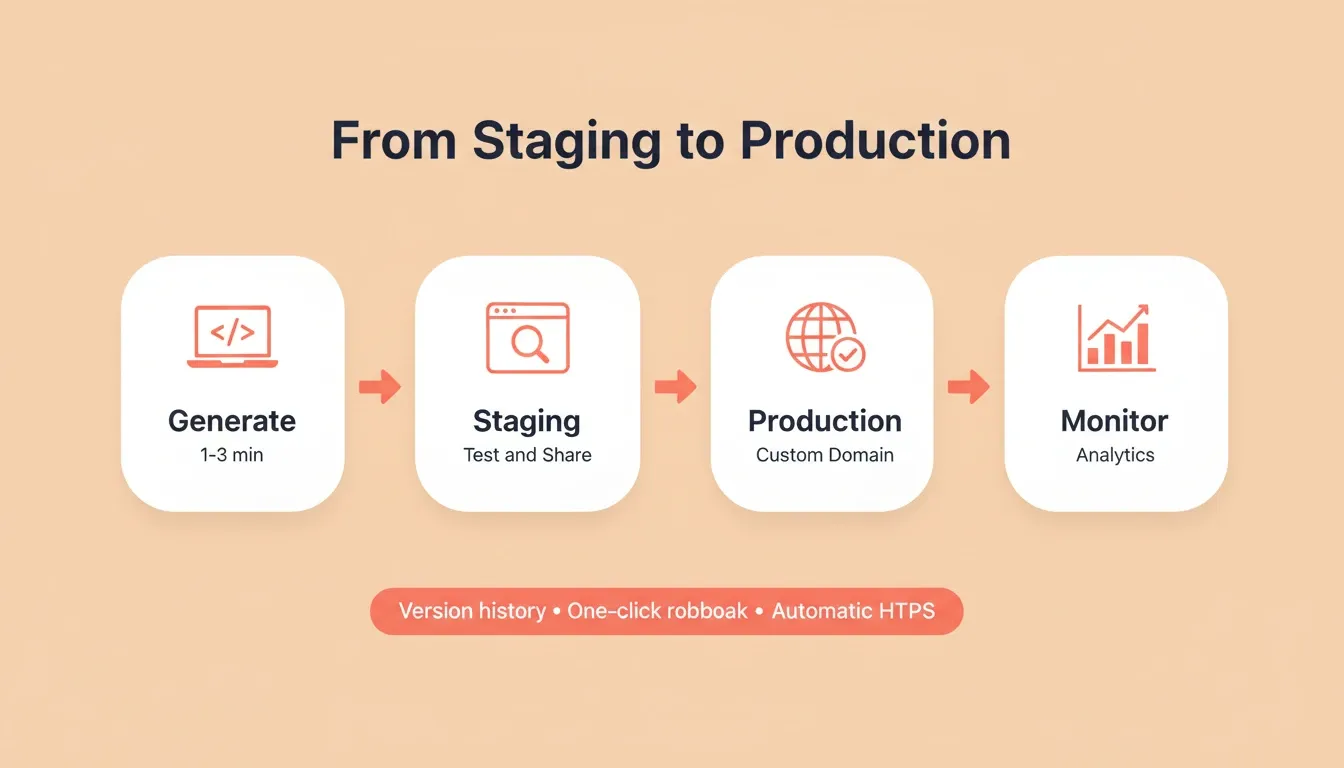
From Staging to Production — Generate, test on a staging URL, deploy to a custom domain, then monitor
For teams that want to understand deployment automation best practices beyond the platform itself, the principles of consistent pipelines, rollback planning, and post-deploy monitoring all apply here too.
Furthermore, for teams that want to build an app with AI in minutes, the barrier is no longer technical skill. It is choosing the right platform with vibe coding workflows that match how teams actually work.
The Workflow That Ships What You Actually Meant to Build
The gap between a product idea and a live app has never been smaller. The Rocket.new Production Workflow gives developers, founders, and product teams a structured path from research to deployment. No infrastructure management, no context re-explaining, no tool stitching required.
As AI-driven development matures, the teams that ship fastest will be the ones who start with validated thinking, not just faster code generation. That is the direction the entire industry is moving. It is also the architecture Rocket was built around from day one.
You type the problem. Rocket researches it, builds from that research, and deploys it. Start building on Rocket.new and ship your first production-ready app today.
Table of contents
- -How Does an AI App Builder Speed Up Development?
- -What Does a Production-Ready Code Workflow Look Like?
- -Stage 1: Research and Validate With Solve
- -Stage 2: Generate Code With Build
- -Stage 3: Test and Iterate in the Build Editor
- -Stage 4: Deploy to Staging and Production
- -Speed Comparison: Traditional vs. Rocket Workflow
- -After Launch: Measure and Monitor
- -What Can You Build With Rocket?
- -How to Write a Good Prompt for Rocket Build
- -Prompt Patterns and Anti-Patterns
- -What Are the Hidden Risks of AI App Building?
- -Why Rocket Handles the Full Build Lifecycle
- -How Rocket Compares to Other AI Builders
- -Who Is the Rocket.new Production Workflow For?
- -How Do Teams Test and Deploy Without a DevOps Team?
- -The Workflow That Ships What You Actually Meant to Build