

Rocket templates are ready-made website and landing page templates across 40+ categories that help you launch a site in minutes instead of starting from scratch. Pick one, customise it with AI, and launch in minutes, not weeks. No blank screen. No building from scratch.
What Are Rocket Templates and Why Should You Care?
Rocket templates are pre-designed website and landing page structures built for specific industries and use cases.
Each template includes:
- structured page layouts
- ready-made sections
- visual styles and typography
- content placeholders for fast editing
Instead of building a website from an empty page, you start with a structure that already matches your goal.
For example, you might start with:
- a startup landing page template
- a freelancer portfolio template
- a business website template
- an ecommerce storefront layout
- a blog or editorial website landing page template
From there, you customize the content, design, and layout using Rocket’s AI website builder.
The result is a working website that can be launched far faster than traditional development workflows.
How These 25K+ Website Templates Speed Up the Launch Process
Building a website from scratch means planning layouts, designing sections, writing content, and structuring pages before anything goes live. That process can take days or even weeks.
Templates remove most of that early work.
Instead of designing every section yourself, you start with a layout that already matches your type of website, similar to how AI website generator tools give you a ready-made structure to work from.
Take a startup landing page template as a real example. It may already include:
- A hero section with a headline and call to action
- Product feature blocks to highlight what you offer
- Testimonials and social proof to build trust
- A pricing section to present your plans
- An email signup form to capture leads
You fill in your details and launch. That is the whole process.
Templates are specially useful for anyone comparing no-code website builders for fast site creation:
- Startup founders who want to validate an idea quickly without a full dev cycle
- Freelancers who need a professional portfolio site up fast
- Agencies building marketing or campaign landing pages for clients
- Small businesses launching their first web presence without a big budget
How to Choose the Right Rocket Template (Without Scrolling Through 25K Options)
When you open the Rocket templates library, you will see thousands of templates organised into 40+ categories.
The challenge is not finding templates. The challenge is choosing the right starting point quickly.
Instead of scrolling endlessly, follow a simple decision process.
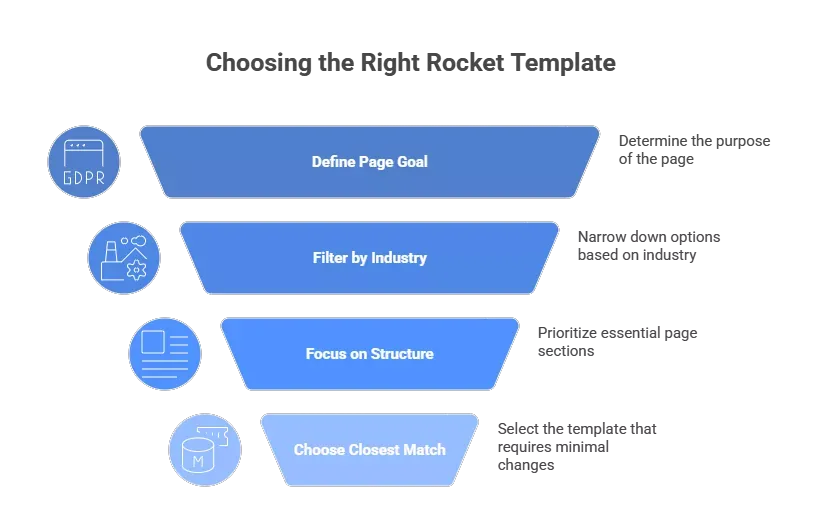
Step 1: Start with the Goal of the Page
Before choosing any template, decide what the page is meant to do.
Most websites fall into one of these goals:
- capture leads for a product or service
- showcase a portfolio or creative work
- sell products online
- present a business or agency website
- publish articles or editorial content
Once you know the goal, the right category becomes obvious.
For example:
| Goal | Best Template Category |
|---|---|
| Product launch or waitlist | Startup & Launch |
| Consulting or agency site | Professional Services |
| Content publishing | Blog & Editorial |
| Online store | Retail & E-Commerce |
| Creative portfolio | Portfolio & Agency |
Step 2: Filter by Industry
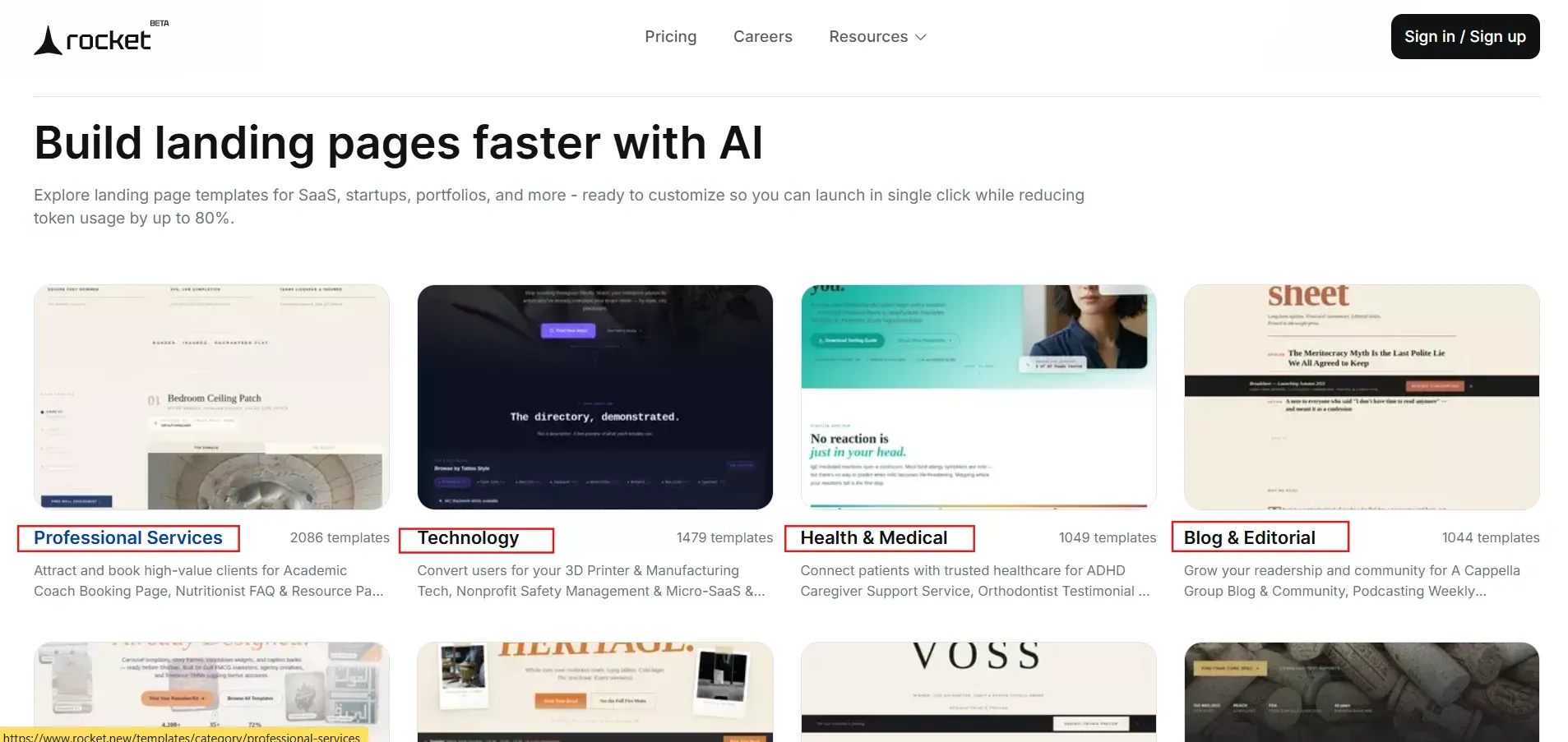
| Category | Number of Templates | Best for Website and Landing Pages |
|---|---|---|
| Professional Services | 2,086 | Agencies, consultants, service businesses |
| Technology | 1,191 | SaaS, internal tools |
| Health & Medical | 1,049 | Clinics, wellness, telehealth |
| Blog & Editorial | 1,044 | Content sites, magazines, news |
| Retail & E-Commerce | 1,038 | Online stores, product landing pages |
| Food & Beverage | 1,021 | Restaurants, cafes, delivery sites |
| Portfolio & Agency | 675 | Creative portfolios, agency sites |
| Startup & Launch | 76 | SaaS sites, waitlists |
Step 3: Focus on Structure, Not Colors
A common mistake people make is choosing a template because they like the colors or typography.
Those are the easiest things to change later.
What actually matters is the page structure.
Look for templates that already include the sections you need, such as:
- hero section with a strong headline
- feature or service blocks
- testimonials or social proof
- pricing sections
- call-to-action blocks
If the structure matches your goal, the template will be easy to customize.
Step 4: Choose the Closest Match (Not the Perfect One)
You do not need a perfect template.
You only need the closest starting point.
Once the template loads inside the Rocket builder, you can:
- change content
- add or remove sections
- update layouts
- modify colors and typography
The goal is simply to start with a structure that saves you the most time.
Templates are meant to accelerate the first 80% of the work. The remaining 20% is for customizing the site to match your brand.
Who Uses Rocket Templates? Real Website Examples
Rocket templates are used by founders, creators, and businesses who want to launch websites quickly without starting from a blank page, leveraging Rocket’s broader AI-powered app builder.
Below are some common ways people use these templates, drawing on patterns from high-converting landing page templates.
| User Type | What They Want to Build | How Templates Help |
|---|---|---|
| Startup Founder | A product landing page to collect waitlist sign-ups | Picks a Startup & Launch template, adds headline, product features, and signup form, and launches the page the same day |
| Freelancer | A portfolio website to showcase projects | Uses a Portfolio & Agency template, uploads work samples, adds bio and contact form, and shares the site with clients |
| Small Business Owner | A website to promote services or accept orders | Chooses a Business or Food & Beverage template with service sections, menus, and contact forms already built in |
| Coach / Consultant | A service landing page for bookings and programs | Uses templates with booking sections, testimonials, and call-to-action buttons to promote services |
| Nonprofit Organization | A donation and community website | Picks a Community & Nonprofit template that includes donation sections, volunteer info, and event updates |
In each case, the template provides the starting structure. Users only customize the content and branding before publishing their website.
Early Feedback from Builders Using Templates
One of the biggest challenges in building a website is not the technology. It is the starting point.
When people open a blank page, they immediately face dozens of decisions.
-
What sections should the page include?
-
What should the headline say?
-
Where should the call-to-action go?
-
What should the layout look like?
Templates remove most of that uncertainty.
Here are a few common reactions shared by founders and creators:
Founder, early-stage SaaS: “The biggest unlock is not AI alone. It’s AI plus good templates. You stop staring at blank screens and actually start shipping.”
Freelance designer: “Templates remove the hardest part of website building - figuring out where to start.”
Indie builder: “Instead of designing every section from scratch, I just tweak what already exists.”
SEOs: Users can modify Rocket templates by sending plain English instructions to the AI chat.
These reactions highlight why templates work so well.
They remove the friction of starting. Instead of staring at an empty page, you begin with a working landing page structure and build from there. Rocket generates everything your app needs in one continuous flow.
Do You Want to Design… or Launch?
Every new website starts the same way.
A blank page.
Then the questions begin.
-
What sections should go first?
-
Where does the headline go?
-
How should the page flow?
Rocket templates skip that entire stage, especially when combined with an AI web app builder.
Instead of designing everything from scratch, you start with a layout that already works.
Pick a template.
Shape it with AI, similar to how an AI UI generator designs modern web apps.
Launch your landing page.
Table of contents
- -What Are Rocket Templates and Why Should You Care?
- -How These 25K+ Website Templates Speed Up the Launch Process
- -How to Choose the Right Rocket Template (Without Scrolling Through 25K Options)
- -Step 1: Start with the Goal of the Page
- -Step 2: Filter by Industry
- -Step 3: Focus on Structure, Not Colors
- -Step 4: Choose the Closest Match (Not the Perfect One)
- -Who Uses Rocket Templates? Real Website Examples
- -Early Feedback from Builders Using Templates
- -Do You Want to Design… or Launch?


