
LangGraph structures AI agents into graph-based workflows using nodes, edges, and shared state. This tutorial covers building two- and three-agent systems with conditional routing and production-safe state management patterns in Python.
LangGraph multi-agent workflow tutorial for developers who want to build production AI systems using nodes, edges, state, and conditional routing. This guide walks through every concept and code pattern you need, from a two-node pipeline to a three-agent supervisor system with real Python examples.
This LangGraph multi-agent workflow tutorial shows how LangGraph organizes a multi-agent architecture around three key components: nodes, edges, and state. You will see, step by step, how to build multi-agent workflows in Python with agent functions as nodes, execution flow as edges, and a shared state dictionary that carries conversation context, conversation history, and other data across the graph.
How LangGraph Organizes Multi-agent Systems
Before writing a single line of code, you need a clear mental model of how LangGraph organizes multi-agent systems. Think of it like a subway map: stations are nodes, tracks are edges, and the train carrying passengers between stations is your state object.
Every LangGraph application rests on three building blocks.
-
Nodes are Python functions where agents live. Each node takes the current state, performs work (an LLM call, text generation, a search tool invocation, Python code execution, or other custom code), and returns an updated state. One agent per node is the standard pattern, though a node can contain any logic you need, including calls to external tools.
-
Edges define the connections between nodes and control which node runs next. Edges can be static (always go from A to B) or conditional (route to different agents based on output quality, user input, business logic, or conversation context).
-
State is a shared dictionary (typically a TypedDict in Python) that flows through the entire graph. Every node reads from state and writes back to it. This is how agents communicate: not by calling each other directly, but by reading and updating a shared state object that travels along the edges. In production, that usually means preserving conversation history instead of overwriting it.
The graph always starts at an entry point node and terminates when it reaches the END marker. Between those two points, your agents collaborate on complex tasks by passing state through edges, with each node running its logic and updating the shared context.
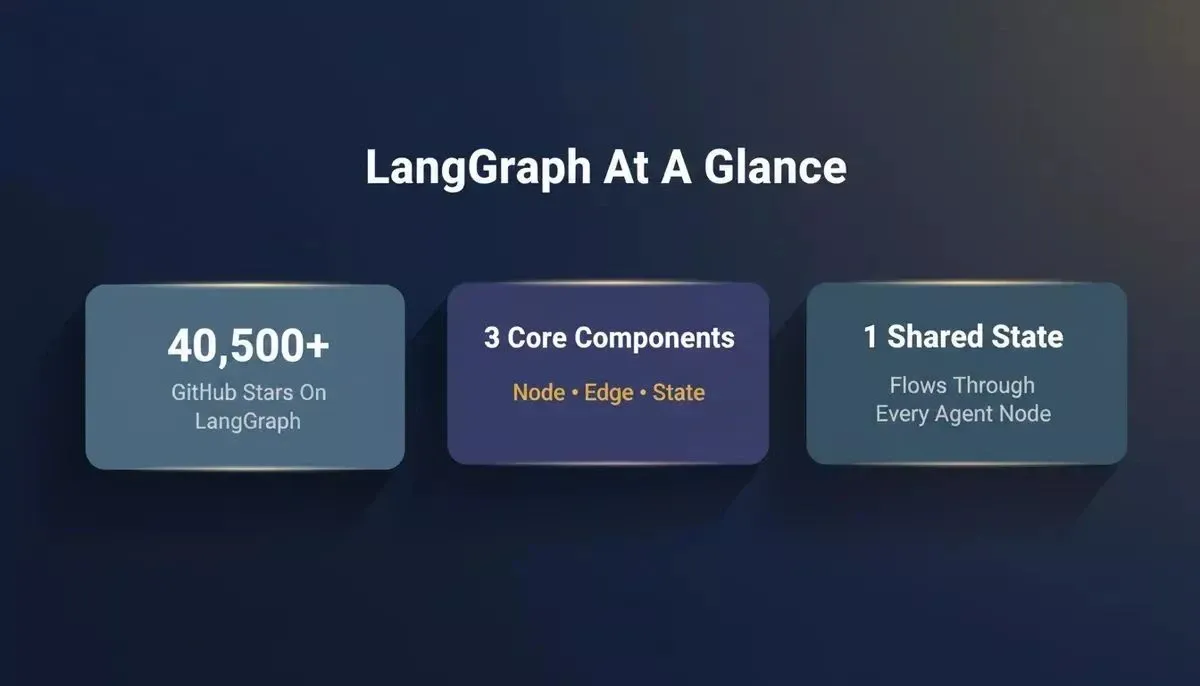
LangGraph by the numbers: 40,500+ GitHub stars, three core components, and one shared state object that connects every agent.
| Component | What It Is | Real-World Analogy |
|---|---|---|
| Node | A Python function containing one agent | A specialist on a team with a specific job |
| Edge | A connection defining execution flow | The handoff protocol between team members |
| State | Shared dictionary flowing through the graph | The project brief that everyone reads and updates |
| Entry Point | The first node that receives user input | The intake desk that starts the process |
| END | Termination signal for the graph | The final deliverable is leaving the team |
This architecture makes multi-agent applications predictable. You can trace exactly which node produced which output, which edge was taken, and what the state looked like at every step. That traceability matters when you move from a notebook to production systems, where sophisticated workflows, human oversight, sensitive data handling, and separate deployment needs across different teams all make ad-hoc agent chains harder to manage.
If you are a developer or engineer building production-ready orchestration, this section gives you the foundation for the practical code examples that follow, including conditional routing, state management mistakes to avoid, and patterns you can extend to real-world applications such as a rag system, supervisor-based routing, or agents that access external tools through layers like the model context protocol. If you prefer a workflow builder instead of code, the article also points to a no-code path with Rocket, so you do not need prior experience with LangGraph to follow the core ideas.
How Do You Build a Two-Agent Node Research-and-Writer Graph?
Now that the mental model is clear, let's build something real. This section walks through a complete two-node agent workflow line by line, with a researcher agent that gathers information and a writer agent that produces the final answer.
- Step 1: Define your state schema. The state schema is a TypedDict that describes what information flows through the graph. For a research-and-write workflow, you need fields for the user's question, search results, and the final answer.
1from typing import Annotated, TypedDict
2from langgraph.graph import StateGraph, END
3from langchain_openai import ChatOpenAI
4
5class ResearchState(TypedDict):
6 question: str
7 search_results: Annotated[list, "append"]
8 final_answer: str
- Step 2: Create the researcher node. This agent node takes the user's question from the state, calls a search tool, and writes findings back. LangGraph can also integrate external tools for search, APIs for dynamic retrieval, and local databases for real-time data access. Understanding tool calls and API connections is key to choosing the right tool for each agent node.
Simple Python functions can be turned into agent tools with the @tool decorator before you wire them into a graph.
1from langchain_community.tools import TavilySearchResults
2
3search_tool = TavilySearchResults(max_results=3)
4
5def researcher_node(state: ResearchState) -> dict:
6 """Researcher agent: searches for relevant information."""
7 query = state["question"]
8 results = search_tool.invoke({"query": query})
9 return {"search_results": results}
LangGraph also supports web-search integrations such as Serper, and the same pattern works for python code tools when an agent needs analysis or charting.
- Step 3: Create the writer node. The writer agent reads search results from the state and generates a structured final answer using an LLM call.
1llm = ChatOpenAI(model="gpt-4o", temperature=0.3)
2
3def writer_node(state: ResearchState) -> dict:
4 """Writer agent: produces final answer from research."""
5 context = str(state["search_results"])
6 prompt = f"Based on this research: {context}\n\nAnswer: {state['question']}"
7 response = llm.invoke(prompt)
8 return {"final_answer": response.content}
- Step 4: Connect nodes with edges and compile. Build the graph by adding nodes, connecting them with edges, setting the entry point, and calling compile. The compiled graph is ready to invoke.
1graph = StateGraph(ResearchState)
2
3graph.add_node("researcher", researcher_node)
4graph.add_node("writer", writer_node)
5
6graph.set_entry_point("researcher")
7graph.add_edge("researcher", "writer")
8graph.add_edge("writer", END)
9
10app = graph.compile()
11
12# Run the workflow
13result = app.invoke({"question": "What are the top AI agent frameworks in 2026?"})
The key insight here is separation of concerns. Each agent has one primary job. The researcher does not write. The writer does not search. State carries context between them without tight coupling.
The LangGraph repository with 40.5k stars contains dozens of examples built on this exact foundation. Each node is just a Python function: you can unit test these independently, swap in different language models, or add new tools without touching other agents.
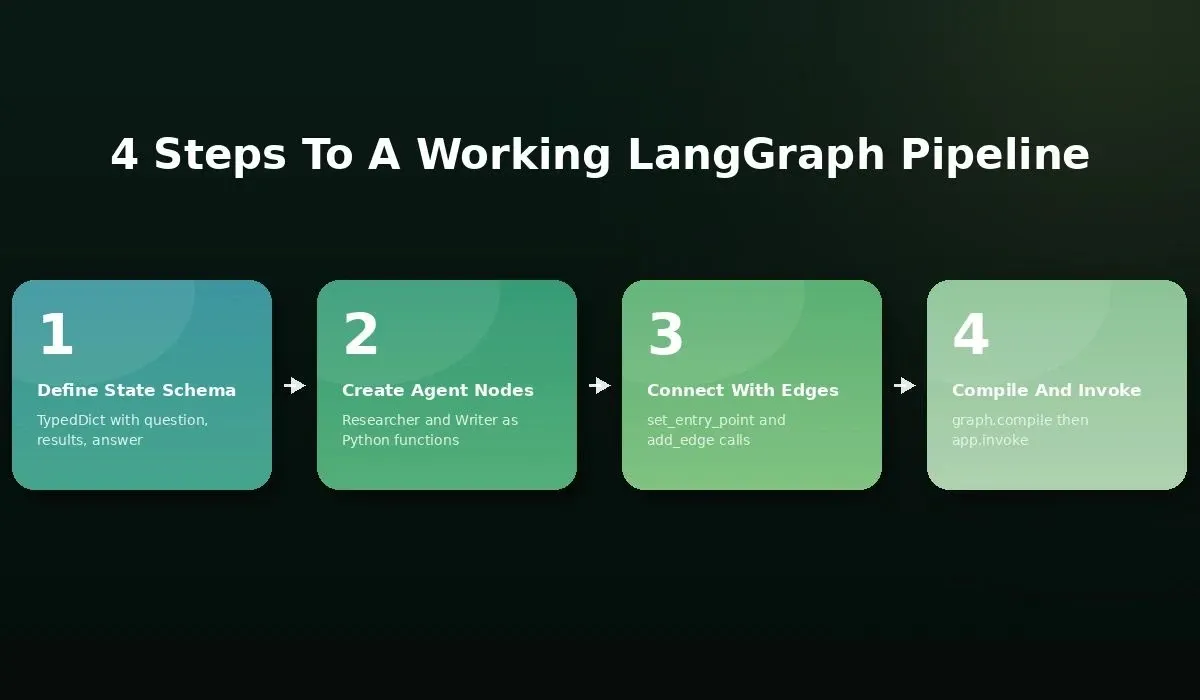
Four steps to a working LangGraph pipeline: define state, create nodes, connect edges, compile and invoke.
If your primary goal is parallel research across multiple data sources, Rocket Solve runs multiple agents simultaneously on decomposed queries without requiring you to wire up the graph yourself.
How Does Conditional Routing Work With Three Agents?
Static edges work for simple pipelines. But real-world multi-agent applications need conditional routing: the ability for the graph to decide which agent node runs next based on the output of the previous step. This is where LangGraph becomes significantly more powerful than a linear chain.
The pattern: supervisor agent + specialized workers. A supervisor agent inspects output quality and routes work to the right next node. This approach is closely related to spec-driven development, where you define what "good enough" means before the agents start running.
Three-agent conditional routing: the supervisor quality-checks research before deciding whether to pass work to the writer or loop back through the validator.
- The validator agent checks the work before it moves forward. This agent acts as a quality gate. It reads the search results, scores them, and either approves the handoff to the writer or flags issues that send the workflow back for more research.
1def route_decision(state: dict) -> str:
2 """Supervisor agent: routes based on research quality."""
3 results = state.get("search_results", [])
4 if len(results) < 2:
5 return "validator"
6 if state.get("quality_score", 0) < 0.7:
7 return "validator"
8 return "writer"
9
10graph.add_conditional_edges(
11 "researcher",
12 route_decision,
13 {"validator": "validator", "writer": "writer"}
14)
1def validator_node(state: dict) -> dict:
2 """Validator agent: scores research quality."""
3 results = state["search_results"]
4 prompt = f"Score these results 0-1 for completeness: {results}"
5 score = llm.invoke(prompt)
6 return {"quality_score": float(score.content)}
Conditional edges define branching logic at runtime. Unlike static edges that always go from A to B, conditional edges call a routing function that returns the name of the next node. The supervisor agent's routing function can implement any business logic: checking token counts, validating data formats, or comparing against thresholds.
This three-agent pattern (researcher, validator, writer) is the foundation of most production multi-agent systems. The supervisor agent decides. The workers execute. The graph structure makes it simple to add a fourth or fifth agent without rewriting existing logic.
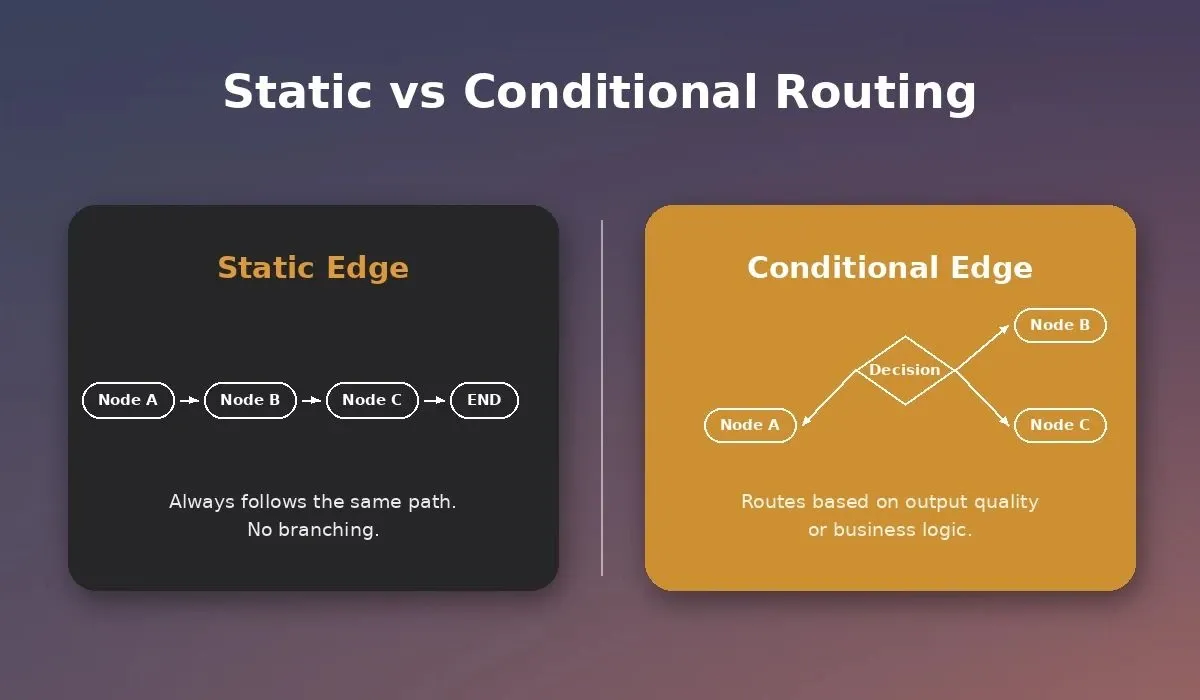
Static edges always follow the same path. Conditional edges route dynamically based on agent output, enabling intelligent multi-step workflows.
Understanding the difference between single-agent chains and multi-agent routing is critical for building production systems. The distinction between agentic AI and standard AI agents determines when graph-based coordination actually adds value versus when a simple LLM call would suffice.
What Are the Most Common State Management Mistakes?
State management is where multi-agent workflows quietly fail in production. The graph compiles fine. The agents produce output. But the results are wrong, incomplete, or inconsistent because of how state flows between nodes. These are exactly the kinds of failures that production AI tutorials rarely cover — they surface only under real workloads, not in controlled demos.
Here are the three mistakes that cause silent failures in stateful multi-agent systems.
- Mistake 1: Overwriting state instead of appending. When multiple agents write to the same state key, the default behavior overwrites. If your researcher writes search results and then a second researcher node also writes to "search_results", the first set vanishes. The fix: use Annotated types with a reducer function (like operator.add for lists) so parallel outputs merge rather than replace. Preserving conversation history in state matters for the same reason: agent interactions should accumulate messages rather than replace them.
1from typing import Annotated
2import operator
3
4class SafeState(TypedDict):
5 messages: Annotated[list, operator.add] # Appends, never overwrites
6 search_results: Annotated[list, operator.add]
-
Mistake 2: Missing reducer functions for parallel execution. LangGraph supports parallel execution where multiple agents run simultaneously. Without a reducer, the graph cannot merge outputs from different agents into one coherent state. Always define reducers for any state key that receives writes from more than one agent.
-
Mistake 3: Unbounded message lists that exceed context windows. Every LLM call appends messages to state. Over a long conversation or a complex workflow, the message list grows until it exceeds the model's context window. Production systems need trimming logic: a sliding window, a summarization step, or checkpointing. With persistent checkpoint backends, LangGraph can checkpoint state to SQLite after each node execution.
1# State persistence with checkpointing
2from langgraph.checkpoint.memory import MemorySaver
3
4checkpointer = MemorySaver()
5app = graph.compile(checkpointer=checkpointer)
6
7# Invoke with thread_id for state persistence
8config = {"configurable": {"thread_id": "session-001"}}
9result = app.invoke({"question": "Latest AI news"}, config=config)
These three mistakes account for most silent production failures in multi-agent applications. The graph looks correct. Tests pass on small inputs. Then the system breaks under real workloads because state was never designed for the concurrent, long-running nature of production agent workflows.
*"The most successful implementations weren't using complex frameworks or specialized libraries. Instead, they were building with simple, composable patterns." — Erik S. and Barry Zhang, *Anthropic Engineering
Why Rocket Runs Multi-Agent Logic Without Python
Everything above requires Python, LangGraph knowledge, and manual state schema design. But the underlying concept, multiple specialized agents collaborating through a structured graph with conditional routing, is not limited to code-first approaches.
-
Rocket Solve uses the same parallel agent architecture. When you ask a business question on Rocket, the platform decomposes it into multiple research queries and assigns each to a separate agent stream. These agents run simultaneously, each with specialized tools for different data sources. The results merge into a structured report through the same reducer-style pattern that LangGraph makes explicit in Python.
-
No environment setup required. You do not need to configure API keys, install Python packages, or manage API key rotation. The agents, tools, and state management are handled by the platform. You describe what you want researched, and the multi-agent system produces the output.
-
Conditional routing happens automatically. If one research stream finds conflicting data, the system routes to a validation step before producing the final answer. This is the same supervisor agent pattern shown earlier, running without any configuration from you, though production deployments often still include human oversight for edge cases and approvals.
-
Built for founders, not just developers. LangGraph is the right tool when you need full control over agent behavior, custom tool calls, and specialized knowledge base connections. Rocket is the right tool when you want multi-agent power applied to business decisions, market research, and product strategy without touching a command line. Human-in-the-loop workflows improve quality and reliability when automation alone is not enough, especially when separate components are owned by different teams.
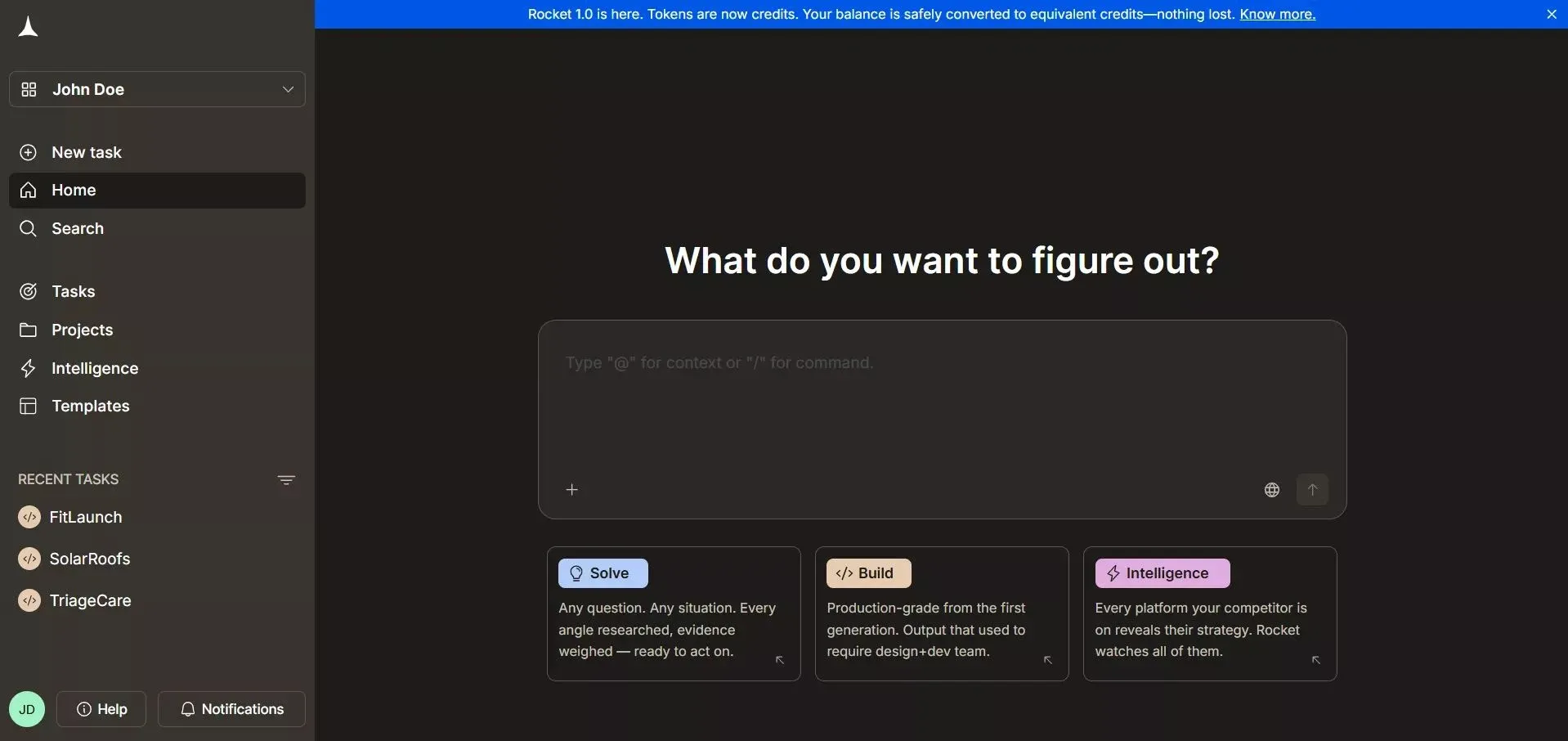
Rocket.new combines Solve for research, Build for app generation, and Intelligence for competitor monitoring, all in one connected platform.
For teams that need both approaches, Rocket also builds production-ready Next.js web apps and Flutter mobile apps from natural language. You can use LangGraph for custom agent logic and Rocket for everything else in your workflow.
Rocket's Build module includes an Advisor Agent, a senior architect sub-agent that runs on Claude Opus in read-only mode. It diagnoses root causes, resolves error loops, and makes architectural decisions so the coding agent never gets stuck. It never writes code directly; it returns structured analysis, root causes, a recommendation, and a trade-off table.
For teams exploring business automation without writing code, Rocket's managed multi-agent approach removes the infrastructure overhead entirely while preserving the same orchestration logic.
Your Next Step in Production Multi-Agent Systems
You now have the complete mental model for this guide’s multi-agent architecture: nodes hold agents, edges control flow, state carries context, and conditional routing adds intelligence. The code examples in this guide run as-is with LangGraph installed. Copy them, modify the prompts, swap the tools, and you have a working multi-agent system ready for production testing.
The gap between a notebook prototype and a shipped product is smaller than it looks. The discipline that closes it is not just knowing the framework; it is applying the same review gates, specification habits, and test coverage that senior engineers bring to every AI-assisted workflow. Whether you write every line of Python yourself or let a platform like Rocket handle the orchestration, the pattern remains the same: specialized agents, structured communication, and clear routing logic, which is what makes sophisticated workflows reliable in production.
Ready to apply multi-agent orchestration to real business problems and real-world applications without writing Python?
Rocket.new turns business questions into multi-source research reports using the same graph-based orchestration covered in this guide. Describe your problem, watch multiple agents work in parallel, and get structured answers, no environment setup required.
Table of contents
- -How LangGraph Organizes Multi-agent Systems
- -How Do You Build a Two-Agent Node Research-and-Writer Graph?
- -How Does Conditional Routing Work With Three Agents?
- -What Are the Most Common State Management Mistakes?
- -Why Rocket Runs Multi-Agent Logic Without Python
- -Your Next Step in Production Multi-Agent Systems