
Cursor AI is a VS Code-based code editor that accelerates writing. Rocket is a full stack AI app builder that takes an idea from research to deployed product. This blog breaks down which tool fits your workflow and why the difference matters in 2026.
What separates a faster code editor from a platform that ships the entire product?
That question defines the AI coding tools debate in 2026. According to Stackademic's April 2026 report, 84% of developers now use AI coding tools daily. Yet only 29% trust the output enough to ship it to production without heavy review.
The gap between generating code snippets and delivering a working product remains wide. Cursor AI sits firmly on the code-generation side, an AI-powered IDE built on a VS Code fork. Rocket takes a different approach entirely, handling everything from planning to deployment inside a single platform.
What Makes These Two Tools Fundamentally Different?
Cursor and Rocket sit in completely different categories of the AI coding space. Both help developers build software faster, but they serve very different moments in the process.
Cursor is a VS Code fork that lives inside your existing development environment. It adds AI features like code completion, inline completions, and multi-file editing directly into the editor you already know. The focus is on making experienced developers write code faster within existing workflows.
Rocket is a full stack AI app builder and the world's first Vibe Solutioning platform. Describe what you want in plain English, and Rocket produces production-ready code with frontend, backend, database, hosting, and deployment included. No configuration is required, and no infrastructure needs managing.
The fundamental difference is scope. Cursor helps professional developers code faster inside VS Code. In contrast, Rocket takes an idea from concept to live app without requiring you to manage multiple tools or stitch together services manually.
![Tool category comparison showing Cursor AI as a code editor versus Rocket as a full stack AI app builder with deployment included]
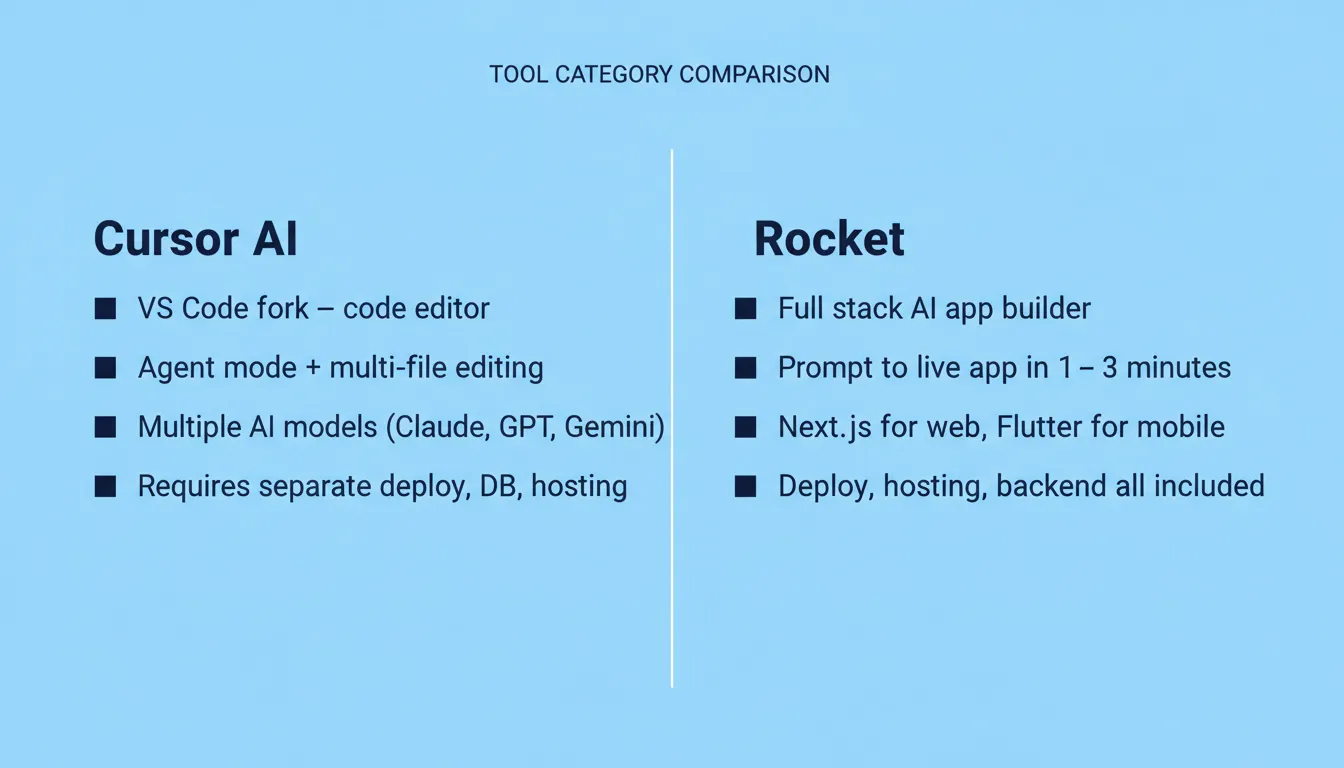
Tool category comparison showing Cursor AI as a code editor versus Rocket as a full stack AI app builder with deployment included
| Category | Cursor AI | Rocket |
|---|---|---|
| Core function | AI code editor (VS Code fork) | Full stack AI app builder |
| Code generation | Inline completions, agent mode | Complete app from prompt |
| Pre-build intelligence | None | Solve: validate ideas before writing a line |
| Deployment | Not included | One-click to live URL |
| Backend | You configure separately | Generated with database and APIs |
| Shared team memory | No — each session starts fresh | Yes — context carries across all tasks |
| Target user | Experienced developers | Developers, founders, teams |
Decision flowchart: Cursor handles the coding layer. Rocket handles the full arc, from research through deployment.
How Does Cursor AI Handle Code Editing and Generation?
Cursor AI has gained serious traction among professional developers. It delivers AI assistance without requiring them to leave their familiar editor environment.
Built as a VS Code fork, Cursor carries over the full extension ecosystem. Your existing keybindings, themes, and settings all work. Experienced developers familiar with Visual Studio Code can start immediately without learning a new interface.
Agent mode for multi-file editing handles multi-step tasks across your entire codebase. It reads context across files, runs terminal commands, and applies changes across an entire project. This capability sets it apart from simpler code completion tools like GitHub Copilot.
Cursor Composer lets you describe changes across your codebase in natural language. It plans and executes edits across multiple files simultaneously. This is especially useful for refactoring or implementing features that touch many files at once.
Cursor offers access to multiple AI models, including Claude, GPT, and Gemini. It supports multiple programming languages, including Java, Rust, and TypeScript. According to Cursor's Spring 2026 Developer Habits Report, lines added per developer per week jumped from 3,600 in January 2025 to over 8,600 by May 2026.
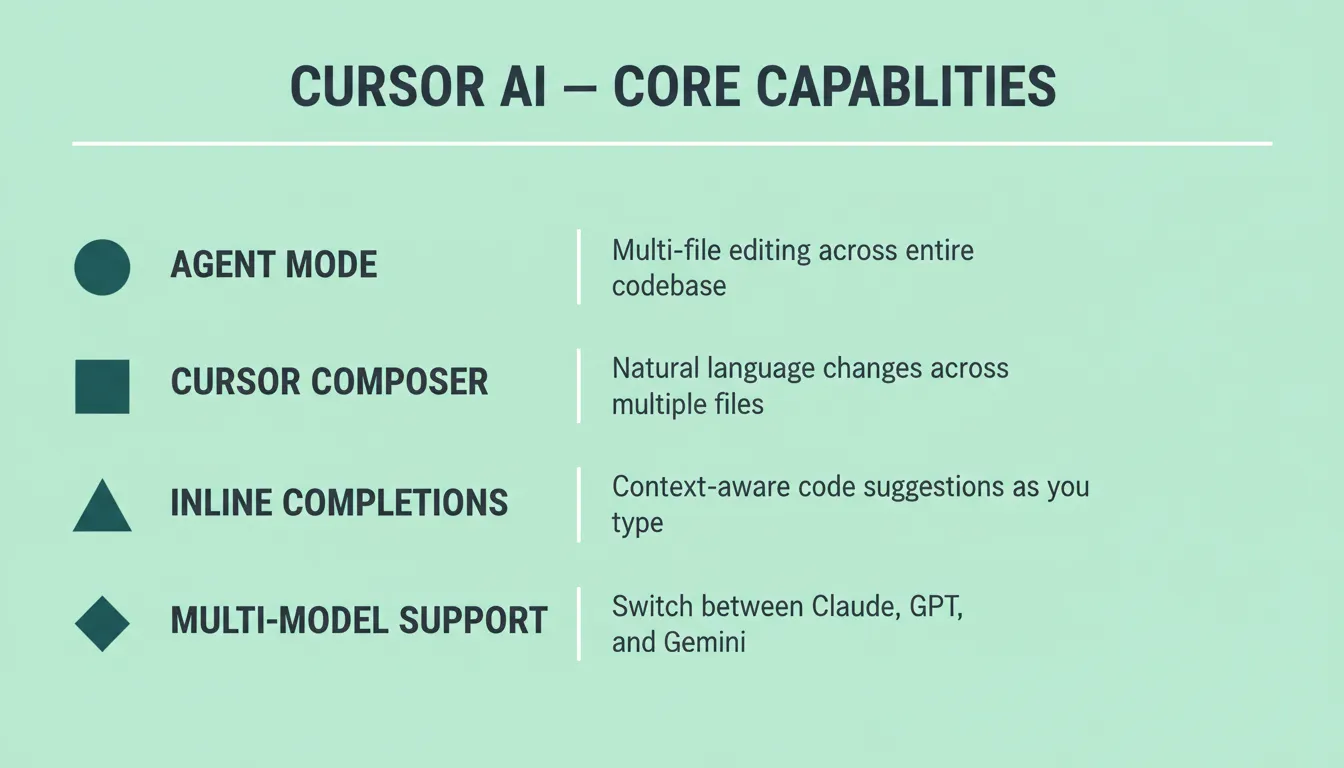
What Cursor does not do: It does not deploy your app, set up your database, or handle hosting. You still need to bring your own infrastructure and manage deployment separately. Additionally, every session starts fresh. There is no shared team memory between sessions.
As one developer on r/cursor noted: "I'm working as a full-stack dev and mostly use Cursor, but I often have to switch to Copilot or Antigravity when I hit usage limits." That friction of hitting ceilings and managing separate services is exactly what a full stack platform eliminates.
Where Does Rocket Fit in Full Stack App Delivery?
Rocket approaches the development process from a fundamentally different angle. Rather than helping you write code line by line, it generates the complete product. It also provides the intelligence layer that determines what to build before a single line of code is written.
Solve: Pre-build intelligence. Rocket includes Solve, a research engine that turns complex business questions into structured, evidence-backed reports. Before you build anything, Solve helps you validate ideas, size markets, run competitive analysis, and answer strategic questions. This is a capability Cursor has no equivalent of.
Build: Prompt to live app. Describe your idea in plain English and Rocket generates a working application with UI, navigation, logic, backend APIs, and database schema. The framework is assigned automatically: Next.js for web applications and Flutter for mobile apps. Most apps generate in one to three minutes.
Built-in deployment and hosting. Click launch and your app goes live with a shareable URL. Rocket handles staging environments, production deployment, custom domains, and HTTPS automatically. No separate hosting provider or DevOps configuration is needed.
Production-ready code by default. Every build ships with SEO-ready structure, WCAG accessibility compliance, GDPR coverage, and performance optimization. These are baseline defaults, not optional extras you configure after the fact.
Shared context architecture. Add your research, brand guidelines, and competitive analysis once. Every task that follows already knows everything. The Solve report that validated your direction becomes the foundation of the Build. Every task makes the next one smarter.
Intelligence: Continuous competitive monitoring. Rocket also includes Intelligence, which monitors every public platform a competitor operates on. It tracks pricing pages, social media, reviews, and job postings, then interprets what the signals mean for your business. Cursor has no awareness of your market or competitive landscape.
1.5 million people have tried Rocket across 180 countries, from solopreneurs to enterprise teams. Rocket is backed by Salesforce Ventures and Accel.
Why Developers Pick Rocket for Complete App Delivery
When comparing Cursor vs Rocket for full stack development, the difference becomes clear at the point where code meets production. Cursor helps you write code faster. Rocket ships the finished product.
One platform replaces multiple tools. With Cursor, experienced developers still need GitHub for version control, Vercel or Netlify for hosting, Supabase or Firebase for backend, and Stripe for payments. Rocket handles all of this with built-in Supabase integration and 25+ connectors, including Stripe, Google Analytics, Mailchimp, and more.
A free tier that actually lets you build. Rocket offers a free plan with credits to generate and test real apps. The free tier includes full code generation, live preview, and the ability to launch. No credit card is required to start.
Built for both technical and non-technical users. Cursor requires deep coding knowledge. You need to understand architecture, write code, debug errors, and manage dependencies. Rocket works for professional developers who want speed and for founders, designers, and product teams who want to ship without writing code manually.
Deployment is one click, not one week. After generating your app, Rocket deploys to staging with a single action. Connect a custom domain, push to production, and monitor performance with built-in analytics. The entire deployment process that takes experienced developers days with Cursor takes minutes on Rocket.
Furthermore, the context depth advantage means Rocket handles planning and generation while Cursor handles fine-grained editing. For teams who want a single platform from idea to live product, Rocket is the clear choice.
How Do Pricing and Plans Stack Up?
Cost matters, especially when you factor in all the other tools you need alongside your AI coding assistant.
| Plan | Cursor AI | Rocket |
|---|---|---|
| Free tier | Limited completions, limited agent requests | Free plan with credits for full app generation |
| Individual paid | $20/mo (Pro): higher usage limits | Paid plans starting for individual creators |
| Team/Business | $40/mo per user: audit logs, SSO, admin controls | Team plans with shared workspaces, collaboration |
| What is included | Code editing only | Code gen, deploy, hosting, backend, analytics, Solve, Intelligence |
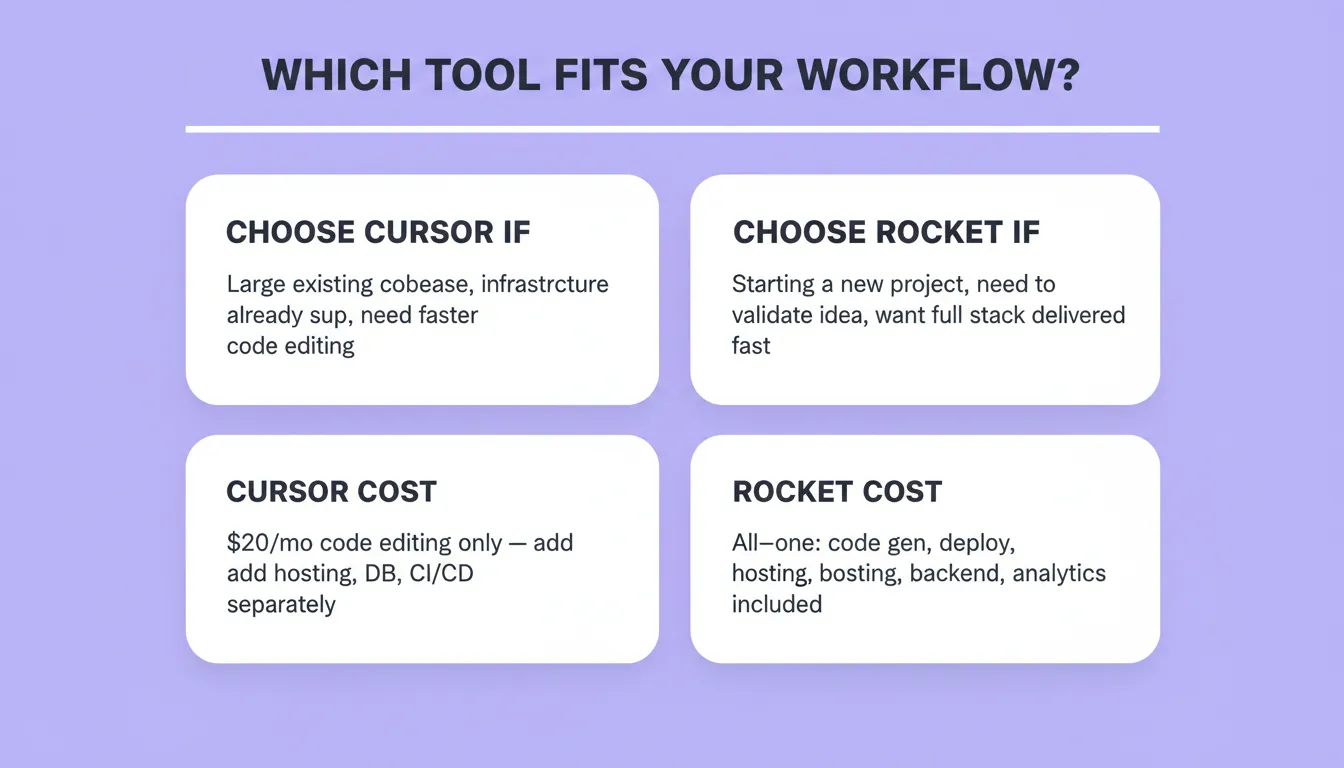
Cursor's hidden cost. The $20/mo paid plan covers code editing only. You still pay separately for hosting (Vercel at roughly $20/mo), database (Supabase at roughly $25/mo), domain registration, CI/CD tooling, and monitoring. The real cost of shipping a full stack app with Cursor easily exceeds $100/mo across multiple tools.
Rocket's all-in-one pricing. Your subscription includes code generation, hosting, deployment, staging environments, version history, built-in analytics, Solve research credits, and Intelligence monitoring. There are no separate bills for infrastructure.
According to Panto AI's research, Cursor reached $2 billion in annualized revenue by February 2026, with over 1 million daily active users. That traction shows the demand for AI coding tools is real. The question is whether paying for a code editor makes sense when you could pay similar amounts for a platform that handles the full stack, plus the intelligence layer that determines what to build.
For professional developers who already have infrastructure dialed in and just want faster vibe coding workflows within an existing setup, Cursor offers good value at $20/mo. For founders, small teams, and developers starting new projects who want everything in one place, Rocket delivers more per dollar.
Which Tool Fits Your Development Workflow?
The choice depends on where you are in your development journey and what kind of project you are working on.
Choose Cursor if you are an experienced developer working on a large codebase that already has infrastructure set up. Cursor fits your workflow when you want AI assistance for code editing, refactoring, and multi-file editing within an existing project. The thinking is done. You need to code faster.
Choose Rocket if you want to go from idea to deployed app without managing multiple tools. Rocket fits your workflow when you need to validate an idea quickly, ship an MVP, or build internal tools without spending weeks on setup. It is ideal for founders, agencies, and developers who want production-ready code delivered as a complete package.
Use both when it makes sense. Some developers use Rocket to generate the initial project and get it live, then pull the source code into Cursor for detailed customization. This approach gives you fast initial delivery from Rocket plus fine-grained code control from Cursor AI for longer-term maintenance.
The Right Tool Depends on Where Your Work Actually Starts
In 2026, the Rocket.new vs Cursor question is not about which tool writes better code. It is about where your work begins. Cursor starts at line one. Rocket starts before it, with the research, validation, and strategic intelligence that determine whether the code is worth writing.
As AI coding tools continue to evolve, platforms that cover the full arc from thinking to building to monitoring will increasingly outperform tools that only accelerate one part of the process. For developers and founders who want to ship complete, production-grade full stack apps without stitching together a dozen services, Rocket is built for exactly that moment.
Start building for free on Rocket and go from prompt to live app in minutes, not months.
Table of contents
- -What Makes These Two Tools Fundamentally Different?
- -How Does Cursor AI Handle Code Editing and Generation?
- -Where Does Rocket Fit in Full Stack App Delivery?
- -Why Developers Pick Rocket for Complete App Delivery
- -How Do Pricing and Plans Stack Up?
- -Which Tool Fits Your Development Workflow?
- -The Right Tool Depends on Where Your Work Actually Starts