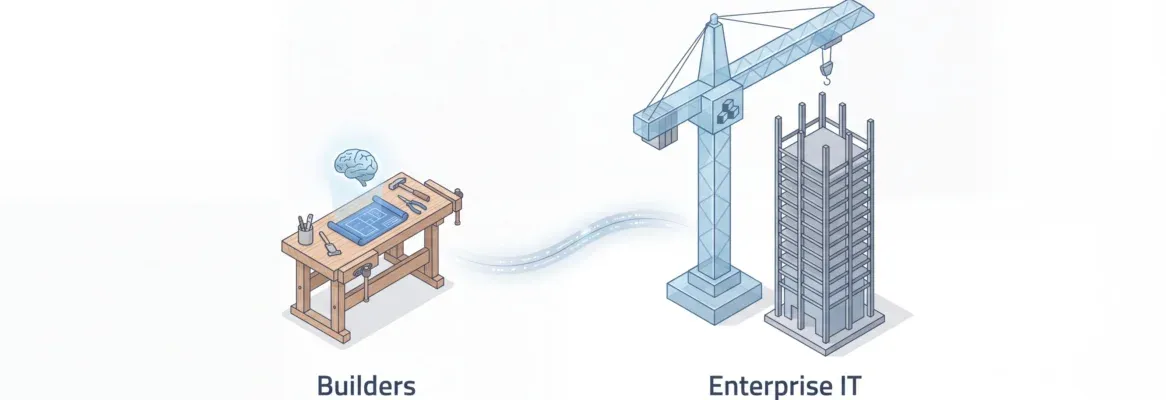
Most AI app builders start at execution. The real question is what happens before the first line of code: whether the idea is validated, the market is understood, and the output is production-ready from day one. That gap separates tools from systems.
Choosing between Rocket.new vs Draftbit comes down to one question: do you want to describe your app in plain English and get production-ready native code, or configure components on a canvas and wire up logic manually?
Both platforms ship to iOS and Android. Even so, their approach, output quality, code ownership model, and learning curve are fundamentally different.
This blog covers every dimension so you can make the right call.
What Each Platform Actually Is
Before comparing features, it helps to understand what each platform was built to do.
Rocket: A Vibe Solutioning Platform
Rocket is the world's first Vibe Solutioning platform. It covers the complete arc from strategic research to production-grade building to continuous competitive monitoring, all in one place with shared context. You describe what you want, Rocket plans the architecture, writes the code, and delivers a working app with a live preview. Most apps are ready in one to three minutes.
Web apps are built in Next.js. Mobile apps are built in Flutter, Google's cross-platform native framework. Every build ships with SEO-ready structure, WCAG 2.1 AA accessibility compliance, GDPR coverage, and Core Web Vitals optimization by default. These are not optional extras. They are the baseline. 1.5 million people have tried Rocket across 180 countries, from solo founders shipping MVPs to enterprise teams running strategy and execution on the same platform.
Draftbit: A Visual Builder with AI Agents
Draftbit is a visual drag-and-drop builder for React Native apps. You configure components on a canvas, connect APIs through a UI, and publish to iOS and Android via Expo. Draftbit recently added AI agents powered by Claude, GPT, and Gemini to help with code generation. The underlying output is real React Native code. It suits developers who are already comfortable with React Native and want visual scaffolding. It is not designed for teams who want to describe an app in plain English and get a deployable product back.
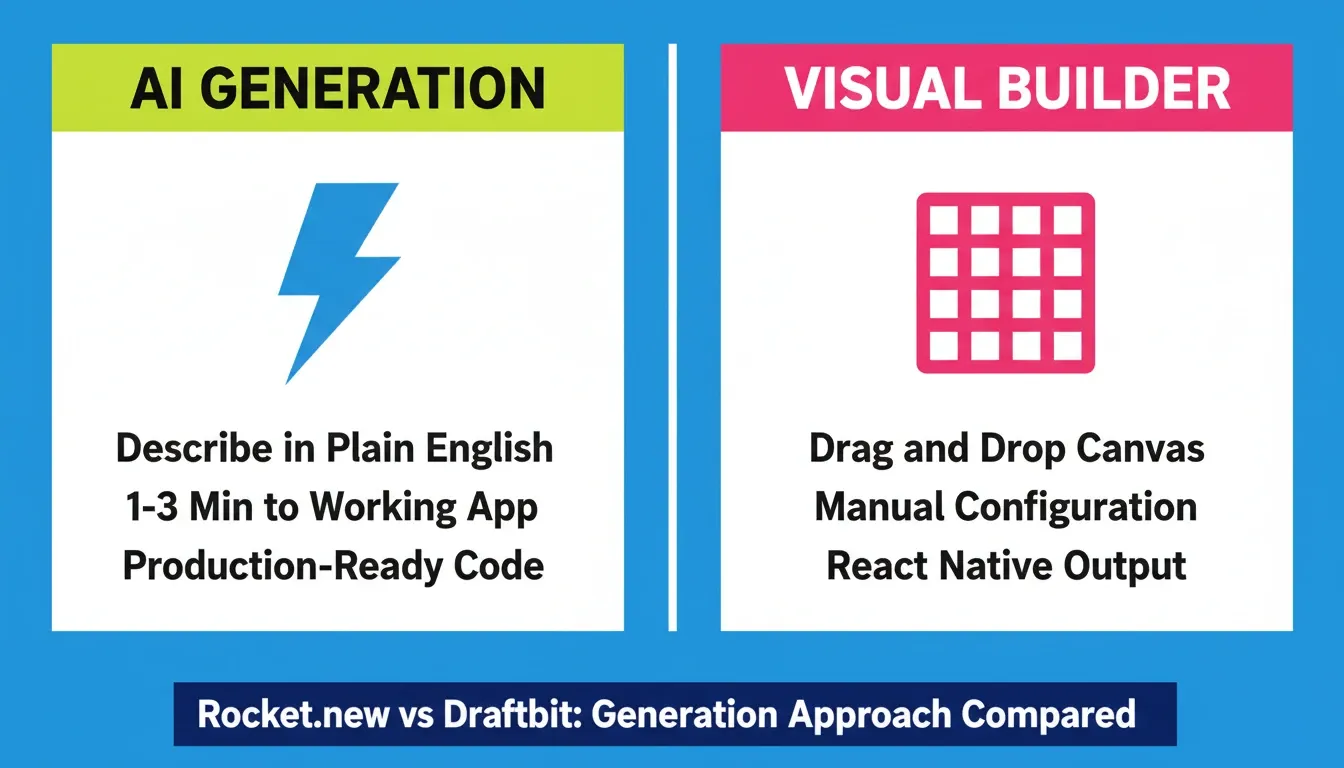
Two fundamentally different approaches: AI generation from natural language versus visual canvas configuration.
Core Feature Comparison
| Dimension | Rocket | Draftbit |
|---|---|---|
| Generation approach | Natural language AI generation | Visual drag-and-drop + AI agents |
| Mobile framework | Flutter (native iOS + Android) | React Native via Expo |
| Web app support | Full (Next.js) | Limited |
| First generation time | 1 to 3 minutes | Varies with manual canvas work |
| Code export | All plans, immediate | Standard plan ($20/mo) and above |
| GitHub integration | All plans | Pro plan ($40/mo) and above |
| App store submission | Included | Pro plan ($40/mo) and above |
| Team collaboration | Included | Team plan ($200/mo) |
| API integrations | 25+ baked into generation | REST/GraphQL, manual wiring |
| SEO and accessibility defaults | WCAG, GDPR, SEO built in | Not included by default |
| Figma import | Yes, full design-to-code | No |
| Existing codebase pickup | Yes (Next.js GitHub import) | No |
| Pre-build market research | Built-in (Solve pillar) | Not available |
| Competitive monitoring | Built-in (Intelligence pillar) | Not available |
How Each Platform Generates Apps
Rocket: From Plain English to Production Code
Rocket's generation flow is built for speed and output quality. You describe your app idea, including key screens, features, and design preferences. Rocket scores the clarity of your prompt, may ask a few targeted clarifying questions, then generates a fully working application with UI, navigation, logic, and production-ready code.
In practice, the workflow has four steps:
-
Describe your idea in plain language, or import a Figma design, upload a CSV, or clone a GitHub repo
-
Generate — Rocket plans the architecture and writes production-ready code; most apps appear in 1 to 3 minutes
-
Refine through Chat (natural language), Visual Edit (click any element), or Code (edit source directly)
-
Launch with one click to a live URL, then submit to Google Play or Apple App Store from the same platform
What comes back is not a wireframe. It is a working, deployable product with intentional typography, real visual hierarchy, and nothing that reads as AI-generated.
Draftbit: Visual Canvas with AI Assistance
Draftbit's workflow centers on a visual editor. You drag components onto a canvas, configure properties, connect APIs through a UI, and preview on device. AI agents can generate screens or components from prompts, but the primary interaction model is still visual configuration. The output is React Native code running on Expo.
This approach suits developers who want visual scaffolding for React Native projects. It does require understanding component properties, state management, and data source connections. Non-technical builders often hit a wall as app logic grows beyond standard patterns.
Mobile App Development: Flutter vs React Native
The mobile framework difference is one of the most consequential distinctions in this comparison. It affects performance, code quality, and how much cleanup you need after export.
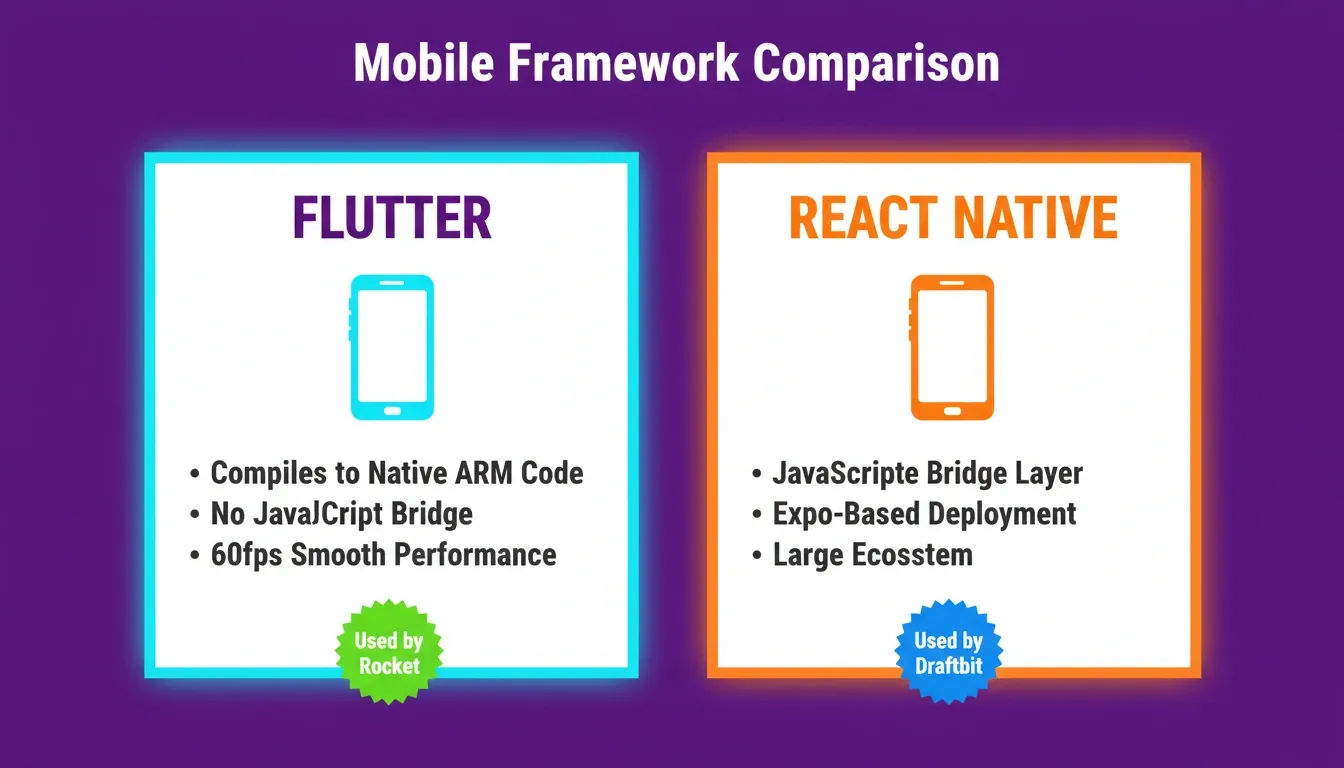
Flutter compiles directly to native ARM code. React Native communicates through a JavaScript bridge.
Flutter (Rocket)
Rocket generates Flutter code. Flutter is Google's open-source UI toolkit that compiles directly to native ARM code for iOS and Android. There is no JavaScript bridge involved. The result is smooth animations, fast startup times, and native performance on both platforms from a single codebase.
Flutter apps built with Rocket include real design systems with dark and light theming, fluid navigation, staggered animations, and production-quality UI. For a closer look at how this generation works in practice, the AI Flutter app builder guide covers the full process.
React Native (Draftbit)
Draftbit generates React Native code via Expo. React Native is a mature framework with a large ecosystem. It uses a JavaScript bridge to communicate with native components. Draftbit's visual builder produces real React Native code you can export and run as an Expo project.
The React Native approach works well for standard mobile patterns. That said, code exported from a visual builder can require cleanup as app complexity grows, particularly around state management and custom logic.
Framework Decision Flow
Choose your mobile framework based on performance requirements and team familiarity.
Code Export and Source Code Ownership
Code ownership matters for any serious app project. The two platforms handle it very differently, and the gap is significant.
Rocket: Full Access on All Plans
Rocket gives you full source code access on all plans, including the free tier. You can export and download the complete project at any time, sync with GitHub using two-way version control, edit source files directly in the built-in code editor, and continue development locally without any platform dependency.
There are no paywalls on code export. The code follows production patterns with proper state management, clean component structure, and no scaffolding artifacts to clean up. For a deeper look at what full-stack AI generation looks like in practice, see building a full-stack app with an AI prompt.
Draftbit: Gated by Plan Tier
Draftbit gates code export behind paid plans. On the free tier, code export is not available. It becomes available starting with the Standard plan at \$20 per month. GitHub integration requires the Pro plan at \$40 per month. The exported code runs as an Expo React Native project. Builders report that the exported code is functional but may need cleanup for complex apps, particularly around state management.
Pricing: Full Breakdown
| Feature | Rocket | Draftbit Free | Draftbit Standard | Draftbit Pro | Draftbit Team |
|---|---|---|---|---|---|
| Monthly cost | Credits-based | $0 | $20/mo | $40/mo | $200/mo |
| Credits included | 20 free credits | Up to 10,000/mo | 25,000/mo | 50,000/mo | 250,000/mo |
| Projects | Unlimited | 3 | Unlimited | Unlimited | Unlimited |
| Code export | All plans | No | Yes | Yes | Yes |
| GitHub integration | All plans | No | No | Yes | Yes |
| App store submission | Included | No | No | Yes (assistance) | Yes |
| Team collaboration | Included | 1 seat | 1 seat | 1 seat | 10 seats |
| Custom domains | Included | No | Yes | Yes | Yes |
| Concurrent AI agents | All plans | 1 | 1 | Multiple | Multiple |
Rocket's credit balance covers Solve (market research), Build (app generation), and Intelligence (competitive monitoring) from a single pool. On Draftbit, included monthly credits reset each billing cycle, while purchased credits do not expire. Pricing data is sourced from Draftbit's official pricing page.
Integrations and Backend Connections
Rocket: 25+ Integrations Baked Into Generation
Rocket ships with over 25 integrations that connect directly into the generation process. You authenticate once and they flow into every build. Key integrations include Stripe, PayPal, and Razorpay for payments; Supabase for a full backend with auth, storage, and edge functions; OpenAI, Anthropic, Google Gemini, and Perplexity for AI features; Google Analytics and Mixpanel for analytics; and Notion, Linear, Jira, and Confluence for productivity.
You describe what you want in plain language and Rocket generates the integration. No manual API wiring required. For teams building apps that need Stripe billing from day one, setting up Stripe payments in your Rocket app walks through the full process.
Draftbit: REST and GraphQL with Manual Configuration
Draftbit supports API integrations through REST and GraphQL endpoints. You configure properties and connect endpoints through the visual editor. The Pro plan adds custom MCP server integrations for more advanced use cases.
The Pre-Build Intelligence Gap
This is the most significant structural difference between the two platforms. It is not a feature comparison. It is a category difference, and it is worth understanding clearly.
Draftbit is a building tool. You arrive with an idea and it helps you build it. What you build depends entirely on the thinking you bring to the platform.
Rocket, on the other hand, is a Vibe Solutioning platform. The thinking and the building happen in the same place. Before you build, Rocket's Solve pillar can answer: Who is the target user? What do competitors offer? What features should the first version include? That research becomes the foundation of the build. After launch, the Intelligence pillar monitors competitors continuously so the product stays sharp.
A product built on Rocket starts from accumulated intelligence, not a blank prompt. The first generation reflects genuine product thinking. For teams who want to understand this research-to-build workflow, how Rocket builds apps from strategy and research explains the full arc.
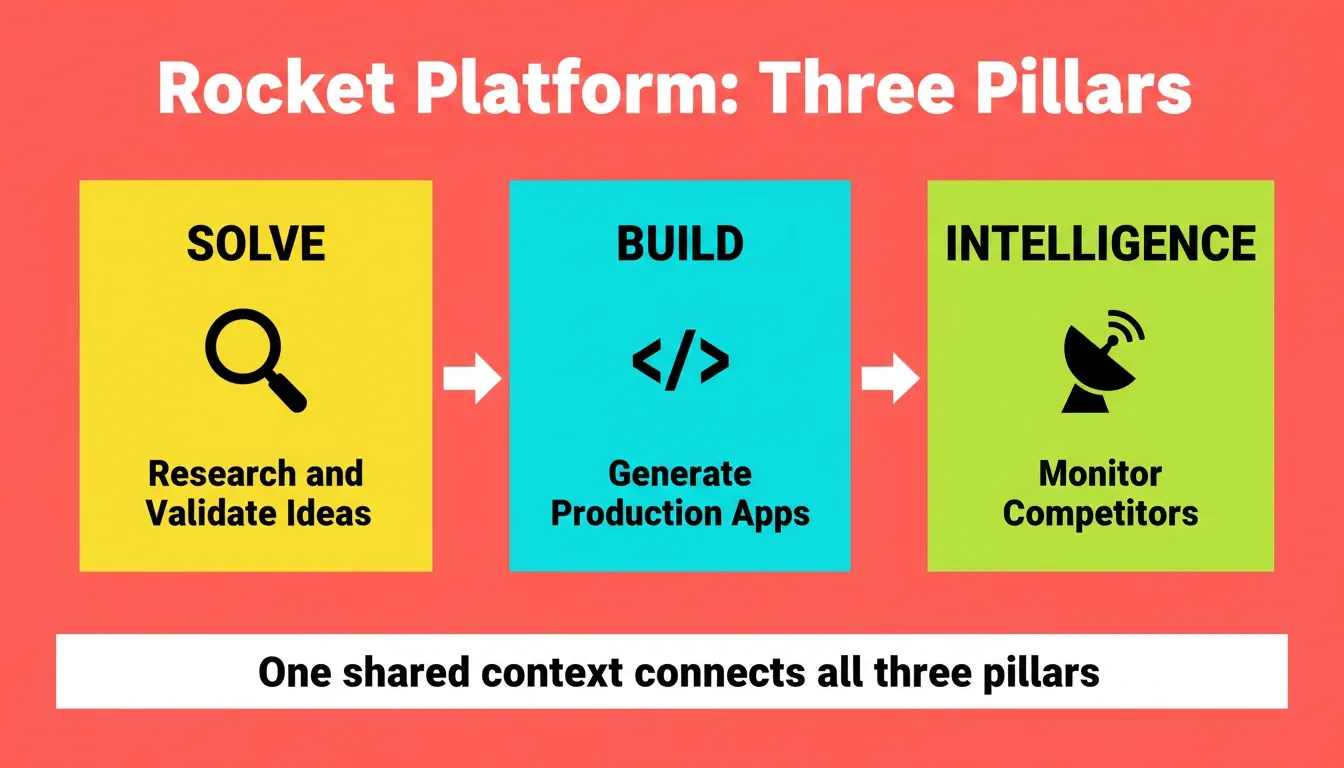
Solve, Build, and Intelligence work from shared context, so research flows directly into what gets built.
App Store Submission
Both platforms support submitting to the Google Play Store and Apple App Store. A Google Play Developer account costs \$25 as a one-time fee. An Apple Developer account costs \$99 per year.
Rocket generates a signed AAB bundle for Android and a production build for iOS. You upload to the respective store consoles and submit for review. Draftbit supports both stores through Expo build services on the Standard plan and above, with App Store submission assistance on the Pro plan.
Both platforms also support APK downloads for Android testing before store submission, along with web preview links for instant stakeholder sharing without any installation required.
Compliance, Accessibility, and SEO Defaults
Rocket ships every build with WCAG 2.1 AA accessibility compliance, GDPR and CCPA coverage, SEO-ready structure, and Core Web Vitals optimization. These are defaults, not add-ons. For teams building products that need to rank in search or comply with accessibility regulations, this difference has real cost implications. To understand how these defaults work in practice, how Rocket builds SEO-optimized applications by default covers the specifics.
Draftbit does not include these as defaults. You configure accessibility and SEO manually or through third-party tools.
Who Each Platform Fits
Rocket fits builders who:
-
Want to describe an app in plain English and receive a working product
-
Need both a web app (Next.js) and a mobile app (Flutter) from one platform
-
Want full code ownership without plan-gating
-
Need production-quality output with accessibility and SEO built in
-
Want market research and competitive intelligence alongside building
Draftbit fits builders who:
-
Are comfortable with React Native and want visual scaffolding
-
Prefer pixel-perfect control over component layout through a canvas
-
Have existing React Native expertise and want to speed up UI work
-
Need custom MCP server integrations on the Pro plan
Switching from Draftbit to Rocket
If you are currently using Draftbit and thinking about switching, the transition is more straightforward than it might seem. You do not need to migrate React Native code. Start a new project on Rocket, describe your app idea referencing your existing features and screens, and Rocket generates a fresh Flutter build. You can also import a Figma design if your current app has design files, and Rocket will convert it directly to production code. For a full look at alternatives in this space, see Draftbit alternatives worth considering.
The Verdict
| Decision Factor | Stronger Platform |
|---|---|
| Speed to working app | Rocket |
| Non-developer friendliness | Rocket |
| Mobile framework performance | Rocket (Flutter) |
| Code export accessibility | Rocket (all plans) |
| Web app support | Rocket |
| React Native ecosystem familiarity | Draftbit |
| Visual pixel-perfect control | Draftbit |
| Pricing for teams | Rocket |
| Pre-build market intelligence | Rocket (unique) |
| Compliance and accessibility defaults | Rocket |
| Figma import | Rocket |
| Existing codebase pickup | Rocket |
The Right Builder for the Right Moment
The Rocket.new vs Draftbit comparison is ultimately about where your build process starts. Draftbit starts at execution. Rocket starts before it, with the research, competitive context, and product thinking already in place when the first line of code is written.
As AI generation quality improves and Flutter's ecosystem continues to mature, the gap between prompt-native builders and canvas-based tools will only widen. Builders who choose platforms with pre-build intelligence, production-grade output, and open code ownership are positioned to ship faster, iterate smarter, and own what they build.
That is the direction the market is moving. You can start there today. Build your first app free on Rocket and ship in minutes.
Table of contents
- -What Each Platform Actually Is
- -Rocket: A Vibe Solutioning Platform
- -Draftbit: A Visual Builder with AI Agents
- -Core Feature Comparison
- -How Each Platform Generates Apps
- -Rocket: From Plain English to Production Code
- -Draftbit: Visual Canvas with AI Assistance
- -Mobile App Development: Flutter vs React Native
- -Flutter (Rocket)
- -React Native (Draftbit)
- -Framework Decision Flow
- -Code Export and Source Code Ownership
- -Rocket: Full Access on All Plans
- -Draftbit: Gated by Plan Tier
- -Pricing: Full Breakdown
- -Integrations and Backend Connections
- -Rocket: 25+ Integrations Baked Into Generation
- -Draftbit: REST and GraphQL with Manual Configuration
- -The Pre-Build Intelligence Gap
- -App Store Submission
- -Compliance, Accessibility, and SEO Defaults
- -Who Each Platform Fits
- -Switching from Draftbit to Rocket
- -The Verdict
- -The Right Builder for the Right Moment