
In 2026, the best AI tools for non-developers let anyone build apps, automate workflows, and ship products without writing code. This blog covers ten platforms, what each does well, and how to pick the right one.
Can non-developers really build production software in 2026?
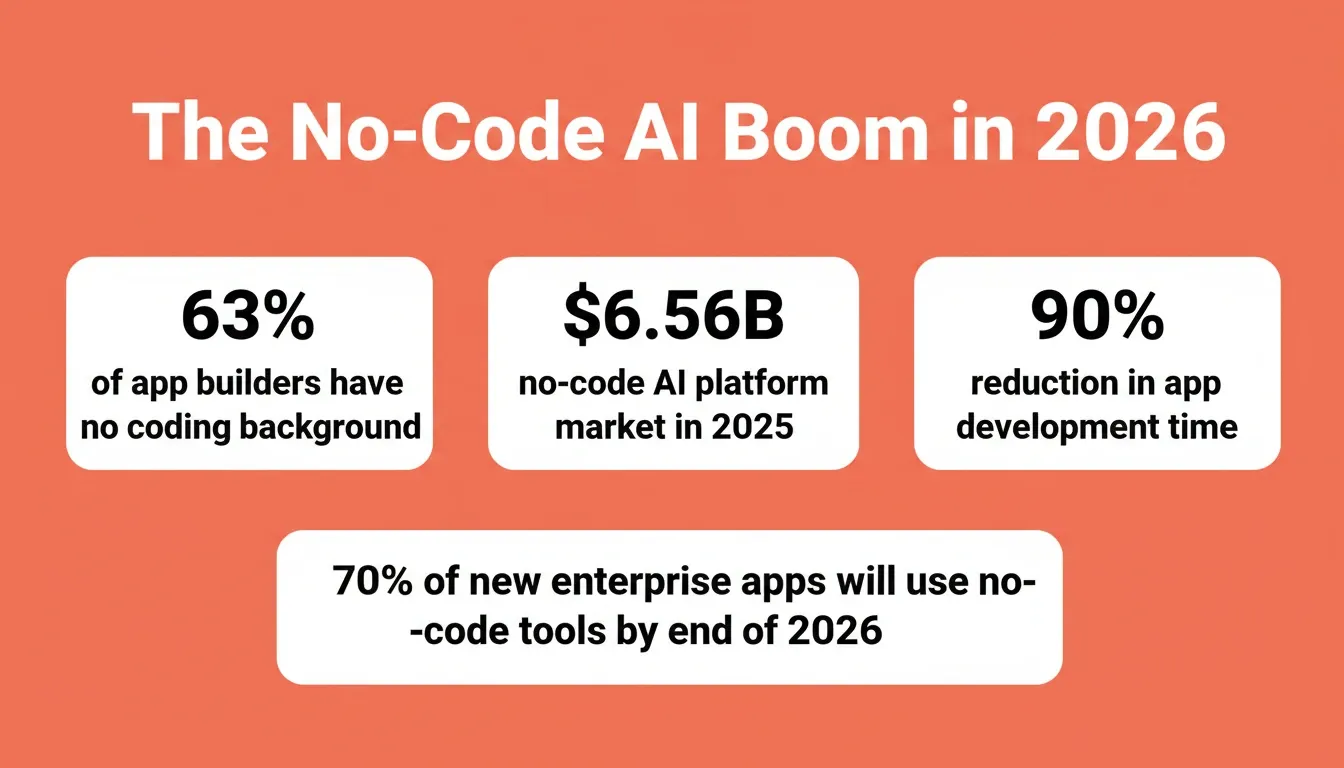
According to Hostinger's research, 63% of AI app builder users have no coding background. The majority of people creating apps today are non-developers. The no-code AI platform market hit $6.56 billion in 2025, growing at over 31% annually.
So the question is not whether non-technical users can build with AI tools. They already are.
The real question is: which AI platform, AI assistant, or automation tool delivers production-ready results without requiring technical setup?
This blog breaks down the best AI options for business users, marketers, founders, and non-technical teams who want to build apps, automate tasks, and ship products without writing code.
Why Non-Developers Are Building With AI in 2026
The shift from code-first to natural language-first development is structural, not a passing trend. Consider these numbers:
-
70% of new enterprise applications will use low-code or no-code tools by the end of 2026, up from under 25% in 2020
-
AI agents now handle code generation, deployment, and debugging. Non-technical users interact through conversational interfaces rather than IDEs
-
No-code AI platforms reduced app development time by up to 90%, compressing months of traditional development into days
-
Artificial intelligence made the gap between "having an idea" and "having a working product" smaller than it has ever been
As a result, business owners, marketing teams, educators, and startups now treat software as something they create, not something they commission from developers.
What to Look for in a No-Code AI Tool
Before picking a no-code AI tool, it helps to know what separates a solid platform from one that looks good in a demo but fails in real workflows.
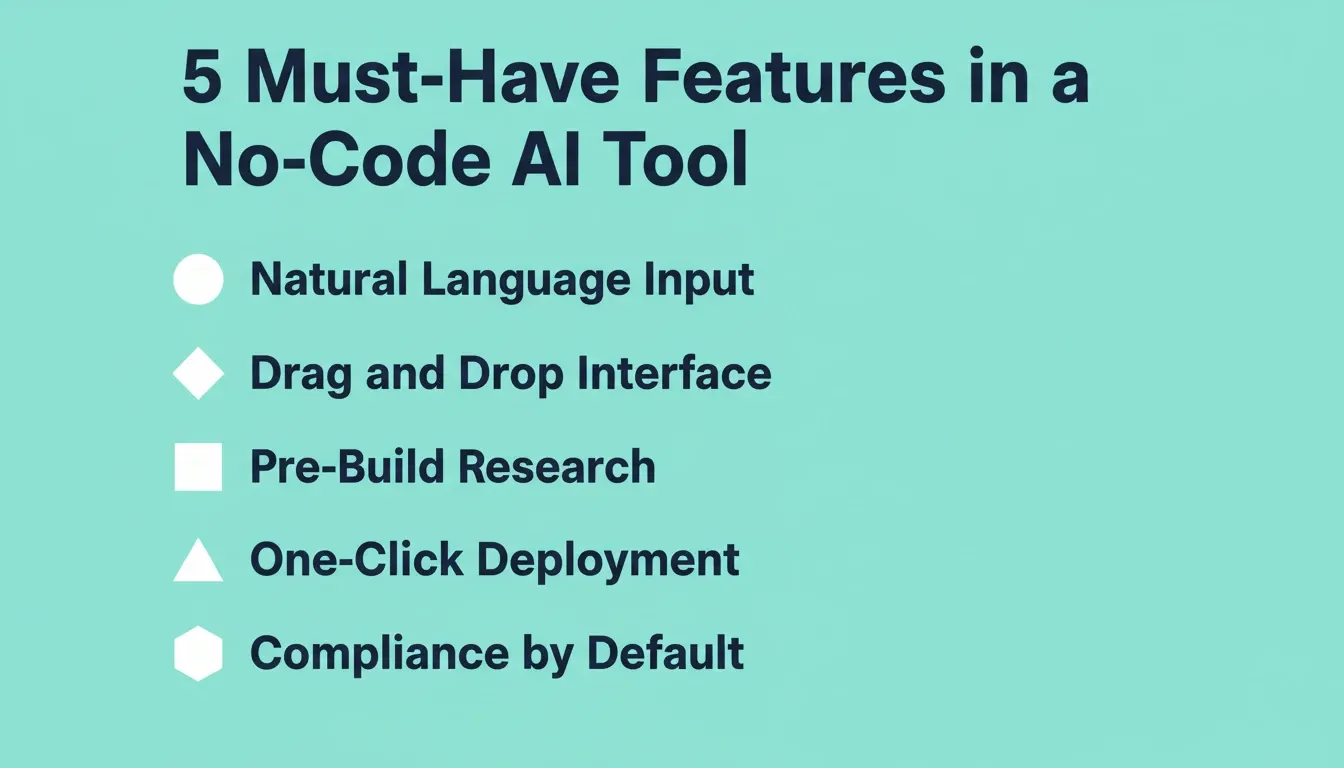
Here are the key features that matter most for non-technical users:
-
Natural language prompts as input: Describe what you want in plain English. No technical details required
-
Drag and drop interfaces: Visual interfaces let you arrange elements, connect data, and build workflows without coding
-
Pre-built templates and integrations: Connecting to Google Workspace, Slack, email, and other tools should take minutes, not weeks
-
One-click deployment: The best AI tools handle hosting, domain setup, and version control automatically
-
Pre-build research and validation: The strongest platforms help you figure out what to build before generating a line of code. This is where most tools fall short
-
Compliance built in: Production apps should ship with WCAG accessibility, GDPR coverage, and SEO structure by default, not as add-ons
-
Transparent pricing with a free tier: Test before committing
In short, a good no-code AI tool gets you from idea to working product without needing a developer or a data scientist.
Top No-Code AI Platforms for App Building
These platforms turn natural language prompts into functional apps. Each handles code generation behind the scenes while you focus on what the product should do.
1. Lovable
Lovable reached $400M in ARR by February 2026, with over 25 million total projects created. The platform lets non-technical users describe an app idea and generates a working prototype within minutes.
Key features:
-
Prompt-to-prototype generation
-
Visual development interface
-
Code completion and customization
-
One-click deployment
-
Collaborative workspace
Best for: Non-technical founders who want to go from idea to working web app prototype quickly.
2. Bolt
Bolt focuses on speed. You describe what you want, and the AI coding tool generates a full-stack app in a browser-based environment. It lets you iterate through conversation and preview changes instantly.
Key features:
-
Full-stack generation from prompts
-
Browser-based environment
-
Live preview on generation
-
Conversational iteration
-
Instant deployment
Best for: Users who need a fast, browser-based full-stack app without any local setup.
3. Cursor
Cursor grew from $0 to $1 billion ARR in roughly three years, making it one of the fastest-scaling AI coding tools for developers. It is best suited for users who are comfortable working in a code editor environment.
Key features:
-
AI-powered inline code suggestions
-
Multi-model AI support
-
Deep project context awareness
-
VS Code and JetBrains integration
-
Natural language code editing
Best for: Users comfortable in a code editor who want AI-assisted coding and suggestions.
4. Replit
Replit reached approximately $253 million ARR by October 2025. Non-technical teams at companies like Coinbase and Mercedes-Benz adopted it for building internal business tools.
Key features:
-
Web-based IDE with no setup
-
AI agent for app generation
-
Built-in deployment pipeline
-
Multi-agent collaboration
-
Real-time collaboration
Best for: Non-technical teams building and deploying internal tools without local development setup.
Want to build a web app without writing a single line of code? See how non-technical teams are building full web apps without coding using AI platforms today.
How Rocket Bridges the Gap Between Idea and Working App
Most no-code AI tools start from a blank prompt. You type what you want, and they generate something. But they skip the step that matters most: figuring out what's worth building in the first place.
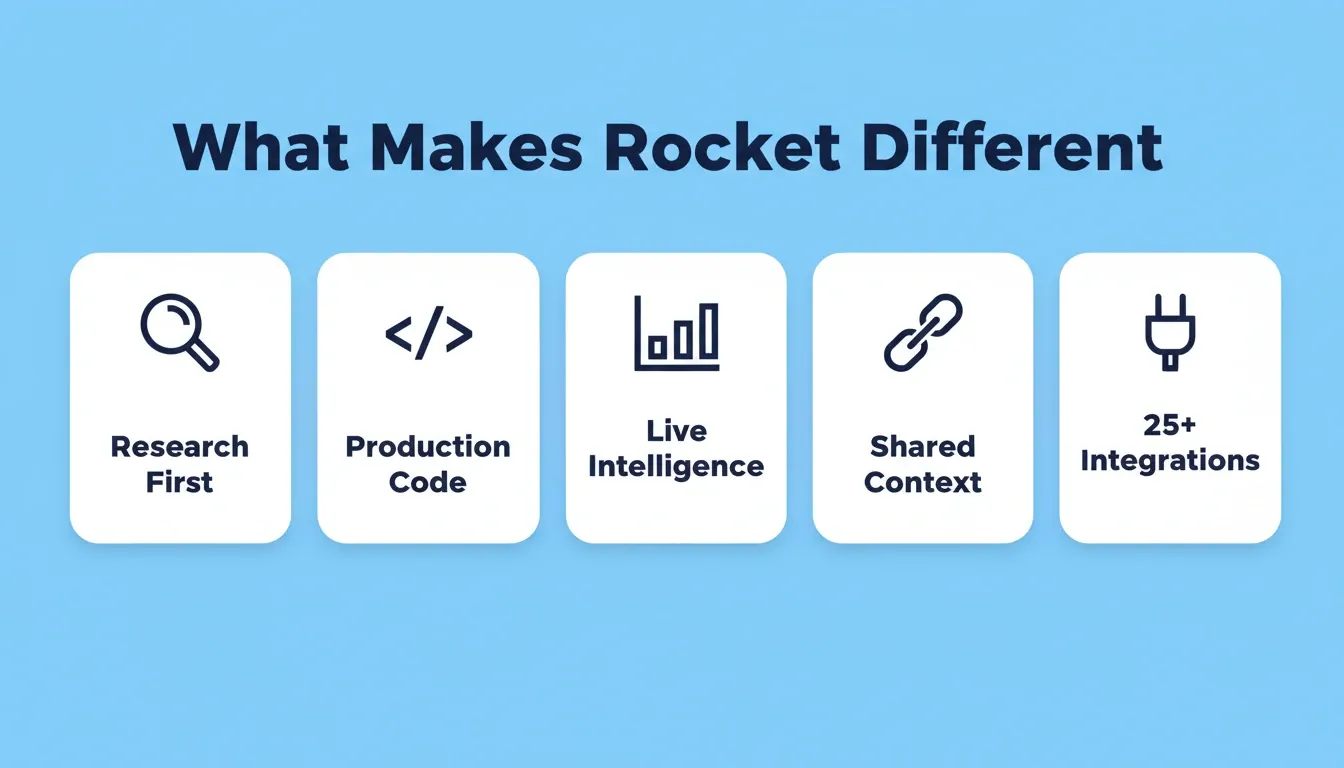
Rocket is the world's first Vibe Solutioning platform, where research, building, and competitive monitoring happen in the same workspace, connected through shared context. It ships with seven integrated pillars: Solve, Build, Intelligence, Redesign, Context, Collaborate, and Support.
5. Rocket
-
Solve — pre-build research and competitive analysis
-
Build — Next.js web apps and Flutter mobile apps with WCAG, GDPR, and SEO by default
-
Intelligence — continuous competitor monitoring across all public platforms
-
Shared context architecture — research, decisions, and files carry into every task
-
25+ integrations built into generation — Stripe, Supabase, Notion, Airtable, and more
Best for: Non-technical founders and teams who need to research, validate, and build a production-grade product in one workspace.
This is the step every other AI tool skips. Where other builders generate what you tell them to build, Rocket figures out what's worth building first.
AI-Powered Assistants and Automation Tools Worth Trying
Not every non-developer needs to build apps. Many need AI tools for automation, data analysis, content creation, or customer support. The following tools handle repetitive tasks so business users can focus on strategy.
6. ChatGPT
With over 5.6 billion monthly visits, ChatGPT remains the most widely used AI assistant for non-technical users. It offers a free plan with usage limits and paid tiers for higher token usage.
Key features:
-
Natural language writing and editing
-
Data analysis and summarization
-
Basic code generation and explanation
-
Brainstorming and ideation
-
Multimodal input support
Best for: Business users who need a general-purpose AI assistant for writing, analysis, and everyday tasks.
7. Zapier
Zapier is the go-to tool for multi-step workflows and basic automation. Its drag and drop interfaces let non-technical teams connect thousands of AI applications without any technical setup.
Key features:
-
No-code workflow automation
-
6,000+ app integrations
-
AI-powered Zap builder
-
Multi-step automated sequences
-
Pre-built automation templates
Best for: Non-technical teams who want to automate repetitive tasks between existing apps without writing code.
8. Google NotebookLM
NotebookLM lets users upload documents, PDFs, and audio files, then generates summaries, answers questions, and creates custom AI podcasts from the source material.
Key features:
-
Document-grounded AI responses
-
Multi-format file support
-
AI-generated audio overviews
-
Source citation for every answer
-
Notebook sharing and collaboration
Best for: Researchers, educators, and analysts who need to extract insights from uploaded documents and files.
9. Gemini
Google's Gemini AI assistant integrates across Google Workspace, allowing business users to run conversational AI directly within existing tools they already use.
Key features:
-
Deep Google Workspace integration
-
Multi-modal understanding
-
Spreadsheet analysis in plain language
-
Long-context document processing
-
Real-time web grounding
Best for: Teams already using Google Workspace who want AI built directly into their existing tools.
10. Claude
Claude by Anthropic has reached 18% adoption among developers at work. The AI assistant offers a free tier with generous conversation limits.
Key features:
-
Long-context document handling
-
Nuanced instruction following
-
Code generation and review
-
Strong reasoning and analysis
-
Tone and style adaptability
Best for: Non-technical teams handling complex documents, long-form analysis, and nuanced writing tasks.
How Do These Platforms Stack Up?
Here is a side-by-side comparison of key features across the best AI options for non-technical users:
| Platform | Best For | Pre-Build Research | Code Generation | Compliance Defaults | Deployment | Free Tier |
|---|---|---|---|---|---|---|
| Rocket | Full product development | Yes (Solve) | Next.js + Flutter | WCAG + GDPR + SEO | One-click | Yes |
| Lovable | Quick app prototypes | No | Web apps | Not specified | One-click | Yes |
| Bolt | Fast single-page builds | No | Full stack | Not specified | Browser-based | Yes |
| ChatGPT | Writing and analysis | No | Basic snippets | N/A | No | Yes |
| Zapier | Workflow automation | No | No code needed | N/A | Cloud-native | Yes |
| Cursor | Code-heavy projects | No | AI-assisted | Not specified | Manual | Yes |
How to Pick the Right AI Tool for Your Workflow
With so many no-code AI platforms available, here is a practical framework for non-technical teams making a decision:
-
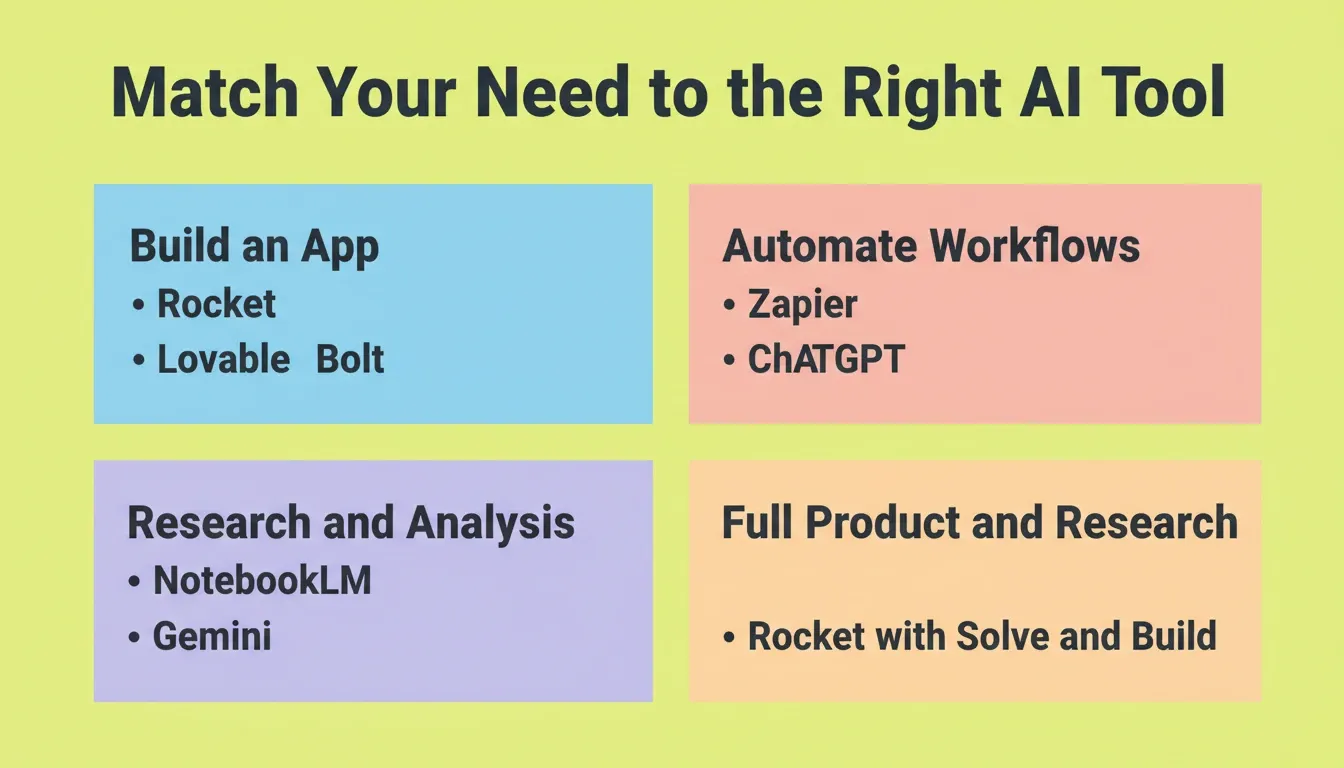
Define your output first: Are you building an app, automating repetitive tasks, analyzing customer data, or generating content? Each category points to different tools
-
Check whether the tool thinks before it builds: Most AI builders start from a blank prompt. If you need market validation or competitive research before building, choose a platform with a pre-build intelligence layer
-
Check integration requirements: Does the AI platform connect with your existing tools like Google Sheets, Slack, or your CRM? Most platforms handle this through pre-built connectors
-
Evaluate the learning curve: Visual interfaces and natural language prompts reduce technical complexity. However, some AI coding tools still assume programming knowledge
-
Look for compliance defaults: If you are building for real users, WCAG accessibility and GDPR compliance should ship by default
-
Test with a free plan first: The best AI platforms let you build a working prototype before committing to paid plans
For a deeper comparison of what makes a great AI app builder for non-developers, see how different platforms handle the full arc from idea to deployed product.
No-Code AI Tool Pricing Overview
Understanding what each platform costs helps you plan before committing. Most offer a free tier for initial testing.
| Platform | Free Tier | Paid Plans (approx.) | Notes |
|---|---|---|---|
| Rocket | Yes | From ~$20/mo | Free tier available; team and enterprise plans |
| Lovable | Yes | From ~$20/mo | Usage-based credits |
| Bolt | Yes | From ~$20/mo | Browser-based, usage-based |
| ChatGPT | Yes (GPT-4o limited) | $20/mo (Plus) | Higher usage on paid plans |
| Zapier | Yes (limited tasks) | From $19.99/mo | Task-based pricing |
| Cursor | Yes | From $20/mo | Pro plan for higher usage |
Pricing is approximate and subject to change. Always verify current pricing on each platform's official website.
The Best AI Tools for Non-Developers Are Already Here
The best AI tools for non-developers in 2026 give non-technical teams more building power than full development teams had just five years ago. The gap between having an idea and shipping a product has never been smaller. As AI platforms continue to mature, the distinction between "technical" and "non-technical" builders will matter less and less.
You type the problem. Rocket researches it, recommends a direction, and builds from that direction. Start with what you want to figure out — try Rocket free today.
Table of contents
- -Why Non-Developers Are Building With AI in 2026
- -What to Look for in a No-Code AI Tool
- -Top No-Code AI Platforms for App Building
- -1\. Lovable
- -2\. Bolt
- -3\. Cursor
- -4\. Replit
- -How Rocket Bridges the Gap Between Idea and Working App
- -5\. Rocket
- -AI-Powered Assistants and Automation Tools Worth Trying
- -6\. ChatGPT
- -7\. Zapier
- -8\. Google NotebookLM
- -9\. Gemini
- -10\. Claude
- -How Do These Platforms Stack Up?
- -How to Pick the Right AI Tool for Your Workflow
- -No-Code AI Tool Pricing Overview
- -The Best AI Tools for Non-Developers Are Already Here