
Subscription software automates recurring billing, reduces churn, and builds predictable revenue. This blog covers the top platforms, pricing, and how to build a custom solution without writing code.
What is Subscription Software for Small Business?
Managing recurring payments manually costs small businesses time, money, and customers.
The right subscription software for small business handles billing automatically, recovers failed payments, and gives you the revenue data you need to grow. According to the report, over 90% of SaaS businesses operate on a subscription-based revenue model. This makes subscription management a core operational need, not an optional upgrade.
Subscription billing software automates recurring payment collection, invoice generation, failed payment retries, and plan management. It handles the full customer lifecycle from sign-up through renewal.
Why Subscription Management Matters for Small Businesses
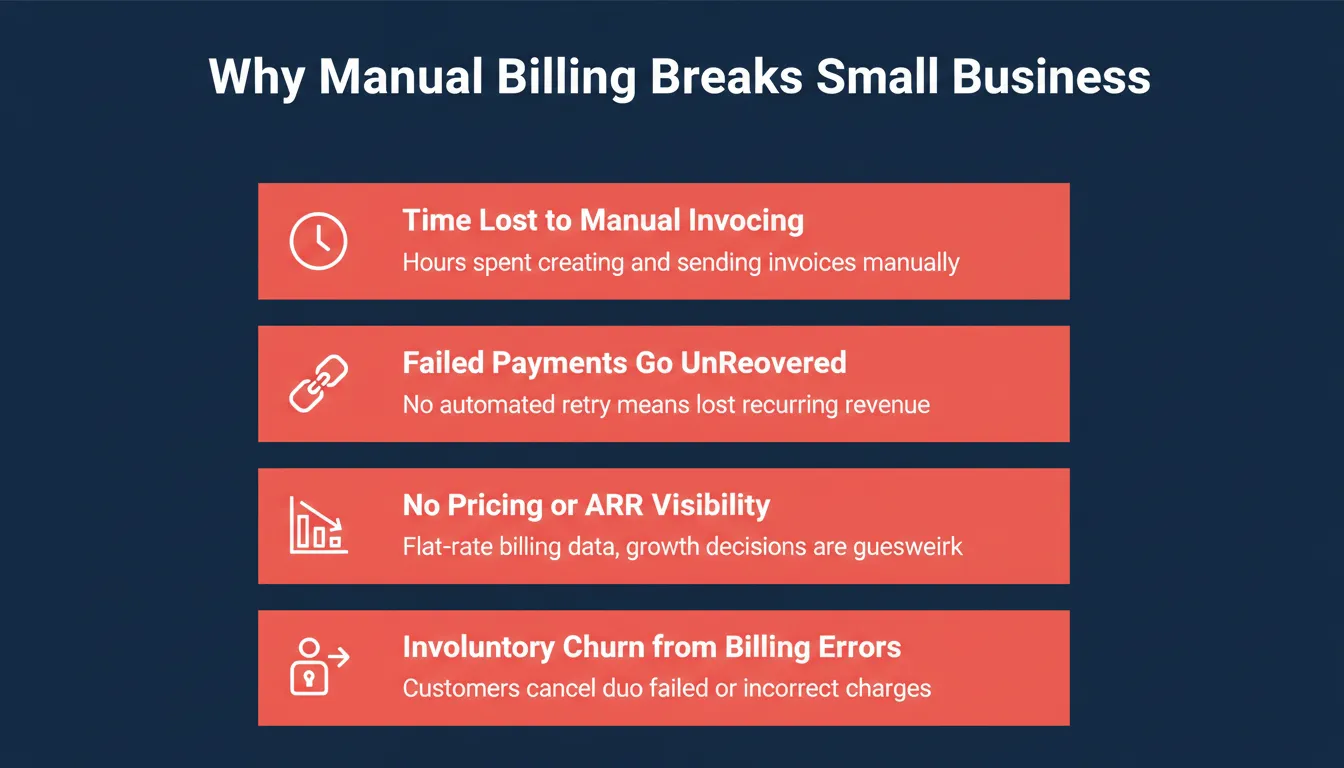
If your business relies on customer subscriptions, spreadsheets and manual billing create risk at every step. Here is what breaks without the right system in place.
- Customers expect frictionless payment experiences. A failed checkout or confusing renewal notice drives cancellations.
- Failed payments can account for up to 9% of monthly recurring revenue lost to involuntary churn.
- Pricing experiments such as tiered pricing, usage-based billing, and freemium-to-paid are impossible to test without a flexible billing engine.
- Revenue metrics like MRR, ARR, churn rate, and LTV require accurate billing data to be meaningful.
The key difference between a payment gateway and subscription software: A payment gateway processes a single transaction. A subscription billing platform, however, manages the ongoing relationship. It handles dunning, plan changes, usage metering, and revenue recognition. Understanding this distinction saves small businesses from outgrowing the wrong tool. For more on how invoice software for small businesses saves time, see the dedicated guide.
Core Features to Look For
Before comparing tools, here is what a small business should prioritize in subscription management software.
| Feature | What It Does | Why It Matters |
|---|---|---|
| Automated Billing | Sends invoices and charges on schedule | Eliminates manual effort and late billing |
| Multiple Payment Gateways | Works with Stripe, PayPal, and others | More payment options reduce lost sales |
| Usage-Based Billing | Charges based on actual consumption | Enables flexible, fair pricing models |
| Self-Service Portals | Lets customers manage their own plans | Reduces support tickets and improves retention |
| Failed Payment Recovery | Retries failed payments automatically | Recovers revenue that would otherwise be lost |
| Revenue Recognition | Tracks MRR, ARR, churn, and LTV | Provides the metrics needed to grow intelligently |
| Proration | Adjusts charges when plans change mid-cycle | Keeps billing fair and transparent |
Popular Subscription Management Platforms for Small Businesses
Managing subscriptions and recurring revenue is tricky when you juggle spreadsheets and manual billing. The right subscription management software saves time, reduces errors, and lets you focus on growing your business.
Here are the top platforms small businesses use today.
Chargebee
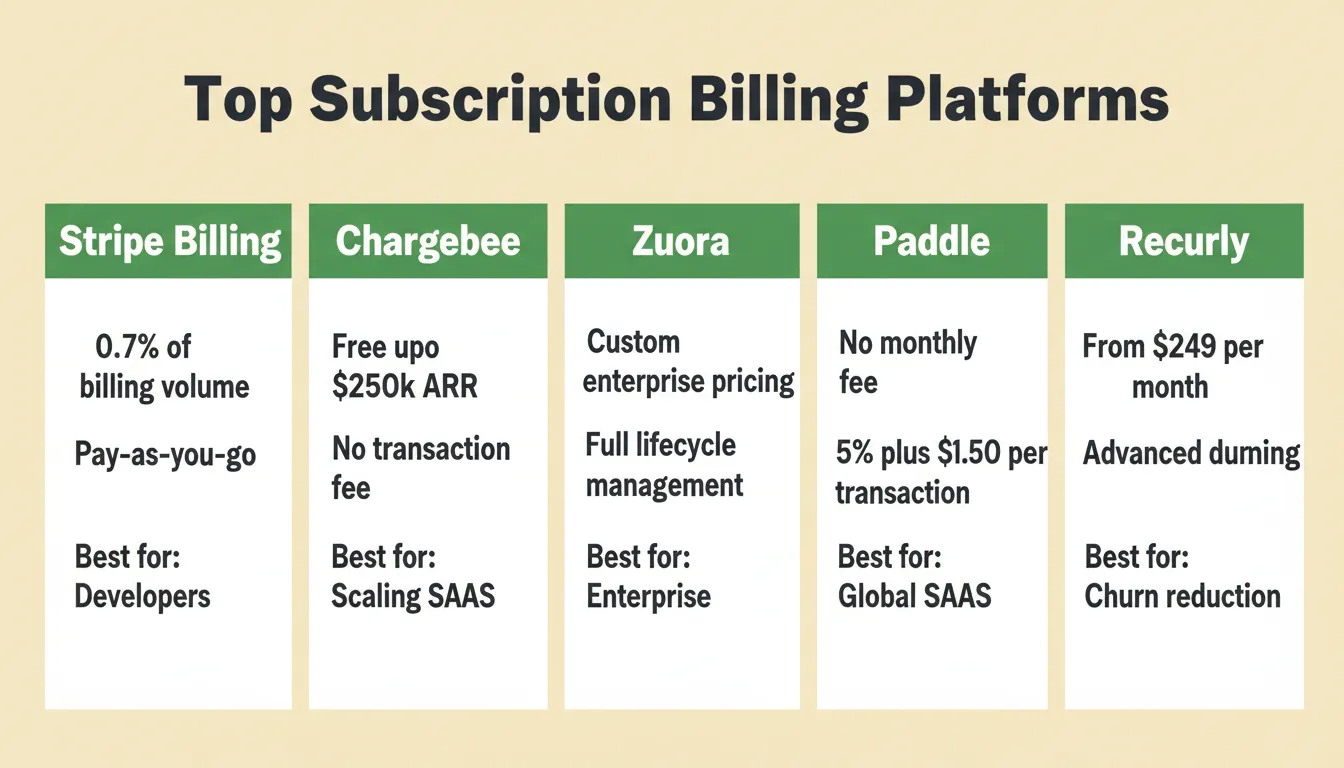
Chargebee handles subscription billing, usage-based billing, automated invoicing, and pricing experiments like tiered pricing. It supports multiple payment gateways and includes revenue recognition and MRR/ARR reporting.
Best for: SaaS startups scaling from launch to $1M ARR who need flexibility without engineering overhead.
Zuora
Zuora manages the entire customer lifecycle. It covers customer subscriptions, automated renewals, and billing workflows. It also integrates with accounting and revenue recognition tools for compliance-grade reporting.
Best for: Mid-market and enterprise teams with complex billing requirements across multiple product lines.
Paddle
Paddle acts as a Merchant of Record. It handles payment processing, tax compliance, VAT/GST collection, and billing operations. As a result, businesses selling internationally do not need a separate tax stack.
Best for: SaaS businesses selling to customers in multiple countries who want tax compliance handled automatically.
Stripe Billing
Stripe Billing supports usage-based billing, automatic payment retries after failed recurring payments, and multiple payment methods globally. Its extensive API documentation makes it highly customizable.
Best for: Developer-led teams and SaaS businesses that want maximum flexibility and are comfortable with some technical setup.
Recurly
Recurly focuses on billing automation, intelligent payment retries, and revenue recovery through advanced dunning management. It also helps manage subscription modifications and reduce churn.
Best for: Subscription businesses where failed payment recovery and churn reduction are the top priorities.
What Small Business Owners Are Asking
Here is a Reddit user talking about their search for a reliable platform:
"Looking for a good subscription billing software for my small SaaS business. Need something that handles recurring billing, multiple payment gateways, and usage-based billing. Anyone has experience with Chargebee or Stripe?"
This captures what small businesses care about most: cost, flexibility, and ease of managing customer subscriptions without needing a full engineering team.
Subscription Tool Comparison
Here is a side-by-side view to help you evaluate which platform fits your needs.
| Tool | Automated Billing | Usage-Based Billing | Multiple Gateways | Merchant of Record | Best For |
|---|---|---|---|---|---|
| Stripe Billing | Yes | Yes | Yes | No | Developers and SaaS |
| Chargebee | Yes | Yes | Yes | No | Scaling SaaS |
| Zuora | Yes | Yes | Yes | No | Enterprise |
| Paddle | Yes | Partial | Yes | Yes | Global SaaS |
| Recurly | Yes | Partial | Yes | No | Churn reduction |
Choosing the right option depends on your subscription plans, pricing strategy, and the level of automation you need. If you are building a B2B SaaS product, the billing platform you choose will shape how you structure pricing from day one.
How Much Does Subscription Billing Software Cost?
Pricing is one of the most searched questions in this category. Here is a realistic breakdown.
| Tool | Starting Price | Transaction Fee | Free Tier Available |
|---|---|---|---|
| Stripe Billing | 0.7% of billing volume | Per-transaction (pay-as-you-go) | Yes |
| Chargebee | $0 (up to $250k ARR) | None on base plans | Yes |
| Recurly | From $249/month | 0.9% plus gateway fees | No |
| Paddle | No monthly fee | 5% plus $0.50 per transaction | No |
| Zuora | Custom enterprise pricing | Custom | Demo only |
Note: Pricing is subject to change. Always verify current rates directly on each provider's official website before making a decision.
How to Choose the Right Subscription Management Software
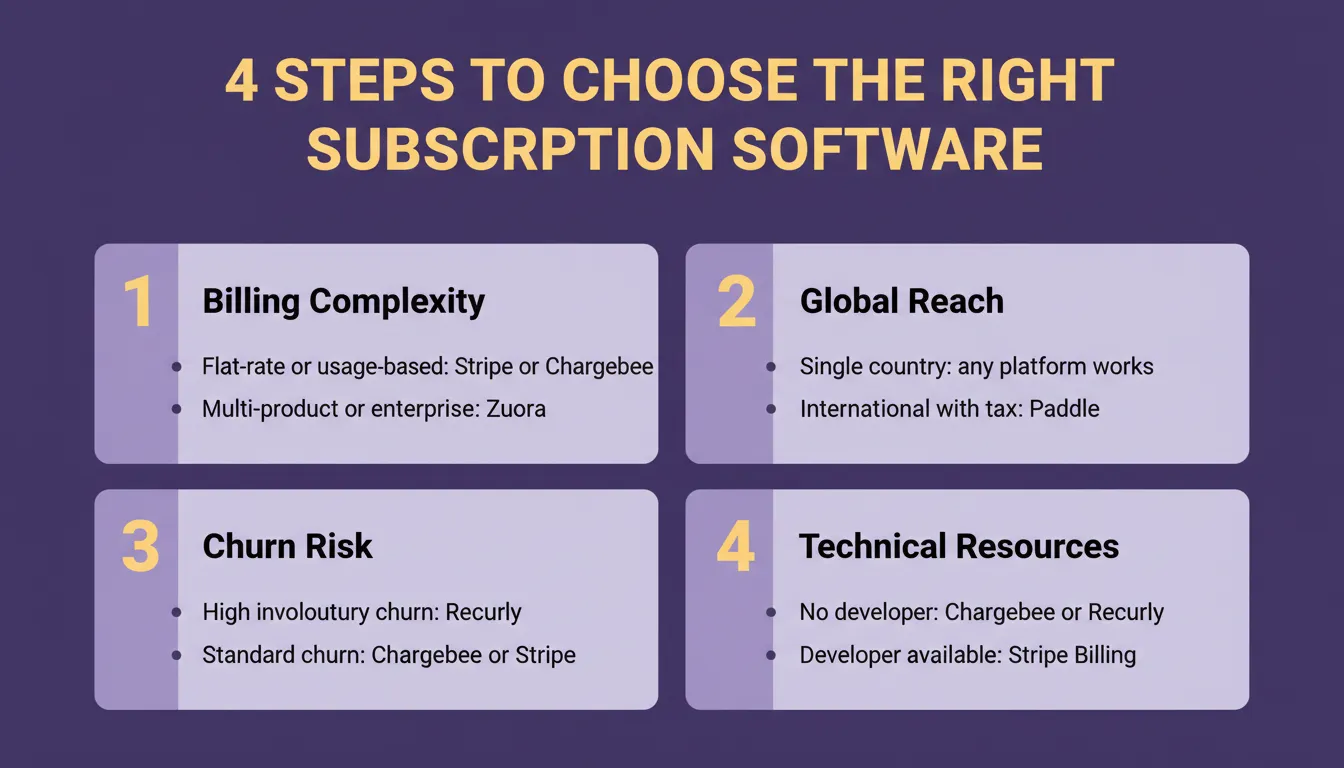
Picking billing software is not just about features. Use this framework to match your situation to the right tool.
Step 1: Define your billing complexity. Simple flat-rate monthly billing points toward Stripe Billing or Chargebee. Usage-based or metered billing is well-supported by both. Complex multi-product or enterprise billing typically requires Zuora.
Step 2: Assess your global reach. Selling only in your home country means any platform works. Selling internationally with tax obligations makes Paddle's Merchant of Record model the most practical choice.
Step 3: Evaluate your churn risk. High involuntary churn from failed payments points toward Recurly's dunning management. A standard churn profile is well-served by Chargebee or Stripe Billing.
Step 4: Consider your technical resources. No developer available means Chargebee or Recurly offer the lowest-friction setup. A developer on the team unlocks Stripe Billing's full customization. If you want to build a fully custom subscription tool, see the Rocket section below.
When you are ready to scale your SaaS, the billing platform you chose early will either support that growth or create friction. Choose one that handles your next stage, not just today.
Common Subscription Billing Mistakes Small Businesses Make
Avoiding these errors early saves significant time and revenue later.
1. Ignoring dunning management. Not having an automated retry sequence for failed payments is the single biggest source of preventable revenue loss.
2. Choosing a platform you will outgrow. Migrating billing platforms is painful. Pick one that handles your next stage, not just today.
3. Skipping a self-service portal. Customers who cannot manage their own subscriptions generate support tickets and cancel faster.
4. Not tracking MRR from day one. Without clean recurring revenue data, informed decisions about pricing or growth are not possible.
5. Underestimating global tax complexity. If you plan to sell internationally, VAT and GST compliance must be solved before launch, not after.
How Rocket Helps Small Businesses Build Custom Subscription Tools
Rocket is a Vibe Solutioning platform that combines strategic research (Solve), AI app building (Build), and competitive intelligence (Intelligence) in one place. Its Build pillar lets small businesses create fully custom subscription tools, including dashboards, customer portals, and billing workflows, without writing a single line of code.
Unlike off-the-shelf platforms, Rocket lets you build exactly what your business needs. You get your own branded subscription experience, your own admin panel, and your own customer portal, all connected to Stripe for payments.
What Rocket generates for subscription tools:
- Web apps built in production-grade Next.js
- Mobile apps built in Flutter, ready for the App Store and Google Play
- Every build ships with SEO-ready structure, WCAG accessibility compliance, and GDPR coverage by default
- Supabase integration for backend database, authentication, and file storage
- Staging and production environments with full version history and one-click rollback
How to Build a Subscription Tool with Rocket
- Go to Rocket and sign in. No credit card is required to start.
- Click Build and describe your subscription app in plain language. For example: "Build a newsletter subscription platform with Stripe payments, a subscriber dashboard, and an admin panel to manage plans and billing."
- Answer clarifying questions about your target users, key screens, and design preferences.
- Rocket generates your app in 1 to 3 minutes. You get a fully functional web app with UI, navigation, logic, and production-ready code.
- Connect Stripe via Rocket's Connectors panel. Authenticate once and it flows into every build. Learn more about Stripe payment integration to see how Rocket handles payment flows end to end.
- Iterate through chat. Add a self-service portal, usage-based billing tracker, or admin billing tools by describing what you need.
- Launch with one click. Deploy to a live URL with a custom domain, automatic HTTPS, and built-in analytics.
What You Can Build for Subscription Management
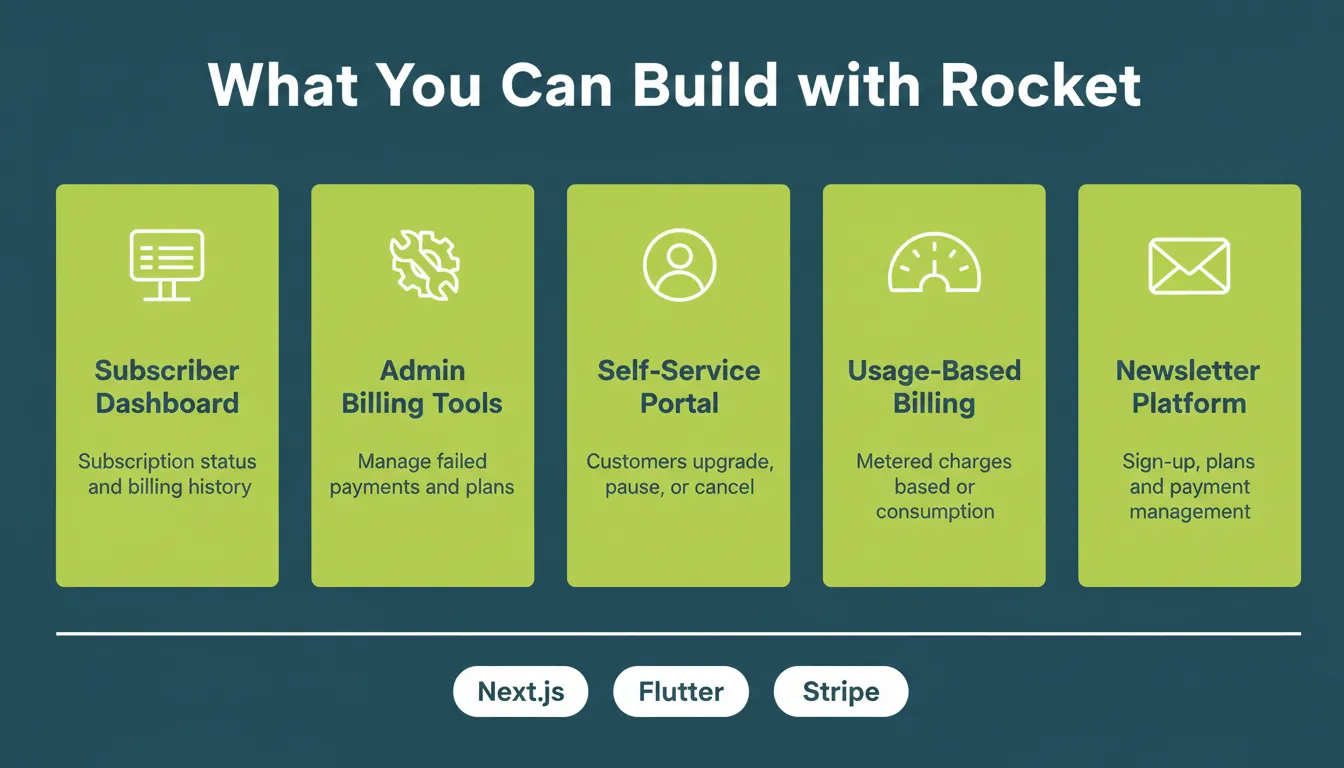
- Newsletter Subscription Platform: Build a subscription system where customers subscribe, pick pricing plans, and manage payments.
- Custom Subscriber Dashboard: Create an interface showing subscription status, billing history, upcoming renewals, and plan details.
- Admin Billing Tools: Develop internal tools to review failed payments, modify subscriptions, issue refunds, and adjust pricing plans.
- Usage-Based Billing Tracker: Build features that calculate charges based on customer usage for flexible subscription billing models.
- Customer Self-Service Portal: Let customers upgrade, downgrade, pause, or cancel their own subscriptions. This reduces support load and improves retention.
Subscription Management Workflow for Small Businesses
The lifecycle of a subscription involves more moving parts than most small business owners expect. Here is how a well-designed system handles each stage.
- Customer signs up. The customer selects a plan and payment details are captured securely.
- Billing cycle begins. The system generates an automated invoice and collects payment.
- Failed payment? A dunning sequence triggers retry logic and sends a customer notification.
- Plan change? Proration is calculated and billing adjusts mid-cycle.
- Renewal. An automated charge fires, a receipt is sent, and the subscription continues.
- Cancellation. Access revokes at the period end. A win-back sequence is optional.
Every step in this workflow can be automated with the right subscription billing software. You can also build it as a fully custom tool using Rocket. If you are exploring a no-code app builder to get there faster, Rocket's Build pillar is designed for exactly this use case.
The Right Subscription Software Drives Predictable Growth
Subscription software for small business is not a nice-to-have. It is the operational foundation that turns one-time transactions into predictable recurring revenue. As subscription models become the standard across industries, businesses that automate billing, recover failed payments, and track revenue metrics will scale faster and with less friction.
Whether you choose an established platform or build a custom solution with Rocket, the goal stays the same: a billing system that works while you focus on the product. Describe what you need, and start building today.
Table of contents
- -Why Subscription Management Matters for Small Businesses
- -Core Features to Look For
- -Popular Subscription Management Platforms for Small Businesses
- -Chargebee
- -Zuora
- -Paddle
- -Stripe Billing
- -Recurly
- -What Small Business Owners Are Asking
- -Subscription Tool Comparison
- -How Much Does Subscription Billing Software Cost?
- -How to Choose the Right Subscription Management Software
- -Common Subscription Billing Mistakes Small Businesses Make
- -How Rocket Helps Small Businesses Build Custom Subscription Tools
- -How to Build a Subscription Tool with Rocket
- -What You Can Build for Subscription Management
- -Subscription Management Workflow for Small Businesses
- -The Right Subscription Software Drives Predictable Growth