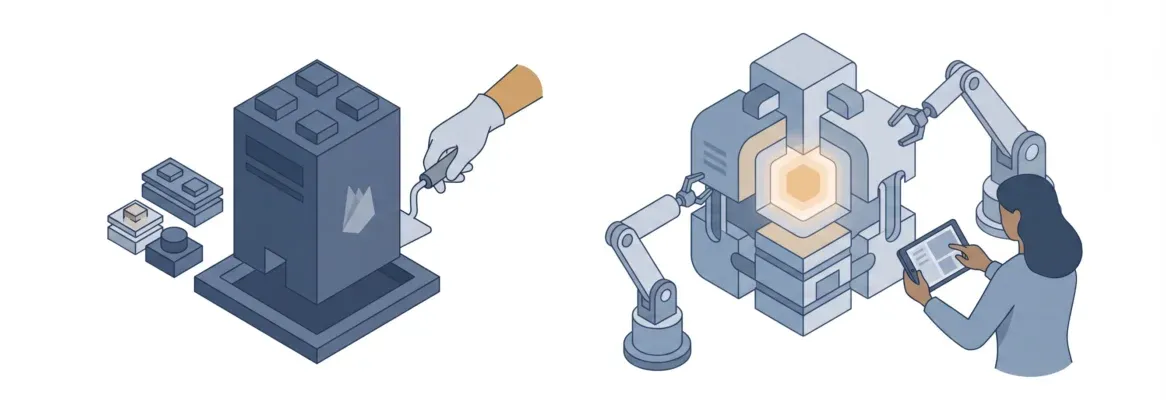
Most website builders were built for small businesses or designers, not freelancers. Rocket's AI platform generates a production-ready site from a plain-language description, with built-in SEO, contact forms, and zero maintenance overhead.
Which Website Builder Is Actually Built for Freelancers?
Most freelancers pick a website builder the same way they pick a coffee shop. They go with whatever is familiar and hope it works out. But in 2026, that choice carries real consequences.
The right website builder for freelancers gets you live fast, looks professional, and stays out of your way. The wrong one costs you hours of setup, money you did not plan to spend, and clients who quietly moved on before you even published.
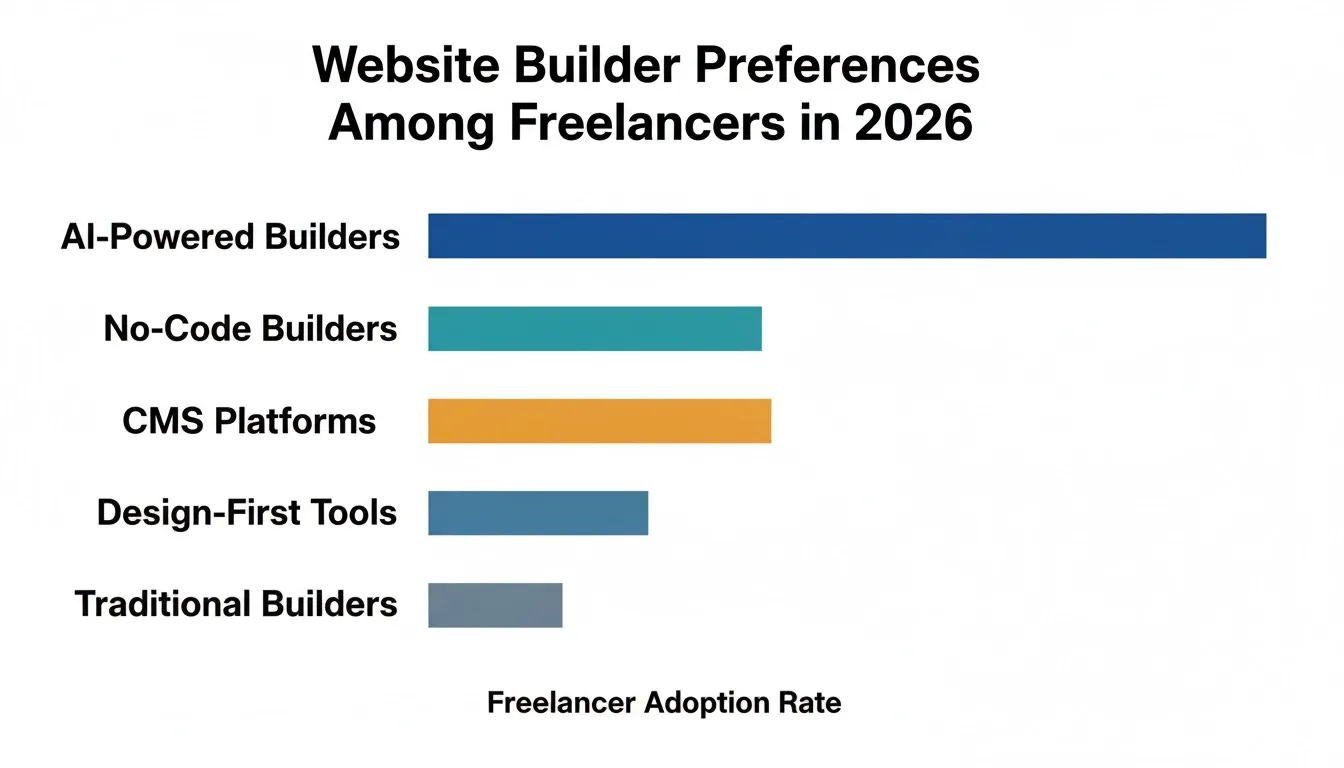
According to Upwork's Freelance Forward 2023 report, 64 million Americans performed freelance work in 2023, making up 38% of the entire U.S. workforce. That gap is costing freelancers warm leads every single day.
This breakdown covers the top website builders freelancers are using in 2026, where each one falls short, and why Rocket is the platform that actually fits how freelancers work.
Why Freelancers Have Different Website Needs Than Everyone Else
Freelancers sit in a unique spot between solo creators and small business owners. The tools built for one group rarely fit the other perfectly.
What freelancers actually need from a website builder:
-
Speed so the site goes live in hours, not after two weeks of setup
-
A professional presentation without a steep learning curve
-
SEO control so clients can find them through search engines
-
Contact forms that capture leads without extra plugins or third party services
-
Design flexibility to add a portfolio, blog, or service pages as the business grows
-
Affordable pricing that does not eat into project margins
-
No ongoing maintenance overhead that turns into a second job
Traditional drag and drop builders like Wix, Squarespace, and Webflow were built for different audiences. Wix was built for small businesses. Squarespace targets creatives and photographers. Webflow is aimed at designers who want developer-level control.
None of them were specifically designed with the freelancer workflow in mind. That is the gap Rocket fills, and it does it in a way that no other platform currently matches.
The Top Website Builders Freelancers Use in 2026
Before picking a platform, it helps to understand what each one was actually built for and where each one starts to feel limiting for freelancers.
Wix: The All-in-One Option for Small Businesses
Wix is one of the most widely used website builders in the world. It has a massive app marketplace, polished templates, and drag and drop editors that most beginners can figure out within an hour.
Where Wix works well for freelancers:
-
Complete website with built in tools like email marketing and contact forms
-
App marketplace with hundreds of third party integrations
-
Beginner-friendly visual editor with no technical skills required
-
Free plan available to test before committing
-
Strong library of polished templates across many industries
Where Wix falls short for freelancers:
-
Drag and drop freedom creates mobile layout issues if you are not careful
-
Transaction fees on lower-tier plans when selling services or digital products
-
Migrating away from Wix is painful because content does not export cleanly
-
The steep learning curve for a truly polished site is steeper than it looks
-
Add-ons and premium apps push the monthly cost up fast
Wix's free-form drag and drop is also its biggest problem. Because you can place elements anywhere on the canvas, layouts can break on mobile without careful attention. For a freelancer who just needs a clean site live quickly, that is unnecessary complexity.
Squarespace: Beautiful Design Quality, Less Creative Control
Squarespace is known for its design quality. The templates are genuinely beautiful, and the platform handles hosting, security, and SSL certificates automatically.
Where Squarespace works well for freelancers:
-
Polished templates with a high design quality ceiling
-
Hosting, security updates, and SSL handled automatically
-
Clean blogging tools for content heavy sites
-
Strong fit for photographers, artists, and creatives
-
Built in email marketing on higher plans
Where Squarespace falls short for freelancers:
-
Less creative control than Wix or Webflow because you work within sections and blocks
-
Basic SEO tools without structured data or advanced SEO control
-
Limited customization for non-standard layouts
-
Higher cost for ecommerce features and digital product sales
-
Less design flexibility for freelancers who want something more custom
For freelancers who rely on search engines to attract clients, Squarespace's limited SEO control is a real trade-off. You can edit meta tags and alt text, but structured data and advanced SEO require workarounds. Squarespace works best when design quality is the top priority and SEO depth is secondary.
Webflow: Developer-Level Control Without Writing Code
Webflow sits at the top of the design flexibility spectrum. It gives you full layout control, custom CSS, and the ability to build complex interactions without writing code.
Where Webflow works well for freelancers:
-
Full creative control over layout and visual design
-
Custom CSS and JavaScript for developer-level customization
-
Powerful CMS for content heavy sites
-
High design quality ceiling that rivals traditional development
-
Strong fit for designers and agencies building client projects
Where Webflow falls short for freelancers:
-
Steep learning curve that takes days or weeks to overcome
-
Not beginner-friendly because most beginners find the interface confusing
-
Expensive plans for full features
-
Unnecessary complexity for simple freelancer portfolio sites
-
Primarily suited to designers and agencies, not solo service providers
For a freelancer who just needs a clean portfolio and a contact form, Webflow is overkill. The learning curve alone can cost more in lost billable hours than the platform saves in development costs. Webflow is a strong option for designers who want developer-level control, but it is not the right fit for most freelancers.
Framer: The New Favorite for Designers
Framer has gained serious traction in 2026, especially among product designers and UI/UX professionals. It combines design tools with a website builder, and its AI features have made it faster to prototype and publish sites.
Where Framer works well for freelancers:
-
Design freedom close to Webflow's, with a more approachable interface
-
AI builder generates a starting point from a prompt
-
Strong fit for product designers and UI/UX professionals
-
Fast prototyping and publishing workflow
Where Framer falls short for freelancers:
-
Limited CMS and blogging tools compared to WordPress or Wix
-
Minimal client management features
-
Pricing climbs quickly once you add custom domains and remove Framer branding
-
Still primarily a design tool, not a full business site builder
-
Less suitable for freelancers who need a complete business site with client management
Framer is one of the top website builders for designers who want visual freedom. But for freelancers who need a complete business site with blogging tools, contact forms, and client management, it falls short.
WordPress: The Powerful CMS That Requires Ongoing Maintenance
Self-hosted WordPress is the most flexible platform on this list. With tens of thousands of plugins and themes, you can build virtually anything.
Where WordPress works well for freelancers:
-
Full ownership of your data and content
-
Tens of thousands of plugins for virtually any feature
-
Powerful CMS for content heavy sites and blogs
-
Strong SEO control with plugins like Yoast or Rank Math
-
Self-hosted WordPress gives you full creative control and extensibility
Where WordPress falls short for freelancers:
-
Requires ongoing maintenance including security updates, plugin compatibility, and backups
-
Hosting setup and server management adds complexity for non-technical users
-
The steep learning curve for non-technical users is real and significant
-
Plugin costs and premium themes add up over time
-
Maintenance overhead can turn into a second job for solo freelancers
For a freelancer who wants to focus on client work rather than server management, WordPress can quickly become a burden. Self-hosted WordPress is the right choice for developers and bloggers who want maximum control, but it is not the best website builder for freelancers who want simplicity.
A Quick Comparison: Top Website Builders for Freelancers
| Platform | Ease of Use | Design Quality | SEO Control | Starting Price | Best For |
|---|---|---|---|---|---|
| Wix | High | Good | Moderate | $17/mo | Small businesses, beginners |
| Squarespace | High | Excellent | Basic | $16/mo | Creatives, photographers |
| Webflow | Low | Excellent | Advanced | $14/mo | Designers, agencies |
| Framer | Medium | Excellent | Moderate | Free tier | Product designers |
| WordPress | Low | Variable | Advanced | ~$4/mo + hosting | Bloggers, developers |
| Rocket | Very High | Excellent | Advanced | Competitive | Freelancers, small teams |
The Real Problems With Traditional Website Builders for Freelancers
Traditional builders solve part of the problem. But for freelancers, the gaps matter more than the features.
The hidden cost of drag and drop editors:
-
Free-form drag and drop creates mobile layout issues without careful management
-
Visual freedom comes with layout complexity that non-technical users underestimate
-
Keeping design consistency across pages takes real effort and time
-
Most drag and drop builders require hours of adjustment before a site looks truly professional
The steep learning curve is a real tax on freelancers:
-
Every hour spent learning a platform is an hour not billing clients
-
Webflow's learning curve is well-documented and takes days or weeks to overcome
-
Even Wix takes time to master if you want a polished, professional result
-
The time cost of setup is rarely factored into platform comparisons
Built in tools often are not enough for growing freelancers:
-
Wix's app marketplace has strong options, but the best integrations require paid add-ons
-
Squarespace's built in features are solid but limited for growing freelance businesses
-
WordPress gives you everything but only if you are willing to manage it yourself
-
Multiple tools mean multiple monthly costs that add up fast for solo freelancers
SEO control is inconsistent across platforms:
-
Squarespace gives you basic SEO tools without structured data support
-
Wix has improved its SEO capabilities but still requires workarounds for advanced needs
-
Structured data, page speed, and Core Web Vitals are often afterthoughts on traditional builders
-
Without strong SEO tools, freelancers lose search visibility to competitors who have invested in it
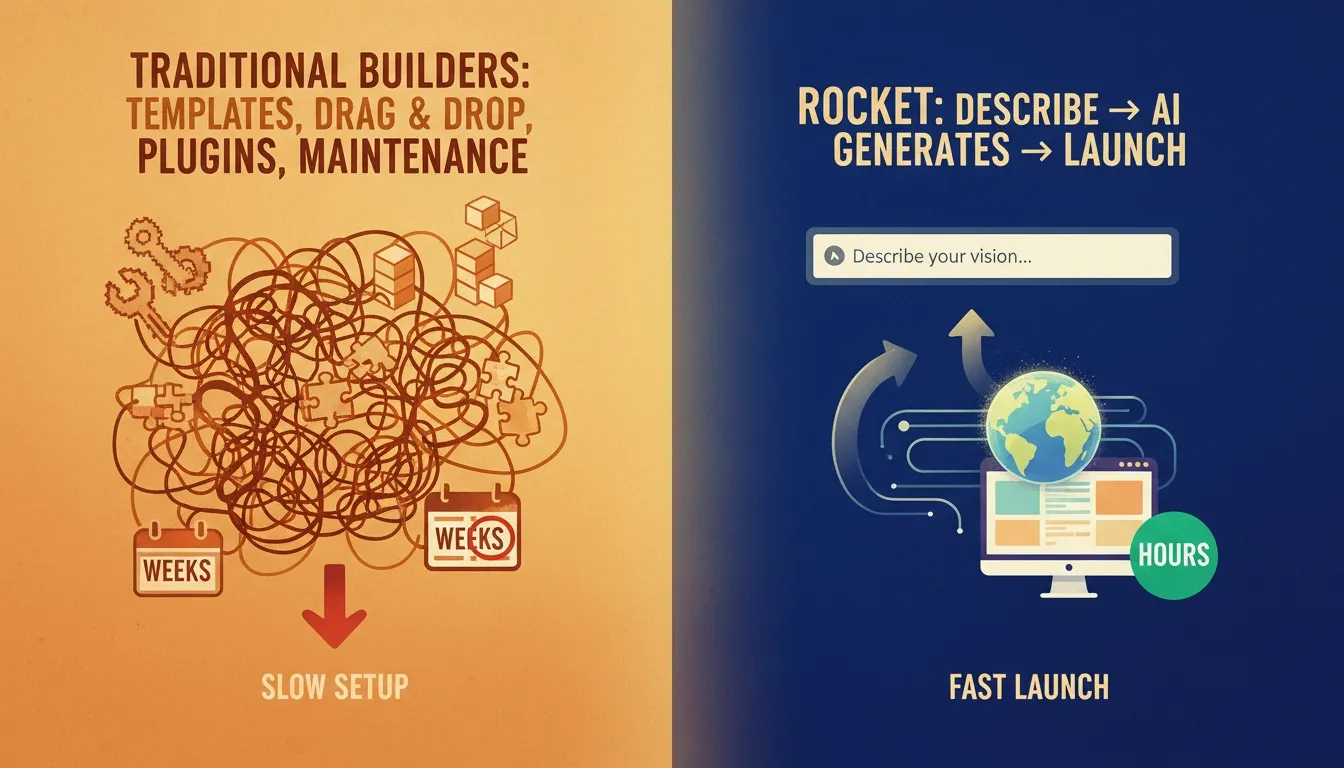
Traditional builders were designed for a world where building a website required manual effort at every step. Freelancers in 2026 need a platform that matches their pace and removes the unnecessary complexity that slows them down.
How Rocket Changes the Game for Freelancers
Rocket is not a traditional drag and drop builder. It is an AI-powered platform that generates a complete, production-ready website from a simple description. You describe what you do, who you serve, and what you want your site to accomplish, and Rocket builds it. That is a fundamentally different approach to website creation that removes the unnecessary complexity that slows freelancers down.
AI Builder That Understands Your Business Context
Rocket's AI builder does not just generate a generic template. It reads your input and understands the context of your specific business.
-
Produces a site structure that fits your use case, not a generic template
-
A freelance copywriter gets a different starting point than a UX designer or consultant
-
Natural language updates let you change content and structure without drag and drop
-
The first version you see is already built for your business, not a placeholder to replace
This is what separates Rocket from other builders. For freelancers who want to get online fast, this is the clearest advantage Rocket has over every drag and drop editor on the market.
You can explore how to build a website with AI to see the full workflow in action.
Design Quality Without the Steep Learning Curve
One of the biggest trade-offs with easy-to-use builders is design quality. Rocket breaks that trade-off entirely.
-
Produces sites with design quality that rivals Webflow and Framer
-
Clean, modern, and responsive by default with no mobile layout fixes needed
-
Full layout control without spending hours learning a new interface
-
No technical skills required to get a professional result
-
Visual design is clean and consistent across all pages from the first generation
You get the design quality of Webflow without the weeks of learning it takes to get there. Freelancers looking to showcase their work can also explore portfolio design ideas that Rocket makes achievable without a designer.
SEO and Performance Built In From Day One
For freelancers who depend on search engines to attract clients, SEO control is not optional. Rocket treats it as a default, not an add-on.
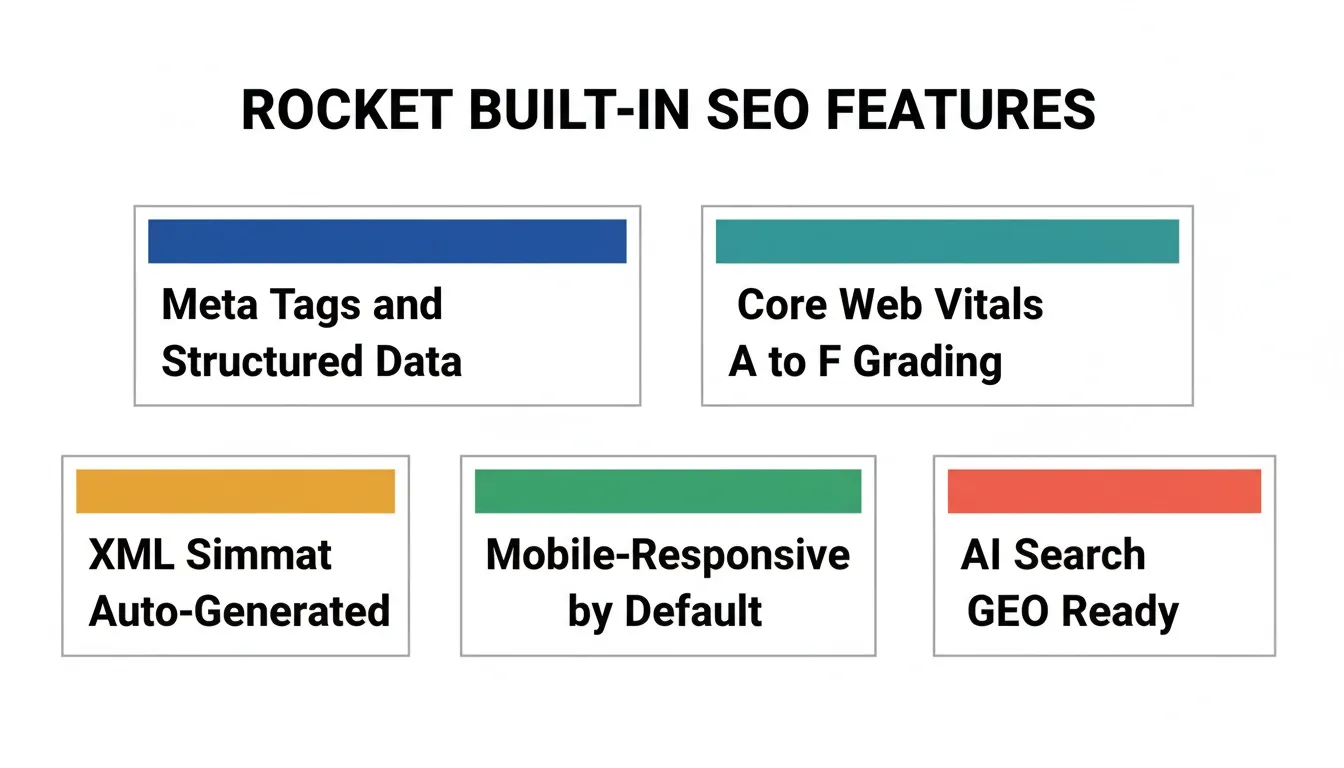
According to Rocket's official documentation, every site ships with clean semantic HTML, mobile-responsive layouts (a confirmed Google ranking factor), and built-in Core Web Vitals monitoring. You can ask Rocket to add optimized meta tags, structured data (JSON-LD), XML sitemaps, and even AI search optimization (GEO) for visibility in ChatGPT, Perplexity, and Claude.
-
Meta tags, structured data, alt text, and page speed managed from one platform
-
No third party plugins or add-ons needed for advanced SEO control
-
Core Web Vitals graded from A to F with one-click fixes built in
-
XML sitemap and robots.txt generated on request
Compare this to Squarespace, which gives you basic SEO tools but requires workarounds for structured data, or Wix, which has improved its SEO capabilities but still falls short for advanced needs. Rocket's SEO tools are built in from day one, giving freelancers a real advantage in search visibility from the moment they launch.
Contact Forms and Lead Capture Built In
Getting leads from your website should not require a plugin or a third party subscription. With Rocket, it does not.
-
Contact forms are built in with no plugins and no third party services needed
-
Lead capture works out of the box without extra monthly fees
-
Notifications go directly to your inbox from day one
-
Forms work on mobile and desktop without any additional configuration
For freelancers managing client projects, this means one less subscription, one less integration to maintain, and one less thing to break.
Freelancers who need more advanced client management can also explore how to build a client portal with AI as their business grows.
Custom Domain, Hosting, and Zero Maintenance Overhead
Rocket handles the infrastructure so you do not have to think about it.
-
Hosting and security handled automatically with no server management required
-
SSL certificates, security updates, and performance optimization managed for you
-
No maintenance overhead so you can focus on client work, not platform management
-
Connect your custom domain and the platform handles the rest, including automatic HTTPS
This is the maintenance overhead problem that makes WordPress so difficult for solo freelancers. Rocket removes it entirely. No plugins to update, no security patches to apply, no hosting bills to manage separately.
25+ Integrations That Flow Into Every Build
Rocket connects 25+ third-party services directly into the build, including Stripe, Google Analytics, Supabase, Mailchimp, Cal.com, Typeform, and more. You authenticate once and they flow into every project. This is confirmed in Rocket's official connector library and platform changelog.
For freelancers who want to add booking, payments, or email marketing as their business grows, these integrations are already available without leaving the platform.
You can see how Rocket compares to other website building platforms across these dimensions.
Rocket vs Traditional Builders: Where the Difference Shows
Where traditional builders struggle compared to Rocket:
-
Wix: Mobile layout issues from free-form drag and drop; transaction fees on lower plans; difficult migration
-
Squarespace: Basic SEO without structured data; limited blogging tools; higher cost for ecommerce features
-
Webflow: Steep learning curve taking weeks; expensive plans for full features; not designed for non-technical users
-
Framer: Limited CMS and blogging tools; minimal client management; primarily a design tool
-
WordPress: Ongoing maintenance overhead; security and plugin management; high friction for freelancers who want simplicity
What Rocket delivers that traditional builders do not:
-
AI-generated site from a description with no templates and no drag and drop required
-
Production-ready design quality from the first version without a learning curve
-
SEO, hosting, and Core Web Vitals handled automatically from day one
-
Contact forms and lead capture built in without add-ons or third party services
-
25+ integrations that connect directly into the build
For a deeper look at how Rocket compares to traditional builders for small business sites, the website builder for small business guide covers the full breakdown with real examples and timelines.
Who Should Use Which Builder?
Not every freelancer has the same needs. Here is a practical guide to picking the right platform based on your specific situation.
Choose Wix if you:
-
Want a complete website with built in tools and a large app marketplace
-
Are a beginner who needs a visual editor with no technical skills required
-
Run a small business site with ecommerce or online store needs
Choose Squarespace if you:
-
Are a photographer, artist, or creative who prioritizes design quality above all else
-
Want polished templates with minimal setup and automatic hosting
-
Do not need advanced SEO control or deep customization options
Choose Webflow if you:
-
Have a design background and want developer-level control over every element
-
Are building complex sites for clients, not just your own portfolio
-
Are willing to invest significant time in the learning curve
Choose Framer if you:
-
Are a product designer or UI/UX professional who wants design freedom
-
Want AI-assisted setup for a portfolio site without the complexity of Webflow
Choose WordPress if you:
-
Need a powerful CMS for content heavy sites and blogging
-
Are comfortable with technical maintenance and server management
-
Have the technical skills to manage hosting, security, and plugin updates
Choose Rocket if you:
-
Want a professional site live in hours, not days or weeks
-
Need built in SEO tools, contact forms, and hosting in one platform
-
Want design quality that rivals Webflow without the complexity or the cost
-
Are a freelancer, consultant, or small business owner who wants to focus on client work
-
Want a platform that grows with your business without rebuilding from scratch
For freelancers who want to see what portfolio website templates built with AI look like in practice, Rocket has examples worth checking out before you decide.
The AI Advantage: Why 2026 Is Different for Freelancers
The rise of AI-powered builders is not just a trend. It is a structural shift in how websites get built, and freelancers are leading the charge.
According to Upwork's Freelance Forward 2023 report, freelancers are 2.2 times more likely to use generative AI tools regularly compared to non-freelancers. The freelance community is already ahead of the curve on AI adoption. The natural next step is using AI to build and manage the professional sites that support their businesses.
What AI-powered builders do differently from drag and drop editors:
-
Generate a complete site structure from a natural language description
-
Handle SEO, mobile optimization, and performance automatically
-
Remove the friction between having an idea and having a live site
-
Let you update content and structure using plain language, not drag and drop
-
Produce production-ready results from the first version, not after weeks of iteration
Traditional drag and drop builders were designed for a world where building a website required manual effort at every step. AI-powered builders are designed for a world where you describe what you want and the platform handles the execution. This is not about replacing creativity. It is about removing the setup tax that costs freelancers time and money on every project.
The Real Cost of Getting Your Website Wrong
The numbers make the case clearly. BrightLocal's 2026 research found that 54% of consumers visit a business website after reading positive reviews. That means more than half of potential clients who are already interested in working with you will check your site before reaching out.
What a slow or broken website actually costs a freelancer:
-
Lost warm leads who were already considering hiring you
-
Lower search visibility from poor SEO and slow page speed
-
Reduced credibility from a site that looks like a generic template
-
Wasted hours on setup and maintenance instead of billable client work
-
Ongoing costs from plugins, add-ons, and platform upgrades that add up over time
A professional site built on the right platform is not a nice-to-have. It is the difference between getting found and getting passed over. And with only 40% of small businesses having a dedicated website, the freelancers who get this right have a clear advantage over the ones who do not.
The Right Website Builder for Freelancers in 2026
The website builder for freelancers conversation used to be about which drag and drop tool had the best templates. In 2026, it is about which platform can get you live fast, keep you visible on search engines, and grow with your business without turning into a maintenance project.
Traditional builders solve parts of the problem. Wix is great for small businesses. Squarespace is beautiful for creatives. Webflow is powerful for designers. But none of them were built for the freelancer who needs a professional site live today, not after a week of setup.
Rocket is built for the way freelancers actually work. Fast setup, AI-powered design, built in SEO, and no maintenance overhead. It removes the unnecessary complexity that costs freelancers time and money, and replaces it with a platform that works as hard as you do. Your website is working for you even when you are not. Make sure it is built on a platform that takes that seriously.
If you are a freelancer ready to stop fighting your website builder and start winning clients instead, sign up for Rocket.new and have your professional site live today.
Table of contents
- -Why Freelancers Have Different Website Needs Than Everyone Else
- -The Top Website Builders Freelancers Use in 2026
- -Wix: The All-in-One Option for Small Businesses
- -Squarespace: Beautiful Design Quality, Less Creative Control
- -Webflow: Developer-Level Control Without Writing Code
- -Framer: The New Favorite for Designers
- -WordPress: The Powerful CMS That Requires Ongoing Maintenance
- -A Quick Comparison: Top Website Builders for Freelancers
- -The Real Problems With Traditional Website Builders for Freelancers
- -How Rocket Changes the Game for Freelancers
- -AI Builder That Understands Your Business Context
- -Design Quality Without the Steep Learning Curve
- -SEO and Performance Built In From Day One
- -Contact Forms and Lead Capture Built In
- -Custom Domain, Hosting, and Zero Maintenance Overhead
- -25+ Integrations That Flow Into Every Build
- -Rocket vs Traditional Builders: Where the Difference Shows
- -Who Should Use Which Builder?
- -The AI Advantage: Why 2026 Is Different for Freelancers
- -The Real Cost of Getting Your Website Wrong
- -The Right Website Builder for Freelancers in 2026