
Choosing the right AI coding tool for startups can mean shipping in days instead of months. This blog compares GitHub Copilot, Cursor, Bolt, Lovable, and Rocket on speed, cost, deployment, and code quality to help early-stage teams decide.
What separates startups that ship fast from those stuck in development cycles?
According to the 2024 Stack Overflow Developer Survey, 76% of developers now use or plan to use AI tools in their development workflow.
The teams pulling ahead choose AI coding tools that match startup constraints: limited budgets, small engineering teams, and constant pressure to iterate.
This blog breaks down what matters when picking a development tool for an early-stage company. It includes real data, honest comparisons, and a clear framework for deciding which option fits your team.
Why Startups Need an AI Coding Tool
Every early-stage team faces the same squeeze: build fast, spend little, and ship code that holds up under real users. Traditional software development simply cannot keep pace with startup velocity requirements.
-
Speed compounds over time. A startup shipping two features per week creates six months of competitive distance in a quarter. Manual coding bottlenecks erase that advantage entirely.
-
Talent is expensive and hard to find. Hiring senior software engineers costs $150K+ annually in the US. AI-assisted development tools let a smaller team produce output that matches a larger one.
-
Technical debt kills momentum. Quick hacks shipped without code review or automated testing slow teams down later. Good AI developer tools catch bugs before they compound.
-
Context switching drains focus. Moving between research, coding, deployment, and monitoring across separate platforms wastes hours every week.
The right AI coding tool removes friction from every step of the development cycle — from architecture decisions through deployment. If you want to explore how to build a startup with AI from the ground up, start with how vibe coding fits the startup workflow.
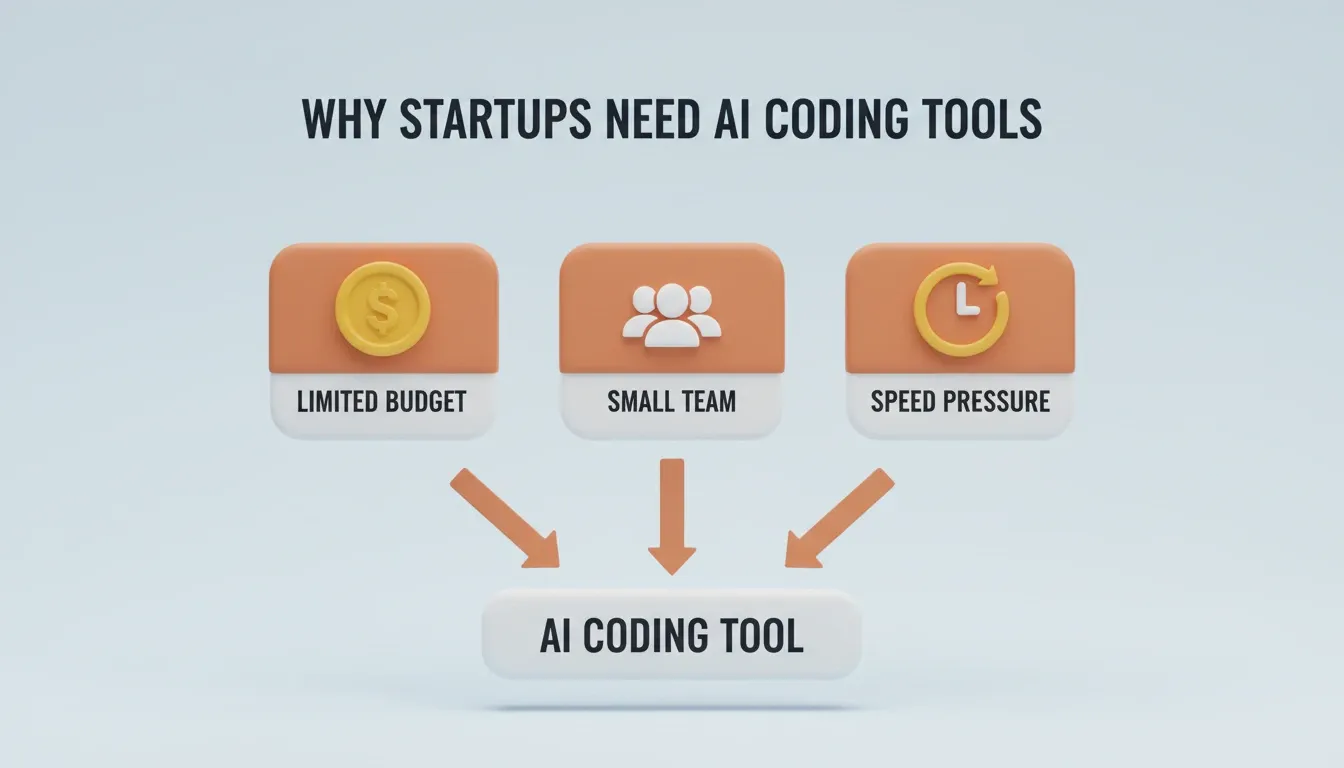
The three core startup constraints that make choosing the right AI coding tool a strategic decision.
How AI coding tools convert startup constraints into compounding advantages across speed, quality, and cost.
What to Look for in a Startup-Friendly AI Coding Tool
Not every AI development tool works well for startups. Enterprise solutions carry overhead that slows small teams down. Hobbyist tools break under production load when real users arrive. The right AI coding tool for startups must clear six bars before it earns a place in your stack.
-
Full-stack generation, not just autocomplete. Startups often need entire features built from a natural language description. Line-by-line completions are not enough.
-
Deployment built in. If shipping requires a separate CI/CD setup, hosting configuration, and domain management, that is hours lost per release cycle.
-
Cost predictability. Per-seat pricing punishes growth. Credit-based models let small teams scale without a linear cost increase.
-
Context retention across sessions. Tools that forget everything between sessions force developers to re-explain project architecture repeatedly.
-
Quality by default. SEO structure, WCAG accessibility compliance, GDPR coverage, and performance standards should ship automatically. They should not be afterthoughts.
-
Pre-build intelligence. The most expensive mistake in any startup is not a bad execution. It is a good execution of the wrong thing. The right tool helps you validate the direction before writing a single line of code.
| Evaluation Factor | Why It Matters for Startups | Weight |
|---|---|---|
| Time to first deploy | Validates ideas before runway drains | High |
| Learning curve | Small teams cannot spend weeks onboarding | High |
| Production readiness | Prototypes that need rebuilding waste engineering time | High |
| Pre-build research | Ensures you build the right thing, not just fast | High |
| Connector ecosystem | APIs, payments, analytics, and databases need to connect easily | Medium |
| Pricing structure | Burn rate sensitivity at pre-seed and seed stages | High |
How the Top AI Coding Tools Compare for Startups
Startups typically evaluate code assistants that work inside an IDE, AI app builders that generate complete applications from prompts, and autonomous coding agents that handle multi-step tasks. Here is how the most-evaluated options stack up.
GitHub Copilot works inside VS Code and JetBrains IDEs as a pair programming assistant. It completes code inline, suggests functions, and writes boilerplate using machine learning models trained on open source repositories. McKinsey research found developers can complete coding tasks up to 2x faster with generative AI assistance. Copilot excels at code completion but does not generate full applications or handle deployment.
Cursor is an AI-native IDE that understands your entire codebase and project structure. It offers chat-based coding, multi-file edits, and strong context awareness. It targets experienced software engineers who already know what to build and need speed in execution. As the approved positioning puts it: "Cursor is for when the thinking is done."
Bolt and Lovable are AI app builders in the vibe coding category. You describe what you want in natural language and they generate working interfaces and front-end code. They work well for rapid prototyping and MVP validation. However, they lack pre-build research capabilities, shared team memory across sessions, and full-stack deployment.
Rocket is a Vibe Solutioning platform — a category it created — that combines strategic research (Solve), production-grade application builds (Build), and continuous competitive monitoring (Intelligence) inside one shared-context workspace. It generates Next.js web apps and Flutter mobile apps from natural language descriptions with SEO, accessibility, and performance included by default. Most apps generate in 1 to 3 minutes. 1.5 million people have tried Rocket across 180 countries.
For a focused look at how AI tools compare specifically for MVP development, the best AI MVP builders for startups breakdown covers the key differences in depth.
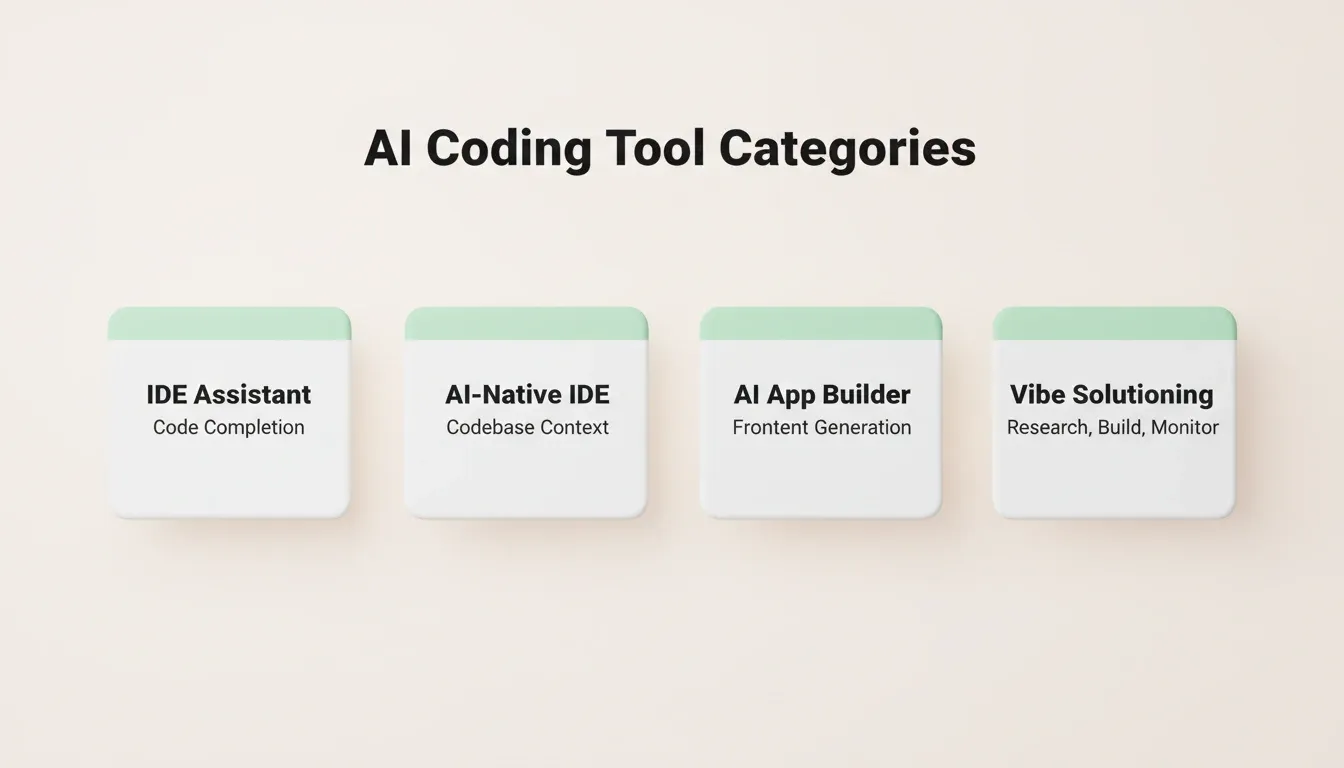
The four categories of AI coding tools and what each one covers in the development journey.
| Capability | GitHub Copilot | Cursor | Bolt / Lovable | Rocket |
|---|---|---|---|---|
| Full app generation | No | No | Yes (frontend) | Yes (full-stack) |
| Built-in deployment | No | No | Limited | Yes (one-click) |
| Pre-build research | No | No | No | Yes (Solve) |
| Team context memory | No | Partial | No | Yes (Projects) |
| Competitive monitoring | No | No | No | Yes (Intelligence) |
| Mobile app support | No | No | No | Yes (Flutter) |
| Built-in analytics | No | No | No | Yes (Core Web Vitals) |
| Figma import | No | No | No | Yes |
| GitHub codebase pickup | No | Yes | No | Yes (Next.js) |
| Pricing model | Per-seat ($19/mo) | Per-seat ($20/mo) | Credits | Credits, no per-seat |
Copilot and Cursor serve developers who already have architecture planned and need coding speed within their existing IDE. Bolt and Lovable serve teams that need quick prototypes. Rocket serves startups that need the entire journey from market validation through production deployment and competitive monitoring in one platform.
Where Rocket Fits in Your Startup Stack
Most AI development tools solve one problem: they make writing code faster. Rocket addresses a different challenge entirely. It is a Vibe Solutioning platform. It is the first platform where business thinking and building happen in the same place. The intelligence that answers what to build connects directly to the build that executes it. Nothing gets handed back. Nothing gets lost between steps.
Rocket ships with seven pillars, all connected through a shared context architecture.
Solve: Validate Before You Build
Solve takes any business question and delivers a complete, structured solution. It runs thousands of queries across 150+ sources simultaneously. Within 60 to 90 minutes, what would have taken a research team days is complete. The output covers market dynamics, competitive landscape, risks, and an execution path with clear recommendations.
The Solve output does not disappear after export. It becomes the foundation of everything that follows in the project. The PRD is present when the developer opens the build task. The competitive brief is present when the landing page is written.
Build: Generate Production-Grade Apps in Minutes
Build generates production-grade web and mobile applications from natural language descriptions, Figma files, or existing GitHub repositories. Web applications are built in Next.js. Mobile applications are built in Flutter with real design systems, dark/light theming, fluid navigation, and staggered animations. Most apps generate in 1 to 3 minutes.
Every build ships with SEO-ready structure, WCAG 2.1 AA accessibility compliance, GDPR coverage, performance optimization, and built-in analytics (visitors, conversions, Core Web Vitals). You can start from a plain language prompt, a Figma design, an uploaded screenshot or PDF, an existing Next.js GitHub repository, or a template at zero credits.
Intelligence: Monitor Competitors Continuously
Intelligence monitors every public platform a competitor operates on. It tracks website changes, pricing shifts, product launches, hiring signals, social activity, and customer reviews. It then interprets what those signals mean for your business. Set it up once and it runs automatically from that point.
Daily briefs surface the most significant changes with a "So what" interpretation and recommended actions. Each competitor tracked costs $100/month (500 credits/month).
The Other Four Pillars
-
Redesign: Point Rocket at any live website URL and reimagine it using eight slash commands. No agency required.
-
Context: Persistent shared memory. Add files, research, and decisions once. Every task that follows already knows everything.
-
Collaborate: Team workspaces with three-level role-based access (Admin, Creator, Viewer), inline comments, and unified billing. Unlimited team members on all paid plans.
-
Support: Rocket's Success team steps in inside the platform when the AI reaches its limit, with user permission. No tickets, no email chains.
Rocket's 25+ integrations connect directly into generation: Stripe, Google Analytics, Supabase, PayPal, Notion, Linear, Airtable, Mailchimp, Mixpanel, Typeform, OpenAI, Anthropic, Gemini, Twilio, Resend, SendGrid, and more. Authenticate once and they flow into every build. For a broader view of how AI tools serve startups across marketing, sales, and operations, the full breakdown is worth reading alongside this comparison.
Rocket Pricing: What Startups Actually Pay
Rocket runs on a credit-based system. One credit balance covers everything: Solve research, Build generation, and Intelligence monitoring. No separate billing for compute, storage, or hosting. Unused credits roll over month to month on all paid plans.
| Plan | Price | Credits/Month | Key Features |
|---|---|---|---|
| Free | $0 | 20 (one-time) | Build production-ready apps + Light Solve |
| Pro | $25/mo | 100 | Build + Light Solve research |
| Rocket | $50/mo | 250 | Build + Full Solve + Competitive Intelligence |
| Booster | $250/mo | 1,500 | Build + Full Solve + Intelligence + premium support |
All paid plans include unlimited team members. No per-seat fees mean your growing engineering team does not trigger a pricing cliff as you hire. Annual billing saves 20%. Intelligence tracking costs $100/month per competitor tracked (500 credits/month), included from the Rocket plan upward.
What Real Developers Say About AI-Assisted Workflows
Data from GitHub's 2024 Octoverse report shows a 59% surge in contributions to generative AI projects and a 98% increase in total AI projects on the platform. Developers are building production systems with AI assistance integrated into their daily programming workflows.
-
Satisfaction increases measurably. Research from GitHub and Accenture found that 95% of developers enjoyed coding more when using AI pair programming tools. Additionally, 90% reported feeling more fulfilled with their jobs.
-
Productivity gains are real but nuanced. The Stack Overflow survey shows 81% of developers cite increased productivity as the primary benefit of AI coding tools. Complex tasks still require human oversight. In fact, 45% of professional developers note that AI struggles with complicated multi-step requirements.
-
Adoption rates keep climbing. Over 62% of developers already use AI tools actively in their development process, up from 44% the previous year.
The gap between teams using AI-assisted development and those relying on manual processes widens every quarter as the tools improve.
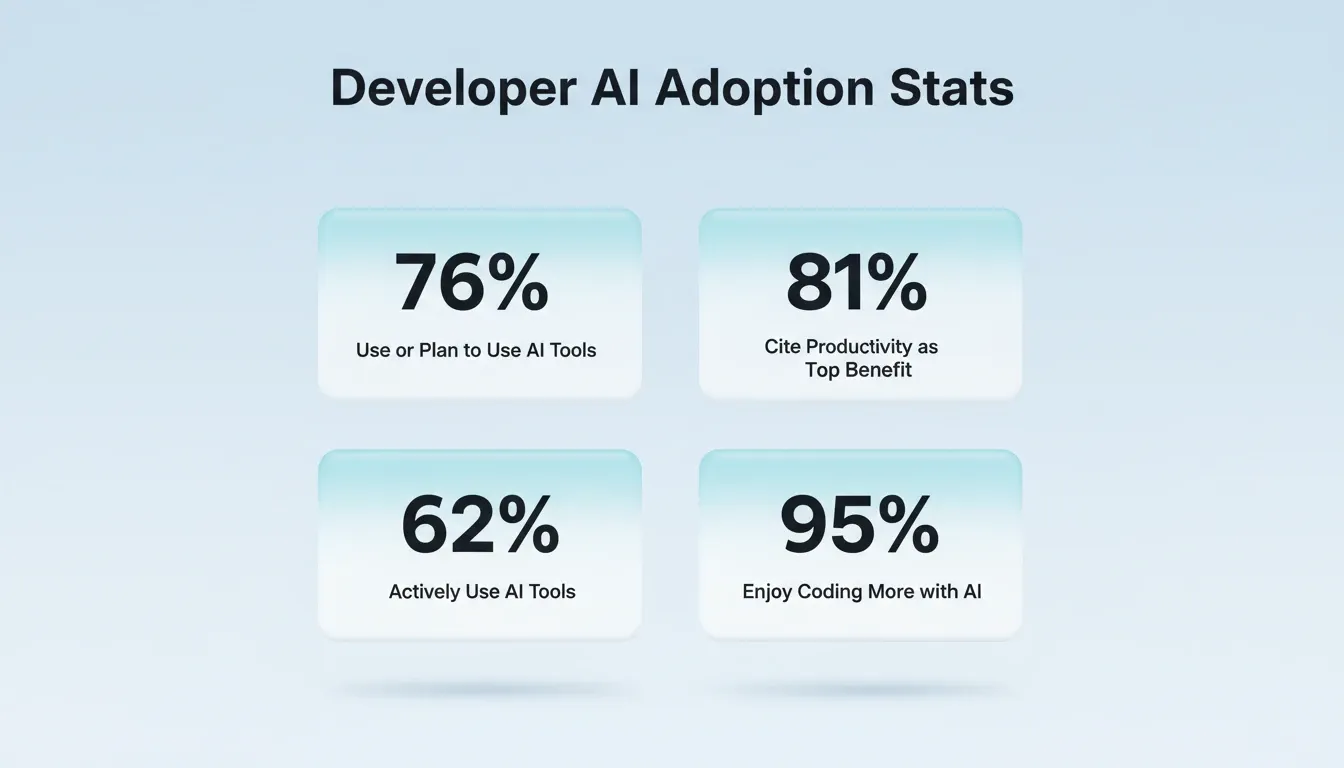
Key developer adoption and satisfaction statistics showing the measurable impact of AI coding tools on engineering teams.
Common Mistakes When Picking an AI Coding Tool for Startups
Choosing the wrong AI tool costs more than the subscription fee. It costs velocity, developer satisfaction, and competitive advantage. Understanding how vibe coding tools shape next-generation workflows can help frame the evaluation before committing.
-
Picking based on hype instead of workflow fit. The most popular tool is not always the right one for a three-person startup. Evaluate against your actual daily bottlenecks, whether that is ideation, coding, testing, or deployment.
-
Ignoring the learning curve. A tool that takes two weeks to configure properly costs you two weeks of shipping time. Look for platforms with immediate time-to-value.
-
Treating prototypes as production code. Some AI builders generate impressive demos that fall apart under real traffic. Check whether generated code passes automated testing and security scans before committing.
-
Forgetting about the full lifecycle. Code generation is one step. Deployment, monitoring, iteration, and competitive awareness form the complete picture. A tool that handles only one step still leaves gaps.
-
Starting at execution before validating the idea. The most expensive mistake is not a bad build. It is a good build of the wrong thing. Use a platform that helps you answer "what should I build?" before "how do I build it?"
The Right AI Coding Tool Changes How Fast You Ship
Startup velocity depends on removing friction between decisions and execution. The teams shipping fastest in 2026 use platforms that connect research, building, and monitoring rather than juggling disconnected point solutions across separate tabs.
Your technical stack is a compounding advantage or a compounding drag on your startup's progress. Pick a tool that grows with your team, retains context across projects, and gets your product in front of users before the runway runs thin.
When evaluating any AI coding tool for startups, the right question is not which tool has the most features. It is which tool removes the most friction between your idea and your first paying user.
The Smarter Way to Build: Start with Thinking, Not Code
Choosing the right AI coding tool for startups is not just a technical decision. It is a strategic one. As AI development tools grow more capable, the advantage will belong to teams that validate before they build, ship production-grade products from day one, and monitor the market continuously.
Rocket connects all three in one platform, so the thinking before the build and the build itself happen in the same place. 1.5 million people have tried Rocket across 180 countries. Start building on Rocket.new and see how fast your team can ship.
Table of contents
- -Why Startups Need an AI Coding Tool
- -What to Look for in a Startup-Friendly AI Coding Tool
- -How the Top AI Coding Tools Compare for Startups
- -Where Rocket Fits in Your Startup Stack
- -Solve: Validate Before You Build
- -Build: Generate Production-Grade Apps in Minutes
- -Intelligence: Monitor Competitors Continuously
- -The Other Four Pillars
- -Rocket Pricing: What Startups Actually Pay
- -What Real Developers Say About AI-Assisted Workflows
- -Common Mistakes When Picking an AI Coding Tool for Startups
- -The Right AI Coding Tool Changes How Fast You Ship
- -The Smarter Way to Build: Start with Thinking, Not Code