
Choosing the best AI builders for SaaS comes down to six factors: full-stack output, code ownership, multi-tenancy, billing, mobile coverage, and whether the platform helps you validate before you build.
Is your SaaS idea worth building before you spend six months finding out?
The no-code AI platform market hit $6.56 billion in 2025 and is projected to reach $75.14 billion by 2034 at a 31.13% CAGR, according to Hostinger's 2026 market research. That kind of growth only happens when the tools actually deliver.
SaaS founders turn to AI app builders because traditional development demands months of coding, backend complexity, and $50,000+ before a single paying customer arrives.
AI app builders compress that into days. But not all of them handle production SaaS equally. Some generate prototypes that break under real load. Others ship full-stack apps with multi-tenancy, Stripe billing, and proper database schemas from day one.
This blog breaks down the seven strongest options so you can pick the right one.
What to Look for in an AI SaaS Builder
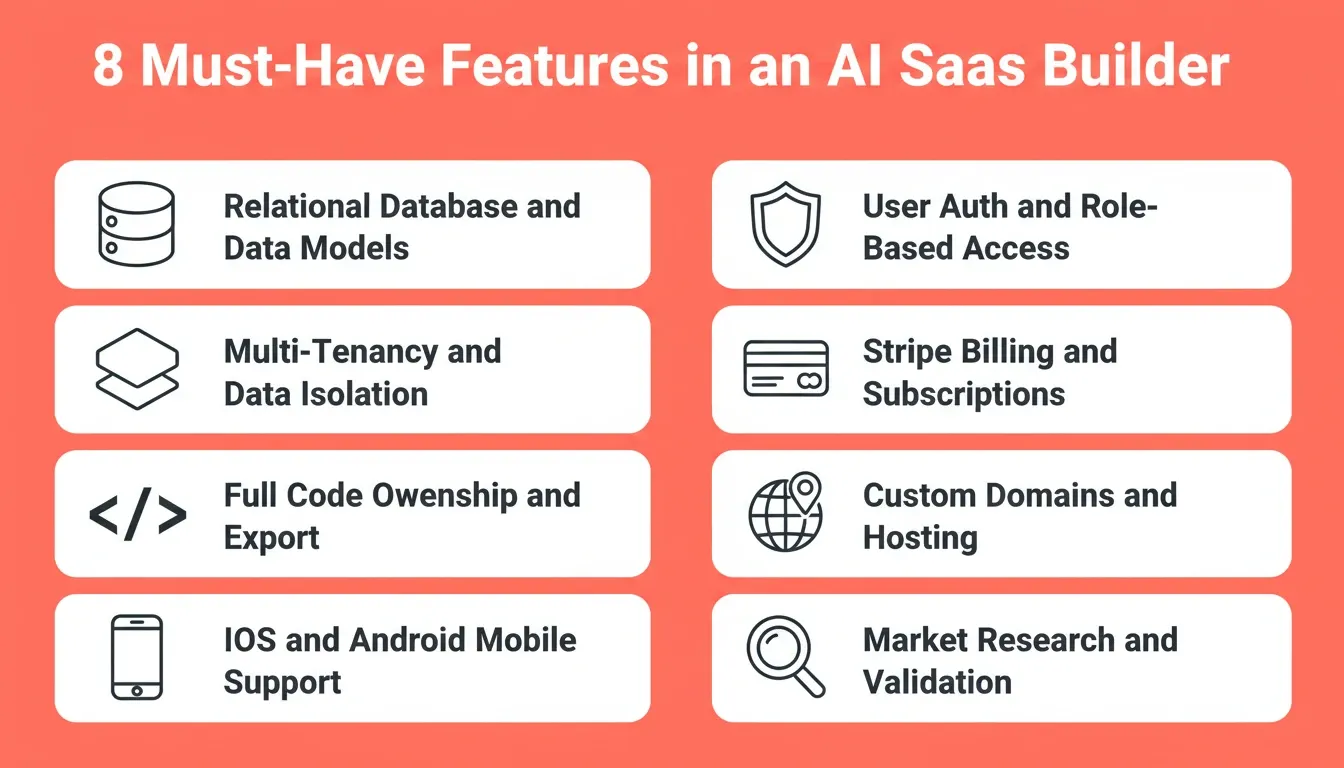
Before comparing platforms, here is what separates a real SaaS builder from a prototype generator. Every production SaaS application needs these capabilities from day one. The platform you choose should handle them natively, not as afterthoughts.
-
Built-in database with proper data models. SQL databases, relational schemas, and structured data management that scales with volume. Not spreadsheet-style storage.
-
User authentication and role-based access control. Login flows, SSO, social auth, and role-based permissions built in from the start.
-
Multi-tenancy and data isolation. Tenant-specific configuration, row-level security, and separate data environments for each customer organization.
-
Stripe billing and subscription lifecycle. Native payment handling with checkout sessions, webhook handlers, and subscription management.
-
Code ownership and export. Full access to generated code with the ability to self-host. No vendor lock-in trapping your product.
-
Custom domains and built-in hosting. Production deployment with custom domains, staging environments, and one-click publishing.
-
Mobile app support. iOS and Android coverage from a single codebase for SaaS products that need a mobile presence.
-
Market research and validation. The ability to validate your idea and scope features before a line of code is written.
Understanding the cost difference between an AI app builder vs hiring a developer also shapes which platform makes sense at your stage. Early validation calls for a different tool than scaling a paying product.
1. Rocket — Research, Build, and Deploy in One Platform
Rocket is a vibe solutioning platform that combines strategic research, AI app building, and competitive intelligence into a single product. It does not start from a blank prompt. You validate the idea, scope the product, and build it, all inside the same system, with shared context that carries forward between every step.
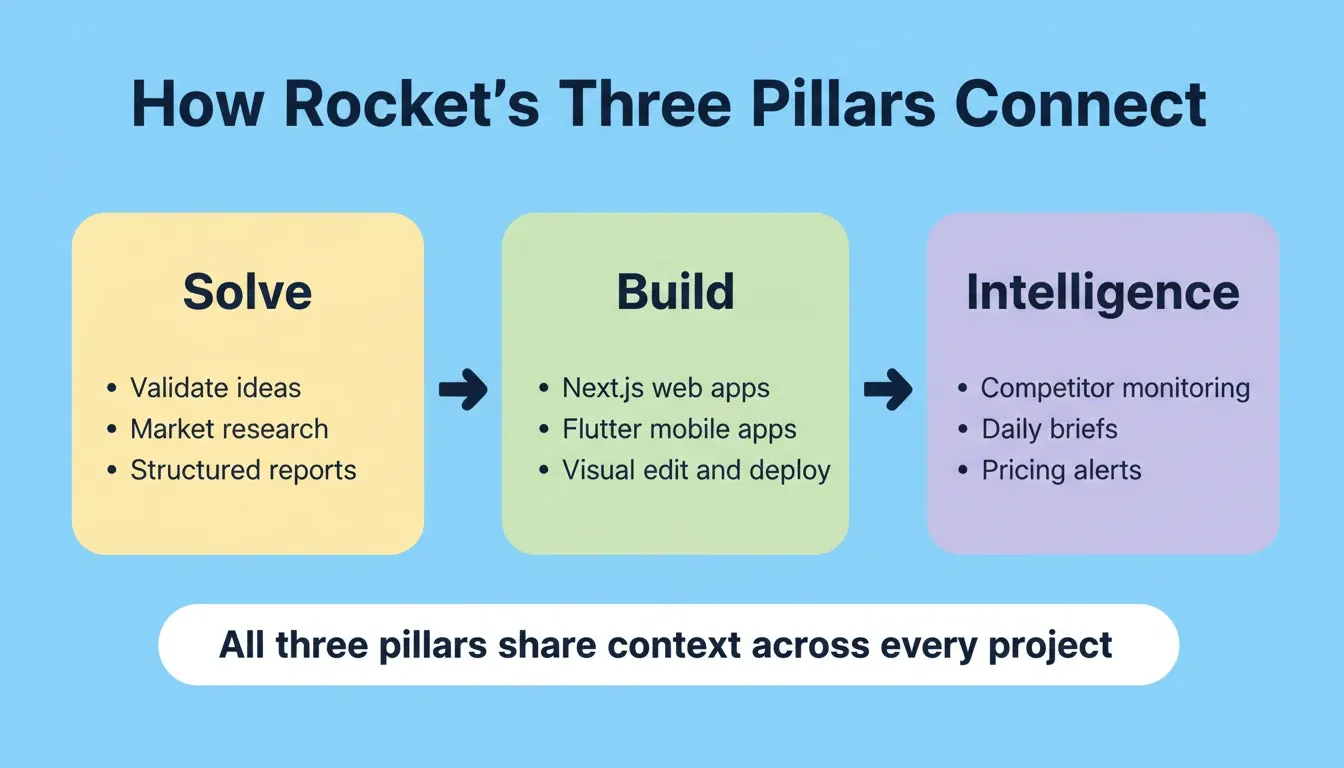
Rocket is organized around three pillars that each work independently or together:
-
Solve: Research and validate before you build
-
Build: Generate production-ready web and mobile apps
-
Intelligence: Monitor competitors continuously after you launch
Solve: Research Before You Build
Solve is Rocket's research engine. Type any business question in plain language and get back a structured, evidence-backed report built from live data. It is not a chatbot summary or a list of links. Solve runs parallel agent research streams, synthesizes findings across multiple sources, and delivers an executive summary with supporting evidence and actionable recommendations.
What Solve covers:
-
Strategic expansion and market entry
-
Competitive intelligence and positioning
-
GTM strategy and revenue optimization
-
Investment and due diligence research
-
Consumer and market behavior research
-
Brand, positioning, and thought leadership
-
Technical and operational deep dives
-
Policy advocacy and public initiative design
-
Product direction and feature prioritization
For SaaS founders, the workflow is: run a Solve task to validate your idea and size the market, then use those findings to scope your Build task with full context already in place. Every task inside a project shares context, so your research carries forward automatically.
Build: Full-Stack Web and Mobile Apps
Build is Rocket's AI app builder. Describe what you want in plain language, and Rocket generates a fully functional app with UI, navigation, logic, and production-ready code.
What Rocket Build produces:
-
Web apps. Next.js applications: SaaS dashboards, internal tools, marketplaces, AI-powered tools, customer portals.
-
Mobile apps. Flutter iOS and Android apps from a single codebase, ready for the App Store and Google Play.
-
Landing pages. Marketing sites with built-in SEO and fast load times.
-
E-commerce stores. Full online stores with product catalogs, checkout flows, and payment integrations.
How to start a Build task:
| Starting point | Best for |
|---|---|
| From an idea | Describe in plain language; Rocket builds from scratch |
| From an attachment | Upload a screenshot, wireframe, or design mockup |
| From Figma | Import a Figma design and convert it to working code |
| From a template | Launch quickly from a pre-built starting point |
| From GitHub | Import a Next.js TypeScript repository and continue with AI |
| Redesign | Provide a URL and transform an existing website |
Once generated, you refine through three editing modes: Chat (new features, logic, multi-page changes), Visual edit (click any element to adjust text, styling, or spacing without touching code), and Code (direct access to all source files). One click publishes it live with a custom domain.
Connectors built into Rocket Build:
| Category | Examples |
|---|---|
| Payments and Ads | Stripe, Razorpay, AdSense |
| Email and Messaging | Mailchimp and more |
| AI | OpenAI, Anthropic, and others |
| Databases and CMS | Supabase and more |
| Analytics | Google Analytics, built-in analytics |
| Forms and Scheduling | Cal.com and more |
| Productivity | Notion, Linear, Airtable |
| CRM | HubSpot and others |
| Design and Development | Figma, GitHub |
Intelligence: Continuous Competitor Monitoring
Intelligence is Rocket's competitive monitoring layer. Set it up once and it runs automatically. It delivers daily briefs, pricing change alerts, and trend signals to a live dashboard in your sidebar. When a competitor makes a significant move, you can immediately trigger a Solve analysis or update your product in Build, all within the same platform.
Additional Capabilities
-
Shared context architecture. Every task inherits context from previous tasks via @-mentions. Research informs the build. The build informs the next iteration.
-
Version history. Roll back to any previous state of your app without losing work.
-
Built-in analytics. Every deployed project includes a dashboard tracking visits, unique visitors, pageviews, visit duration, and bounce rate. No setup required.
-
Advisor Agent. Proactively suggests improvements, flags issues, and guides build decisions.
-
Mobile app deployment. Flutter apps can be shared as a web preview, downloaded as an APK, or submitted directly to Google Play and the Apple App Store.
-
1.5 million people have tried Rocket across 180 countries.
Pricing
| Plan | Price | Includes |
|---|---|---|
| Free | $0 | 20 credits, no credit card required |
| Starter | From $19/month | Full code ownership, all three pillars |
| Team | Custom | Per-user credit limits, unified billing |
Best For
SaaS founders who want the full arc from market research to deployed product in one platform. Non-technical founders who need production-ready output without hiring developers. Teams that want shared context across strategy, build, and monitoring.
Limitations
Credit-based usage means large-scale generation consumes credits faster. Build generates Next.js (web) and Flutter (mobile). Teams committed to other frameworks will need to adapt or export and modify the code. GitHub import currently supports Next.js TypeScript repositories only.
2. Lovable — Fast Prototyping with GitHub Integration
Lovable generates working web applications from text prompts and pushes code to GitHub automatically. It reached $400M ARR in February 2026 with over 25 million total projects created, making it one of the fastest-growing app builders in the market.
Key Features
-
Prompt-to-app generation with frontend and basic backend logic
-
Automatic GitHub sync for version control and collaboration
-
Supabase integration for database, user authentication, and file storage
-
Visual editor for modifying generated apps without touching code
-
Pre-built UI components for dashboards, forms, and data tables
Pricing
| Plan | Price | Includes |
|---|---|---|
| Free | $0 | Limited generations |
| Pro | From $20/month | Unlimited apps, faster generation, GitHub export |
Best For
Technical founders who want rapid prototyping with full code access via GitHub. Teams building SaaS MVPs for quick validation before investing in custom development.
Limitations
No pre-build research or intelligence capabilities. Each session starts from zero context. Complex backend logic often requires manual coding after export. No competitive monitoring or strategic planning tools built in.
3. Bolt — Speed-First App Generation
Bolt by StackBlitz hit $40M ARR in just five months with over 5 million users, adding more than 1 million new users per month according to Business of Apps. It focuses on getting a working app in front of you as fast as possible.
Key Features
-
In-browser full-stack development with no local setup required
-
Multi-file project generation with routes and backend code in one prompt
-
Real-time preview running instantly alongside the code editor
-
npm package support for any package directly in your project
-
One-click deployment to Netlify or other hosting providers
Pricing
| Plan | Price | Includes |
|---|---|---|
| Free | $0 | Limited tokens and generations |
| Pro | From $20/month | Increased usage limits, code export |
Best For
Developers who want the fastest path from idea to working app without environment setup. Solo founders building SaaS MVPs for rapid prototyping before committing to a full stack.
Limitations
Generated apps sometimes need significant debugging for complex logic. No shared memory between sessions, so every conversation starts fresh. No built-in database, authentication, or billing infrastructure. Production readiness requires additional manual work after generation.
4. Bubble — Visual Builder for Complex SaaS Workflows
Bubble has been in the no-code space longer than most AI app builders. It offers deep control over backend logic, workflows, and database management through a visual interface. It handles complex apps well, but it comes with a significant vendor lock-in trade-off. Founders who want more flexibility should review Bubble alternatives that offer more control before committing.
Key Features
-
Visual workflow builder for complex backend logic without writing code
-
Built-in database with relational data models and role-based permissions
-
Plugin ecosystem with hundreds of options for payments, APIs, and external services
-
API connector for any external service through REST configuration
-
Responsive design editor for mobile-responsive layouts
Pricing
| Plan | Price | Includes |
|---|---|---|
| Free | $0 | Bubble branding on app |
| Starter | From $29/month | Custom domain, more capacity |
| Growth | Higher tiers | Increased capacity, no Bubble branding |
Best For
Non-technical founders building complex web apps with advanced workflows, client portals, and internal tools who do not need code ownership. Teams comfortable with long-term platform commitment.
Limitations
No code export option creates the highest vendor lock-in risk on this list. You cannot self-host or move your app off Bubble without a complete rebuild. Performance can degrade with high data volume. The learning curve is steeper than prompt-based AI builders.
5. Replit — Cloud IDE with AI Code Generation
Replit reached approximately $253M ARR by October 2025, growing 2,352% year-over-year according to GetMocha's 2026 statistics. It combines a full cloud development environment with AI-assisted code generation.
Key Features
-
Cloud-based IDE accessible from any browser with no local setup
-
AI agent for app generation from natural language descriptions
-
Built-in hosting and deployment with custom domains
-
Multiplayer collaboration for real-time co-editing
-
PostgreSQL databases available natively within projects
Pricing
| Plan | Price | Includes |
|---|---|---|
| Free | $0 | Limited compute |
| Core | From $25/month | Full code access, export, custom domains |
| Teams | Custom | Collaborative development plans |
Best For
Developers who want a complete cloud IDE with AI assistance. Non-developers at companies like Coinbase and Mercedes-Benz using it for internal tools. Teams that want collaborative development without local environment management.
Limitations
Generated code quality varies significantly with prompt complexity. No pre-build research or market validation tools. Performance on compute-heavy applications requires higher-tier plans. The platform is a general-purpose IDE, not optimized for SaaS patterns like multi-tenancy or subscription billing.
6. Cursor — AI-Powered IDE for Developers
Cursor went from zero to over $1 billion in annualized revenue in roughly 24 months, making it the fastest-scaling B2B company on record. It operates as an AI-enhanced code editor, not an app generator. It targets developers who already have codebases.
Key Features
-
Codebase-aware AI that understands your entire project context, not just the current file
-
Multi-file editing across multiple files simultaneously from natural language
-
Chat and compose modes for questions, new features, and refactoring
-
VS Code foundation with all extensions, themes, and keyboard shortcuts intact
-
Terminal integration for reading output, fixing errors, and suggesting commands
Pricing
| Plan | Price | Includes |
|---|---|---|
| Free | $0 | Limited AI completions |
| Pro | $20/month | Increased usage, full code ownership |
| Business | $40/month per seat | Team access, admin controls |
Best For
Professional developers and technical founders who already have a codebase and want AI to accelerate their workflow. Teams building SaaS products with custom architecture who need fine-grained control over every file.
Limitations
Not an app builder. It does not generate complete applications from scratch or handle deployment, hosting, databases, or authentication. Existing programming knowledge is required. No project management, competitive intelligence, or design generation capabilities.
7. v0 by Vercel — UI Component Generation
v0 generates frontend UI components and pages from text prompts. It produces React and Next.js code that integrates directly with the Vercel deployment ecosystem. It focuses on the UI layer only.
Key Features
-
React component generation using shadcn/ui and Tailwind CSS from text descriptions
-
Iterative refinement through conversation for layout, styling, and functionality
-
Code export directly into existing Next.js projects
-
One-click deployment to Vercel's hosting infrastructure
-
Design system alignment with modern React patterns
Pricing
| Plan | Price | Includes |
|---|---|---|
| Free | $0 | Limited generations per month |
| Premium | $20/month | Increased usage, full code export |
Note: Vercel hosting costs are separate.
Best For
Frontend developers and designers who need UI components generated quickly. Teams already on the Vercel and Next.js stack who want to accelerate frontend development without switching platforms.
Limitations
Frontend-only generation. No backend code, no database schemas, no user authentication, no billing, and no deployment infrastructure beyond Vercel. The entire backend still needs to be built separately. Not a complete SaaS builder.
How Do These Platforms Compare Side by Side?
The table below summarizes how each platform handles the core requirements for building a production SaaS product.
| Platform | Full-Stack | Auth Built-in | Multi-Tenancy | Code Export | Mobile App | Pre-Build Research | Vendor Lock-in | Paid Plans Start |
|---|---|---|---|---|---|---|---|---|
| Rocket | Yes (Next.js + Flutter) | Yes | Yes | Full ownership | Yes (Flutter) | Yes (Solve) | Low | $19/mo |
| Lovable | Partial (Supabase) | Via Supabase | Manual setup | GitHub sync | No | No | Low | $20/mo |
| Bolt | Yes (browser-based) | Manual | No | Available | No | No | Medium | $20/mo |
| Bubble | Yes (proprietary) | Yes | Plugin-based | No export | Limited | No | High | $29/mo |
| Replit | Yes (multi-language) | Manual | No | Full access | No | No | Low | $25/mo |
| Cursor | No (IDE only) | No | No | Full ownership | No | No | None | $20/mo |
| v0 | No (frontend only) | No | No | Full export | No | No | None | $20/mo |
The pattern is clear. Platforms with complete SaaS infrastructure, including auth, database, billing, deployment, and research, charge similarly to those that only handle one layer. The real cost difference shows up in how much manual work remains after generation.
Which Builder Fits Your SaaS Stage?
The right tool depends on where you are in your journey. A solo founder validating an idea has different needs than a team scaling an existing SaaS product.
For non-technical SaaS founders, the choice often comes down to whether to accept vendor lock-in for visual simplicity (Bubble) or invest in a platform that gives full code ownership while still handling the complexity. The complete breakdown of AI SaaS builder tools shows that platforms with code export consistently outperform locked platforms in long-term founder satisfaction.
How to Evaluate an AI SaaS Builder Before You Commit
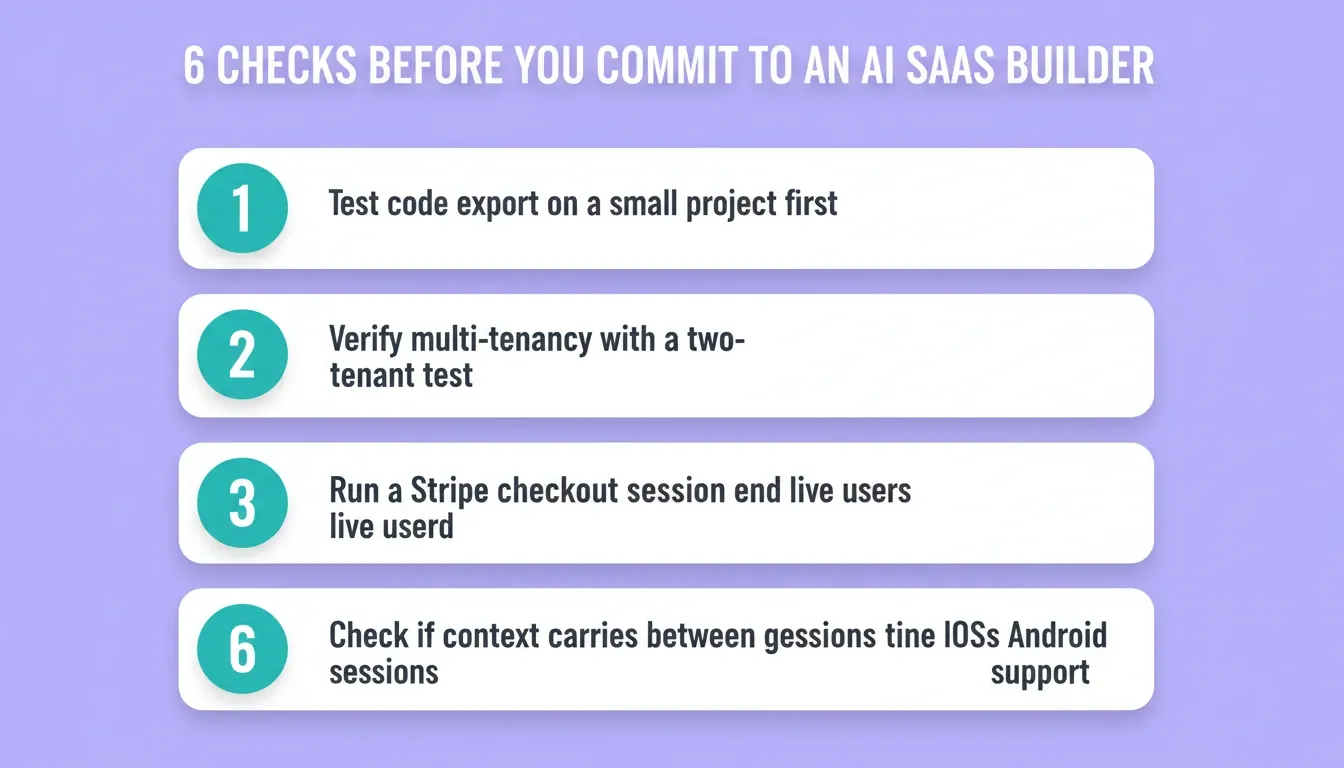
Choosing the wrong platform can cost months of rebuild time. Before committing, run through these six checks.
1. Test code ownership on a small project first. Ask for a code export before you build anything significant. If the platform does not let you download clean, runnable code, you are renting your product, not owning it.
2. Verify multi-tenancy support explicitly. Build a two-tenant test scenario. Can each tenant's data be isolated at the database level? Platforms that skip this force a painful refactor when your first enterprise customer asks about data isolation.
3. Validate the billing integration end-to-end. Run a test checkout session and trigger a webhook. If the Stripe billing integration requires manual backend work after generation, factor that cost into your timeline.
4. Measure the gap between generation and production. Count the manual steps between "generation complete" and "live for real users." Shorter gaps save compounding hours across every iteration.
5. Assess research and context continuity. Does the platform remember what you built last session? Can you bring market research findings directly into a build prompt? Platforms with shared context architecture eliminate the constant re-explaining that slows down iteration.
6. Check mobile coverage. If your SaaS product needs a mobile app, confirm whether the platform generates native iOS and Android code or just a responsive web view. Flutter apps can be submitted directly to the App Store and Google Play. Responsive web views cannot.
What Real Builders Say About AI SaaS Tools
The shift to AI-built SaaS products is not theoretical. Y Combinator CEO Garry Tan confirmed on X that "25% of YC's Winter 2025 startups have codebases that are 95% or more AI-generated". These are funded startups with paying customers, not weekend experiments.
The question is no longer whether AI app builders work. The question is which one handles the specific requirements of your SaaS product, from multi-tenant data isolation to subscription billing to production deployment. The founders who succeed with these tools evaluate platforms based on what they can ship to paying customers, not what they can demo in a day.
The Right AI SaaS Builder Pays for Itself
The best AI builders for SaaS are not just faster than traditional development. They change what is possible for a small team. As AI-generated codebases become the norm across funded startups, the gap between founders who validate before building and those who do not will widen further.
The platform you choose today shapes how quickly you can iterate, how much you own, and how much strategic thinking informed what you shipped. Rocket brings research, building, and competitive intelligence into one system. The thinking and the work happen in the same place, and every action compounds on the last. Start building on Rocket.new — no credit card required.
Table of contents
- -What to Look for in an AI SaaS Builder
- -1\. Rocket — Research, Build, and Deploy in One Platform
- -Solve: Research Before You Build
- -Build: Full-Stack Web and Mobile Apps
- -Intelligence: Continuous Competitor Monitoring
- -Additional Capabilities
- -Pricing
- -Best For
- -Limitations
- -2\. Lovable — Fast Prototyping with GitHub Integration
- -Key Features
- -Pricing
- -Best For
- -Limitations
- -3\. Bolt — Speed-First App Generation
- -Key Features
- -Pricing
- -Best For
- -Limitations
- -4\. Bubble — Visual Builder for Complex SaaS Workflows
- -Key Features
- -Pricing
- -Best For
- -Limitations
- -5\. Replit — Cloud IDE with AI Code Generation
- -Key Features
- -Pricing
- -Best For
- -Limitations
- -6\. Cursor — AI-Powered IDE for Developers
- -Key Features
- -Pricing
- -Best For
- -Limitations
- -7\. v0 by Vercel — UI Component Generation
- -Key Features
- -Pricing
- -Best For
- -Limitations
- -How Do These Platforms Compare Side by Side?
- -Which Builder Fits Your SaaS Stage?
- -How to Evaluate an AI SaaS Builder Before You Commit
- -What Real Builders Say About AI SaaS Tools
- -The Right AI SaaS Builder Pays for Itself