
Building a SaaS billing platform with AI cuts invoice processing costs by up to 80%, automates subscriptions and dunning, and compresses a six-month infrastructure project into a single session.
Most SaaS founders spend three to six months on billing infrastructure that still breaks at scale.
The cloud billing market reached $15.83 billion in 2026, growing at 14.12% annually, and the complexity of subscription management keeps rising with it. Every pricing change, usage tier, or proration rule adds engineering debt. This guide shows a practical path through it.
This blog covers the architecture, components, pricing models, and tooling needed to ship a production-ready billing system using AI.
How Manual Billing Compares to AI-Automated Systems
Billing logic sits at the intersection of finance, product, and engineering. When handled manually, it becomes the slowest-moving part of your stack. That increases the risk of manual errors and billing errors that lead to lost revenue.
- Only 6% of manual invoices get paid within 30 days, compared to 33% processed through automated systems, according to invoice automation benchmarks
- Traditional invoice processing costs $12.88 to $19.83 per invoice. In contrast, AI-automated processing drops that to $2.36 to $2.78
- Usage-based pricing models are growing at 15.34% CAGR, narrowing the gap with flat subscriptions and demanding real-time metering that manual systems cannot handle
| Billing Approach | Cost Per Invoice | Payment Within 30 Days | Error Rate |
|---|---|---|---|
| Manual processing | $12.88 to $19.83 | 6% | 39% |
| AI-automated | $2.36 to $2.78 | 33% | Less than 0.1% |
AI does not just reduce costs. It changes how fast revenue moves through the system. The gap between manual and automated billing widens further as transaction volume grows, and failed payments also drive involuntary churn, which often accounts for 20% to 40% of all churn.
If you plan to build a SaaS product with recurring revenue, the billing architecture decision belongs at the start of the project. Do not wait until after the first customer signs up.
What Does an AI Billing System Actually Need?
Before writing any code, you need clarity on which components your billing platform requires. Not every SaaS product needs the same infrastructure.
- Payment gateway connection: Stripe, Razorpay, or regional processors that handle card storage, PCI compliance, transaction routing, and GDPR/CCPA coverage for SaaS businesses handling sensitive customer data
- Subscription lifecycle management: plan creation, upgrades, downgrades, cancellations, pauses, and reactivation logic
- Usage metering pipeline: real-time event ingestion, aggregation windows, and rating engines for consumption-based pricing
- Invoice generation and delivery: automated PDF creation, email dispatch, tax calculation, sales tax support, global tax compliance, and multi-currency support
- Revenue recognition: ASC 606 compliant tracking that separates bookings, billings, and recognized revenue to support revenue recognition compliance; 67% of companies struggle with it in SaaS
- Dunning and retry logic: smart payment recovery sequences with exponential backoff and customer communication
- Self-service portal: customer-facing interface for viewing invoices, updating payment methods, and managing plans
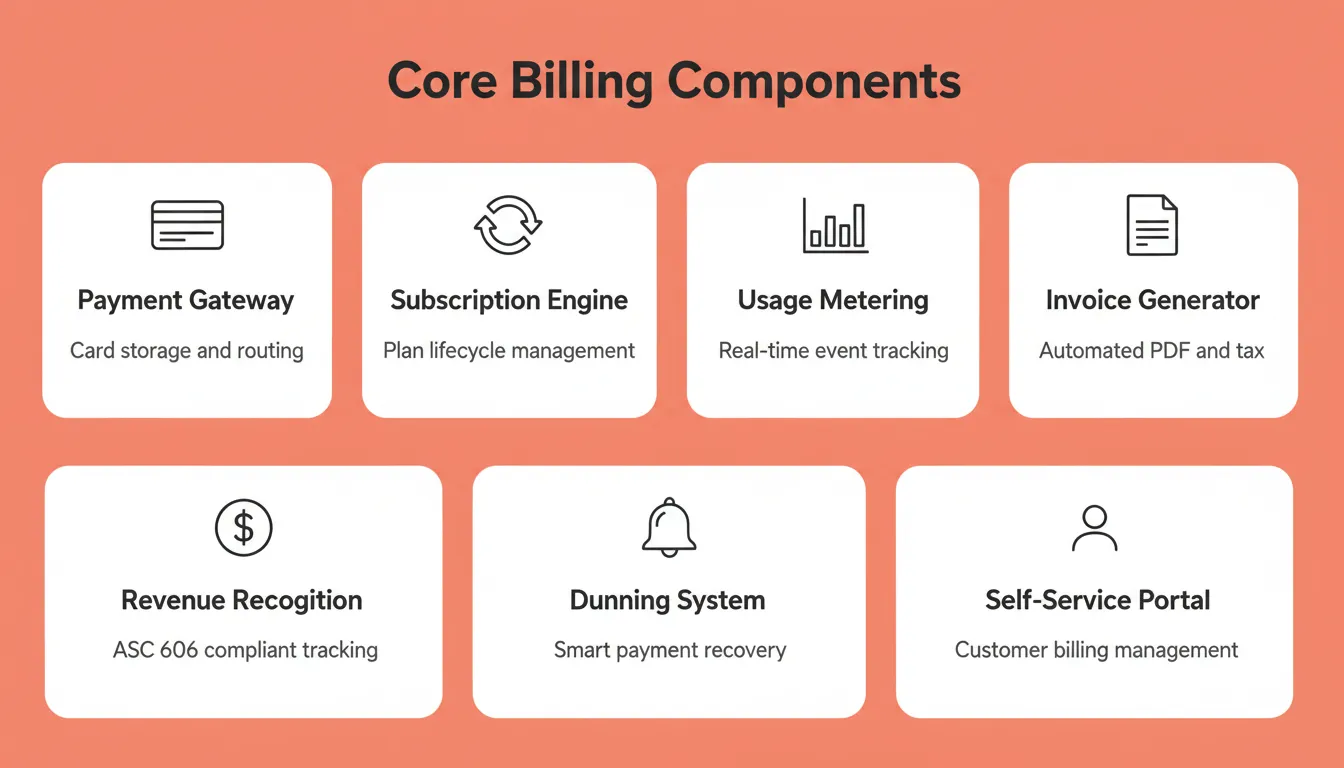
Seven core components of an AI SaaS billing system
The AI layer sits on top of these components. It handles anomaly detection, churn prediction, adaptive pricing adjustments, and automated dispute resolution. It does not replace the foundational infrastructure itself.
Core Billing Components at a Glance
| Component | Function | AI Enhancement |
|---|---|---|
| Payment gateway | Card storage, PCI compliance, routing | Fraud detection, smart retry timing |
| Subscription engine | Plan lifecycle management | Churn prediction, adaptive pricing |
| Usage metering | Event ingestion, aggregation, rating | Real-time anomaly detection |
| Invoice generator | PDF creation, tax, multi-currency | Automated dispute resolution |
| Dunning system | Payment recovery sequences | Predictive failure flagging |
| Self-service portal | Customer billing management | Personalized upgrade prompts |
Choosing the Right Pricing Model
Your architecture depends on which pricing and billing structures you implement, so it should support multiple pricing models rather than just one. The three most common models for SaaS billing platforms are:
- Flat-rate subscriptions: fixed monthly or annual fee; simplest to implement; lowest metering complexity
- Usage-based pricing: charge per unit consumed (API calls, seats, storage); requires a real-time metering pipeline and rated billing
- Hybrid pricing: base subscription plus usage overages; the most common enterprise model; requires both engines running in parallel
- Tiered pricing: different feature, volume, or customer levels; adds packaging logic and more complex pricing models
Usage-based pricing is growing fastest. In 2022, 46% of SaaS companies adopted usage-based pricing, and many teams now need a usage based pricing model alongside hybrid billing and other flexible pricing options. Therefore, building your architecture to support all three models from day one helps support multiple pricing models and makes future pricing experiments easier.
How Should You Design the Billing Architecture?
Architecture decisions made early determine whether your billing system scales or collapses under load. Here is a practical structure that separates concerns correctly.
- Event ingestion layer: captures every billable action (API calls, storage reads, compute seconds) as immutable events in a time-series store, including high-volume usage events and the usage data they generate
- Rating engine: applies pricing rules to raw events, handling tiered rates, volume discounts, and commitment drawdowns
- Billing orchestrator: coordinates invoice creation timing, proration calculations, and payment attempts across financial operations
- Payment processor adapter: abstracts Stripe, Razorpay, or other gateways behind a unified interface for portability; modern billing platforms also need API ecosystems that connect with existing CRMs and ERPs
- Notification service: sends payment confirmations, failed payment alerts, and upcoming renewal reminders
- Analytics and forecasting: AI models that predict MRR changes, flag at-risk accounts, and suggest pricing improvements
AI outputs depend on clean, complete data, and poor data quality weakens anomaly detection, forecasting, and pricing decisions.
This architecture separates the metering concern from the billing concern. As a result, you can change pricing models without rebuilding the event pipeline.
SaaS Billing Architecture:

Event Ingestion Layer
  User Actions → Event Queue → Event Store

Billing Engine
  Event Store → Rating Engine → Invoice Generator → Tax Calculator

Payment Layer
  Tax Calculator → Payment Orchestrator
  Payment Orchestrator → [Success] → Revenue Recognition
  Payment Orchestrator → [Failure] → Dunning Sequence → Payment Orchestrator

AI Intelligence Layer
  Churn Predictor → Payment Orchestrator
  Pricing Advisor → Rating Engine
  Anomaly Detector → Invoice Generator
Can AI Handle Variable Pricing and Dunning?
This is where AI provides the most immediate ROI in a billing system. Traditional dunning sequences follow fixed retry schedules that ignore customer context entirely, instead of automatically retrying failed payments based on customer behavior.
- Smart retry timing: AI analyzes historical payment patterns per customer to recover payment failures and reduce involuntary churn caused by recurring card issues by retrying at the exact time a charge is most likely to succeed
- Adaptive pricing adjustments: machine learning models test price sensitivity signals and recommend tier changes that reduce churn without sacrificing ARPU
- Predictive dunning: flags accounts showing pre-churn behavior (reduced usage, support tickets, login frequency drops) before a payment actually fails
- Automated dispute resolution: AI agents categorize billing disputes, apply resolution policies, and escalate only genuine edge cases to human review
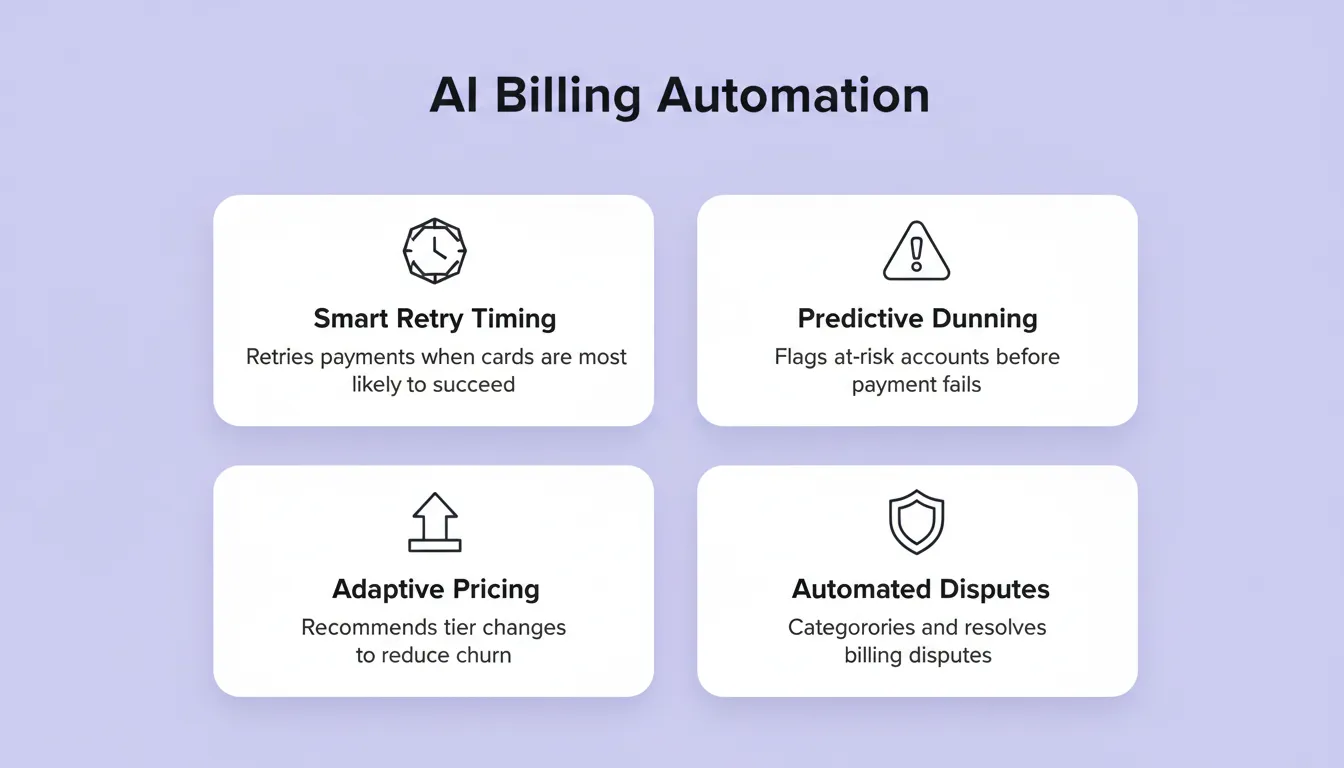 AI billing automation capabilities: smart retry timing, predictive dunning, adaptive pricing, and automated dispute resolution
Research on AI adoption in finance operations shows that 67% of accounts receivable teams are actively evaluating AI to manage dunning and collections, helping prevent revenue leakage through better automated retries and recovery. Yet only 8% have achieved truly autonomous workflows.
The gap between evaluating AI for billing and actually deploying it is where most teams stall. The architecture decisions in the previous section are what close that gap.
How Rocket Turns a Billing Idea into a Working Product
Most billing platforms take months to build because teams stitch together payment APIs, subscription logic, webhooks, tax engines, and customer portals from scratch. Rocket collapses that timeline.
Rocket is a vibe solutioning platform that combines Solve (strategic research and validation), Build (AI app generation in Next.js), and Intelligence (continuous competitive monitoring) in one workspace. 1.5 million people have tried Rocket across 180 countries. For a billing platform, the recommended production stack is Supabase + Stripe + Resend + Netlify—a practical saas billing software and billing solution setup for teams building faster. Stripe is especially convenient for teams already processing payments through Stripe. You can connect all of them from a single prompt inside Rocket to automate the entire billing process, including payment processing and automated invoicing.
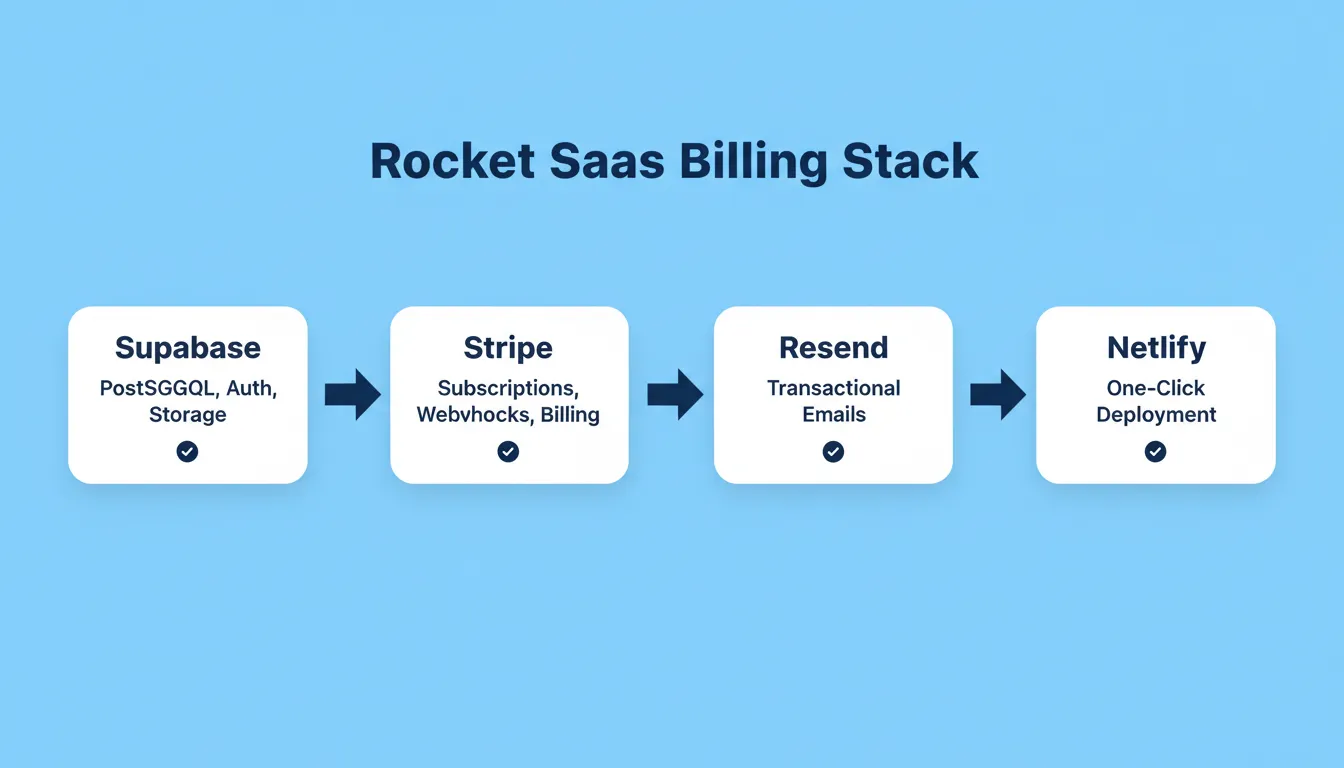 Rocket's recommended SaaS billing production stack: Supabase, Stripe, Resend, and Netlify
What Rocket Generates for a SaaS Billing Platform
When you describe a billing system in Rocket's Build, you get a production-ready Next.js application useful for developers, finance teams, and finance and RevOps teams with:
- Supabase backend: PostgreSQL database with row-level security, user authentication, and file storage. Rocket links Stripe customers to authenticated Supabase users automatically.
- Stripe connector: monthly and yearly subscription plans, usage-based metered billing, free trial logic, coupon codes, and webhook handlers for checkout.session.completed and customer.subscription.updated, supporting recurring payments and billing adjustments through webhook-driven subscription updates. Rocket handles webhooks automatically.
- Transactional email via Resend: order confirmations, payment receipts, failed payment alerts, and renewal reminders sent automatically after Stripe events
- One-click deployment via Netlify: staging and production environments, full version history, and one-click rollback included by default
- SEO-ready structure, WCAG accessibility compliance, and GDPR coverage: shipped as defaults, not optional extras, with financial reporting considerations easier to support from the start
Rocket Stripe Prompt Examples for Billing Platforms
| Billing Feature | Prompt to Use in Rocket |
|---|---|
| Subscription tiers | "Create a tiered pricing page with Free, Pro ($29/mo), and Enterprise ($99/mo) pricing using Stripe." |
| Free trial | "Add a 14-day free trial to the Pro plan. Charge $29/month after the trial ends." |
| Usage-based billing | "Track API calls per user and charge $0.01 per call using Stripe metered billing." |
| Prepaid credit billing | "Let users buy prepaid credits for API usage and deduct credits as calls are made." |
| Hybrid billing | "Set up hybrid billing with a $29/month base subscription plus overage charges after 10,000 API calls." |
| Enterprise pricing | "Create enterprise packages with custom pricing for large teams." |
| Custom usage pricing | "Add a plan with custom pricing based on monthly usage volume." |
| Invoice emails | "Generate and email a PDF invoice to the customer after each Stripe payment via Resend." |
| Customer portal | "Add a Manage Subscription page with order history and a link to the Stripe customer portal." |
| Coupon codes | "Add a coupon code field to the checkout page that applies a Stripe discount." |
Step-by-Step: Building a Billing Platform on Rocket
Step 1: Validate with Solve. Before building, run a Solve task. Describe your billing model and pricing hypothesis. Rocket returns a structured report with market data, competitor pricing benchmarks to inform pricing strategies and revenue growth planning, and recommendations. This research carries directly into your Build task.
Step 2: Start a Build task. Go to rocket.new and click Build. Select the SaaS category. Describe your billing platform in plain language, including multiple payment options where needed. Name the pricing tiers, the payment gateway, and the subscription platform requirements.
Step 3: Connect Supabase and Stripe. After generation, open Connectors from the preview toolbar. Connect Supabase first via OAuth at the workspace level. Then connect Stripe using your Secret key and Publishable key. Always start with Test mode keys.
Step 4: Iterate through conversation. Add usage metering, change dunning rules, add coupon code support, or connect additional payment processors. You can also automate routine billing tasks without re-explaining context. Test custom pricing for mid market saas companies through the same chat flow.
Step 5: Launch. Click Launch. Rocket deploys to a staging URL first. Connect your custom domain, push to production, and your billing platform is live.
Traditional billing platform development requires a backend engineer, a frontend developer, a DevOps person, and added revenue operations support over four to six months. Rocket handles the build in the time it takes to describe what you need.
Mistakes That Sink Billing Projects Before Launch
Even with AI acceleration, billing platforms fail when foundational decisions go wrong. Poorly automated billing software increases manual intervention and raises the risk of billing errors. Here are the patterns that kill projects repeatedly.
- Hardcoding pricing logic: embedding rates directly in application code instead of using a configurable pricing engine means every change requires a deploy
- Ignoring proration from day one: upgrades and downgrades create proration complexity that compounds; solving it later means rewriting the invoice generator
- Skipping idempotency: payment webhooks fire multiple times; without idempotent processing, customers get double-charged and trust evaporates
- Building dunning as an afterthought: payment recovery should be a first-class concern, not a cron job bolted on after launch, because complex pricing models and contract changes often trigger manual intervention when the system is not configurable
- Neglecting multi-currency: adding currency support after launch means migrating invoice histories, recalculating taxes, and rewriting reporting
- Not testing with Stripe's sandbox: always use Test mode keys and the test card 4242 4242 4242 4242 before switching to Live keys
Billing errors can lead to lost revenue equal to 1% to 5% of total revenue.
The common thread is under-investing in architecture planning. Thirty minutes of upfront design prevents thirty days of refactoring later. A well-built customer portal and a clean dunning sequence separate billing systems that retain customers from those that lose them silently.
Build a SaaS Billing Platform with AI That Scales
The difference between billing systems that scale and those that break comes down to architecture decisions made before writing the first line of code. AI handles the repetitive complexity of metering, pricing, and collections. You focus on the product experience that keeps customers paying.
As usage-based pricing and hybrid models become the standard, choosing the right SaaS billing platform and building billing infrastructure fast will separate growing SaaS products from stalling ones while supporting scale without repeated rebuilds. Rocket gives you a working Next.js app with a Stripe connector, Supabase backend, and usage metering in minutes. Start building on Rocket.new and go from billing concept to deployed product today, with a setup that helps SaaS subscriptions scale cleanly.
Table of contents
- -How Manual Billing Compares to AI-Automated Systems
- -What Does an AI Billing System Actually Need?
- -Core Billing Components at a Glance
- -Choosing the Right Pricing Model
- -How Should You Design the Billing Architecture?
- -Can AI Handle Variable Pricing and Dunning?
- -How Rocket Turns a Billing Idea into a Working Product
- -What Rocket Generates for a SaaS Billing Platform
- -Rocket Stripe Prompt Examples for Billing Platforms
- -Step-by-Step: Building a Billing Platform on Rocket
- -Mistakes That Sink Billing Projects Before Launch
- -Build a SaaS Billing Platform with AI That Scales