
AI-powered database design turns plain-language prompts into production-ready schemas in minutes. This blog covers how it works and which backend fits your app. It also explains how to verify what AI generates before you ship.
Does database design still take longer than building the features that depend on it?
According to Stanford's 2025 AI Index Report, 78% of organizations now use AI in at least one business function. That is up from 55% the year before. That shift is reaching data architecture too.
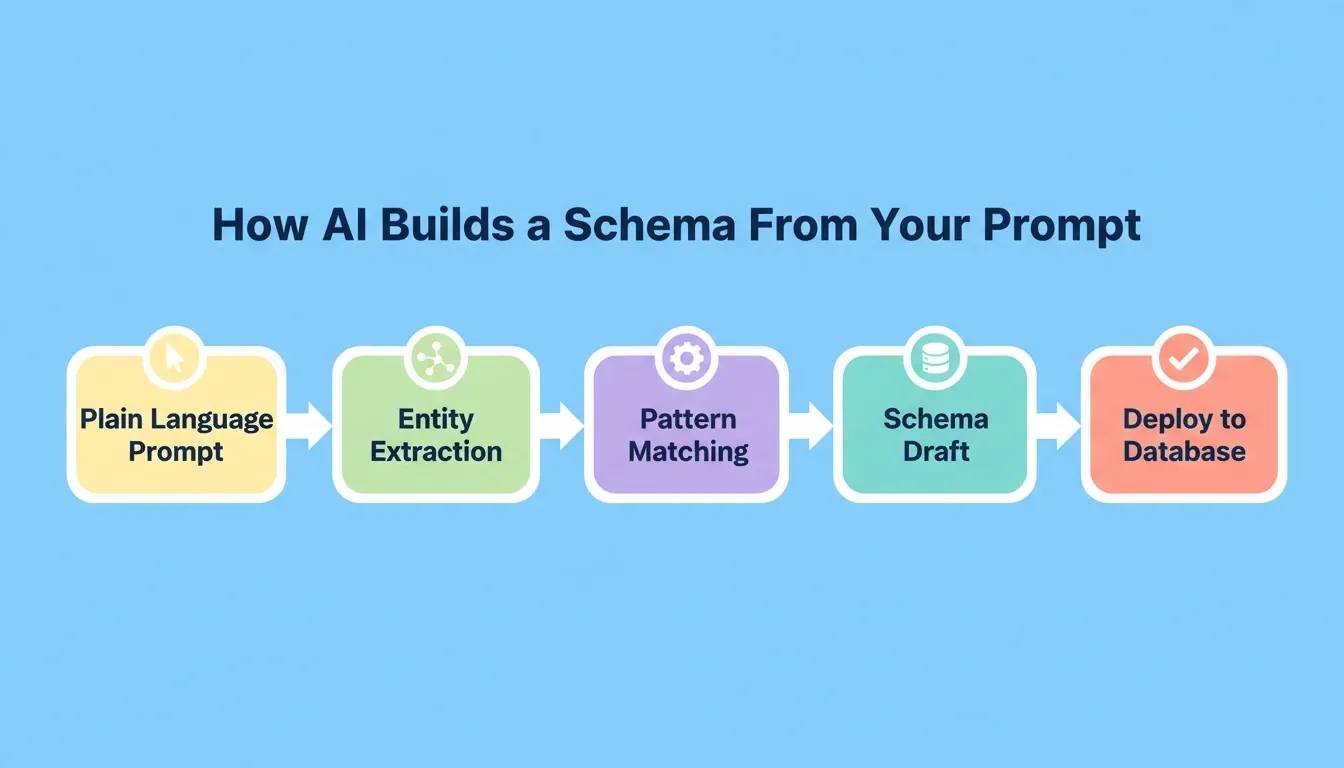
Traditional schema planning involves weeks of whiteboarding entity-relationship diagrams, debating normalization levels, and manually writing SQL migrations. AI changes that equation by interpreting natural language descriptions and producing structured table definitions in seconds.
You describe what your application needs to store. The AI produces tables, columns, data types, and relationships. Teams using this approach skip the blank-page problem entirely and refine a generated draft instead of building from scratch. That means generating schemas with machine learning becomes a collaborative conversation rather than a solo architecture exercise.
What is Database Design with AI?
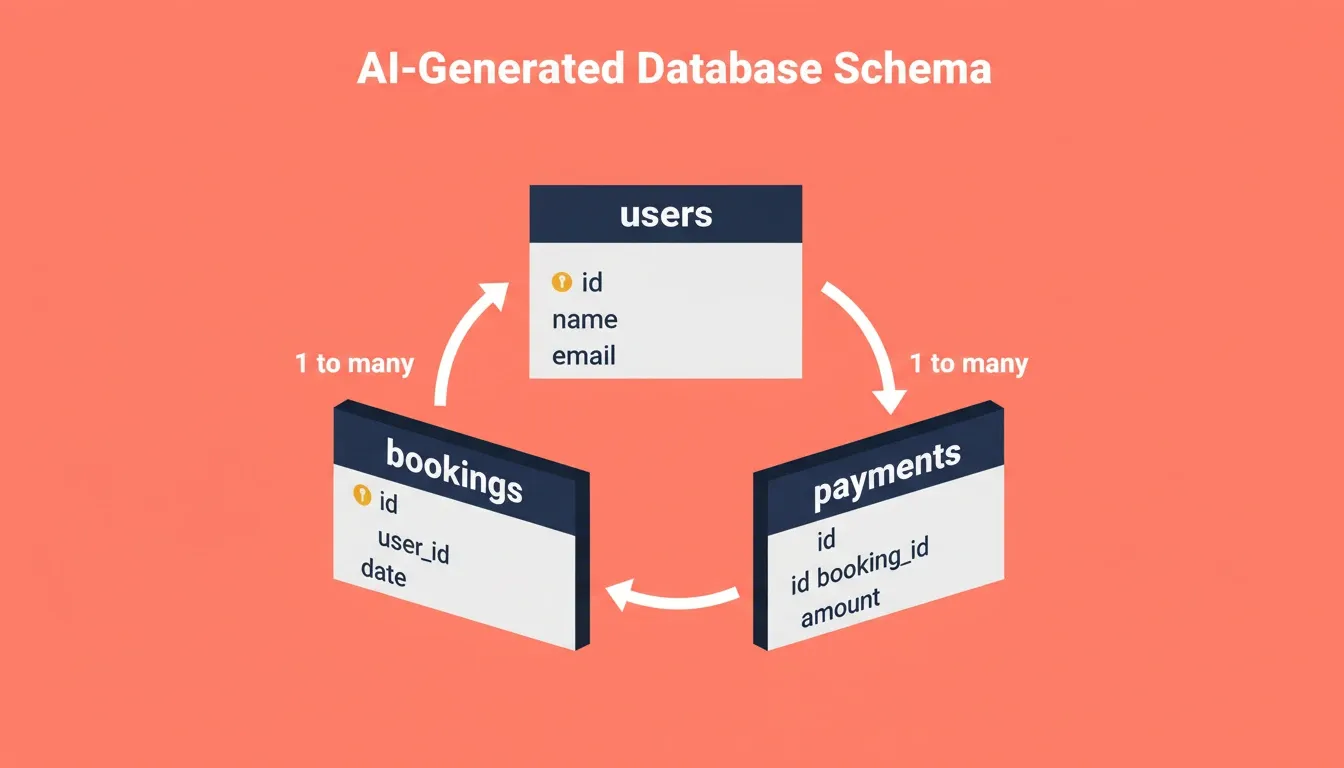
Database design with AI uses natural language processing and machine learning. It generates, validates, and optimizes database schemas from plain-language descriptions. You describe your application's data requirements. The AI then produces tables, columns, data types, relationships, and indexing recommendations. Results typically reach 70 to 80 percent production readiness before human review.
The output is not a rough sketch. Modern AI database tools produce CREATE TABLE statements with primary keys, foreign keys, and unique constraints. Row-level security policies are included too, ready to be pushed to a managed database provider.
A schema that takes two weeks to finalize manually can be drafted in minutes with AI. Teams are then free to focus on the features that actually differentiate their product.
What Challenges Come with Manual Data Modeling?
Before AI entered the picture, data modeling was a slow, specialized craft. Even experienced database architects face repeated friction points that delay project timelines.
-
Time sink on ERD iterations: Drawing and redrawing entity-relationship diagrams as requirements shift
-
Normalization debates: Teams argue over third normal form versus performance-oriented denormalization
-
Index guesswork: Choosing which columns to index without real query patterns
-
Schema drift: Production databases diverge from documentation within weeks of launch
-
Migration risk: Altering live tables without breaking dependent services
-
Context loss: Switching between schema tools, documentation, and the application codebase creates gaps that lead to mismatches
The AI market is valued at $601.93 billion in 2026, according to MarketsandMarkets. It is projected to reach $3,638.08 billion by 2033 at a 29.3% CAGR. That growth reflects the demand for tools that eliminate these manual bottlenecks.
Every data-driven app faces these same friction points. AI is the first approach that addresses all of them in a single workflow.
| Challenge | Manual Approach | AI-Assisted Approach |
|---|---|---|
| Schema creation speed | Days to weeks | Minutes to hours |
| Normalization accuracy | Depends on architect skill | Automated rule checking |
| Index recommendations | Trial and error | Query-pattern analysis |
| Documentation sync | Often outdated | Auto-generated from source |
| Iteration cost | High (rewrite migrations) | Low (regenerate from prompt) |
| Context continuity | Lost between tools | Shared across research and build |
Which AI Methods Power Modern Data Architecture?
Several machine learning techniques make prompt-to-schema generation possible. Understanding them helps you evaluate which tools deliver real results versus surface-level automation.
-
Natural language processing (NLP): Parses plain-English descriptions to extract entities, attributes, and cardinality
-
Pattern recognition from training data: Models trained on thousands of real-world schemas suggest common table patterns for your use case
-
Constraint inference: The AI identifies likely primary keys, foreign key relationships, and unique constraints based on naming patterns and data types
-
Query optimization prediction: Some tools analyze expected query patterns and suggest indexing strategies before you write a single SELECT statement
-
Migration script generation: Advanced systems generate versioned SQL migration scripts automatically whenever the schema changes, keeping your live database in sync with your application code
Master of Code Global reports that 89% of enterprises are advancing generative AI initiatives. Only 7% have fully scaled their systems, per their research.
The gap between experimentation and production-ready deployment is where AI-powered app builders with integrated backends add the most value.
How to Choose the Right Database Backend for Your AI-Built App
Not all database backends are equal. The right choice depends on what you are building, not on which tool has the most features. AI app builders that connect to multiple backend options give you the flexibility to match the database to the use case.
Choosing the wrong backend early creates costly rework. Here is a practical breakdown of the four most common options.
See the best AI tools for developer workflows that pair well with each.
| Backend | Best For | Database Type | Auth Built-In |
|---|---|---|---|
| Supabase | Full-stack apps with user accounts | PostgreSQL (full SQL) | Yes (email, social, magic links) |
| Airtable | Lightweight data, CRM, internal tools | Proprietary (spreadsheet-style) | No |
| Strapi | Blogs, content-heavy sites | SQLite, MySQL, PostgreSQL | Plugin-based |
| Directus | Content management on any SQL DB | Any SQL database | Admin-level only |
Backend Pricing at a Glance
| Backend | Free Tier | Paid Plans Start At |
|---|---|---|
| Supabase | 500 MB DB, 1 GB storage, 2 active projects | $25/month (Pro) |
| Airtable | 1,000 records per base | $20/user/month (Team) |
| Strapi | Self-hosted (free) | $29/month (Cloud Starter) |
| Directus | Self-hosted (free) | $15/month (Cloud Starter) |
When to use Supabase: Building a web or mobile app that needs user authentication, real-time data, file uploads, or row-level security. Supabase bundles PostgreSQL, authentication, file storage, and edge functions into a single service.
When to use Airtable: Managing leads, content calendars, or inventory where non-technical team members need to view and edit records directly, without a database dashboard.
When to use Strapi or Directus: Building a blog, documentation site, or content-heavy website where a visual admin panel for editorial teams matters more than relational query power.
Combining backends: Some teams combine Supabase with Strapi or Directus. Use Supabase for user accounts and dynamic data. Use Strapi or Directus for editorial content. This pattern works well for SaaS products with a blog or e-commerce sites with a content team.
Why Rocket Makes AI-Powered Schema Work Simpler
Most AI tools stop at generating a schema file. They hand you SQL and leave you to figure out hosting, migrations, and application logic on your own.
Rocket connects the thinking step to the building step inside one platform. It covers Solve, Build, and Intelligence in a single shared-context workspace.
What Rocket Actually Generates
When you describe your data model in Rocket's Build, here is what gets created automatically:
-
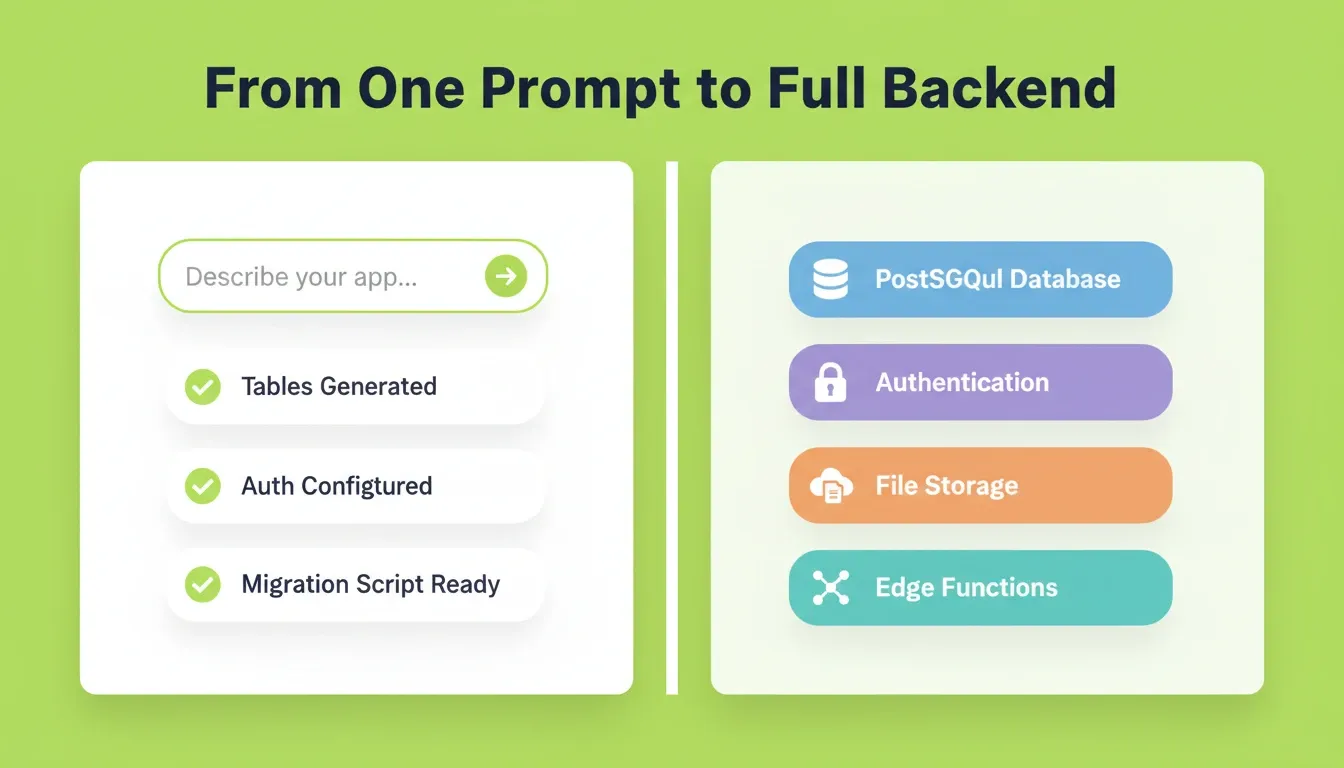
Tables with correct data types: Columns, primary keys, foreign keys, and indexes based on your description
-
Row-level security policies: Supabase RLS rules so users can only read and edit their own records
-
Authentication flows: Email/password, Google, GitHub, and magic link sign-up and login with protected routes
-
Real-time subscriptions: Live data feeds that push changes to your UI when rows are inserted, updated, or deleted
-
File storage: Upload and serve images, documents, and other files with secure access controls
-
Edge functions: Server-side logic for sending emails, calling third-party APIs, and running code that should not reach the client
-
Migration scripts: Versioned SQL scripts that appear in the chat window whenever your schema changes, with a one-click Push to Supabase button
The Migration Script Workflow
Whenever your app creates or updates tables, Rocket generates a Supabase migration script. It appears in the chat window with a preview. You push it to your live database with one click, or discard it if needed.
Scripts are saved in thesupabase/migrations/folder in your project code. They are timestamped and named so you can apply them manually if required. Each script depends on previous changes. Pushing them in order keeps your schema in sync and prevents broken-table errors.
Starting from an Existing Schema with Launchpad
If you already have a Supabase project with a schema, you do not need to describe it from scratch. Rocket's Launchpad feature lets you link an existing Supabase project directly as the starting point for a new build. Rocket reads your project schema and begins generation from that material.
Launchpad also works with Notion docs, Linear tickets, Google Sheets, and Airtable bases. Your existing planning documents and data structures become the foundation of the build, rather than something you have to re-explain.
Shared Context Means No Re-Explaining
Research from Rocket's Solve feature carries into Build. Your database then reflects actual market requirements, not guesses. If you ran a Solve task to validate your idea, that context is already in the workspace when you start building. The competitive landscape is already mapped.
With Supabase and full-stack app integration, you get a live database connected to a live application from a single prompt session.
What Does an AI-Assisted Database Workflow Look Like?
Here is what a typical prompt-to-production workflow looks like when you let AI handle the heavy lifting of schema generation.
-
Write a natural language brief: Describe your application, its main entities, and how they relate. For example: "I need a project management tool with users, teams, projects, and tasks. Users belong to teams. Projects contain tasks."
-
Review the generated schema: The AI outputs tables with primary keys, foreign keys, data types, and suggested indexes. Check for missing fields or incorrect cardinality.
-
Refine through conversation: Ask for changes like "add a status enum to the tasks table." You can also request "make the relationship between users and teams many-to-many."
-
Push the migration script: When the schema looks right, push the generated migration script to your connected database with one click.
-
Validate against business rules: Confirm that cascading deletes, unique constraints, and default values align with your product requirements.
-
Deploy and connect: Your schema is live in a managed PostgreSQL database with authentication, real-time updates, and file storage already configured.
The Stanford AI Index confirms that inference costs dropped over 280-fold between November 2022 and October 2024. That cost reduction makes AI-assisted database workflows accessible to solo founders and small teams, not just well-funded enterprises.
Teams who follow this pattern report cutting their schema planning phase from one to two weeks down to a single afternoon. The time saved goes directly into building database applications without writing code and shipping features faster.
How Should Teams Verify AI-Generated Schemas?
AI-generated schemas are strong starting points, not finished products. Every generated output needs human review before reaching production.
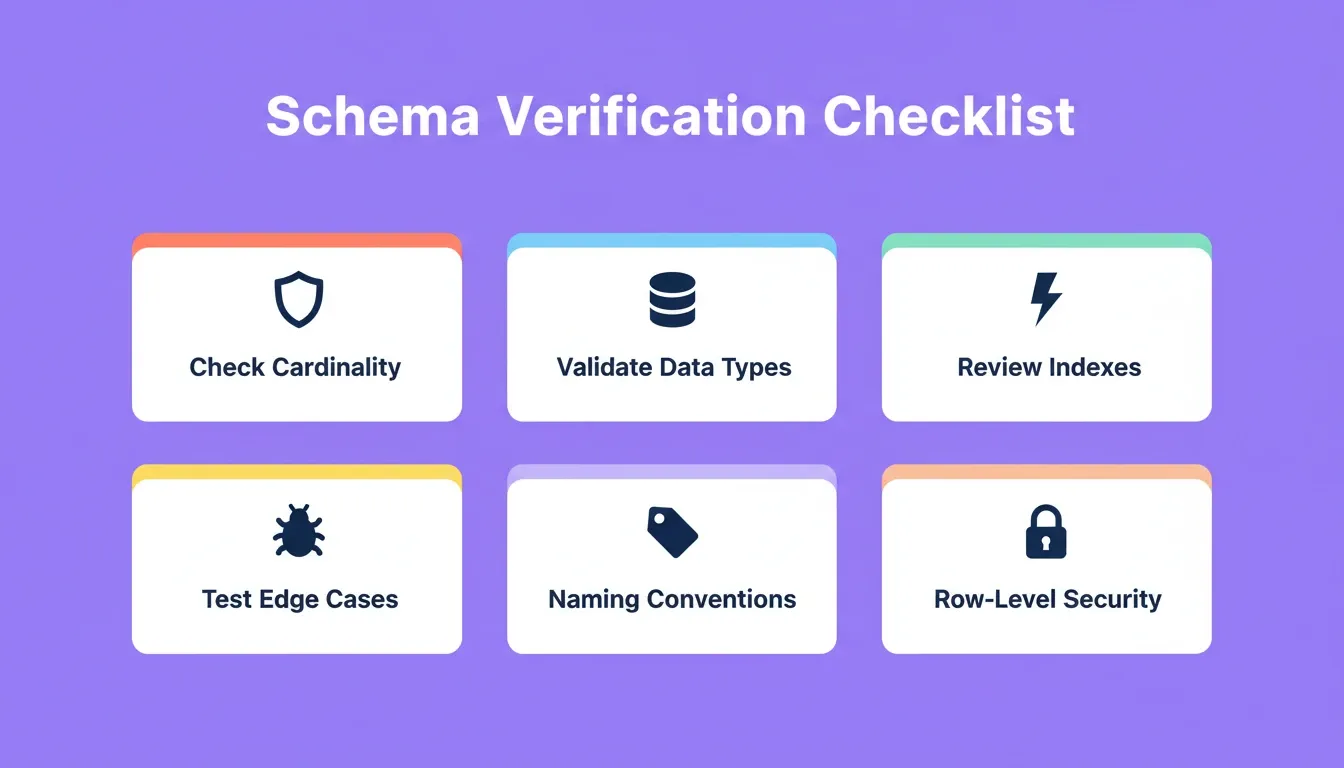
The Verification Checklist
-
Check cardinality: Verify that one-to-many and many-to-many relationships match your real business logic
-
Validate data types: Confirm that dates, integers, UUIDs, and text fields use appropriate precision and storage sizes
-
Review indexing suggestions: Not every suggested index improves performance; test against realistic query patterns
-
Test edge cases: Insert boundary data such as nulls, maximum-length strings, and concurrent writes to confirm constraints hold
-
Confirm naming conventions: Generated column names should follow your team's style guide for consistency across services
-
Check row-level security policies: If your app has multi-tenant data, verify that RLS rules correctly scope each user's access to their own records
-
Review migration script order: Each script depends on previous changes; push them in sequence to avoid missing-table errors
Common Mistakes to Avoid
Skipping migration scripts: If you discard a generated migration script, the changes will not apply to your live database. Later scripts may also fail if earlier fields or tables are missing.
Over-indexing on first generation: AI tools often suggest indexes for every foreign key. Indexes add write overhead. Start with the AI's suggestions. Then remove indexes that do not appear in real query patterns after your first week of production traffic.
Ignoring RLS from the start: Row-level security is much easier to add before you have production data than after. If your app will have multiple users, ask the AI to generate RLS policies during schema creation, not as an afterthought.
Once you have a verified schema in place, the next step is to build a web app without writing code. From there, you can auto-generate API routes that connect your data layer to your application logic.
No AI gets it perfect on the first try. Getting to 80% accuracy in minutes, then refining the last 20% through conversation, beats spending days on that first 80% by hand.
Database Design with AI Is the New Starting Line
Database design with AI is not a future concept. It works today for relational databases, NoSQL collections, and everything in between. The teams shipping fastest stopped treating schema planning as a weeks-long bottleneck and started treating it as a conversation.
As AI inference costs continue to fall and model accuracy improves, AI-generated schemas will become the default starting point for every new product. The question is not whether to use AI for database design. It is which workflow gets you from prompt to production fastest.
You have a product to build. Describe what your app needs to store. Rocket generates the schema, wires in the backend, and pushes the migration scripts, all from one prompt. 1.5 million people across 180 countries have tried Rocket. Start building for free on Rocket.new. No credit card required.
Table of contents
- -What is Database Design with AI?
- -What Challenges Come with Manual Data Modeling?
- -Which AI Methods Power Modern Data Architecture?
- -How to Choose the Right Database Backend for Your AI-Built App
- -Backend Pricing at a Glance
- -Why Rocket Makes AI-Powered Schema Work Simpler
- -What Rocket Actually Generates
- -The Migration Script Workflow
- -Starting from an Existing Schema with Launchpad
- -Shared Context Means No Re-Explaining
- -What Does an AI-Assisted Database Workflow Look Like?
- -How Should Teams Verify AI-Generated Schemas?
- -The Verification Checklist
- -Common Mistakes to Avoid
- -Database Design with AI Is the New Starting Line