
LLM context management decides whether AI coding tools ship working code or waste your time. This blog covers context windows, retrieval strategies, summarization, and how persistent project context eliminates repeated setup across every session.
Why does the same AI model produce brilliant code one session and broken output the next?
The answer is almost always context. Understanding how AI generates code from natural language is only half the picture. What you feed into the context window before generation determines the quality of what comes out.
LLM context management is the practice of controlling what information reaches your language model before it generates a response. The Stack Overflow 2025 Developer Survey found that 66% of developers cite "AI solutions that are almost right, but not quite" as their top frustration when working with coding assistants. That gap traces back to one root cause: the model received bad context.
What is a Context Window in Large Language Models?
Think of a context window as the model's working memory. It is the total amount of text, measured in tokens, that a large language model can process in a single request. Everything the model "knows" during inference comes from what fits inside this window.
Different models offer different context window sizes:
| Model | Context Window | Approximate Pages | Best For |
|---|---|---|---|
| GPT-4o | 128K tokens | ~300 pages | General coding tasks |
| Claude 3.5 Sonnet | 200K tokens | ~500 pages | Long codebases |
| Gemini 1.5 Pro | 2M tokens | ~5,000 pages | Entire repositories |
| Llama 3.1 | 128K tokens | ~300 pages | Self-hosted workflows |
A larger context window does not automatically produce better code. Research consistently shows that model performance degrades in the middle of long context windows. This phenomenon is sometimes called "lost in the middle." The model pays more attention to tokens at the beginning and end of its input. It often overlooks important context buried in between.
The quality of what you put inside the window matters more than the window's raw size.
Why AI Coding Tools Produce Wrong Output
Context degrades in four specific ways during coding sessions:
-
Context bloat fills the window with irrelevant file reads, outdated conversation history, and redundant tool calls that dilute the model's attention budget
-
Context rot happens when older messages reference code that has since changed, feeding the model stale information that conflicts with the current state
-
Token limits force hard cutoffs that drop important context from the beginning of long sessions, losing architectural decisions made earlier
-
Missing relevance signals mean the model cannot distinguish important information from noise, spreading its attention budget thin across everything passed to it
When a model operates on bad context, it produces bad output. As a result, the attention budget gets wasted on dead ends instead of the reasoning steps that actually matter.
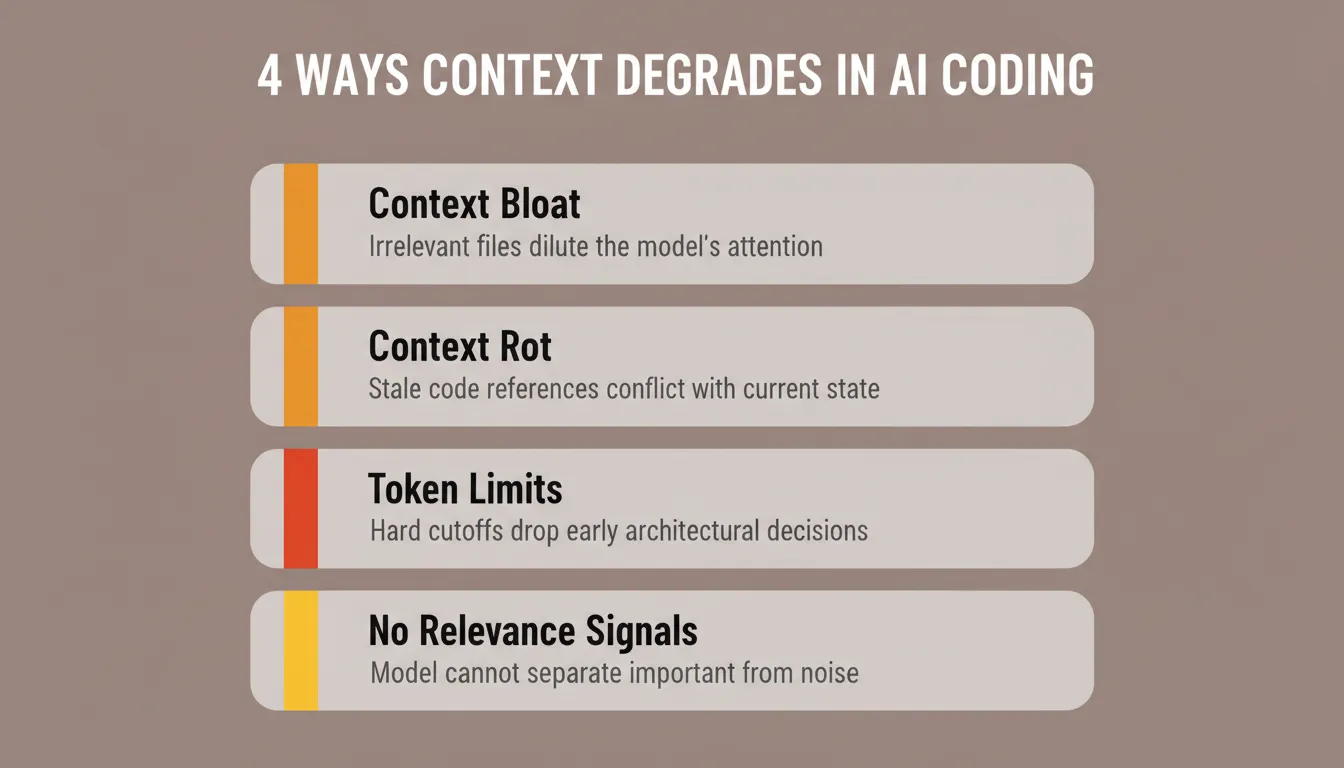
The four ways context degrades during AI coding sessions. Each failure mode has a different cause but the same outcome: bad code output.
How Context Engineering Differs From Prompt Engineering
Prompt engineering focuses on crafting the right words in your query. Context engineering goes further: it controls the entire environment surrounding that prompt.
In practice, context engineering is replacing prompt engineering as the discipline that separates high-performing AI workflows from frustrating ones. Here is the key difference:
-
Prompt engineering asks "how should I phrase my request?" while context engineering asks "what information should the model have access to before it sees my request?"
-
A well-crafted system prompt is one piece of context engineering. However, it cannot supply project-specific knowledge, file contents, or the output of previous reasoning steps on its own
-
Prompt engineering optimizes a single interaction. Context engineering, by contrast, optimizes across sessions, tasks, and team members
Context engineering is the balancing act of providing the model with all the relevant data it needs while keeping noise out. It means curating what goes into the context window at every step, not just writing a better prompt once.
How context engineering filters and curates information before it reaches the LLM inference step.
Which Strategies Keep Context Clean for Code Generation?
Efficient LLM context management requires deliberate techniques at every stage of the pipeline. The goal is simple: give the model only what it needs, in the right format, at the right time.
Retrieval Augmented Generation for Relevant File Access
Rather than loading your entire file tree into context, Retrieval Augmented Generation (RAG) pulls only the relevant data from your codebase based on the current query. This keeps the context window focused on files that matter for the specific task.
-
RAG indexes your repository and fetches related code snippets at inference time
-
It reduces token usage by passing only what the model needs instead of everything
-
The data source stays current because retrieval happens at query time, not at training time
Summarization and Compression of Conversation History
Long conversations accumulate raw history that eventually overflows the context window. Summarization compresses older messages into structured output. This preserves decisions and outcomes while discarding back-and-forth noise.
-
Compress conversation history into summaries after every few turns to prevent context overload
-
Keep recent messages in full detail while summarizing the previous section into a compact format
-
Store output format preferences and architectural decisions separately from message history so they persist even after compression
According to analytics across 135,000+ developers, AI coding tools save an average of 3.6 hours per week per developer. Teams that apply disciplined context strategies report even higher gains. Their tools produce correct output on the first attempt more often.
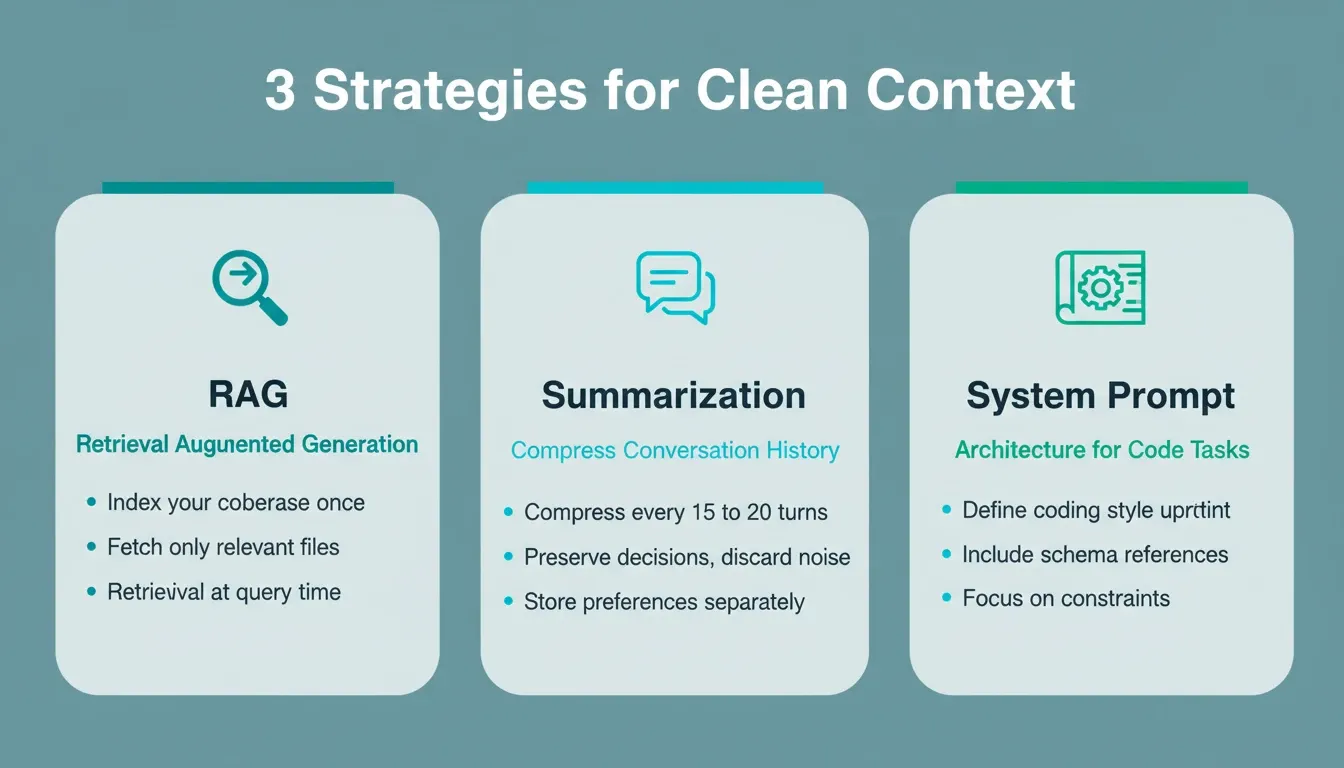
Three strategies that keep context clean: RAG retrieval, conversation summarization, and system prompt architecture.
System Prompt Architecture for Code Tasks
The system prompt is your primary tool for shaping model behavior before the user query arrives. For code generation, an effective system prompt includes the project's language constraints, naming conventions, architectural patterns, and output format expectations.
-
Define the coding style, framework rules, and output format upfront in the system prompt
-
Include references to external data structures or schemas the model needs to respect
-
Keep the system prompt focused on constraints and rules rather than trying to stuff full file contents into it
Choosing the Right Context Strategy
Not every project needs the same approach. The table below helps you match the strategy to your situation:
| Strategy | Best For | Token Cost | Persistence |
|---|---|---|---|
| Full file injection | Small codebases under 50 files | High | Session only |
| RAG retrieval | Large repos, monorepos | Low | Query-time |
| Summarization | Long iterative sessions | Medium | Configurable |
| System prompt rules | Consistent style enforcement | Low | Always-on |
| Persistent project context | Team builds, multi-session work | Low per task | Cross-session |
Common Context Management Mistakes to Avoid
Even experienced developers make these errors when working with AI coding tools. Fortunately, each one is avoidable:
-
Re-pasting the same files every session is a symptom of missing persistent context, not a workflow
-
Letting conversation history grow unbounded causes most models to lose coherence on earlier decisions after 20 or more turns
-
Mixing unrelated tasks in one session degrades both features. Each task needs its own focused context window
-
Assuming the model remembers leads to inconsistent output. Unless context is explicitly persisted, the model starts fresh every session
How Rocket Turns Shared Context Into Better Builds
Most AI coding tools start every session from scratch. You open a new chat, re-explain your project, paste in files, and hope the model pieces it all together.
Rocket is built on a compound intelligence architecture where every task in a project inherits the accumulated knowledge of everything that came before. According to the official Rocket docs, this is how it works in practice:
Projects as persistent workspaces. A Project holds everything relevant to a body of work: pitch decks, financial models, market research, strategy documents, product briefs, customer interview transcripts, technical architecture docs, brand guidelines, and competitive analyses. Rocket understands files structurally. A financial model is understood as a financial model, not a wall of numbers.
Automatic inheritance. The first task opened inside a project already knows everything that has been shared. The tenth task knows everything the first nine established, plus everything brought in at the project level. No re-explaining, no re-uploading, no briefing each new task from scratch.
Cross-task context. Reference any previous task in a new one and Rocket picks up exactly where the thinking left off. A decision made in one task becomes the foundation for the next. Every task makes the next one smarter.
Connected sources that stay current. Connect Notion, Google Docs, or Google Sheets and existing team knowledge flows into the project without re-uploading. It stays current as the source updates.
Rocket's three pillars work together through this shared context layer: Solve validates your idea and produces structured research, Build generates production-grade Next.js web apps and Flutter mobile apps from that research, and Intelligence monitors competitors continuously so your context stays sharp after you ship.
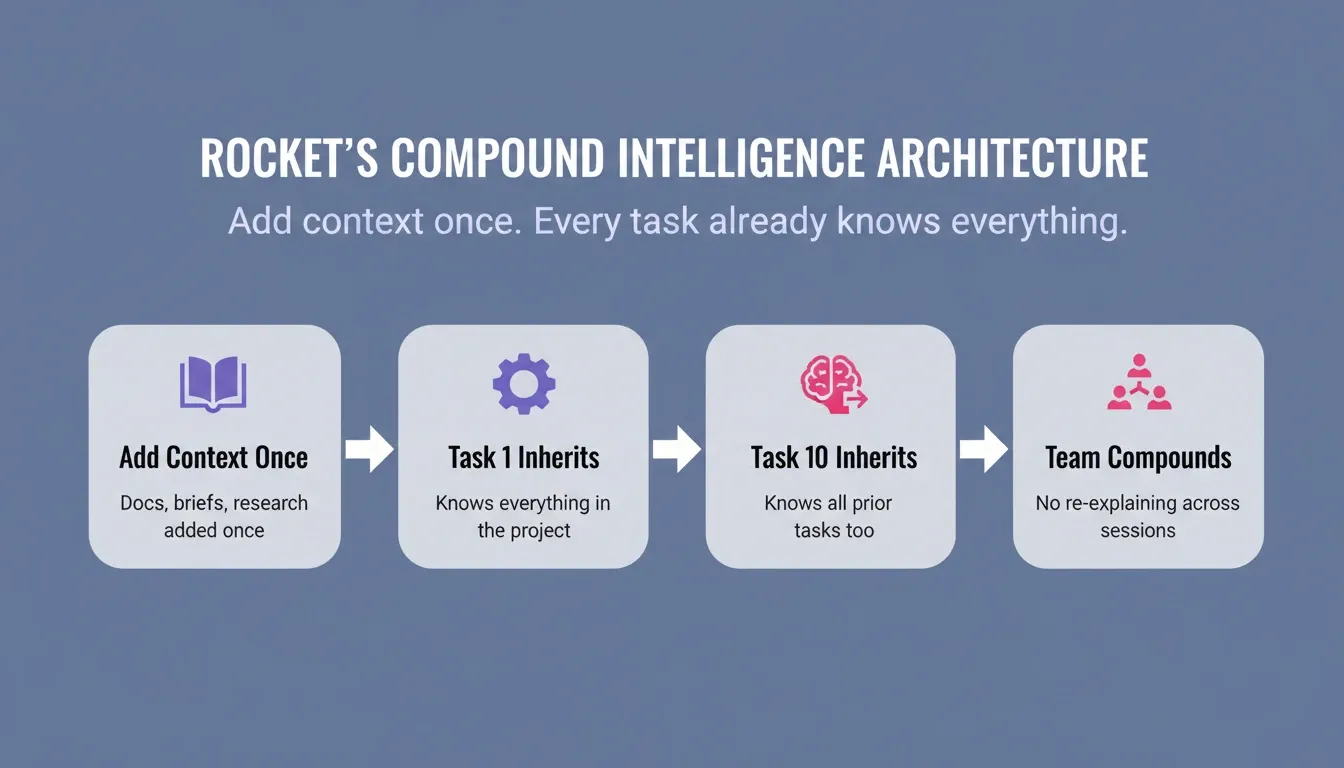
Rocket's compound intelligence architecture. Add context once. Every task already knows everything.
What Context Is Not
Understanding the boundaries of Rocket's context system prevents misuse:
-
Tasks opened outside a Project do not inherit shared context
-
Context is not conversation history. It is a structured, persistent workspace that holds what you deliberately share
-
Rocket does not automatically connect to internal databases or CRM systems. Files and connected sources must be explicitly added
-
Intelligence in one project does not cross into another project's context
What Rocket Builds With That Context
When context is properly loaded, Rocket generates production-grade code, not prototypes. Web applications are built in Next.js. Mobile applications are built in Flutter with real design systems, dark/light theming, fluid navigation, and staggered animations.
Every product ships with SEO-ready structure, WCAG accessibility compliance, GDPR coverage, and performance optimization by default. After you ship, you can deploy to a live URL with one action, use staging and production environments, access full version history, and roll back with one click. 25+ integrations connect directly into generation: Stripe, Supabase, Google Analytics, Mixpanel, Notion, Airtable, and more. Authenticate once and they flow into every build.
How Do Long-Term Memory and AI Agents Work in Code Workflows?
Modern AI coding systems increasingly use agent architectures where multiple sub-agents handle distinct sections of a task. One agent might plan the architecture while another writes the implementation and a third handles testing. The challenge is keeping context coherent across all of them.
Short-Term Memory vs Long-Term Memory in AI Agents
Short-term memory is the current conversation: recent messages, active tool calls, and the immediate task at hand. Long-term memory, by contrast, persists across sessions. It stores patterns, preferences, and past decisions that agents can retrieve later.
-
An agent's short-term memory fills and overflows quickly during complex jobs, making summarization and pruning of older messages necessary
-
Long-term memory lets an agent recall architectural decisions from weeks ago without requiring the developer to re-explain context each time
-
When one agent completes its work and hands off to another, shared context between them prevents information loss at the boundary
Tool Calls and Context Pollution
Every tool call an agent makes appends results back into the context window. After several file reads, search queries, and code executions, the conversation becomes extremely long. Without LLM context management, this pollution causes the agent to lose track of its original goal.
Well-designed AI agents manage this by keeping only the important context from tool call results and discarding the rest. They maintain state through structured summaries rather than raw history. This approach preserves the reasoning chain without the noise.
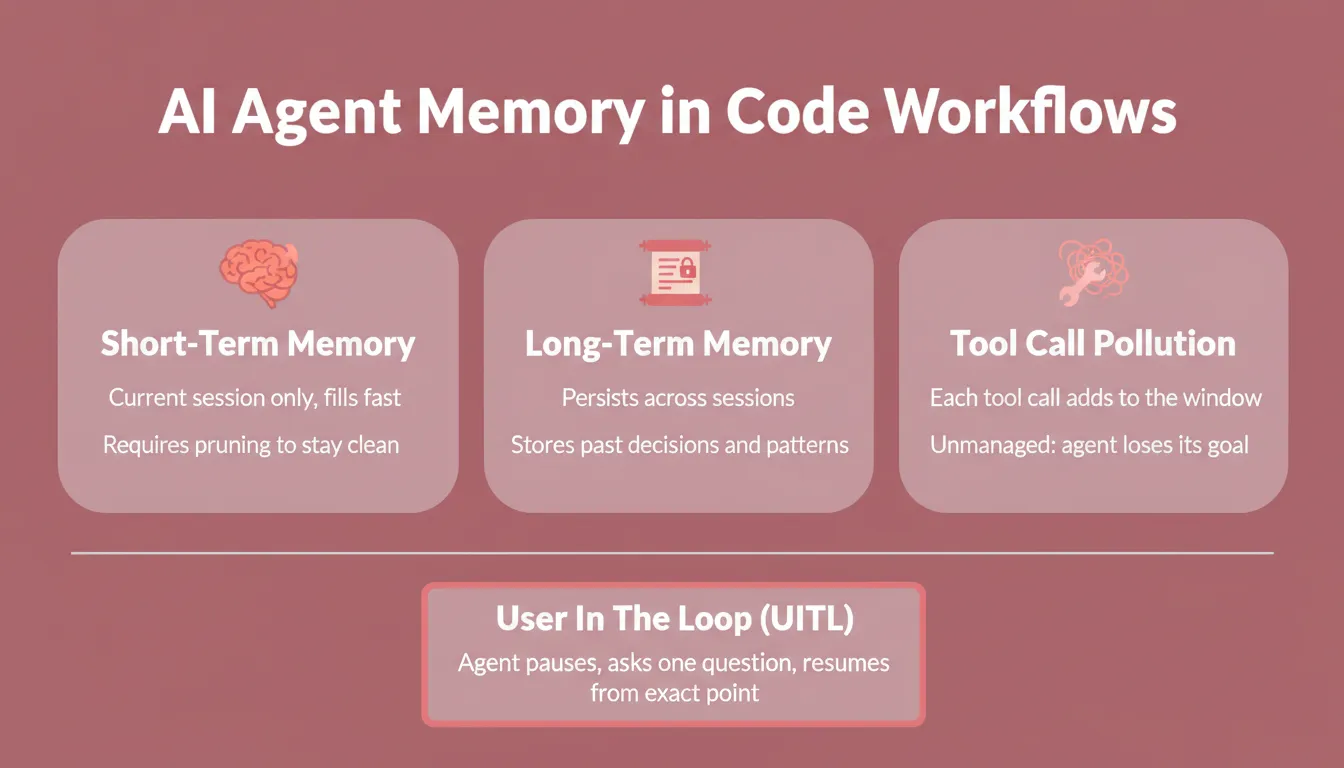
AI agent memory layers: short-term conversation memory, long-term persistent memory, and the User In The Loop (UITL) pause-resume cycle that preserves context integrity.
When the Agent Needs You: Human-in-the-Loop Context
Even the best context management hits decision points that require human judgment. Rocket's agent architecture includes a User In The Loop (UITL) layer. When the code generation agent hits a decision point it cannot resolve without user input, it pauses, asks one focused question, and resumes from the exact point it paused once you respond.
The agent is already running: reading files, writing code, making decisions. When it calls for input, everything it has already figured out is held in memory. A single clarification at the right moment preserves context integrity across the entire build. If no response arrives within 30 minutes, the agent makes the best decision autonomously and informs you of what it chose.
What Developers Report After Fixing Context Problems
The data tells a clear story. Google's 2025 DORA report found that AI adoption among software development professionals has surged to 90%, with over 80% reporting productivity gains from AI tools. Importantly, those gains concentrate among teams that have solved the context problem.
-
Teams using daily AI tools merge approximately 60% more pull requests than light users, according to DX's research across 135,000+ developers
-
Controlled experiments show developers complete tasks 55.8% faster with proper AI assistance, with 78% more likely to finish successfully
-
The Stack Overflow 2025 survey reports 52% of developers agree AI tools have positively affected their productivity
-
McKinsey places software engineering among the top 3 functions benefiting from AI, with productivity gains of 20 to 45%
The difference between teams that see these results and teams that struggle? Context quality. When AI agents receive well-structured context for code generation, they produce output that works the first time. Understanding why AI coding tools ignore earlier instructions is the first step to fixing it. Practical context window management is how you fix it for good.
Context Management Implementation Checklist
Use this checklist before starting any significant AI-assisted build:
Define your system prompt with language, framework, and naming conventions
Upload all relevant architecture docs, schemas, and design specs to the project
Connect live data sources (Notion, Google Docs) so context stays current automatically
Set a summarization cadence: compress history every 15 to 20 turns
Use RAG for any codebase over 50 files
Separate unrelated features into separate tasks with their own context windows
Reference previous task outputs explicitly when starting a new task
The Foundation That Determines Everything
LLM context management is not a nice-to-have optimization. It is the fundamental layer that determines whether AI coding tools save you time or waste it. Every technique covered here, from retrieval strategies to summarization to persistent project context, serves one purpose: giving the model the right information so it can do its job well.
As AI coding tools grow more capable, context management becomes more important, not less. Larger context windows create more opportunities for noise. More powerful agents create more opportunities for context pollution. The developers who ship consistently treat context as a first-class concern, not an afterthought.
You type the problem. Rocket researches it, carries the thinking forward, and builds from that foundation so nothing gets lost between sessions. Start building on Rocket and experience what it means to have context that compounds.
Table of contents
- -What is a Context Window in Large Language Models?
- -Why AI Coding Tools Produce Wrong Output
- -How Context Engineering Differs From Prompt Engineering
- -Which Strategies Keep Context Clean for Code Generation?
- -Retrieval Augmented Generation for Relevant File Access
- -Summarization and Compression of Conversation History
- -System Prompt Architecture for Code Tasks
- -Choosing the Right Context Strategy
- -Common Context Management Mistakes to Avoid
- -How Rocket Turns Shared Context Into Better Builds
- -What Context Is Not
- -What Rocket Builds With That Context
- -How Do Long-Term Memory and AI Agents Work in Code Workflows?
- -Short-Term Memory vs Long-Term Memory in AI Agents
- -Tool Calls and Context Pollution
- -When the Agent Needs You: Human-in-the-Loop Context
- -What Developers Report After Fixing Context Problems
- -Context Management Implementation Checklist
- -The Foundation That Determines Everything