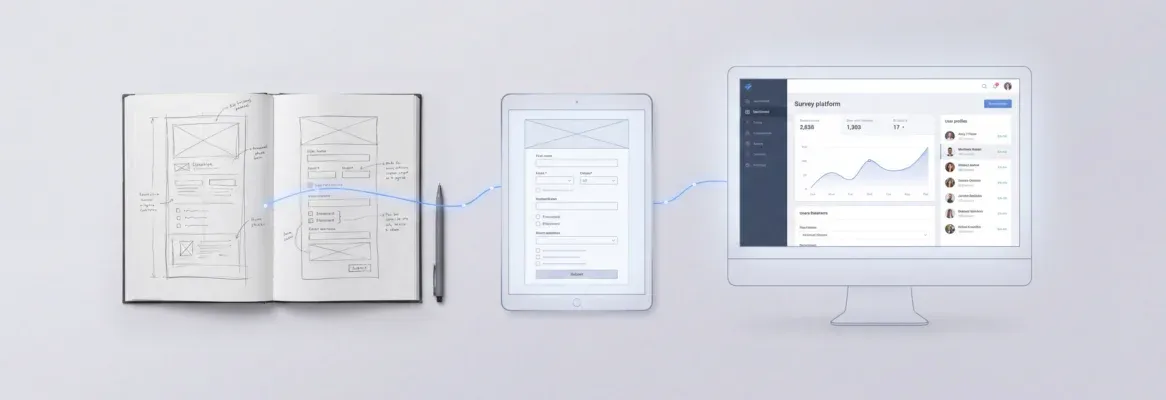
Vibe coding for designers turns plain language and Figma files into production-ready apps with no developer needed. This blog covers tools, workflows, Rocket's design-first features, and what to watch out for.
Designers are now shipping full products without a single developer on the team.
According to recent data shared on LinkedIn, 63% of people using AI building tools are non-developers, and that number keeps climbing.
The gap between knowing how a product should look and making it work is closing faster than most design teams realize.
The thing that changed is not designers learning to code. It is AI learning to understand design intent.
What Does Vibe Coding for Designers Actually Mean?
The concept is straightforward: describe what you want in plain English, and AI generates the code.
-
Andrej Karpathy coined the term in early 2025. He described it as a way to fully give in to the vibes and forget that code even exists.
-
The AI handles syntax, frameworks, and system architecture. You focus on direction and creative problem solving.
-
Tools like Cursor, Claude Code, and AI app builders use natural language prompts to generate code from descriptions.
-
You stay in control of the design process without needing to learn programming languages or debug line by line.
This is not the same as no-code tools from five years ago. Those platforms gave you drag-and-drop components with limited flexibility. Vibe coding gives you real, production-grade code that a software engineer could read and modify. Output quality depends on how well you describe what you want.
How Did We Get Here?
The shift happened in stages. First, AI assistants could autocomplete lines of code. Then they could write entire functions. By late 2025, they could build full apps from a single prompt.
The design community noticed when Cursor started processing millions of lines of code weekly. If AI could handle the coding for engineers, it could certainly handle it for designers who already understood what needed to be built. This was not a trend that appeared overnight. It was years of progress hitting a tipping point.
Why Should Designers Pay Attention?
Design skills translate directly into good AI prompts. Designers who know how to describe layouts, spacing, color systems, and interaction patterns write better prompts than most developers do.
-
Functional prototypes replace static mockups. Instead of waiting for dev handoff, you ship an interactive prototype that users can actually click through.
-
Design systems become build instructions. Typography rules, spacing tokens, and component libraries turn into explicit context that AI tools use to generate consistent code.
-
Speed changes the creative loop. When building takes minutes instead of weeks, you experiment more freely and learn what works through real data.
The difference matters most for prototyping and product design speed. You no longer need permission from a product manager or an engineering sprint to test an idea. This shift is also reshaping how vibe coding for product managers works across product teams.
What Are Designers Actually Building?
Real products, not just wireframes or concept art.
-
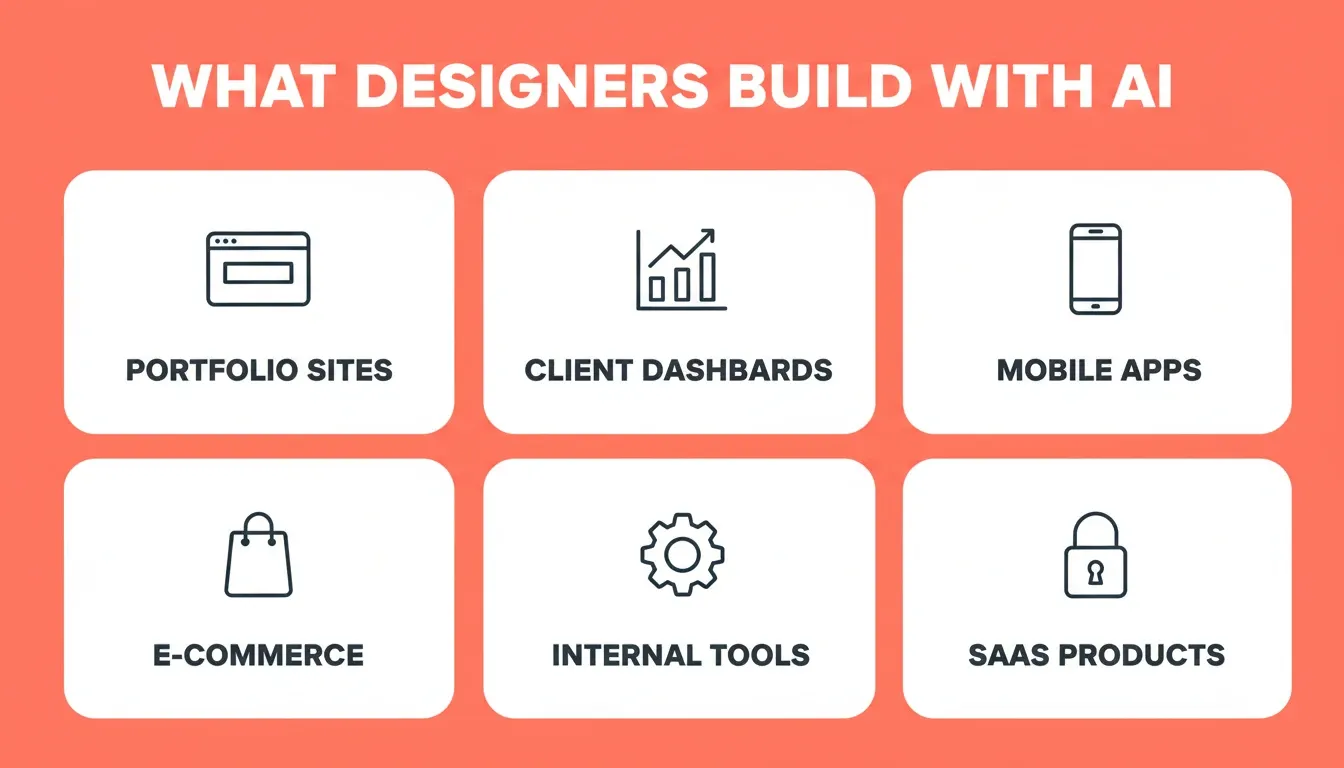
Portfolio websites and personal pages with custom interactions and animations
-
Client dashboards with live data connections and real-time updates
-
Mobile app prototypes with working navigation and screen flows
-
E-commerce pages with Stripe payment flows built in
-
Internal tools for design operations, like asset libraries and feedback trackers
-
SaaS products with authentication, user management, and subscription billing
Designers using these AI tools produce minimum viable products that would have taken a full development team months to build.
Comparing Traditional vs. AI-Powered Designer Workflows
| Stage | Traditional Designer Workflow | AI-Powered Designer Workflow |
|---|---|---|
| Design | Design mockup in Figma | Design mockup in Figma |
| Handoff | Hand off to developer | Import Figma directly or describe intent to AI |
| Build time | Wait days or weeks | See working version in 1 to 3 minutes |
| Visual fidelity | Something gets lost in translation | Typography, spacing, hierarchy preserved |
| Iteration | Review, request changes, wait again | Iterate directly with natural language |
| Post-launch edits | Request developer for every change | Visual edit mode: click any element to change |
| Launch | Ship after multiple sprint cycles | Ship same day |
Which AI Tools Work Best for Design-Focused Builders?
Not every tool makes sense for every skill level. The market has split into distinct categories, and picking the right one saves hours of frustration.
-
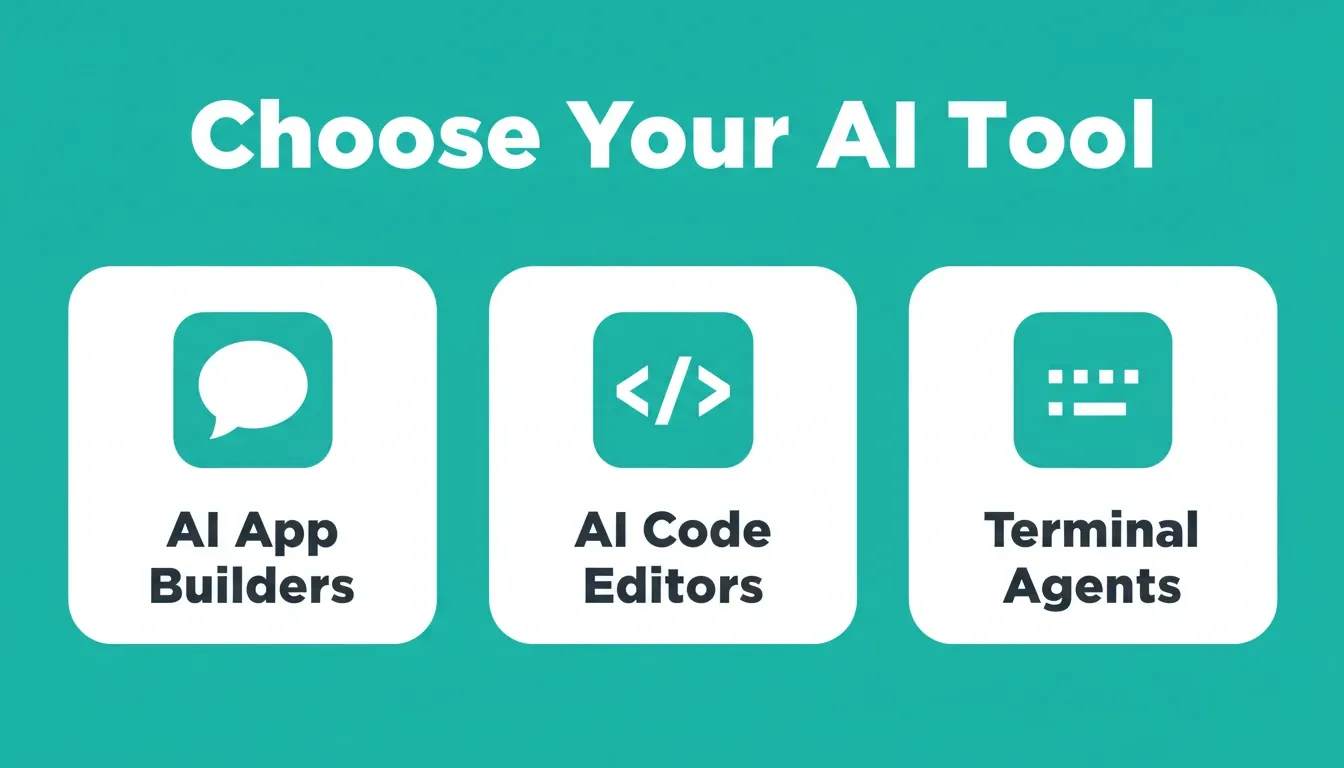
AI app builders (Rocket, Lovable, Replit) take plain English descriptions and produce full working applications. They work best for designers who want fast, complete output without touching code files.
-
AI code editors (Cursor, Claude Code) offer more control but expect some familiarity with project structure. Cursor reached a \$29.3 billion valuation, making it one of the fastest-growing tools in this space.
-
Claude Code processes code at impressive scale. It works well for designers who have learned basic project structure and handles context across large codebases.
-
Terminal agents provide maximum flexibility but require comfort with command-line environments. They are not the right starting place for most designers.
AI tools keep getting better at understanding design intent. When you describe a card component with subtle shadow, specific padding, and rounded corners, these tools know exactly what you mean.
How Do You Pick the Right Tool for Your Skill Level?
Your starting point determines your best path forward.
For a full breakdown of options and features, check the best vibe coding tools available today. Start with whatever feels least intimidating, then level up as you get comfortable with the workflow.
What Are the Real Limitations Designers Should Know?
AI-generated code is not perfect. Knowing the limitations helps you avoid the biggest mistakes.
-
According to IEEE Computer Society research, AI-generated code can be difficult to debug and maintain due to inconsistent naming patterns and unpredictable architecture.
-
Edge cases catch AI off guard. Complex conditional logic, unusual screen sizes, and deeper accessibility requirements still need human attention.
-
Version control becomes more important, not less. When AI writes code fast, you can lose track of what changed and why without good systems in place.
-
Developer trust in AI code accuracy dropped from 40% to 29% in one year, per Hostinger's research. The quality gap is real even if the speed gains are also real.
-
Mobile-specific behaviors, such as gestures, native navigation patterns, and platform-specific UI conventions, require extra attention and testing on real devices.
None of this means designers should avoid building. It means building with clear systems catches problems early, not after shipping to production. Knowing the common vibe coding mistakes upfront saves significant rework later.
How Do You Keep Quality High Without Writing Code?
Structure and process are your best friends here.
-
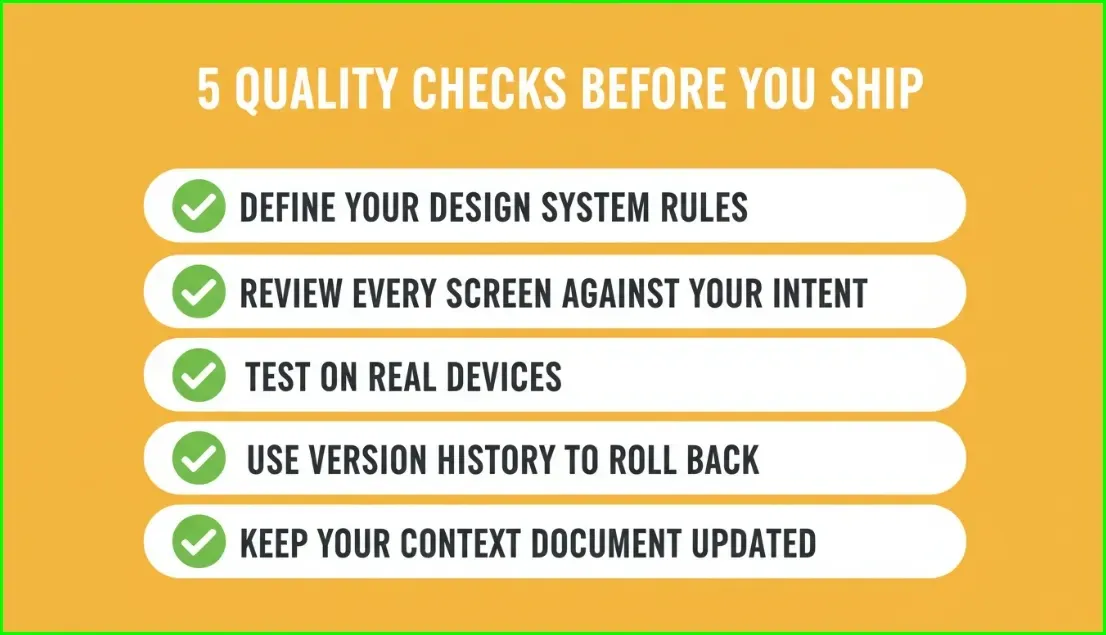
Start with explicit design system rules. Tell the AI your exact spacing scale, font sizes, color tokens, and component patterns before generating anything.
-
Review every screen against your original intent. Does the layout match? Are the buttons where you placed them? Does the hierarchy feel right?
-
Test on real devices, not just the preview. Responsive behavior is where AI output breaks most often.
-
Use version history to roll back mistakes. Ship often, test quickly, and revert when something goes wrong.
-
Keep your context document updated. The more specific your instructions to the AI, the fewer errors it produces over time.
If you are just starting out with no prior experience, these guardrails become even more important. They keep your output looking professional while you learn the workflow at your own pace.
Where Rocket Fits in Your Design Workflow
Most AI builders start from a blank prompt. You type what you want, cross your fingers, and hope the output looks good. Rocket takes a different direction entirely.
Rocket is the world's first Vibe Solutioning platform. It combines Solve (validate ideas, run market research, create PRDs), Build (generate production-ready web and mobile apps), and Intelligence (monitor competitors continuously) in one shared workspace. For designers, Build is the entry point. The full platform is what separates Rocket from every other AI builder.
1.5 million people have tried Rocket across 180 countries, from solopreneurs shipping MVPs to enterprise teams running strategy and execution on the same platform.
Six Ways to Start Building in Rocket
Rocket gives designers six distinct starting methods, not just a blank prompt box.
| Starting Method | Best For |
|---|---|
| From an idea | Describe what you want in plain language |
| From a Figma file | Import completed designs, preserve every spacing decision |
| From an attachment | Upload a screenshot, wireframe, PDF, or mockup |
| From a template | Start from a pre-built pattern, zero credits consumed |
| From GitHub | Continue an existing Next.js TypeScript codebase |
| Redesign (from a URL) | Transform any existing website via 8 slash commands |
What Rocket Preserves from Your Figma File
Upload your Figma file and Rocket converts it to production code. It keeps your typography choices, spacing scale, visual hierarchy, color system, and component patterns intact. The developer handoff becomes unnecessary. You ship the website yourself, and it matches the Figma file to production code exactly as designed.
The Redesign Feature: Built for Designers
Rocket's Redesign feature gives designers eight slash commands across three categories. You can transform any existing website without starting from scratch.
Reimagine: Modernize the look while preserving content, do a full makeover, or rebuild mobile-first.
Insight-Driven: Redesign from a heatmap upload, fix conversion issues, or fix visual hierarchy problems.
Brand and Consistency: Apply a competitor's design style to your content, or generate a new page that matches your existing brand exactly.
As a result, you can take a client's underperforming website, point Rocket at it, and deliver a redesigned version without a developer or a long agency engagement.
Three Editor Modes After Generation
Once Rocket generates your app, you have three ways to refine it.
-
Chat with Rocket: Use natural language instructions to change anything. There is no change limit.
-
Visual Edit: Click any element in the live preview to change text, style, spacing, or layout directly. It works exactly like editing in a design tool.
-
Code view: Browse and modify the generated Next.js or Flutter source files directly. Download the source code for local development.
You also get Theme controls to change colors, fonts, and design tokens across the entire app at once. Version history lets you browse and restore any previous version with one click.
Integrations That Flow Into Every Build
Rocket connects 25+ services directly into generation. Authenticate once and they are available in every project.
| Category | Services |
|---|---|
| Payments | Stripe, PayPal |
| AI models | OpenAI, Anthropic, Gemini, Perplexity |
| Databases | Supabase, Airtable, Strapi, Directus |
| Analytics | Google Analytics, Mixpanel |
| Email and messaging | Mailchimp, SendGrid, Brevo, MailerLite, Resend, Twilio |
| Productivity | Notion, Linear, Google Workspace |
| Forms and scheduling | Typeform, Tally, Cal.com, Calendly |
What Ships by Default
Every Rocket build includes these by default, not as optional extras.
| Default | What It Means |
|---|---|
| SEO-ready structure | Proper meta tags, semantic HTML, sitemap |
| WCAG accessibility compliance | Screen reader support, keyboard navigation, contrast ratios |
| GDPR coverage | Privacy-compliant data handling |
| Performance optimization | Core Web Vitals optimized from the first generation |
| Built-in analytics | Visitors, conversions, accessibility, and Core Web Vitals tracked after launch |
A Step-by-Step Workflow to Start Building Today
Here is how to go from idea to deployed product as a designer, step by step.
-
Pick your tool. If you have zero coding background, an AI app builder for non-developers is your fastest path. In Rocket, sign up in about 30 seconds. No credit card required.
-
Set up your project context. Upload your brand guidelines, design system, and any relevant research. This context carries into every task automatically.
-
Choose your starting method. Have a Figma file? Import it. Have a wireframe screenshot? Upload it as an attachment. Starting fresh? Describe the app in plain language.
-
Write a detailed prompt. Describe the app purpose, list key screens, specify design preferences like colors and typography, and name three to five core features.
-
Generate your first version. Let the AI build it. This takes one to three minutes on most platforms.
-
Review and iterate. Walk through every screen. Use Visual Edit to click and fix elements directly. Use chat for structural changes. Treat it like a design critique.
-
Connect real data. Add your database, payments, or API integrations through simple setup flows. Ask Rocket in chat to connect any service.
-
Test on real devices. Share the staging URL with teammates. Check mobile behavior. Fix what breaks.
-
Ship it. Click Launch. Your project goes live with a shareable URL. Connect a custom domain if needed.
The whole process can happen in a single day. No sprint planning, no engineering tickets, no waiting on anyone else. For a deeper look at the iteration process, the rapid prototyping guide covers how to move from concept to tested product faster.
Your Design Skills Already Speak the Language of AI
The best thing about this shift is who it favors. People who understand layout, hierarchy, user flows, and visual systems write better AI prompts than people who know JavaScript. Your design training is the advantage now, not the barrier.
The tools are ready. The learning curve is shorter than most people think. The gap between "I designed this" and "I shipped this" has never been smaller for creative professionals.
Vibe Coding for Designers: The Skill That Defines the Next Era
Vibe coding for designers is not a shortcut. It is a skill shift. The designers who learn to describe their intent precisely, structure their design systems as AI context, and iterate fast will ship products that used to require full engineering teams. That gap is only going to close further.
AI tools will keep getting better at understanding design intent. The output will get closer to what you imagined on the first generation. The iteration loops will get faster. The integrations will get deeper. Designers who build this skill now are not just keeping up. They are getting ahead of a shift that will define how products are made.
Start building with Rocket.new and turn your next design into a live product today. 1.5 million people have tried Rocket across 180 countries. You are next.
Table of contents
- -What Does Vibe Coding for Designers Actually Mean?
- -How Did We Get Here?
- -Why Should Designers Pay Attention?
- -What Are Designers Actually Building?
- -Comparing Traditional vs. AI-Powered Designer Workflows
- -Which AI Tools Work Best for Design-Focused Builders?
- -How Do You Pick the Right Tool for Your Skill Level?
- -What Are the Real Limitations Designers Should Know?
- -How Do You Keep Quality High Without Writing Code?
- -Where Rocket Fits in Your Design Workflow
- -Six Ways to Start Building in Rocket
- -What Rocket Preserves from Your Figma File
- -The Redesign Feature: Built for Designers
- -Three Editor Modes After Generation
- -Integrations That Flow Into Every Build
- -What Ships by Default
- -A Step-by-Step Workflow to Start Building Today
- -Your Design Skills Already Speak the Language of AI
- -Vibe Coding for Designers: The Skill That Defines the Next Era